Can I allow iOS 16 security updates while prohibiting the update to iOS 17?
Yes, you can.
The Software Update screen in the Settings app shows two update targets: the latest version of the current major version and the latest version of the next major version. From the device, users can update to the latest OS of the current major version and apply security updates.
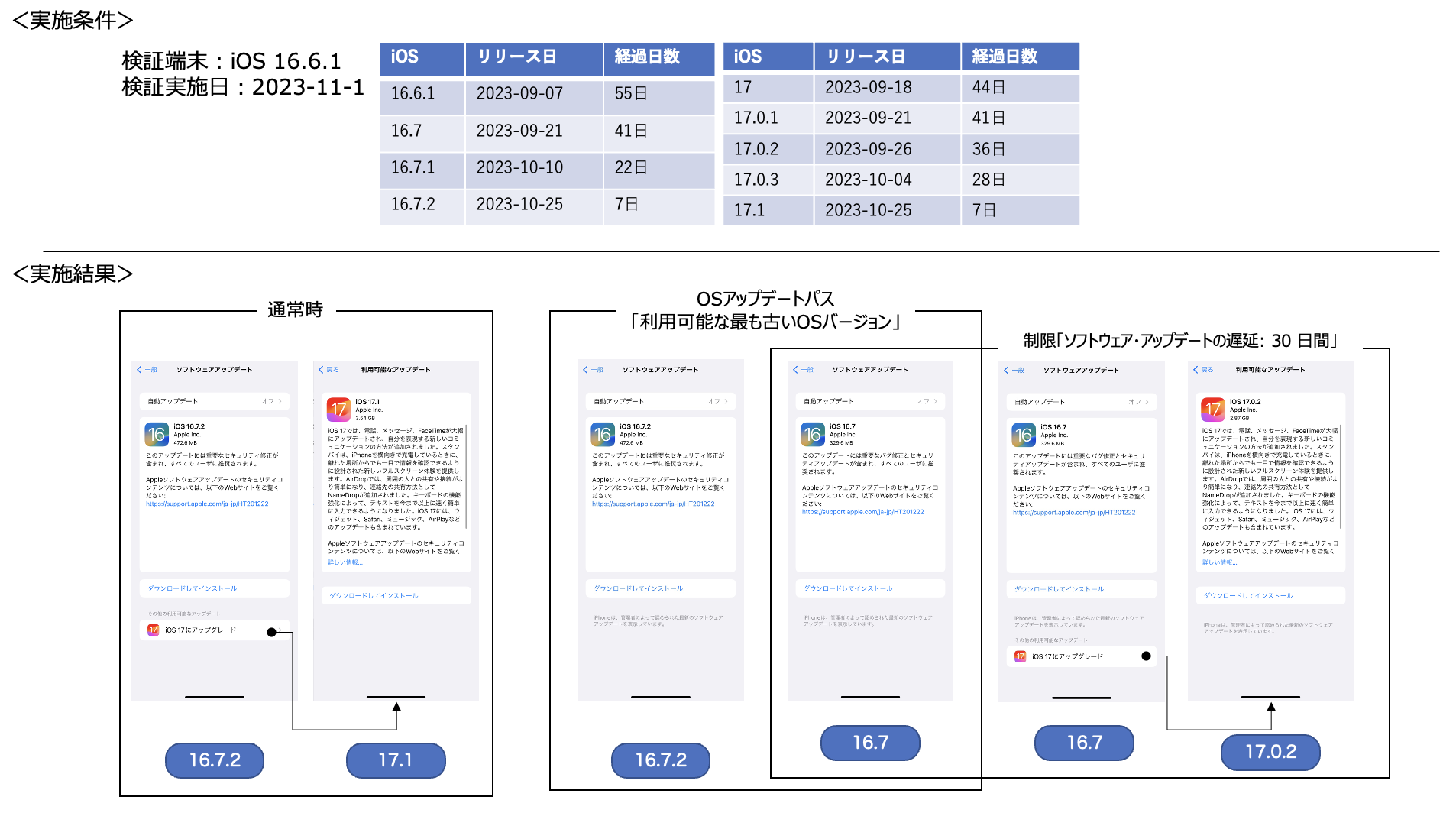
Normally, both update targets (update paths) are displayed, but you can use the following profile item to display only the iOS 16 path.
Note: Apple has not clearly stated how long the iOS 16 path will remain available.
- Extended Configuration > OS Update > Update path > Oldest available OS version
You can also use update path control together with the profile restriction Defer Software Updates: \\\* days.
For examples of device behavior when only one of them is used and when both are used together, see the figure below.
Last updated: November 10, 2023