The passcode set on the device during setup disappears
If the profile Restrictions payload Allow passcode modification is set to OFF,
the passcode set during activation of an ADE device may become invalid.
This is due to the OS specifications.
【Conditions】
- ADE is used
- The profile
RestrictionspayloadAllow passcode modificationis set to OFF - A passcode is set during activation
If these conditions apply,
the passcode may or may not be set on the device, depending on the speed of the activation work and the network status of the device.
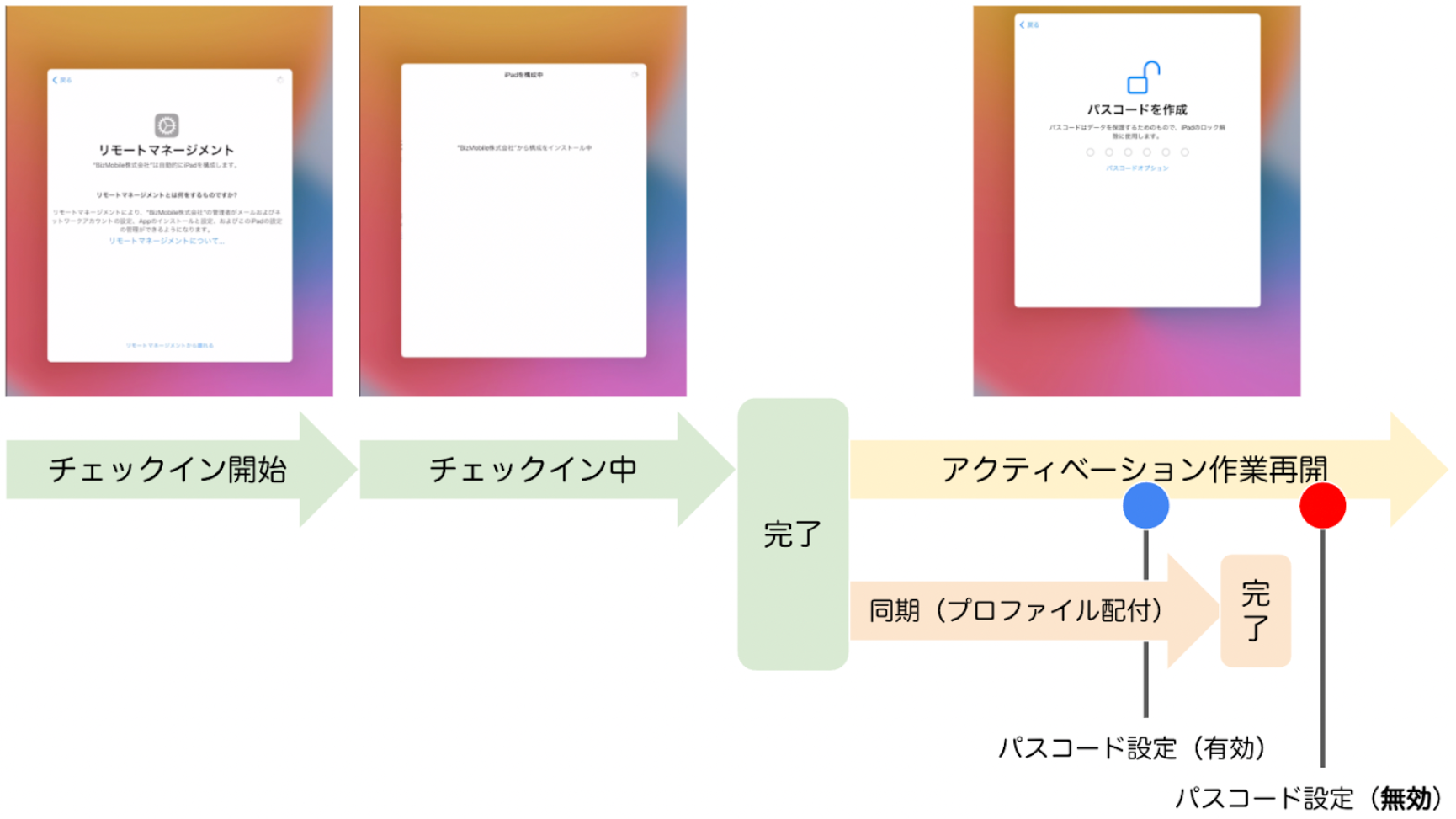
When an ADE device is activated, MDM enrollment (check-in) is performed on the Remote Management / Device Management screen.
When enrollment is complete, the following happens.
- You can proceed with the activation work on the device, including setting a passcode
- The
Syncprocess from the BizMobile Go! server starts
In the sync process, the profiles / apps / books assigned to the template are distributed to the device, so the Allow passcode modification OFF setting is applied to the device by the sync process.
【Cause】
If you set a passcode on the device before the Allow passcode modification OFF setting is applied, the passcode is valid.
If you set a passcode on the device after the Allow passcode modification OFF setting is applied, the passcode is invalid.
【Solution】
- Distribute the profile with
Allow passcode modificationset to OFF after setup is complete (assign the profile to the template after setup, or use separate templates during and after setup) - If this issue occurs, erase the device and set it up again
Last updated: April 5, 2024