Operator Access Control
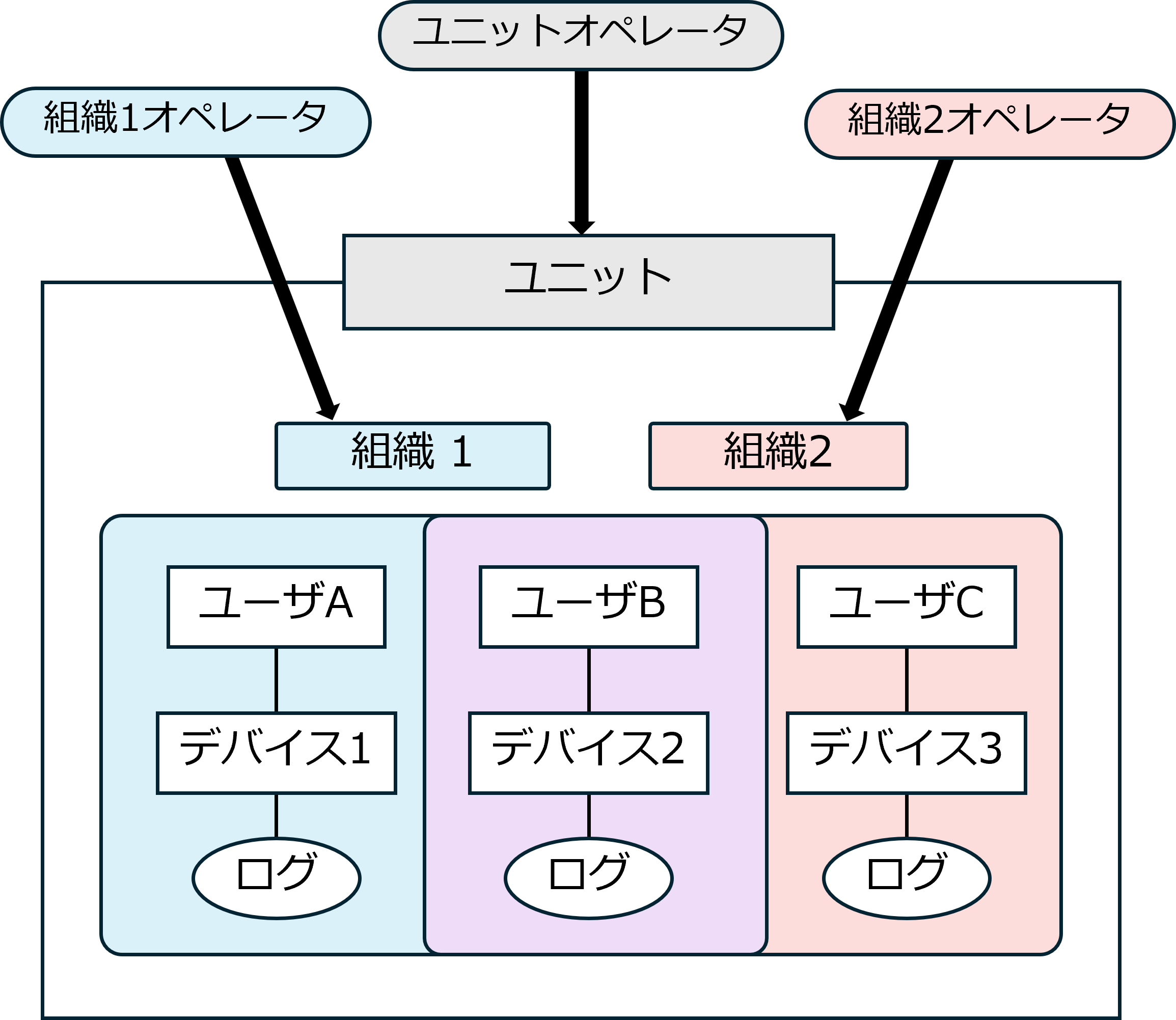
BizMobile Go! operators fall into two broad types: those with Unit permissions and those with Organization permissions.
An operator created for an organization can view only the user and device information linked to the specified organization.
However, such an operator can still view common information that is not linked to any organization (such as Template, Profile, and Applications).
Common information
•Template
•Profile
•Applications
•Application Catalog
•Banned Apps
•Book
•ADE/Zero-touch/Shared QR code/Common PPKG
•VPP/EMM
•Unit settings/Organization/Operator Detail
Operator Permissions
| Permission name | Unit/Organization | Name on screen | Available functions |
|---|---|---|---|
| Administrator | Unit | Unit Admin | All functions are available |
| Organization | Organization Admin | All functions are available except some functions in the CONFIG menu | |
| Control & Modify | Unit | Unit Control & Modify | Mainly functions related to CONTROL and CONFIG are available |
| Organization | Organization Control & Modify | ||
| Control & Modify 2 | Unit | Unit Control & Modify 2 | |
| Organization | Organization Control & Modify 2 | ||
| Config Management | Unit | UnitConfig Only | Mainly functions related to CONFIG are available |
| Config Management 2 | Unit | UnitConfig Only 2 | Mainly functions related to CONFIG are available (except Book) |
| Control Only | Unit | Unit Control Only | Mainly functions related to CONTROL are available |
| Organization | Organization Control Only | ||
| View Only | Unit | Unit View Only | Mainly view-only access to information |
| Organization | Organization View Only | ||
| View Only 2 | Unit | Unit View Only 2 | |
| Organization | Organization View Only 2 | ||
| Book Only | Unit | Unit Book Only | Functions related to Book are available |
List of Functions Available to Each Operator
• List of functions available to each operator (PDF: 335KB) Download