Creating and Editing Information with CSV Files
This page describes the CSV file formats and upload methods you can use to create and change device management information.
See this page for the CSV file format for users (and organizations) and devices.
See this page for the CSV file format for organizations.
See this page for the CSV file format for banned app lists.
See this page for the CSV file format for options.
See this page for the fields used in each CSV file.
Each import screen has an import history list where you can check the history and the results of imports.
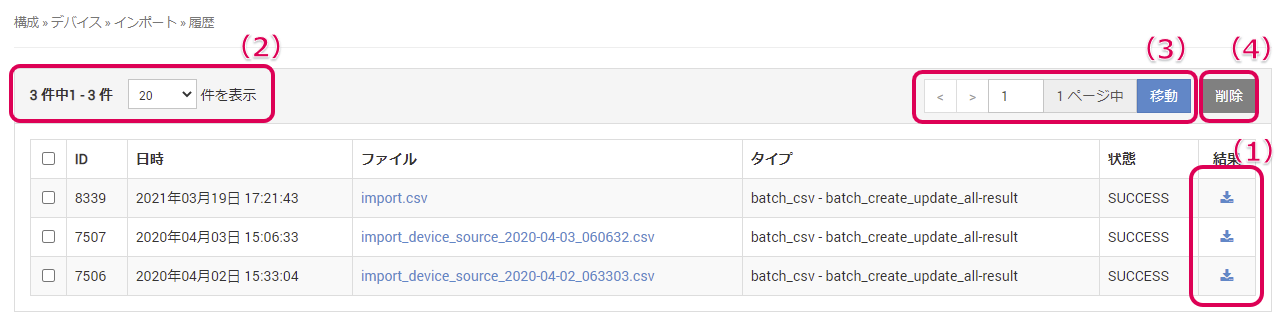
(1) Click the icon to download the results of a past import again.
(2) You can select the number of items displayed in the history list from 20 (default), 50, and 100.
(3) If the history spans multiple pages, you can move between pages.
(4) You can select the checkboxes in the history list to delete entries.