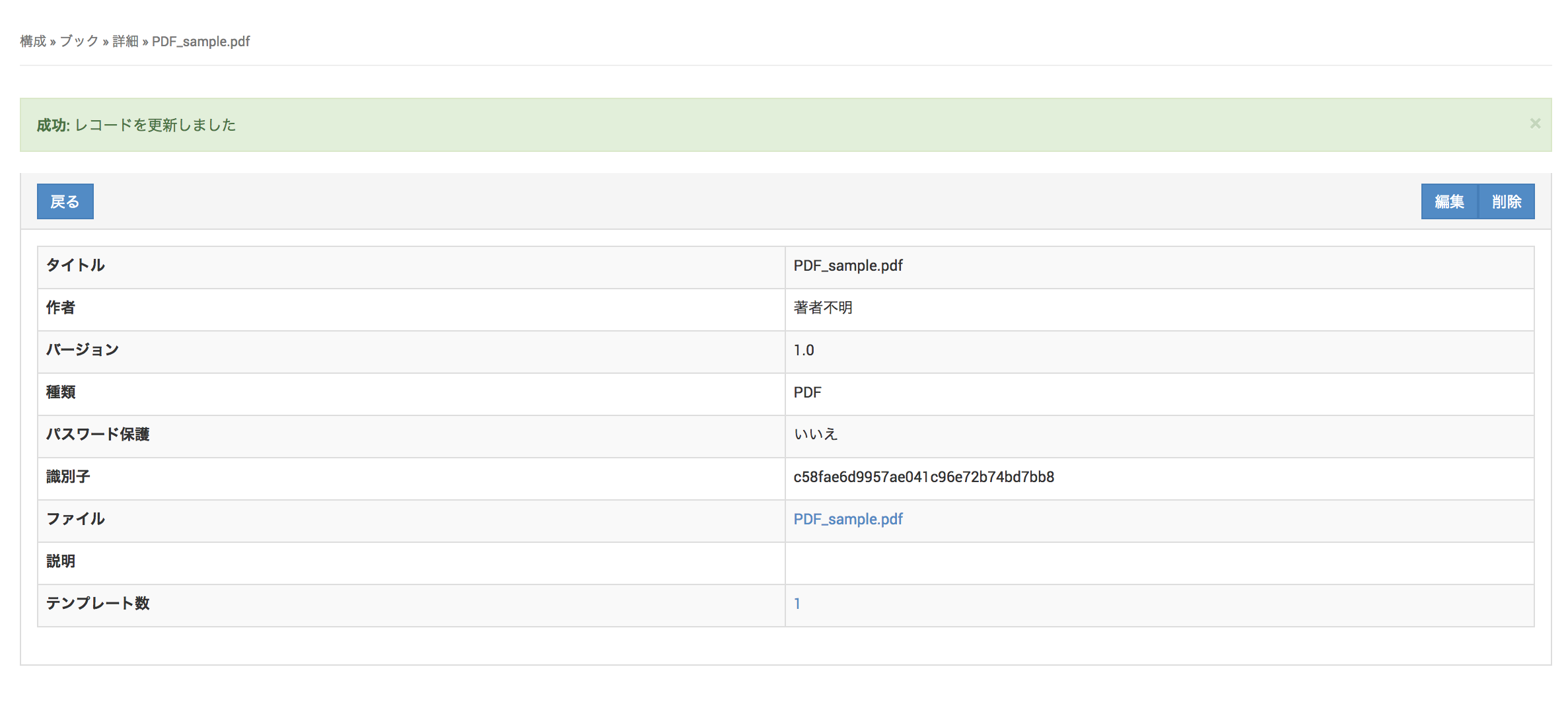
Book Information
Configure the books to install on devices. The iBooks (.ibooks), ePub (.epub), and PDF (.pdf) formats are supported.
Distribution of books from the iBook Store is not supported for iBook-format books.
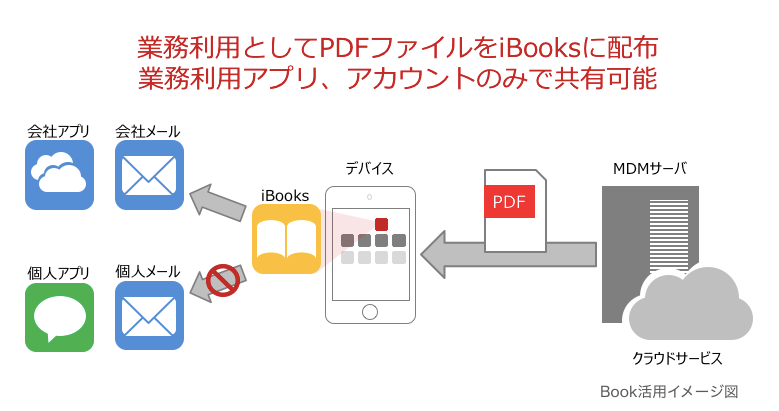
Create Book Information
- Click Create on the CONFIG → Book screen.
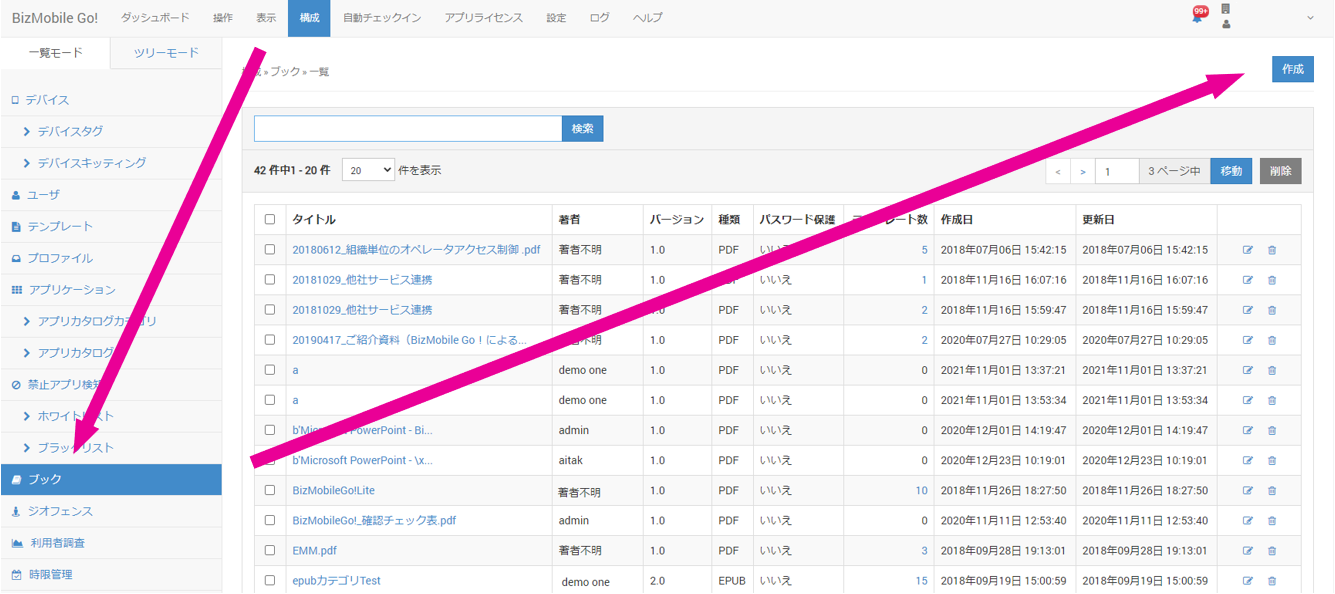
- Enter the required information on the book information screen that appears, and then click Save.
Input fields (items marked with ★ are required)
| Field | Description |
|---|---|
| File ★ | Select the file to upload. The following file types are supported. - iBooks (.ibooks) - ePub (.epub) - PDF (.pdf) Note The maximum size of a file that can be uploaded is 1.2 GB. Operation is not guaranteed for uploads that exceed the limit. There are currently no operational restrictions, but we may charge for use that exceeds the limit. Note Because no technical restriction is applied, the most likely cause of an upload failure is the network quality between your environment and Amazon S3 over the internet. |
| Title ★ | Select how to register the book title. - Automatic registration: The title is registered automatically from the metadata of the uploaded file. - Manual registration: You can register any title. |
| Description | Optional information |
| Template | Select the template in which to register this book. If you have not created a template yet, you do not need to fill in this field (you can also select the book from the template side when you create the template). |
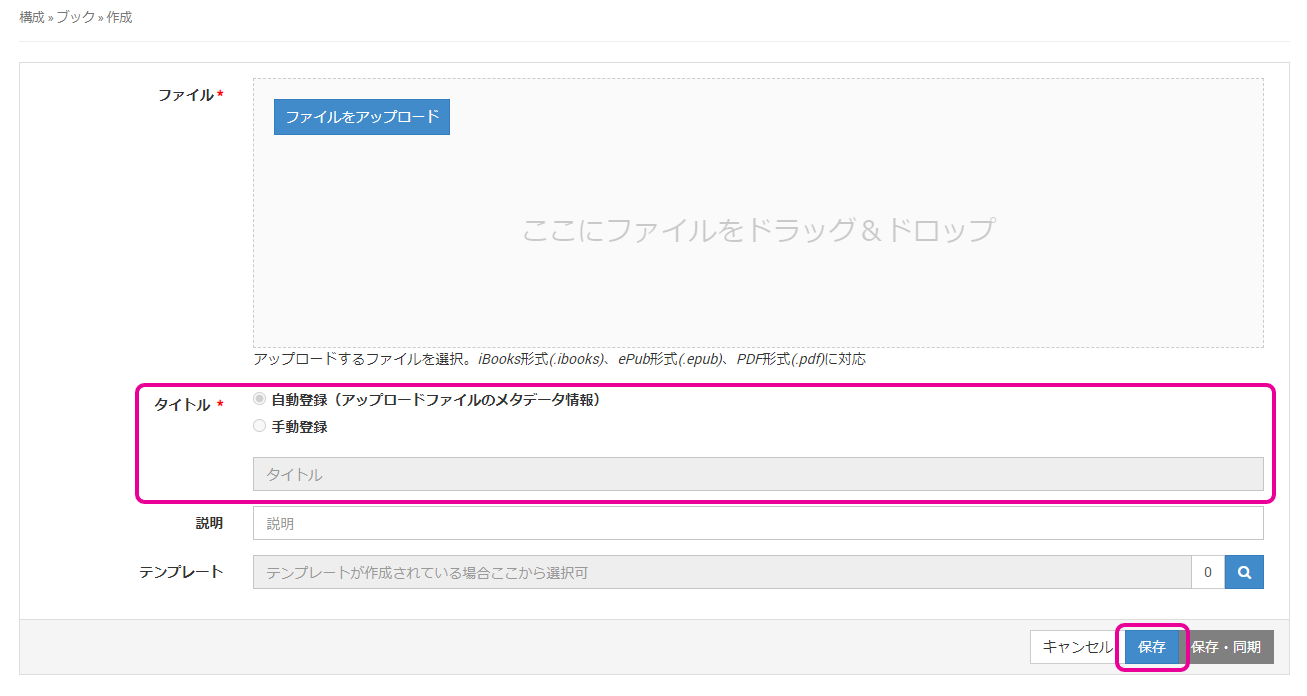
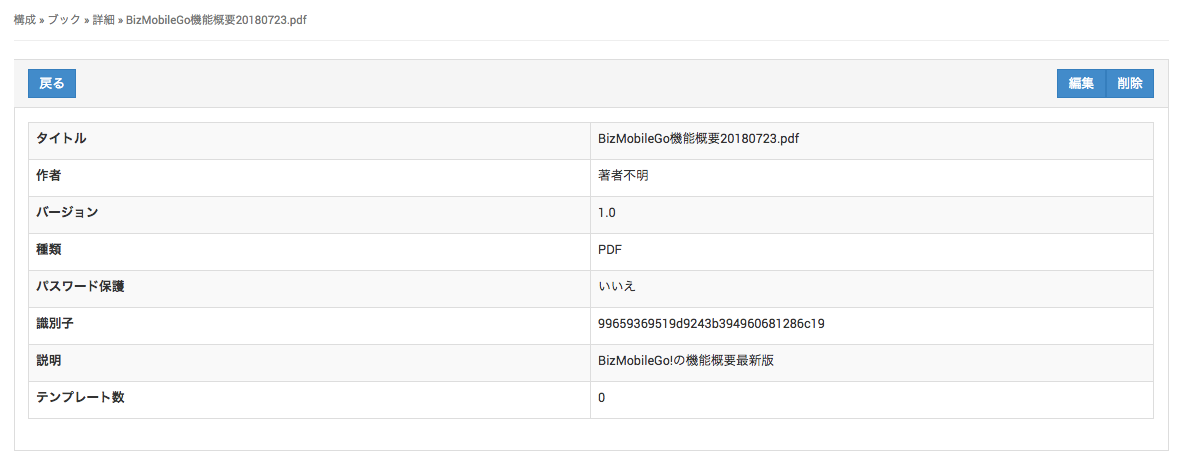
- When the book is created, the following is displayed at the top of the screen.

The book name is a link. Click it to open the book details page.
Update Book Information
You can re-upload a file to update book information that has already been created.
You can upload a file of the same format.
The re-uploaded file becomes a target for redistribution to managed devices.
If the data in the re-uploaded file differs from the data in the previous file, the book file becomes a target for redistribution to the managed devices.
If the data in the file has not changed, it is not a target for redistribution.
-
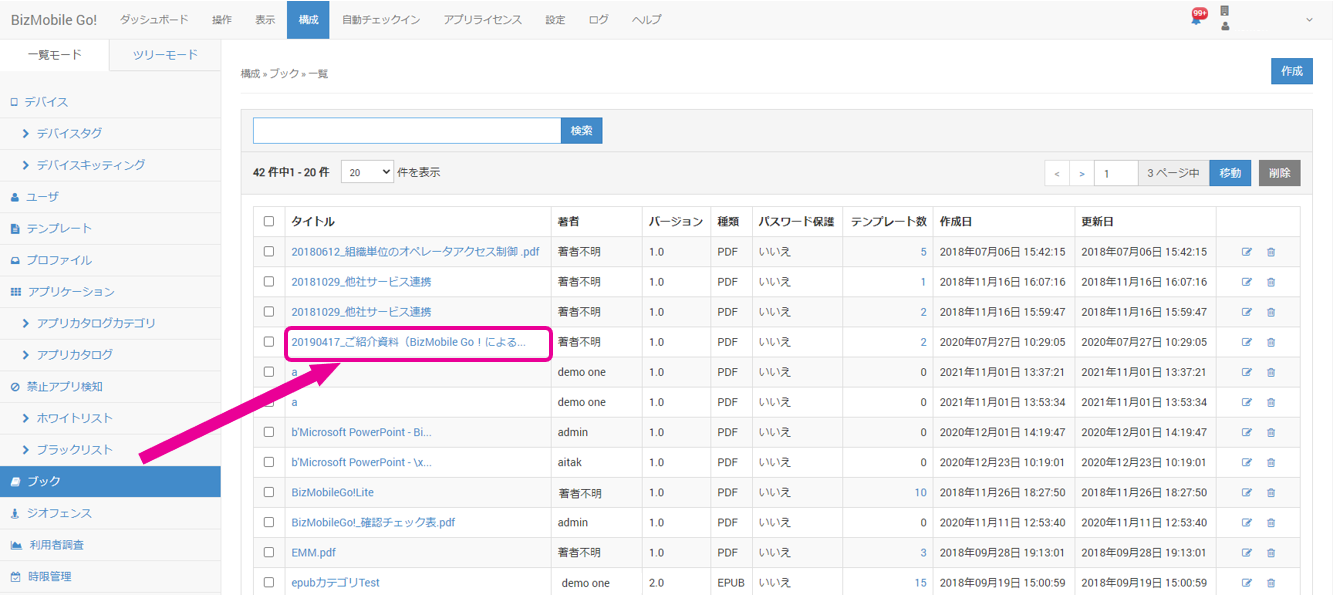
Click the book you want to update on the CONFIG → Book screen.
-
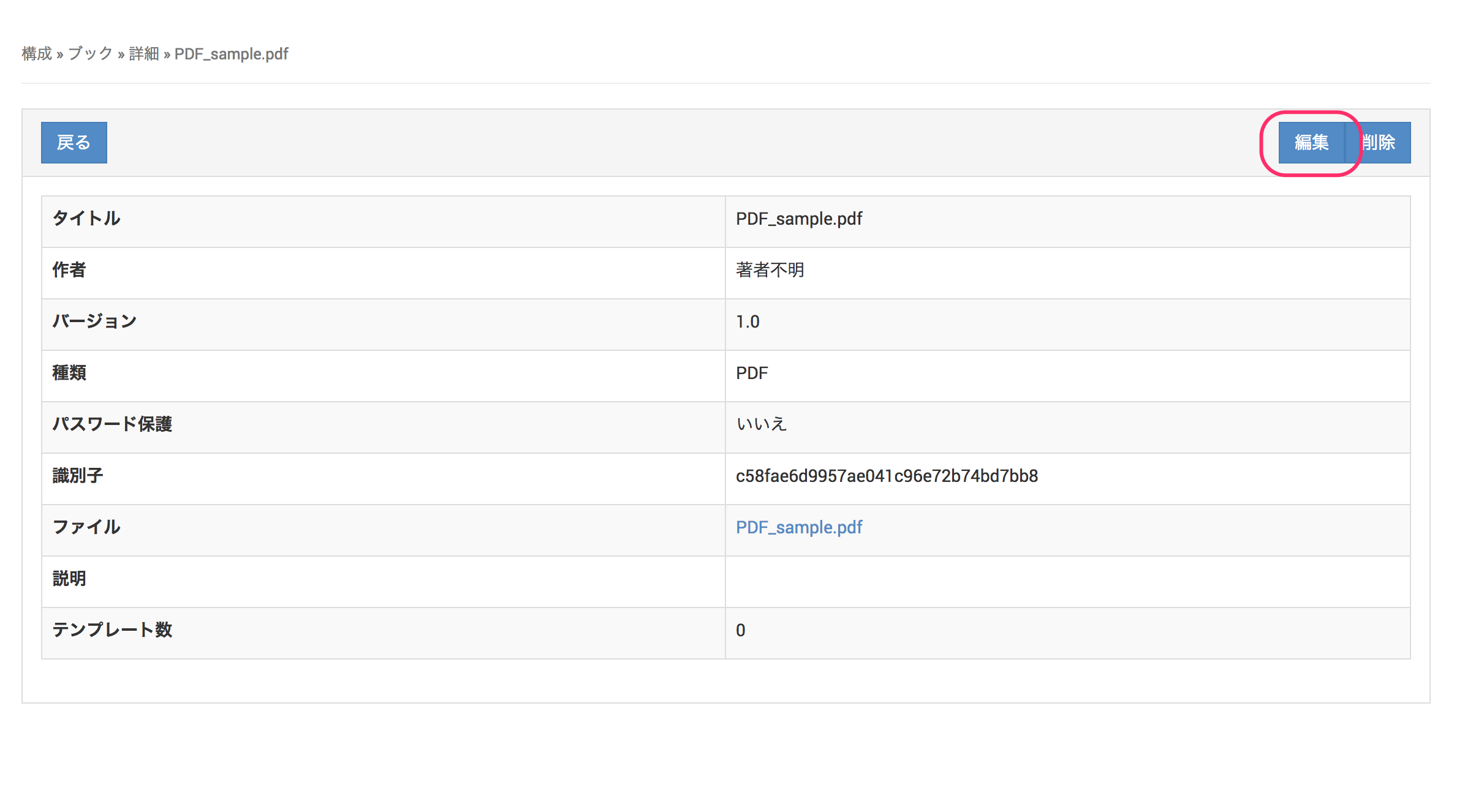
Click Edit.
-
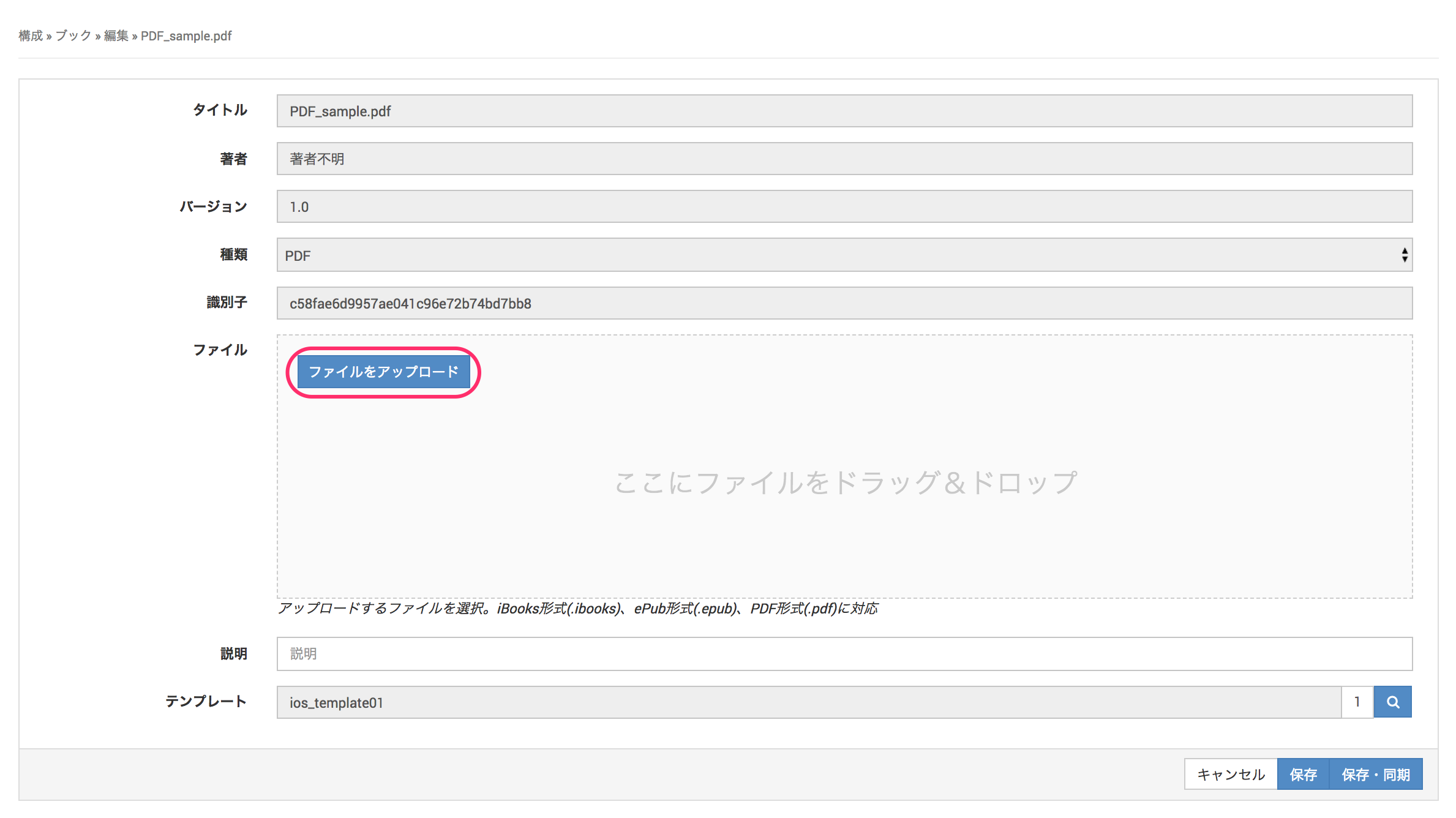
Click Upload File and select the updated book file.
-
To register the uploaded book file, click Save.
-
When the message
Success: The record was updated.is displayed, the book update is complete.