Template
A template groups device configurations, settings, and application information, and serves as a model for managed devices.
You must create separate templates for each OS and, within each OS, for each management mode.
For example, when creating a template for iOS devices, create separate templates for devices that use ADE and devices that do not.
For Android devices, create separate templates for Device Owner mode and for Work Profile.
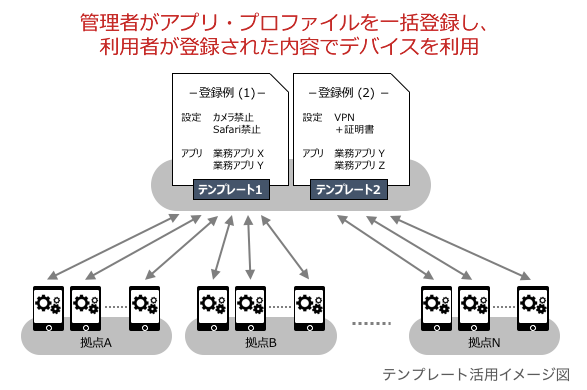
Create a template.
Create a template for Shared iPad.
You can create a new template by copying a template that is already registered.
You can instruct managed devices to run OS updates.
You can detect SIM card changes and send alarm notifications or apply an admin lock.
One template can be assigned to each device, and a device can be reassigned to a different template as needed.
Information you can register in a template, by OS
OS | Profile | Applications & Banned Apps | Book |
|---|---|---|---|
iOS/iPadOS | Yes (multiple) | Yes (multiple) | Yes (multiple) |
Android | Yes (one) | Yes (multiple) | |
Windows | Yes (one) | Applications only (multiple) | |
macOS | Yes (multiple) | ||
tvOS | Yes (multiple) | Applications only (multiple) |
|
| Shared iPad | Yes (multiple) | Yes (multiple) |