Policy (One Time Only)
iOSAndroid`
In a policy, you define when templates are switched and which template is applied at each time,
and specify when devices restart automatically.
When switching templates:
All devices assigned to the templates specified as switch targets are affected.
Each template can be specified in only one policy, one each for "within the time period" and "outside the time period". The same template cannot be specified for both "within the time period" and "outside the time period".
Create a policy for template switching
-
In the admin console, on the Policy screen of CONFIG > Time-based Management, click [Create].

-
Enter the required information on the screen that opens, and click [Save].
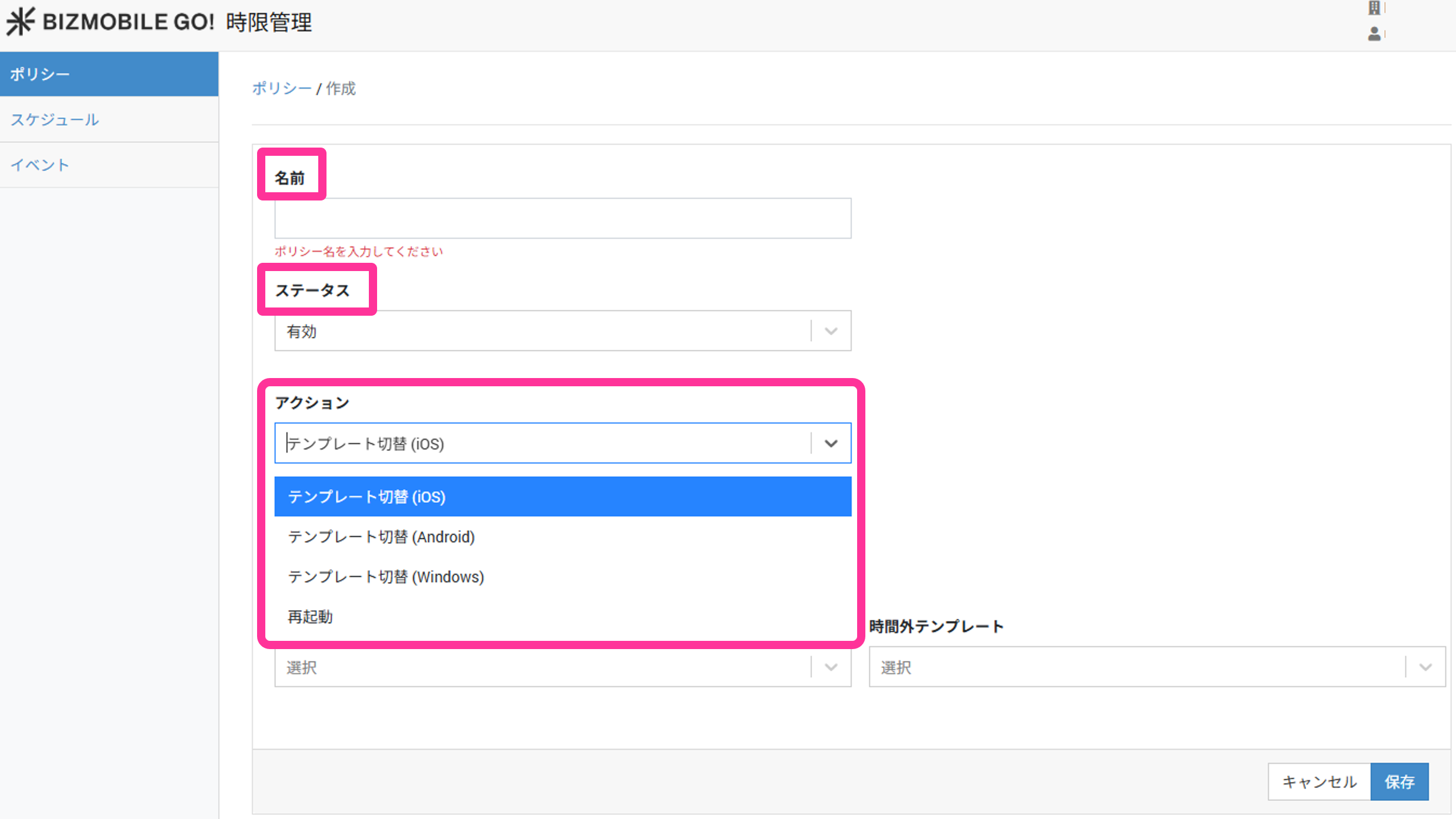
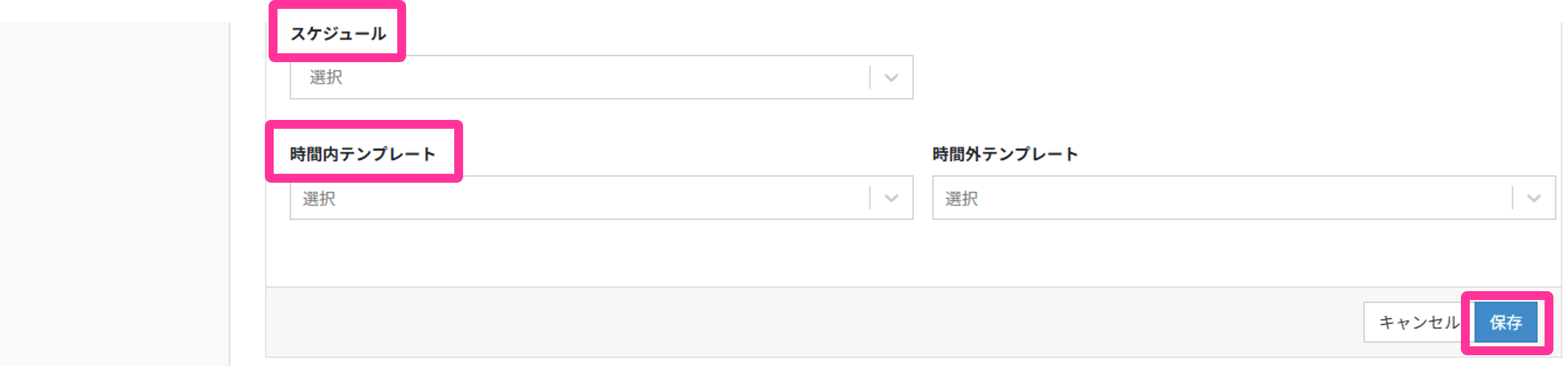
Input fields (★ indicates a required field)Name★ Name for the policy Status★ Select Enabled or Disabled
(If Disabled, template switching is not executed.)Schedule Select a schedule from the list of created schedules Action★ - Select from the following
- Template switching (iOS)
- Template switching (Android)
- Template switching (Windows)
Schedule Select a schedule from the list of created schedules Template within the time period★ Select the template to assign within the specified time period Template outside the time period★ Select the template to assign outside the specified time period -
When creation is complete, the policy appears in the list.

Create a policy for automatic device restart
-
In the admin console, on the Policy screen of CONFIG > Time-based Management, click [Create].
-
Enter the required information on the screen that opens, and click [Save].
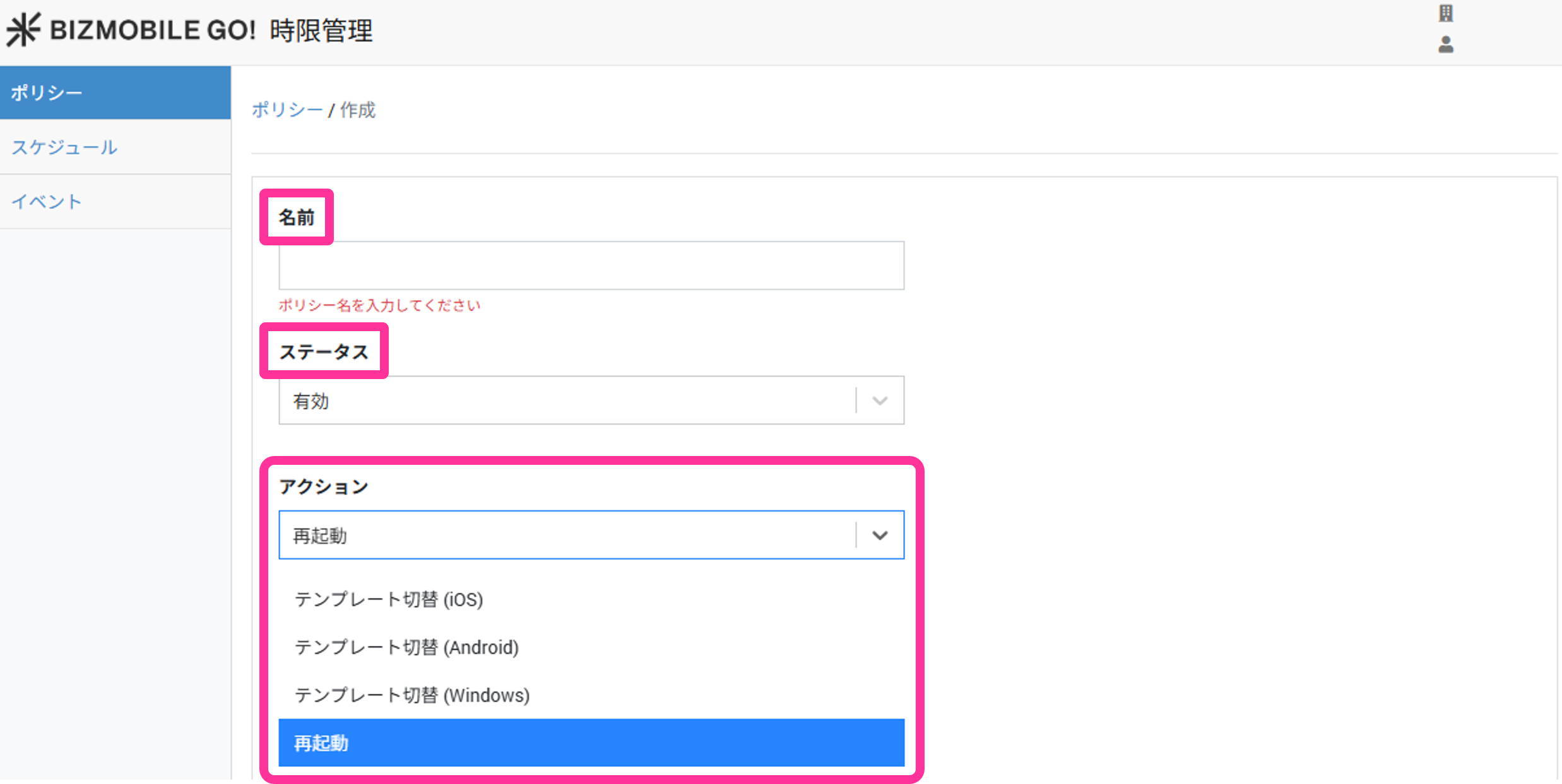
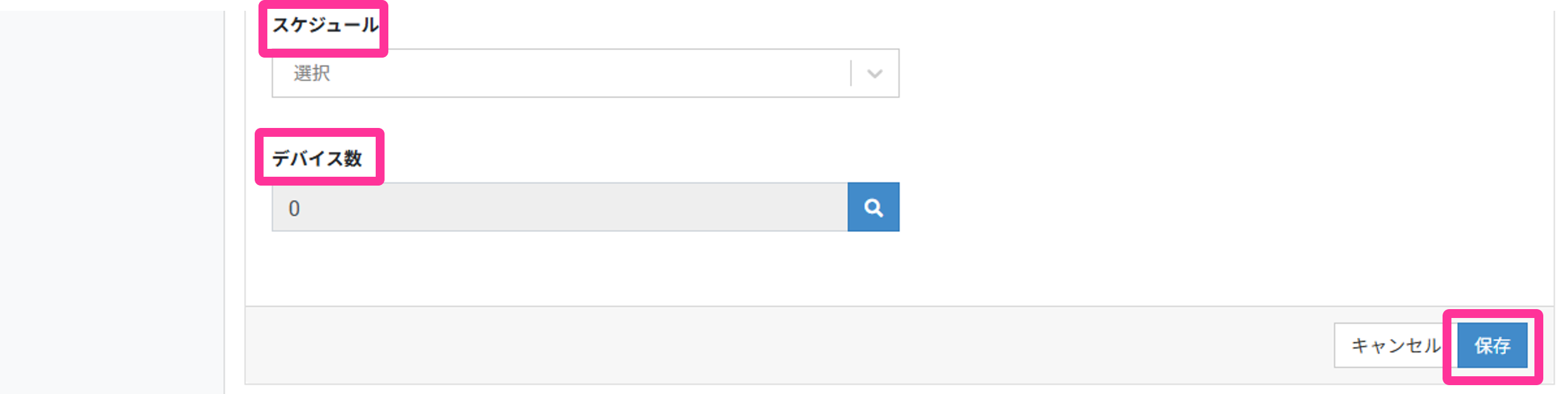
Input fields (★ indicates a required field)
Name★ Name for the policy Status Select Enabled or Disabled
(If Disabled, automatic restart is not executed.)Schedule Select a schedule from the list of created schedules Action Select "Restart" Schedule Select a schedule from the list of created schedules Number of Devices Search by identifier to specify devices, or filter by device tag to specify them in bulk