(Windows) Offline Data Wipe
You specify folders on the device in advance. When the device is detected to have been offline for a specified period,
those folders are deleted.
This feature is an option and requires a separate contract.
-
Register the two in-house apps, BizGoWipe and BizGoConfigurator, in the template.
-
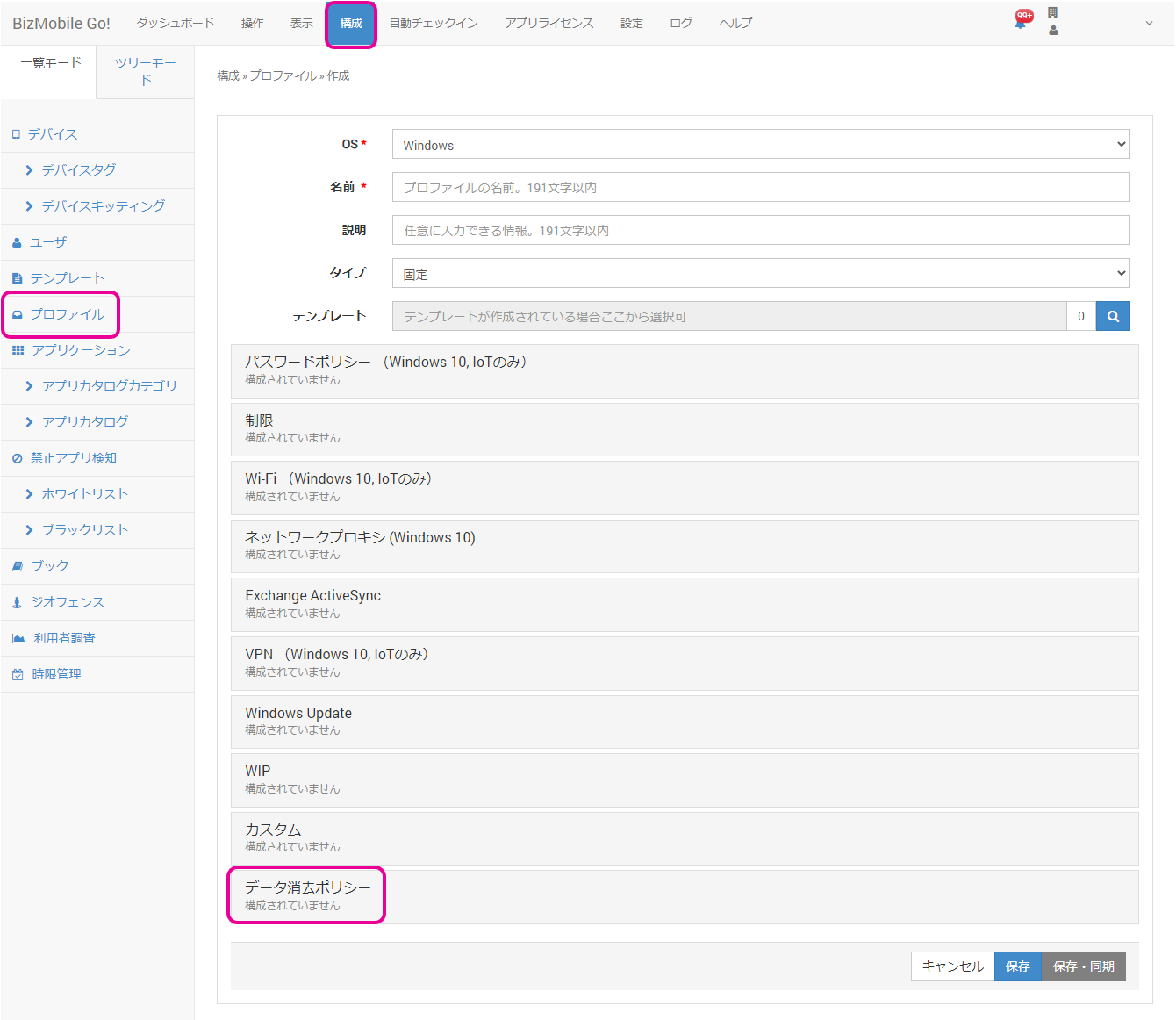
Select CONFIG > Profile > Create, and then select OS = Windows.
-
Create a profile that includes the "Data Removal Policy" payload.

-
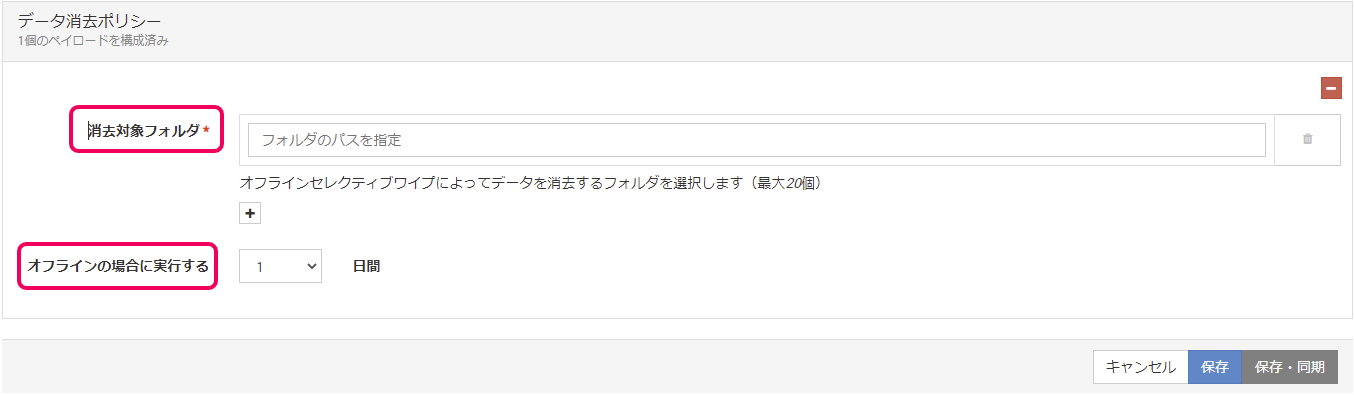
Specify the folders to wipe and the number of days until the data is wiped.
-
Assign devices to the template.
-
Enroll the device (check in).
-
From the admin console, send the sync command 2 to 3 times.
Note: On Windows, it may take some time for the apps to be installed.
Keep sending the sync command until you can confirm that the apps are installed. -
On the device, open App Configurator once.