(Android) Configure the Call Allowlist
This feature restricts outgoing calls on devices set to Device Owner mode. In addition to configuring the restriction policy in a profile, you must install the BizGo! Dialer app (in-house) on the target devices in advance.
Emergency calls can be made without registering them in the allowlist.
To use this feature, contact us.
Registration by the administrator
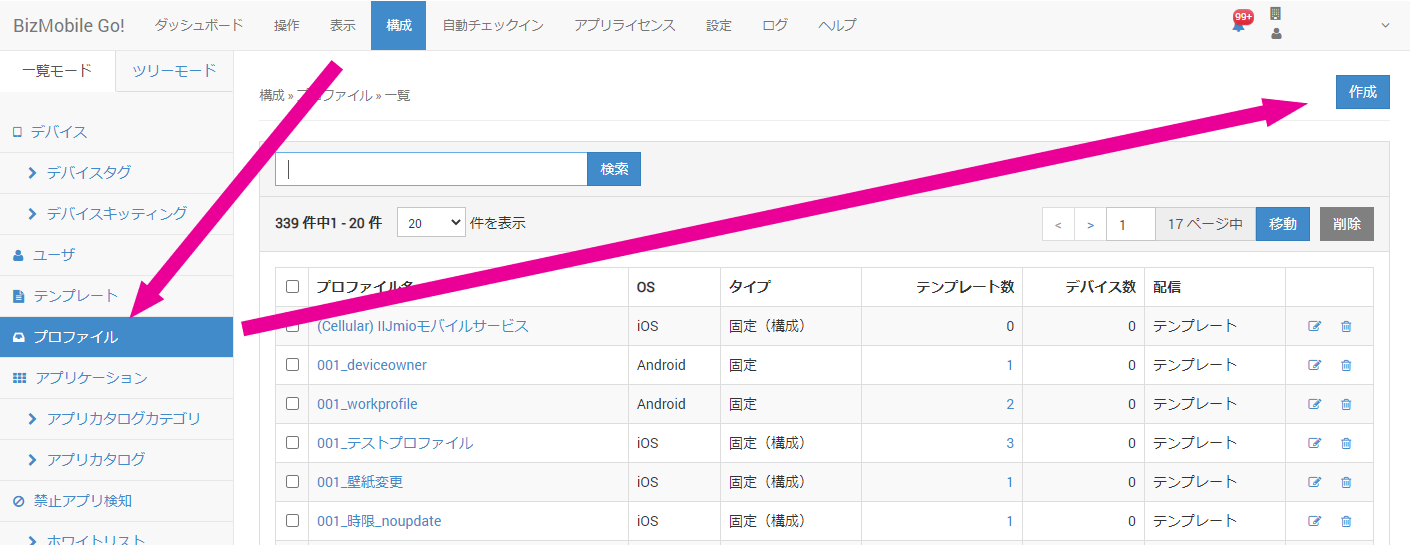
- In the admin console, click Create on the CONFIG → Profile screen.
- Enter the required information on the profile information entry screen that opens.
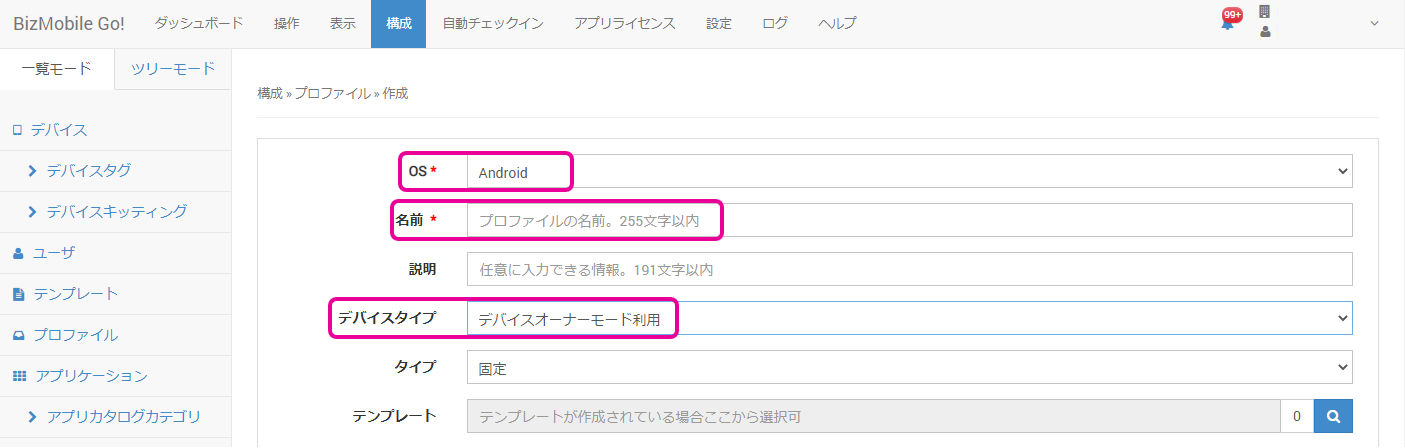
OS★ | Select |
Name★ | Enter a name for the profile. |
| Description | Optionally enter a description of the profile. |
| Device Type | Select Use Device Owner Mode. |
Type | Select |
Template | If you have already created a template, select it (you can also select it from the template creation screen). |
-
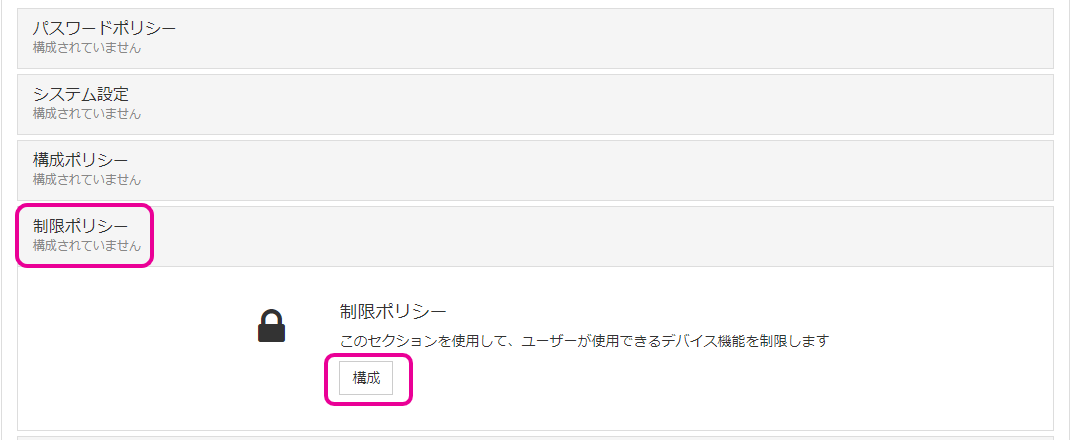
Configure the payload.
-
From the
Prohibit outgoing callsitem in the restriction policy, select the restriction you want to apply.
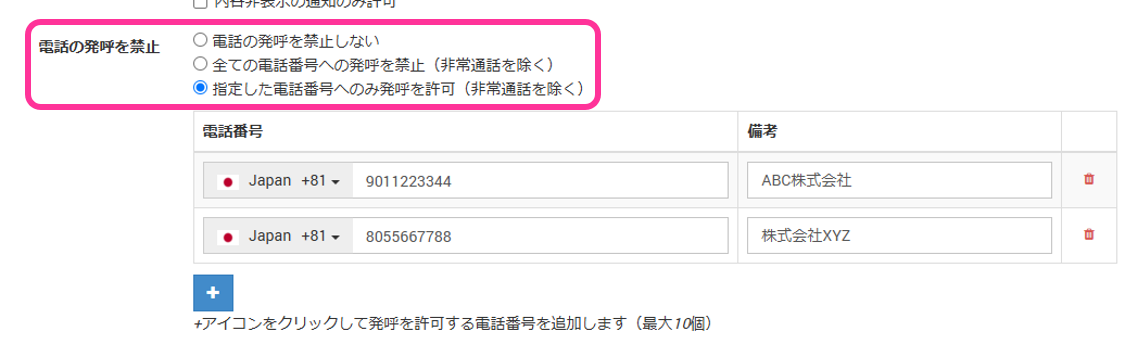
Do not prohibit outgoing calls
Calls can be made to all phone numbers.
Prohibit calls to all phone numbers
Prohibits all outgoing calls by the user.
Allow calls only to specified phone numbers
Calls can be made only to the phone numbers allowed by MDM.
Even while the device is under admin lock, calls can be made to the numbers allowed here.
Note: The phone number entry field and the remarks field are displayed only when you select this option.
Enter the phone numbers to allow, and information about each number (such as a name), in the remarks field.Note: You can register up to 10 phone numbers.
-
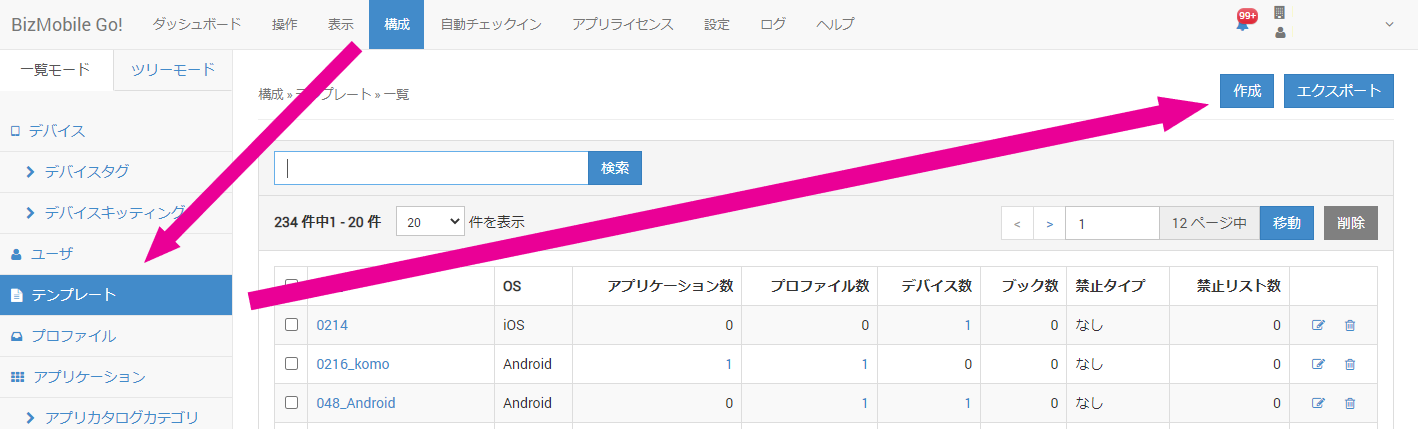
In the admin console, click Create on the CONFIG → Template screen.
-
Enter the required information on the template creation screen that opens.
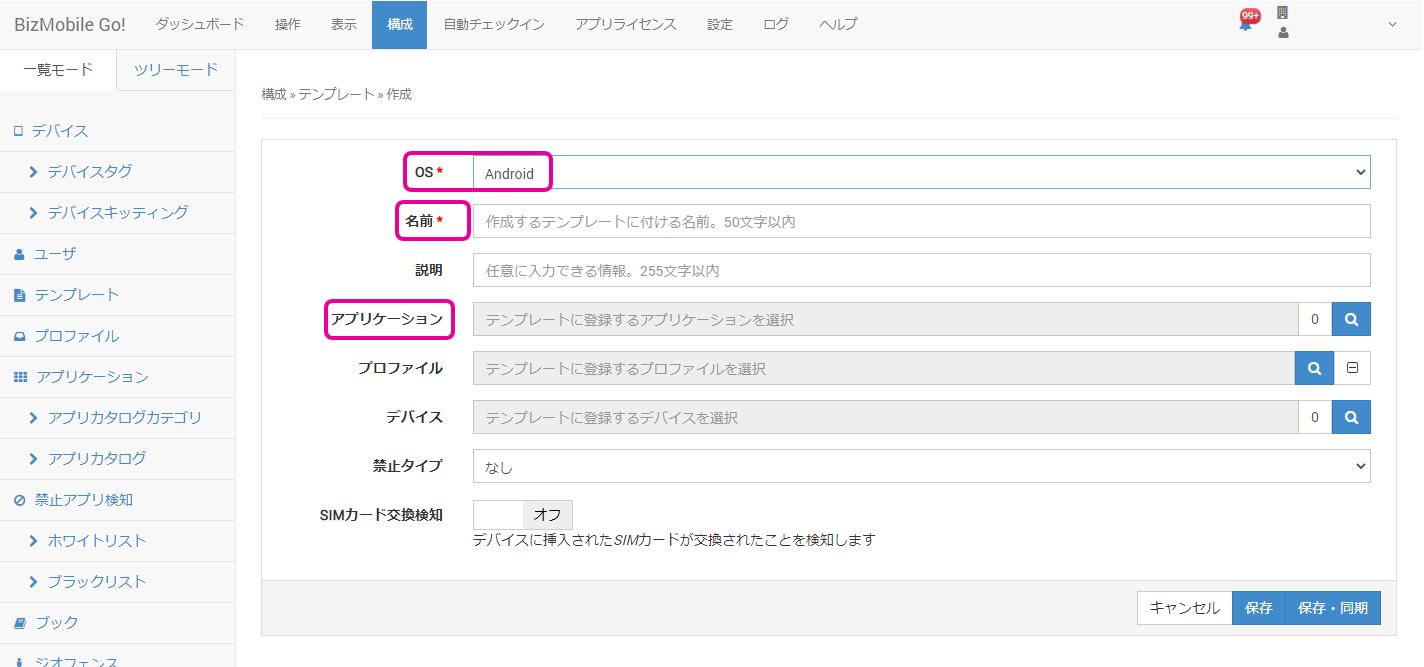
OS★
Select
Android.Name★
Enter a name for the template.
Description Optionally enter a description of the profile. Applications Register the BizGo! Dialer app. Profile
If you have already created a profile, you can select it.
Device
Select the devices to register in the template.
Prohibition Type
Select
WhitelistorBlacklist.SIM Change Detection
Select
OnorOff.
If you selectOn, also select the action to take when a SIM card swap is detected and the condition for releasing it.
Operations on the device
-
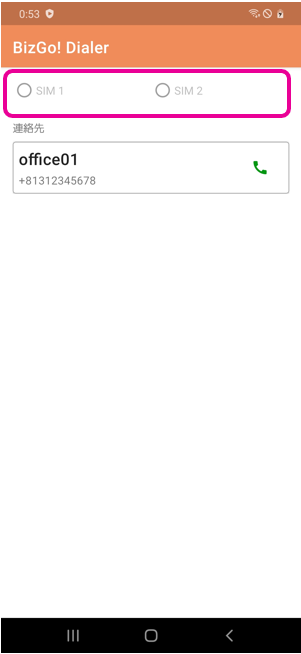
After the app is installed, tap it to open it.
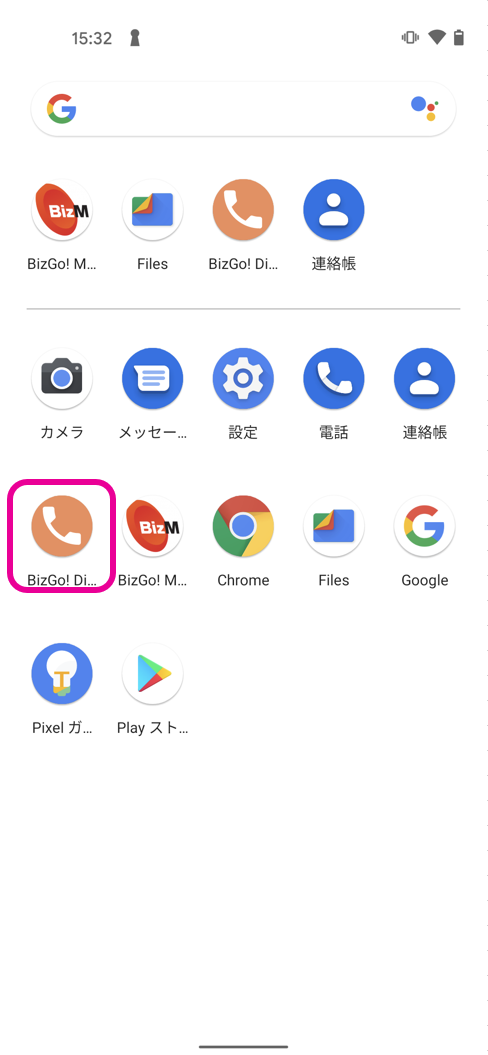
You can make calls to the contacts registered from the admin console. -
If the device supports Dual SIM, select the phone number to call from.