Custom Browser
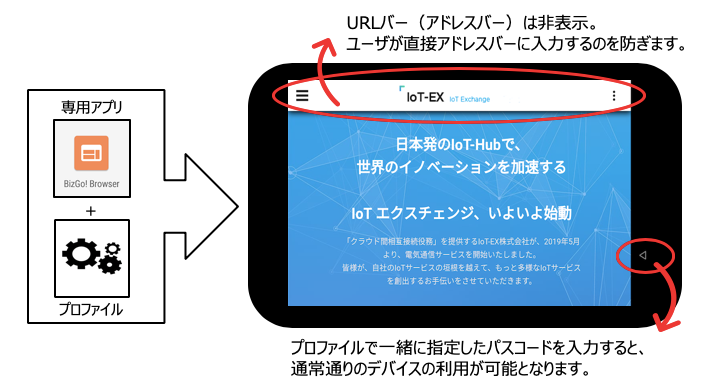
This feature lets you distribute a profile to a dedicated browser app so that only specified pages are displayed and the screen is locked, allowing you to use devices as dedicated terminals.
To use it, you must install the BizGo! Browser app.
The BizGo! Browser app is a limited-release app, and you must register with EMM.
- Profile settings let you do the following.
•Hide the browser URL bar to prevent access to other pages
•Display only specific URLs
•Lock the screen in landscape orientation
•Temporarily display other apps by entering a PIN code while only the custom browser is displayed
•Allow access to apps specified in advance, and more
-
Distribute the BizGo! Browser app
See this page for how to distribute the app that must be installed on each device. -
Configure profile settings for the custom browser
See this page for how to configure profiles according to how you use the custom browser.