Purchase and Register Custom Apps
Custom Apps (Custom B2B) are a method of providing an app only to specific companies through Apple Business (formerly Apple Business Manager), without making the app publicly available on the regular App Store.
Before purchasing, the app recipient must give the app's developer or provider their Apple Business organization information. The developer or provider then registers this information as the recipient (restricted distribution target) and associates it with the app.
Tell the app provider your Apple Business organization information
Follow the steps below to check your Apple Business organization information and ask the app developer or provider to register it.
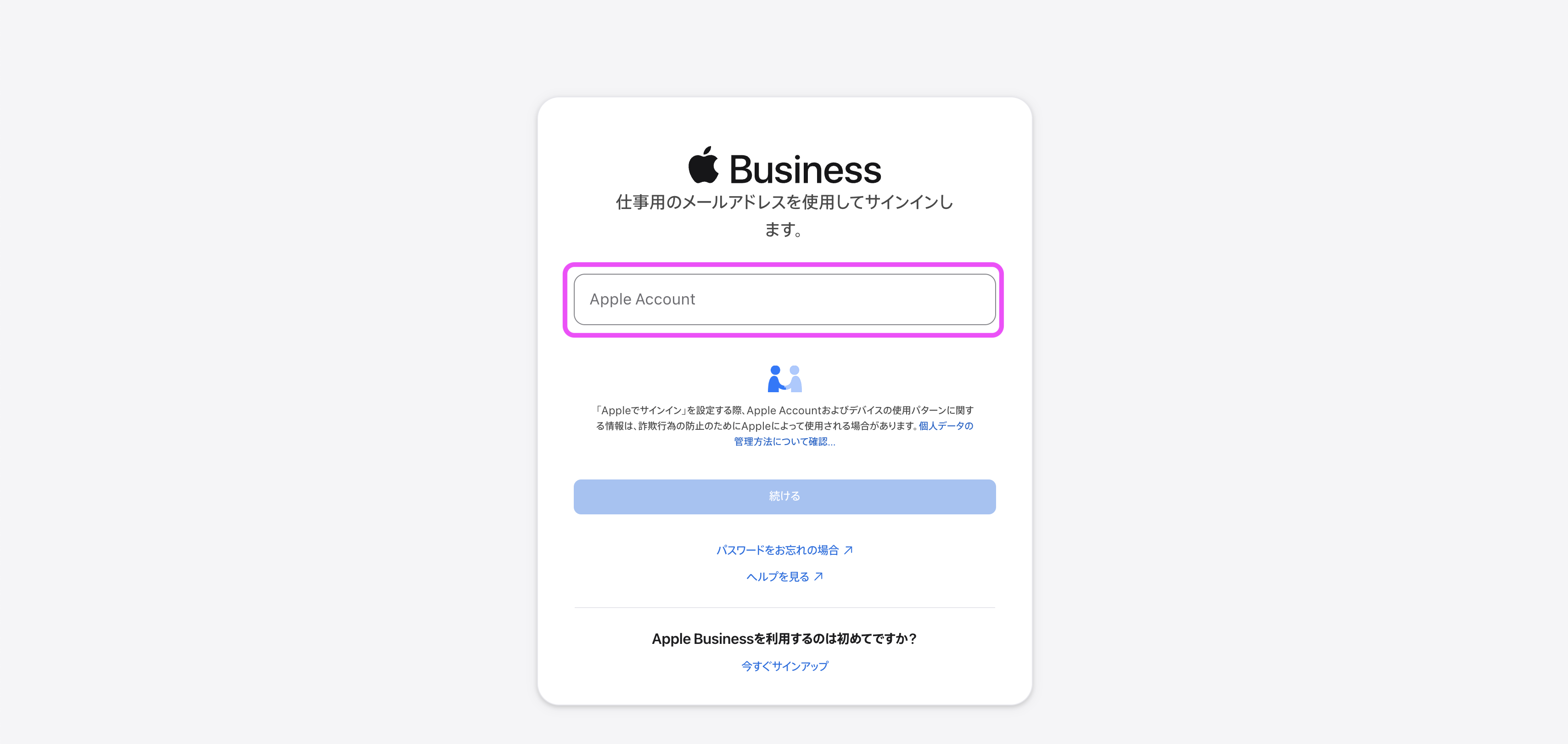
- Sign in to Apple Business (https://business.apple.com/login) with an account that has the
Content Managerrole.
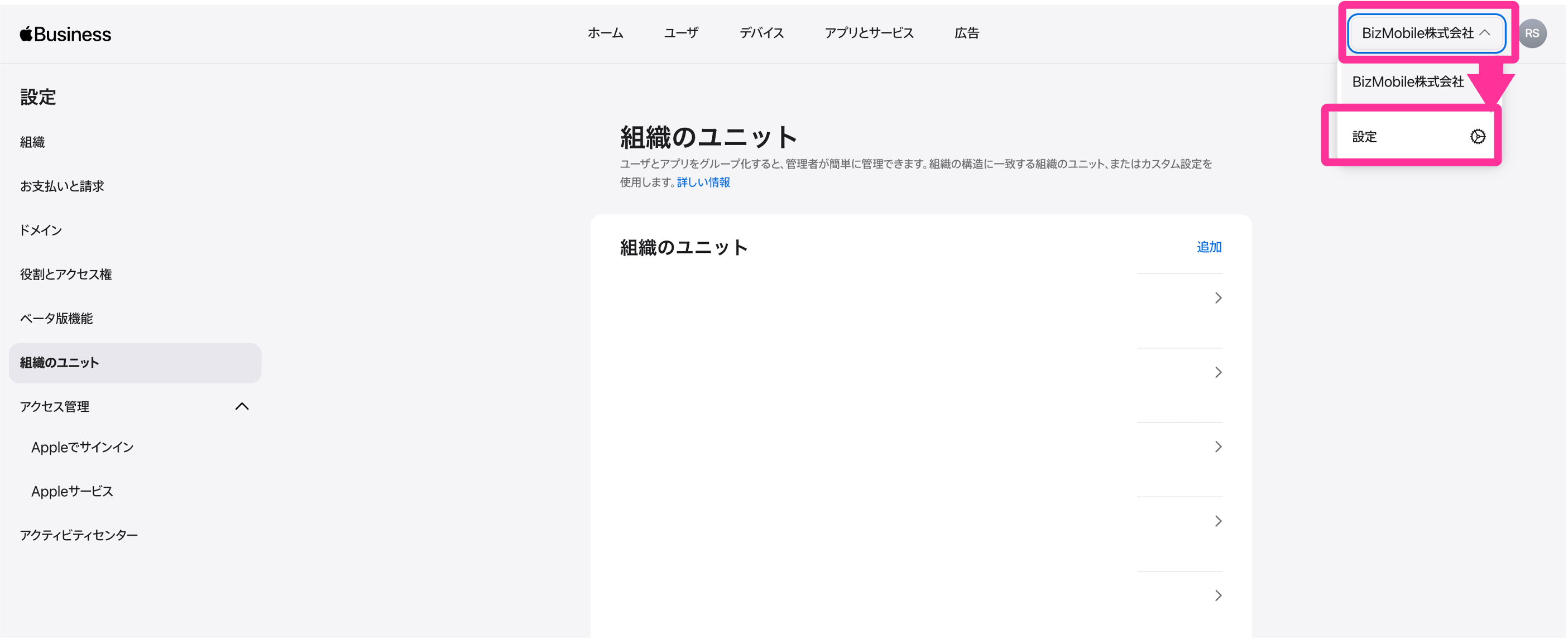
- Click the organization name at the upper right of the screen →
Settings.
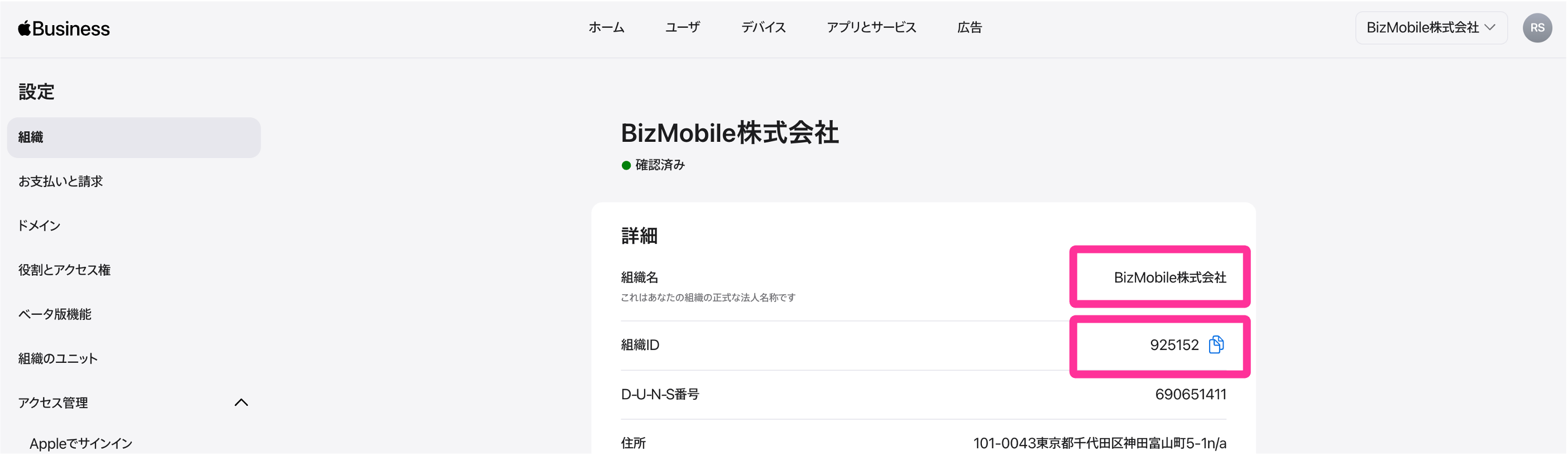
- Click
Organization, and then copy the following information and send it to the app developer.
• Organization name (Name)
• Organization ID
- When the app provider has finished preparing for distribution, the app becomes available for purchase.
Enable Custom Apps
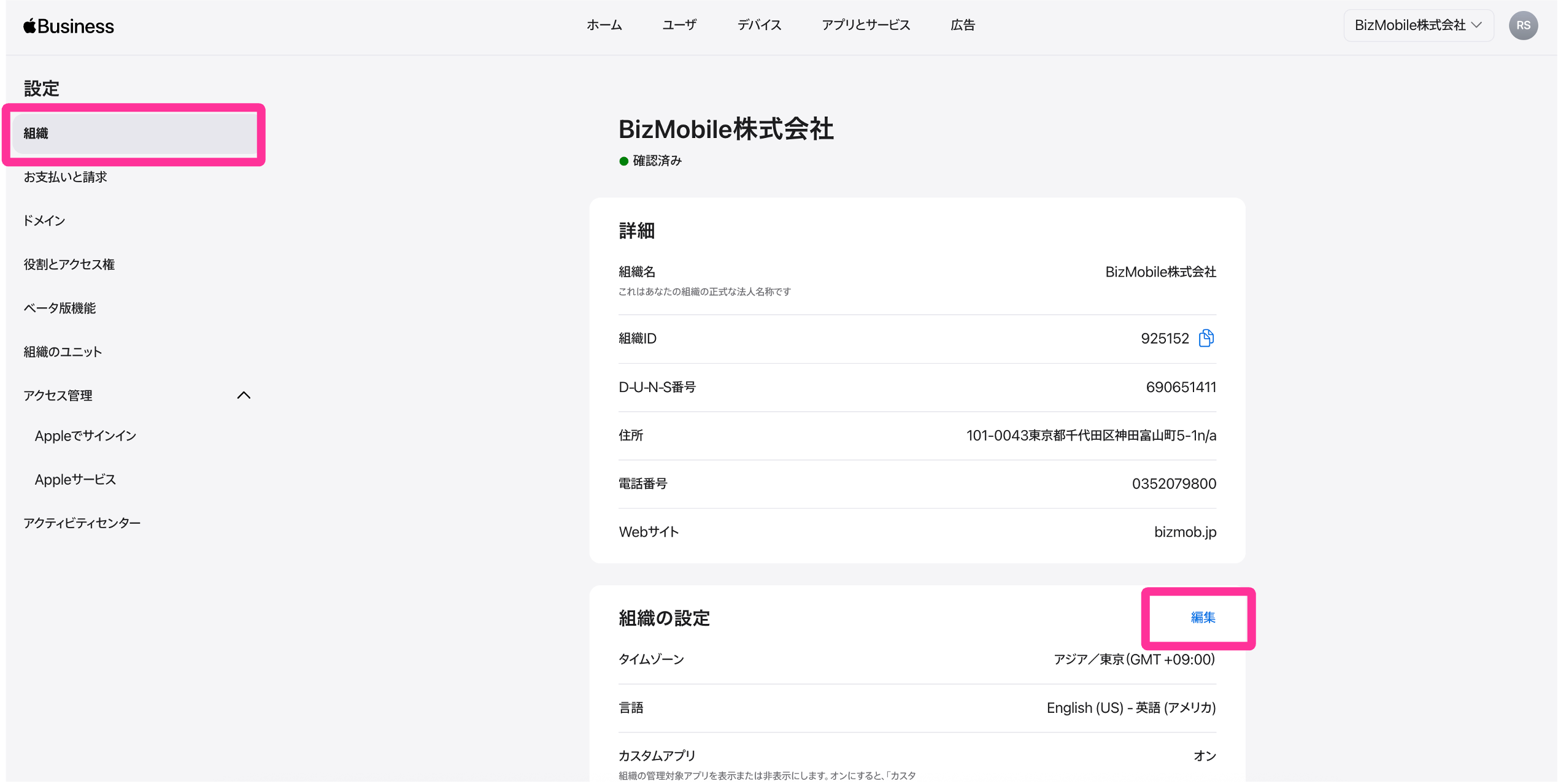
- Sign in to Apple Business (https://business.apple.com/login) with an account that has the
Content Managerrole.
- Click the organization name at the upper right of the screen →
Settings.
- Click
Editon the Organization page.
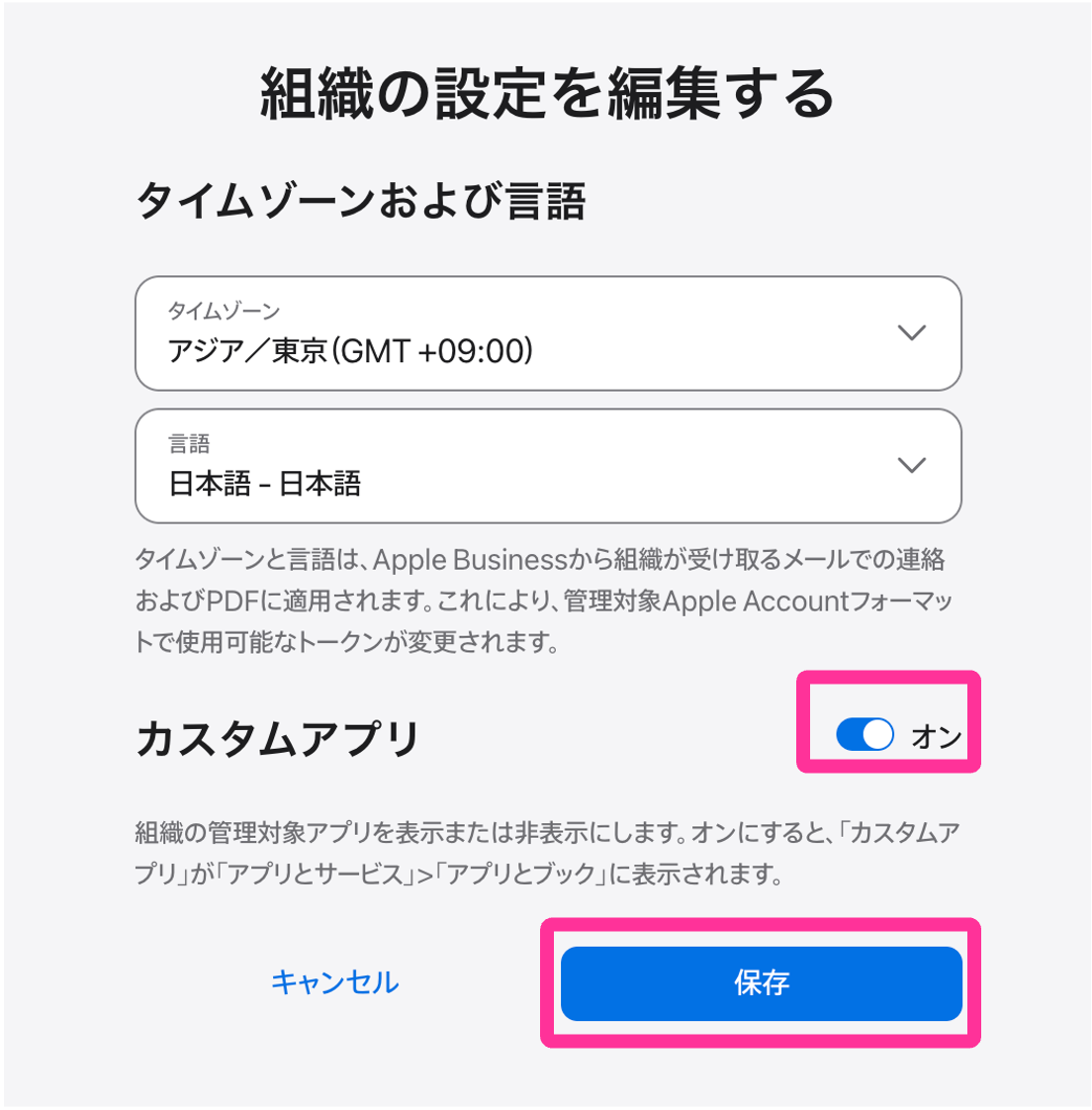
- Turn on the Custom Apps toggle and click
Save.
Purchase a Custom App
- Sign in to Apple Business (https://business.apple.com/login) with an account that has the
Content Managerrole.
- Click
Apps & Services→Apps and Books→Custom Apps, and then clickViewfor the app you want to purchase.
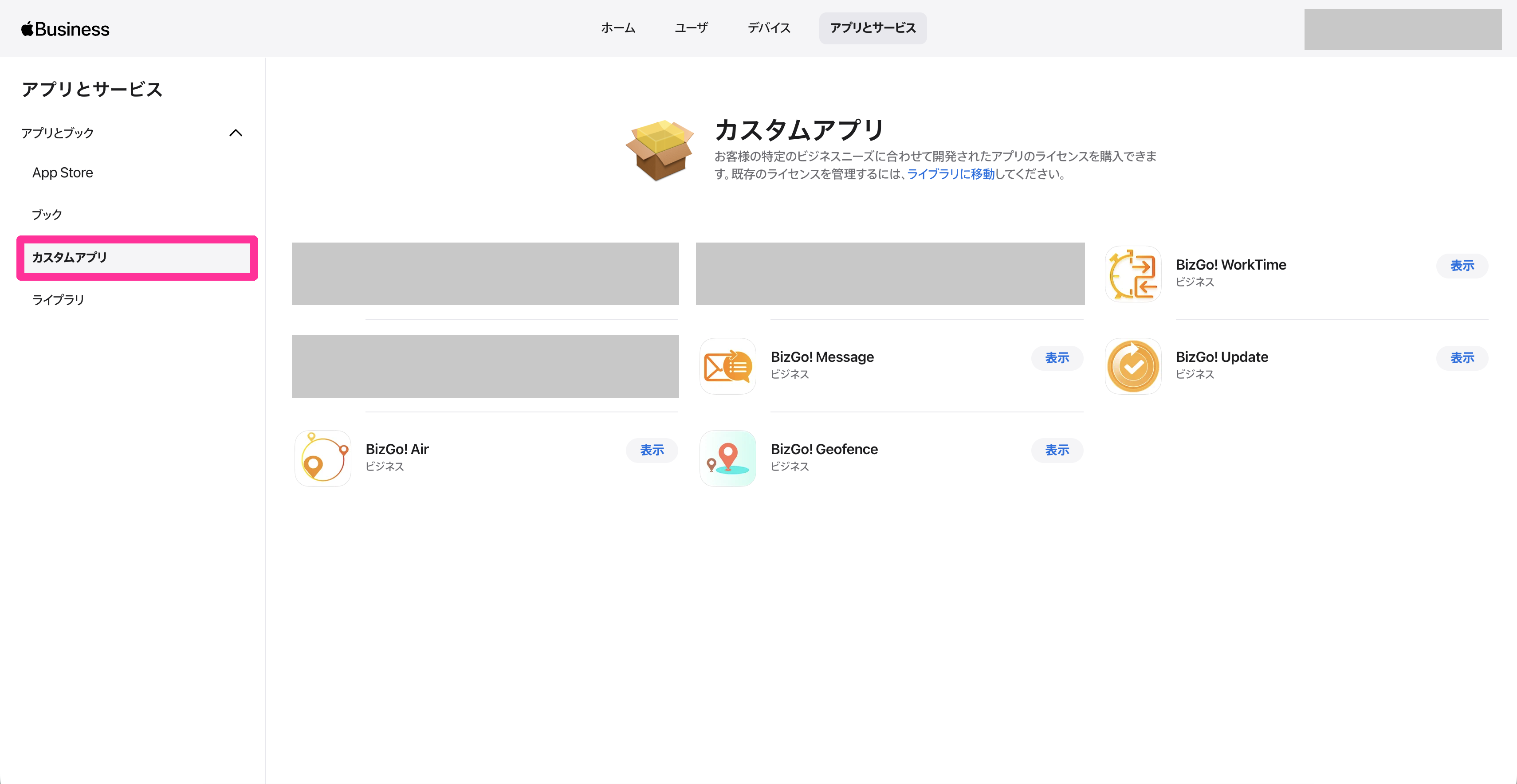
- On the app details screen, click
Add, select the organizational unit that will use the app, and add the app to the library.
The procedure is the same as steps 4 to 7 of "Purchase VPP apps in Apple Business" in Purchase and Distribute VPP Apps. - Select the app in
Apps & Services→Apps and Books→Libraryto see the number of licenses for each organizational unit.
When the number ofAvailableapp licenses is updated, the purchase is complete.
The information about the purchased app is automatically reflected inApp Licensesin the BizMobile Go! admin console, and you can distribute the VPP app to devices.
Assign a Custom App to a template
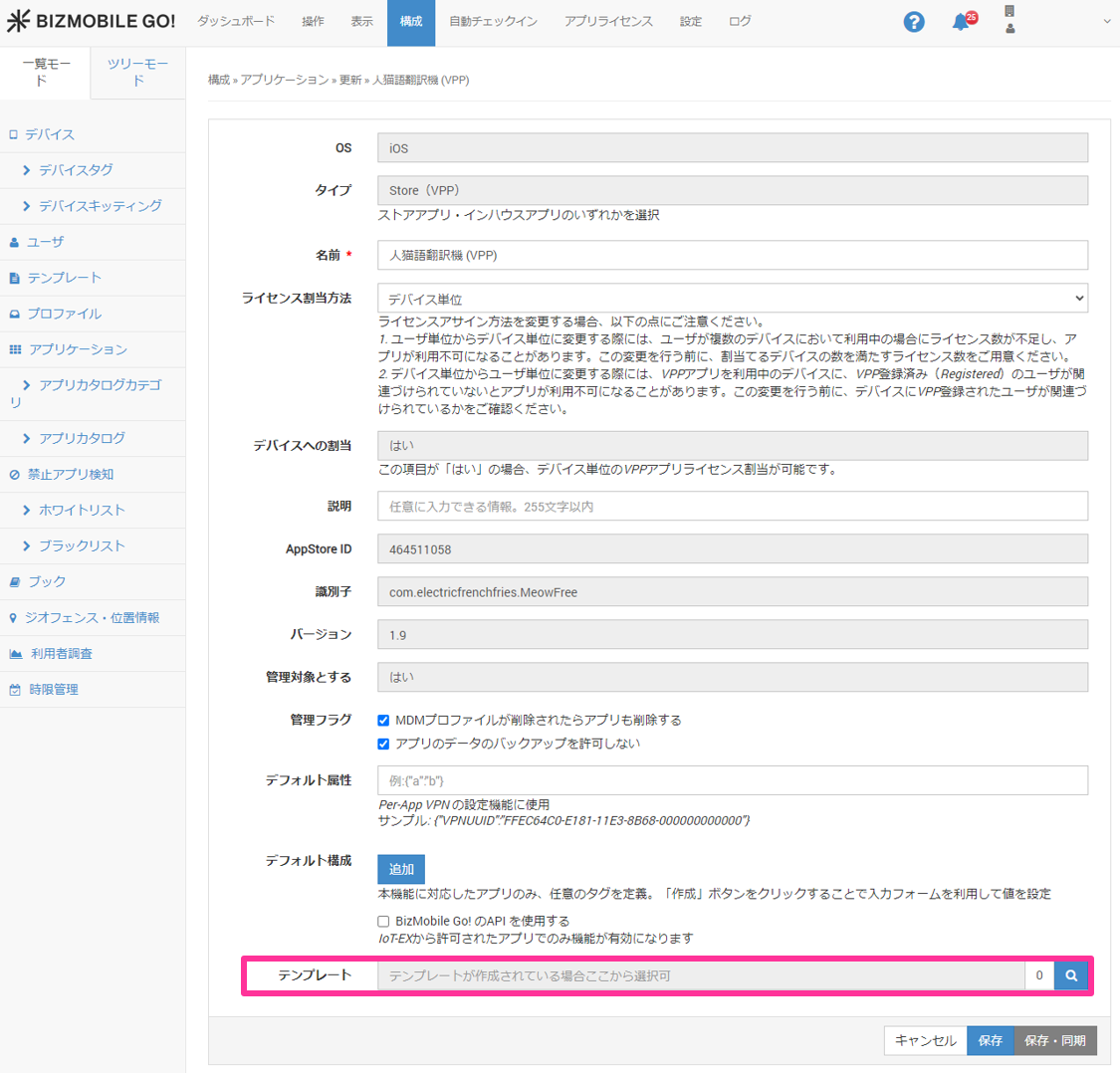
- On the CONFIG → Application screen, click the edit icon of the purchased Custom App to enter edit mode.
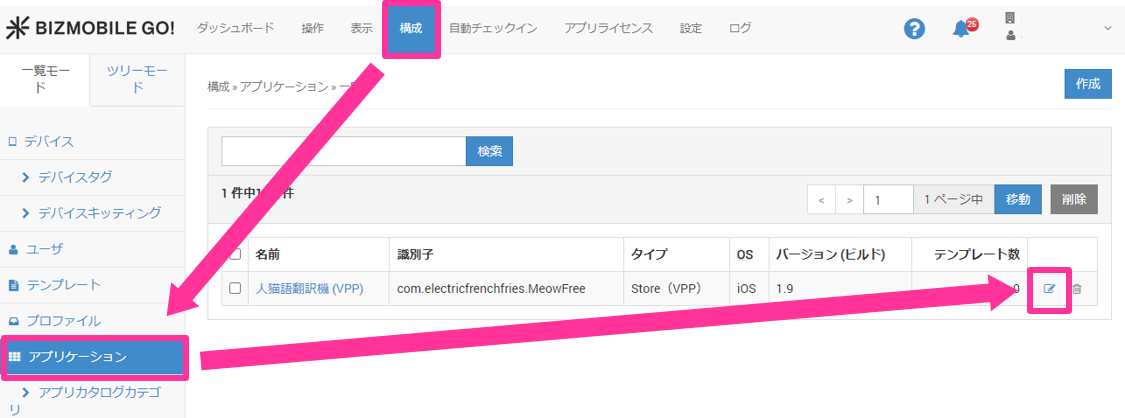
- Assign the Custom App to a template.