Remove a VPP App from Management
You can delete VPP apps that you no longer use or need from the admin console.
However, you can delete only VPP apps that meet the following conditions.
- No app licenses remain in the
organizational uniton Apple Business (formerly Apple Business Manager) that is linked to the unit (all licenses have been transferred to otherorganizational units) - The VPP app is not assigned to any template or application catalog
Work in Apple Business
For each VPP app you want to delete from the admin console, transfer all of its licenses from the currently linked organizational unit to another organizational unit.
If there is no other organizational unit, you can create one on Apple Business and then transfer the licenses.
Work in the admin console
After the license transfer is complete in Apple Business, you can confirm on the App Licenses → VPP screen of the admin console that the app has been transferred.
Once synchronization completes after the transfer, the app no longer appears on this screen.
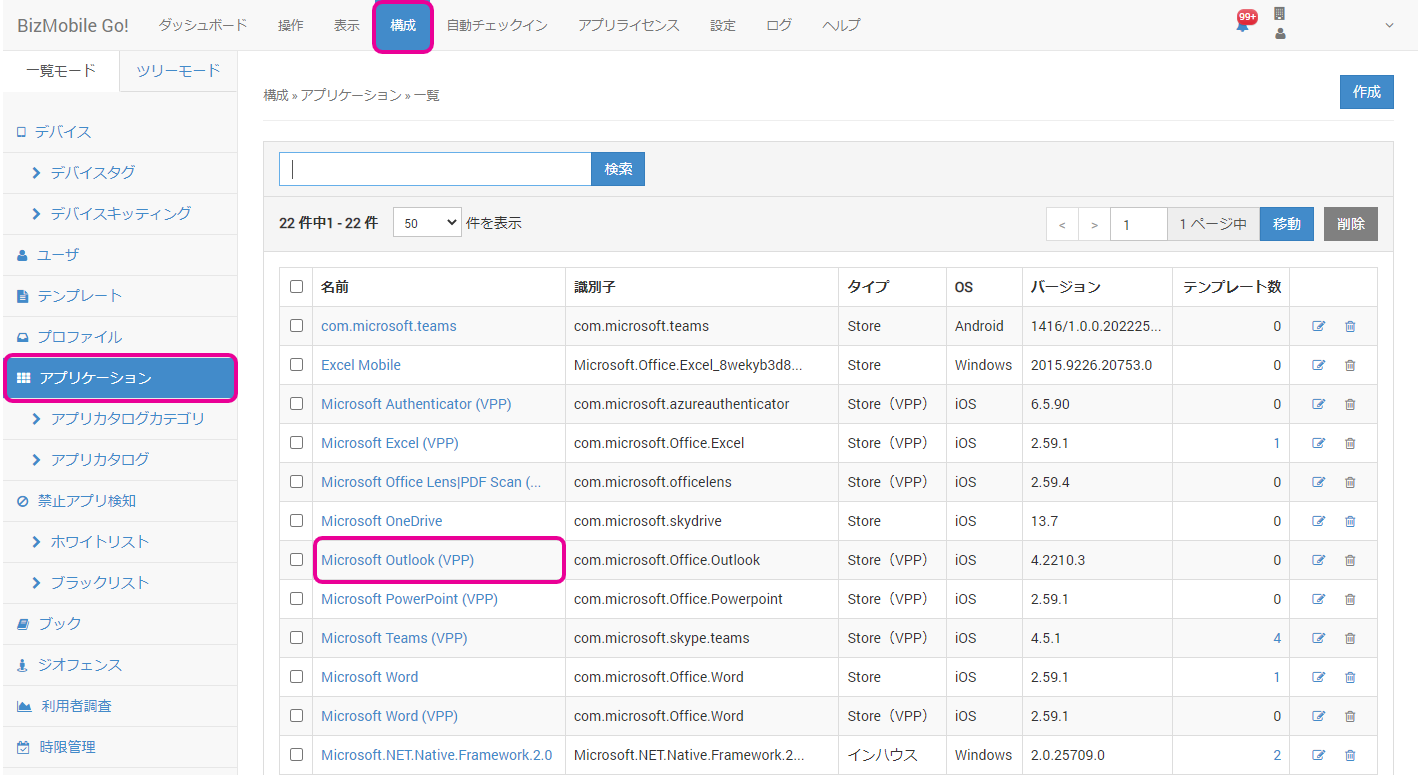
Select the app from the application list screen.
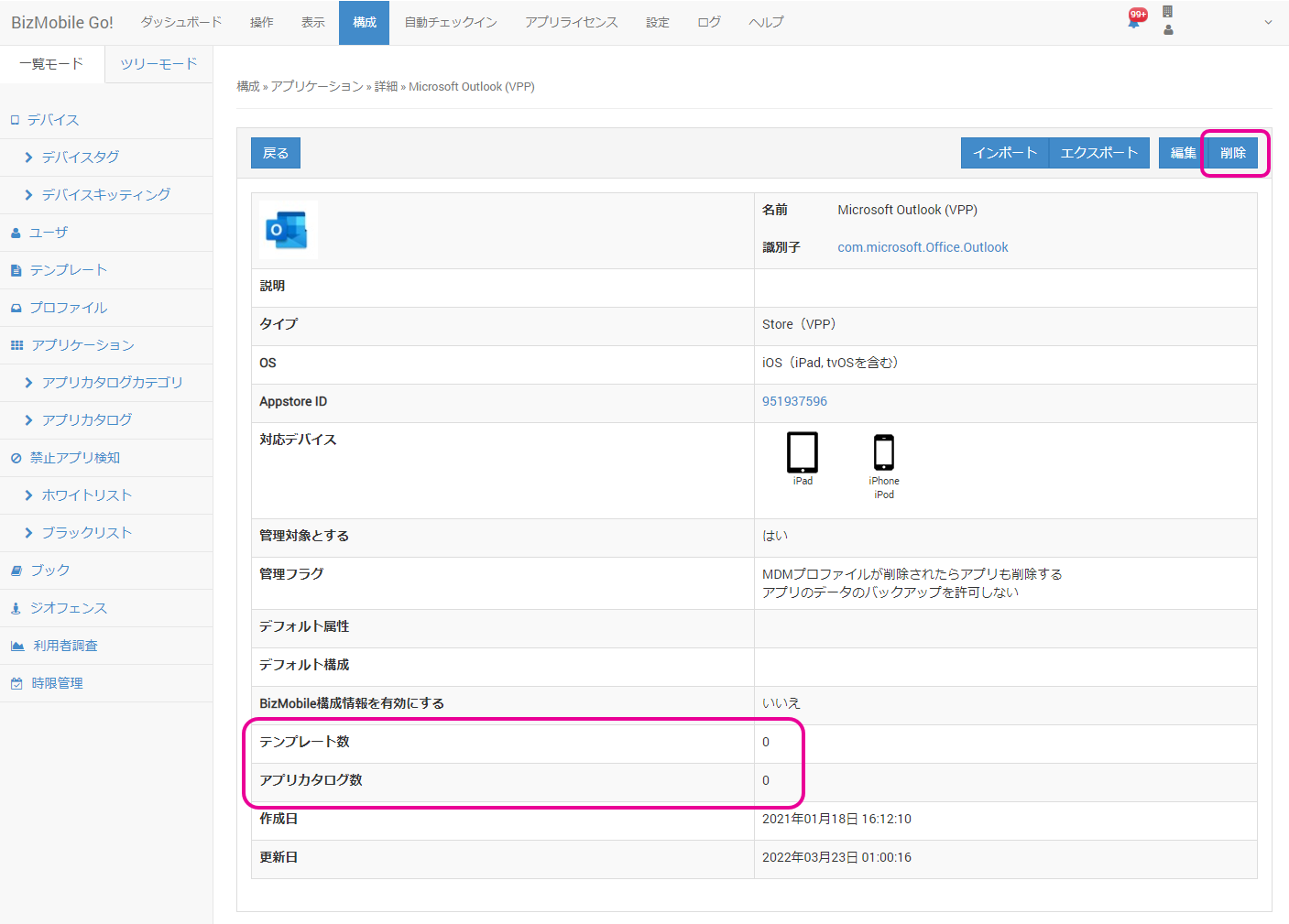
Confirm that both Templates and Application Catalogs are 0, and then click [Delete].
Click [OK].
