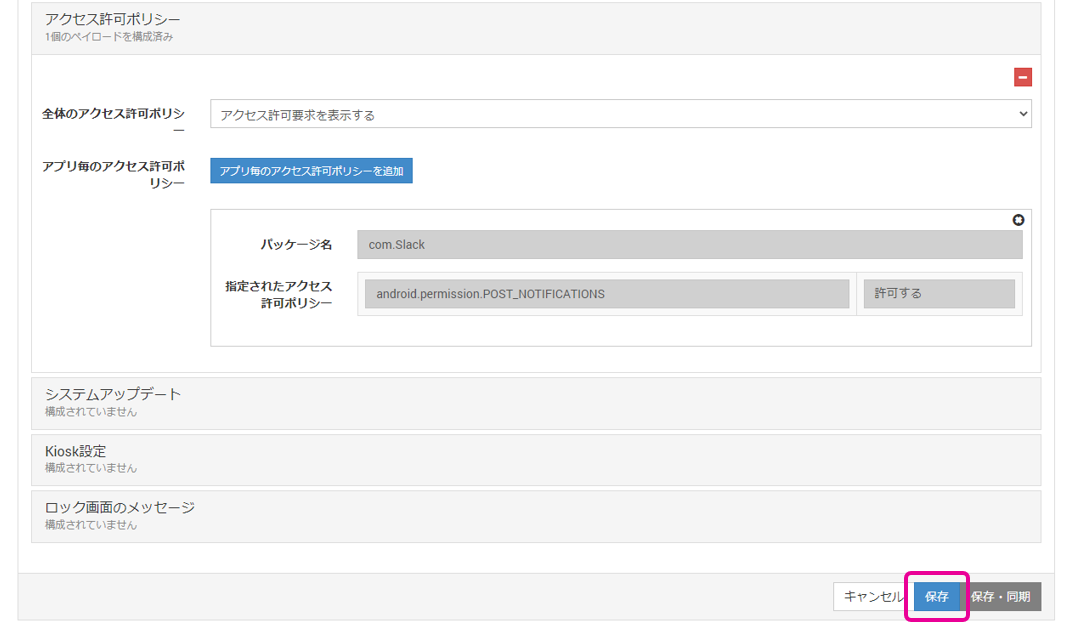
App Notification Permission Settings
On Android 13 and later, you need to configure whether to allow notifications for each app.
-
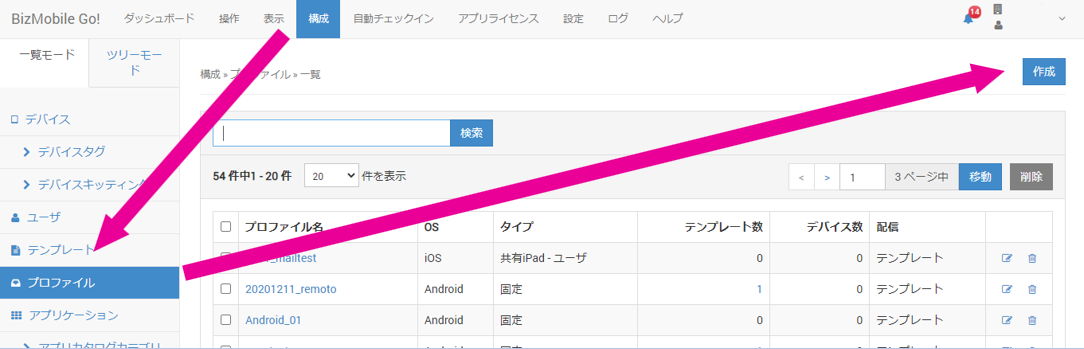
On the CONFIG > Profile screen, click
Create.
-
Enter the required items on the screen that opens.
Note: This setting can be used with both work profile and device owner mode.
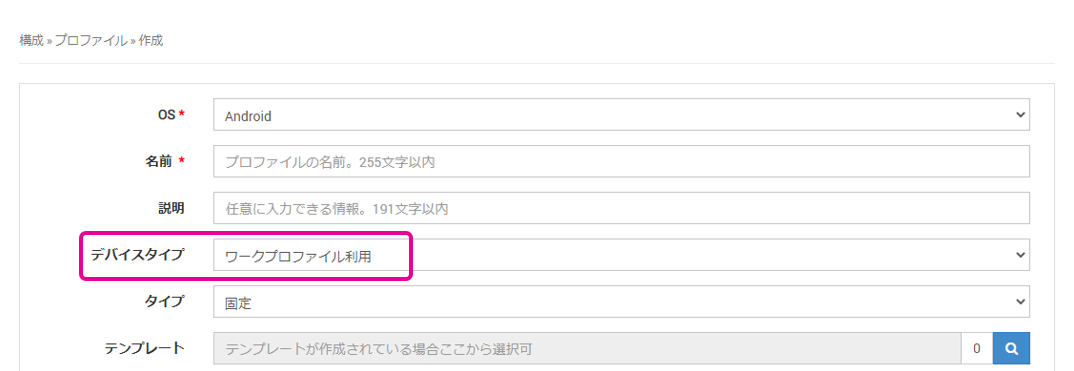
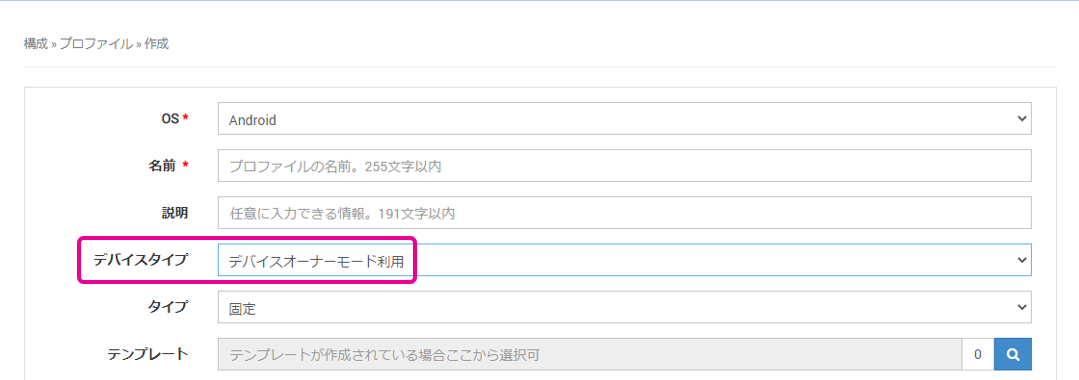
OS Select Android. Name Enter a name for this profile. Description Optional information (up to 255 characters). Device Type Select whether to use a work profile or device owner mode. Type Select Static.Template Select the template to which this profile is applied. After you create a template, you can select it here.
If you have not created a template yet, leave this item blank. (You can also select the profile from the template when you create the template.) -
Expand the
Permission Request Policyitem and clickConfigure.
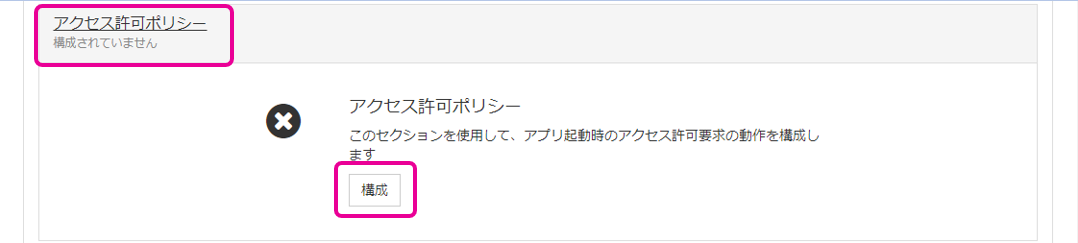
-
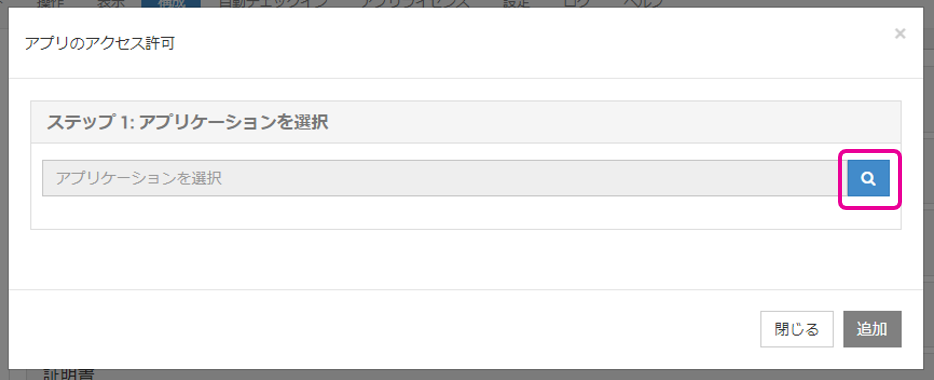
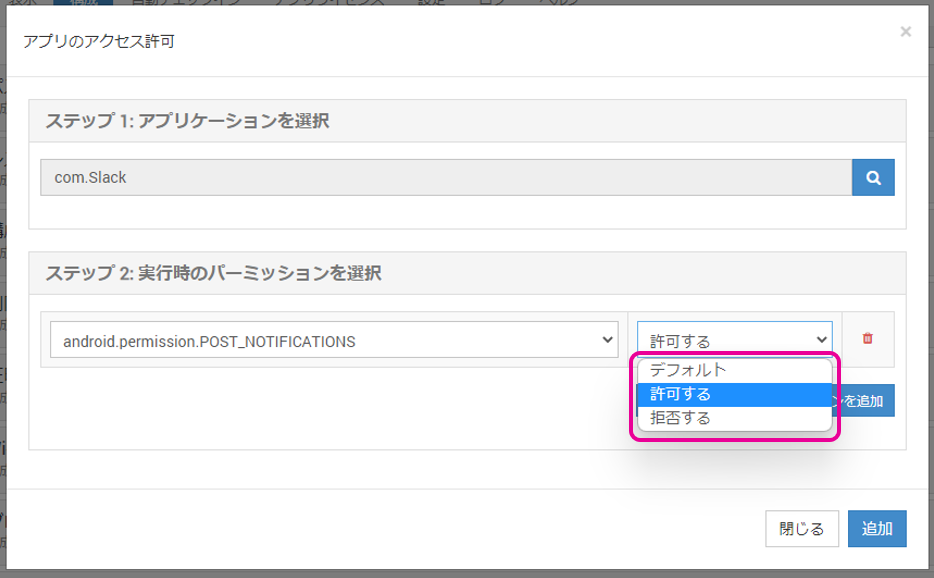
Select the app to set permissions for. You can search for it with the magnifying glass icon.
-
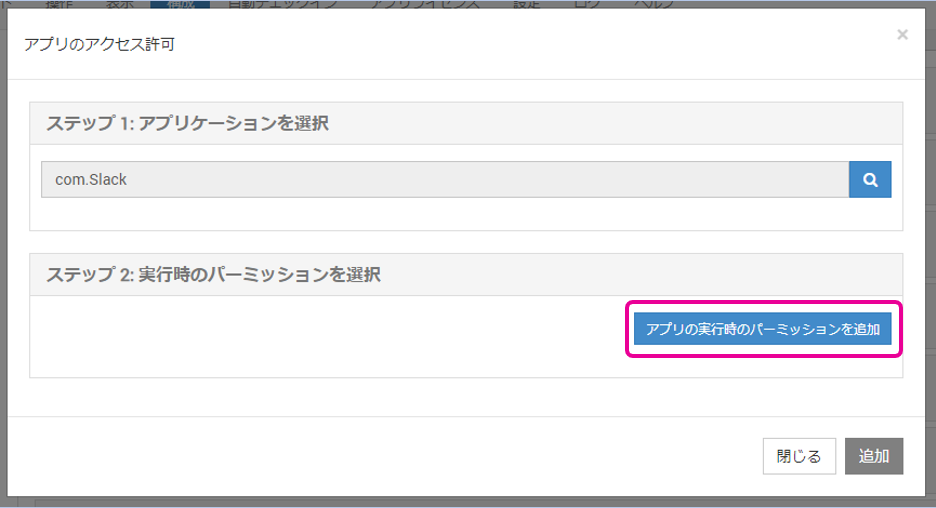
Click
Add Runtime Permission.
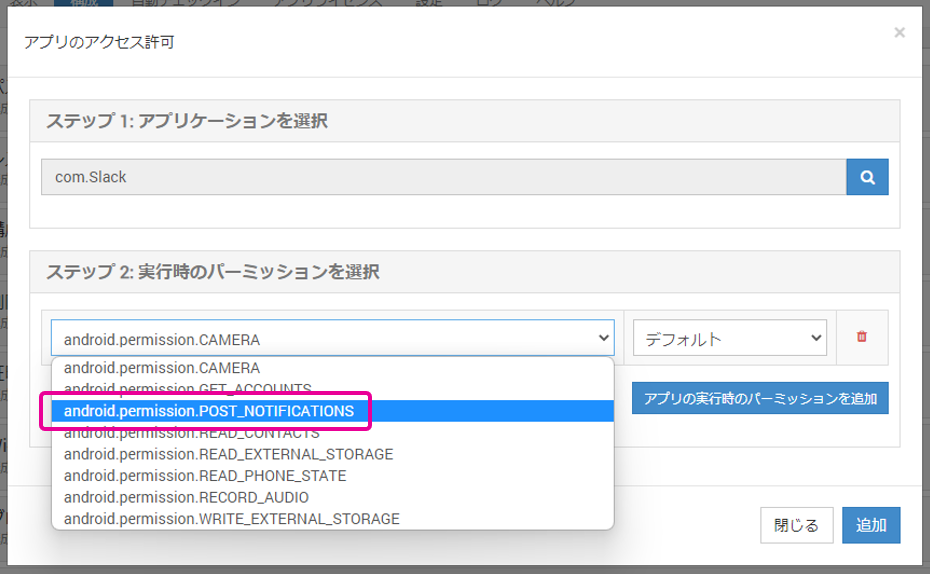
Select android.permission.POST_NOTIFICATIONS.
-
Select Granted or Denied, and click
Add.
-
Click
Saveto complete the setup.