(Android) Web Apps
The web app feature lets you place a browser shortcut as an icon on the home screen.
Create a web app
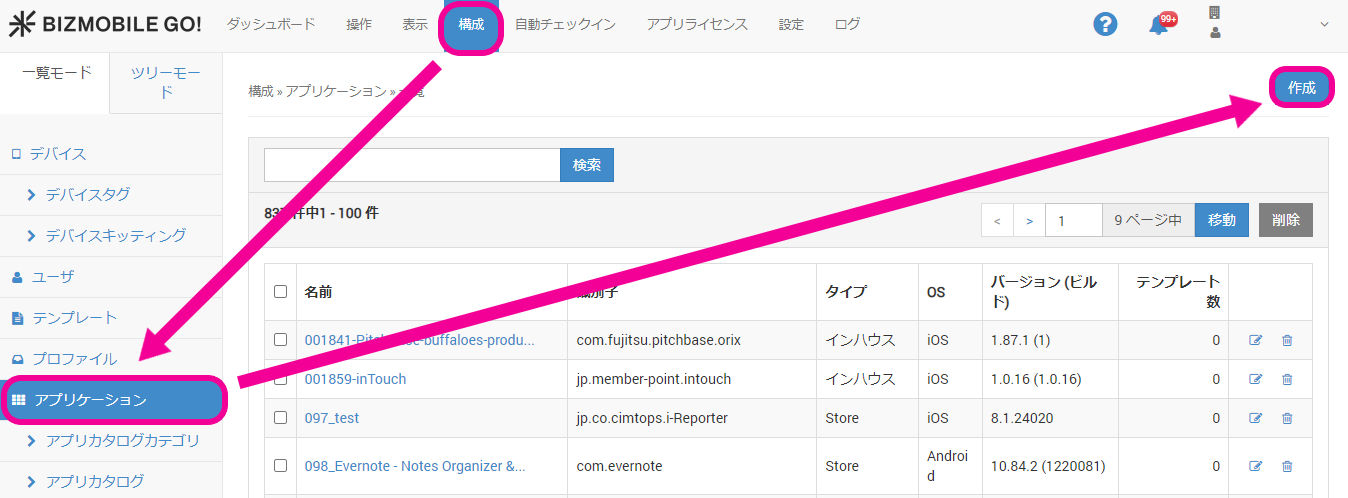
- Click [Create] under CONFIG → Applications.
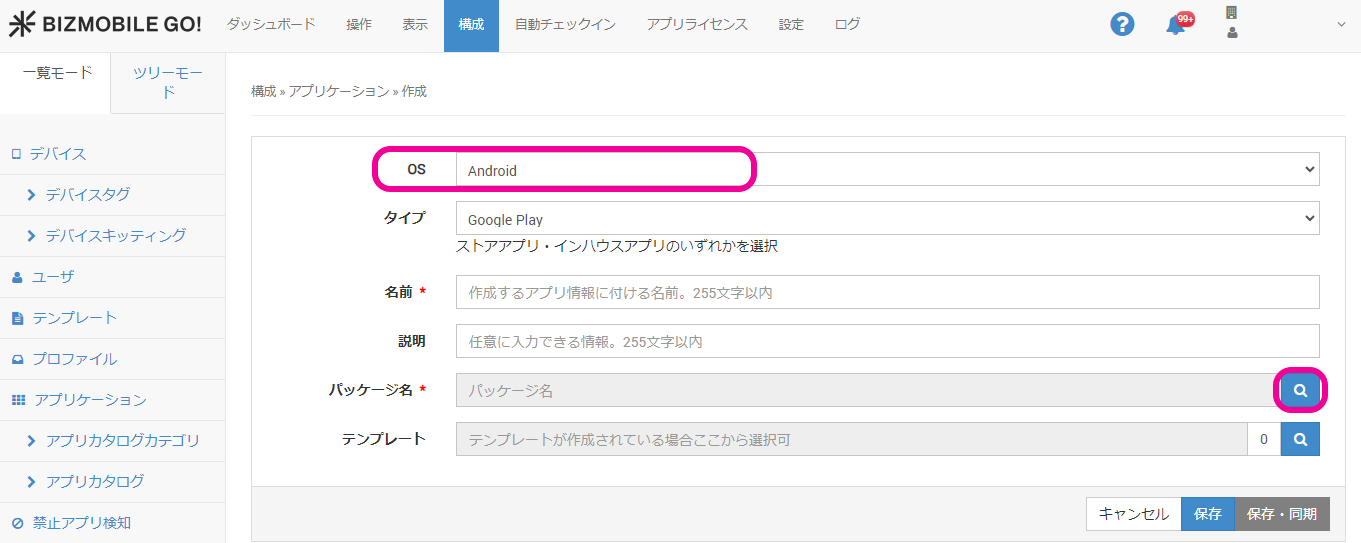
- Select
AndroidforOS, and click the magnifying glass icon at the right end ofPackage Name.
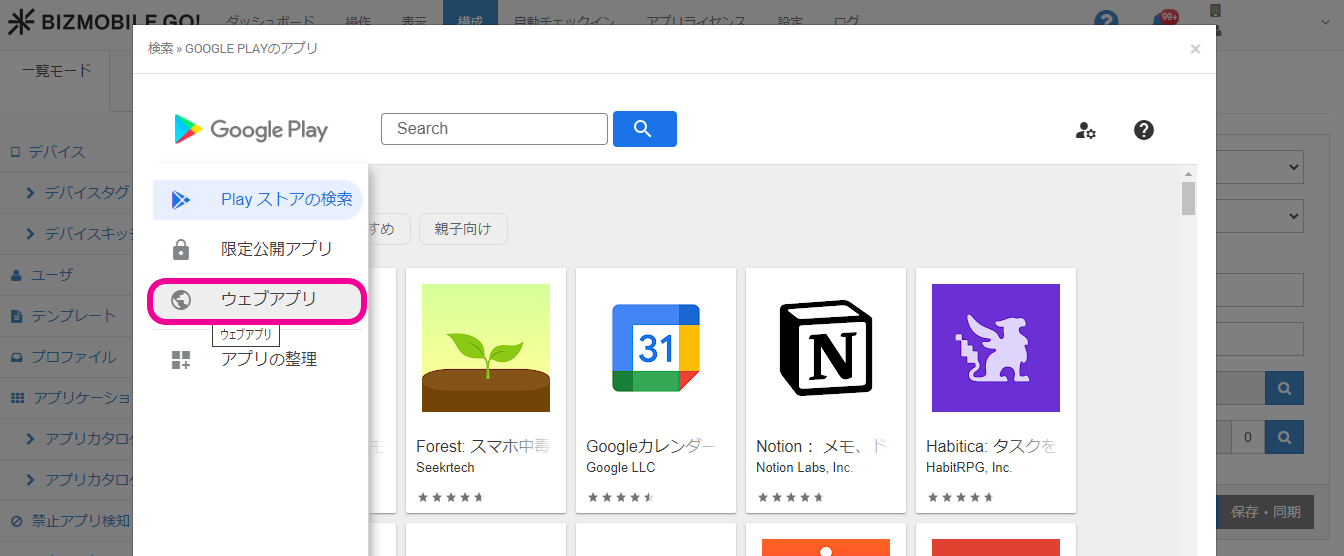
- Click Web Apps in the left menu.
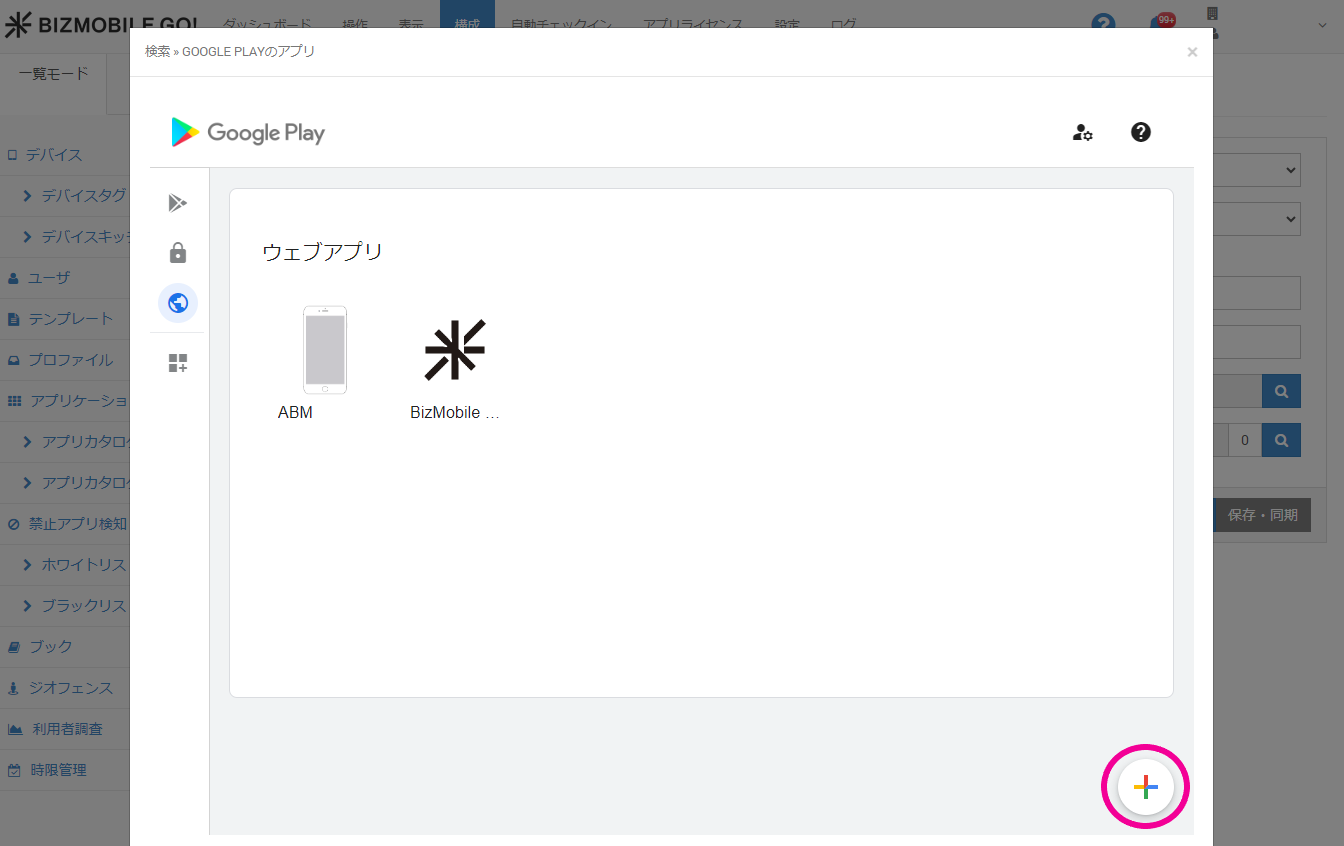
- Click the
+icon at the lower right of the screen.
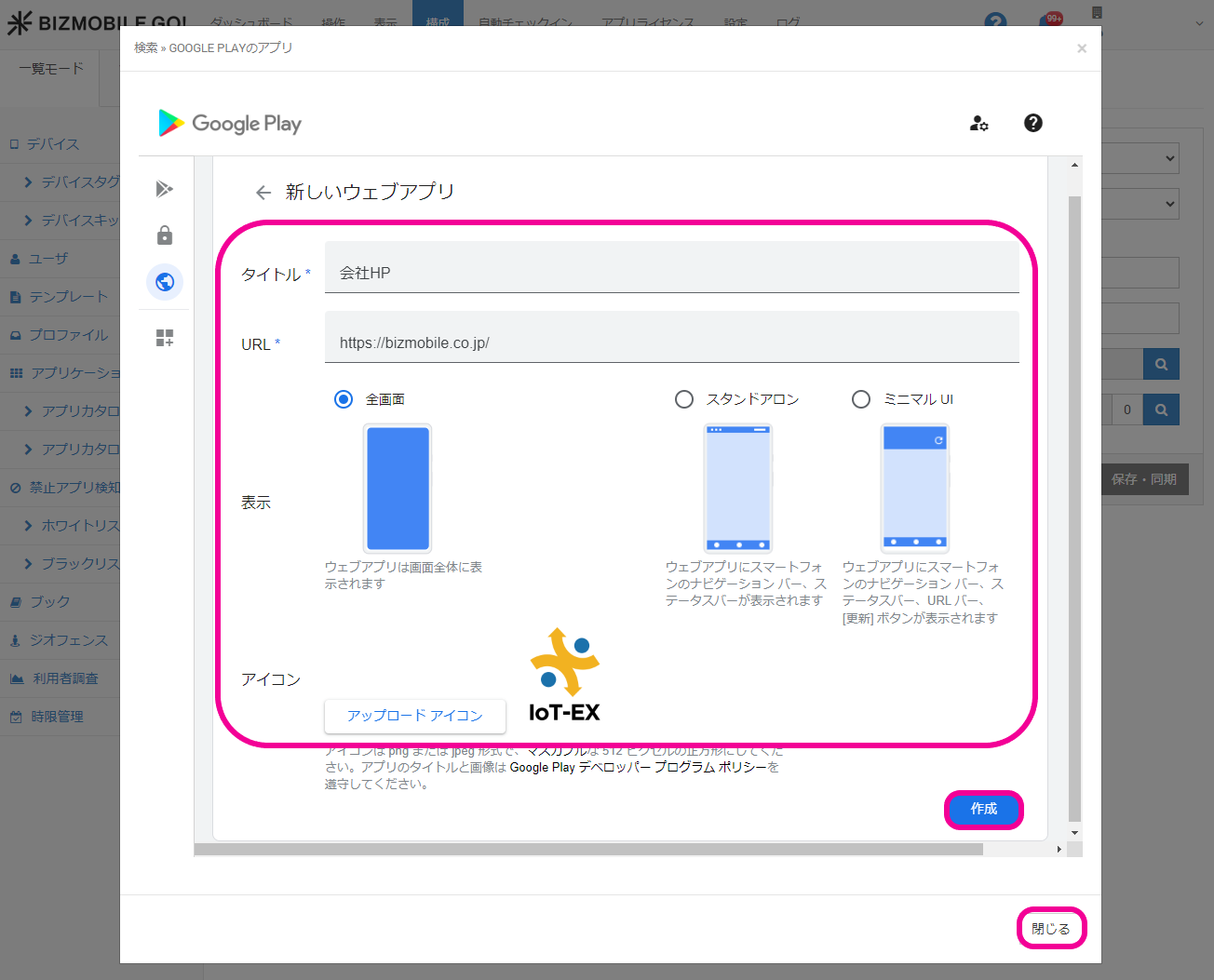
- Set the app title, link URL, display method, and icon image, and then click [Create] and [Close].
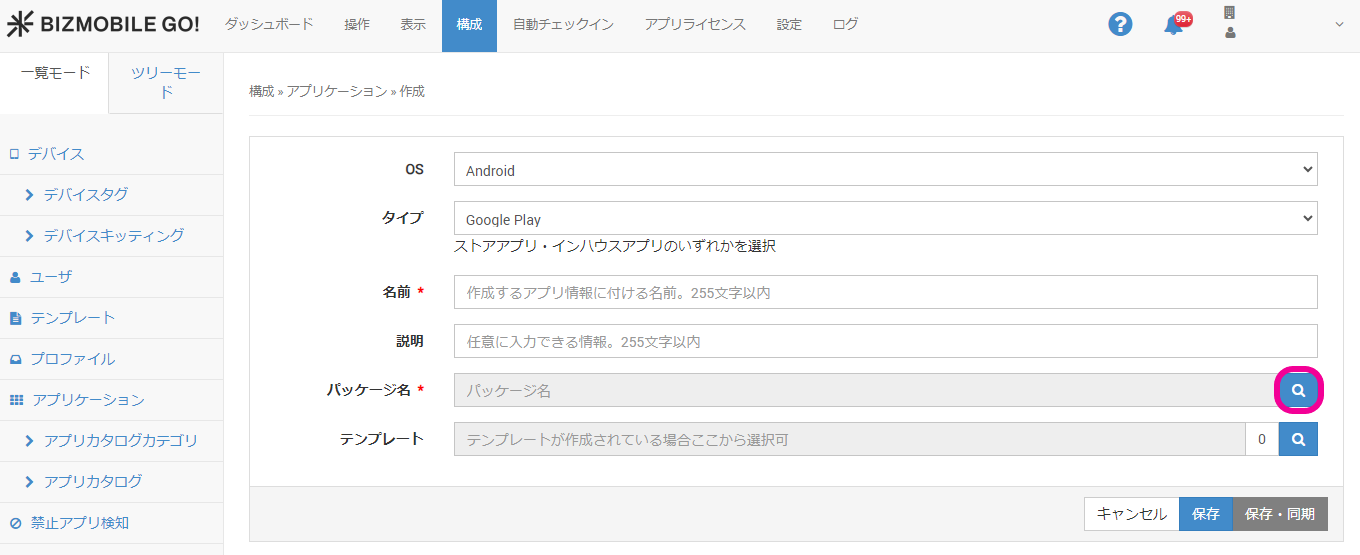
- You return to the application creation screen. Click the magnifying glass icon for
Package Nameagain.
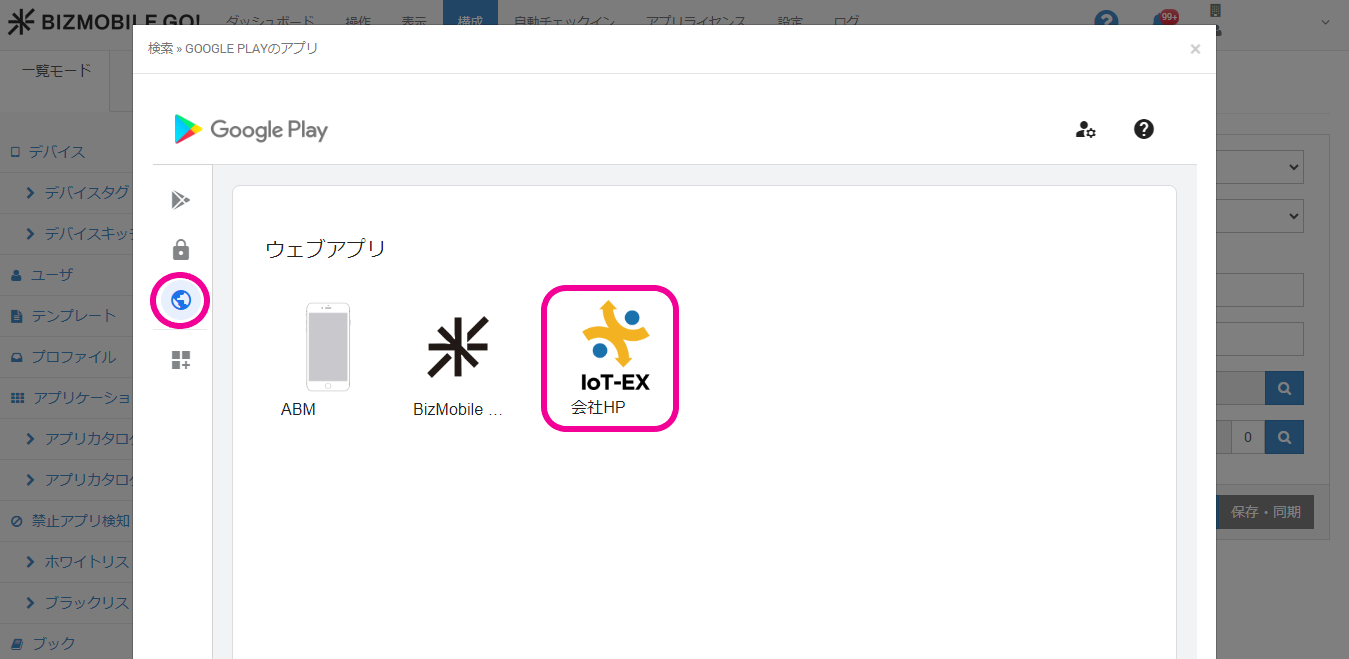
- Click Web Apps. The web app you just created is displayed. Select it.
- Click [Select] at the lower right of the web app edit screen.
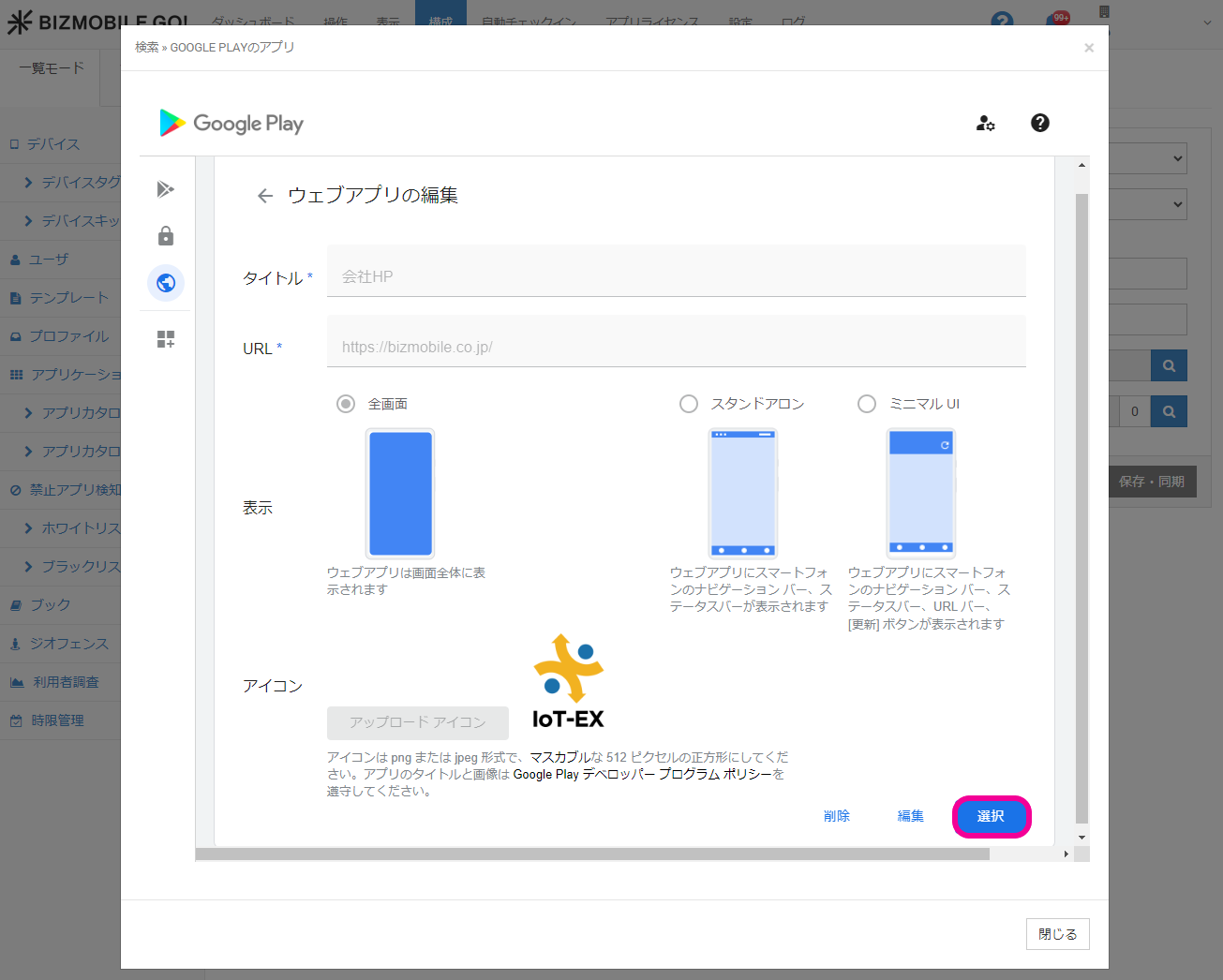
- Confirm that the web app is registered in
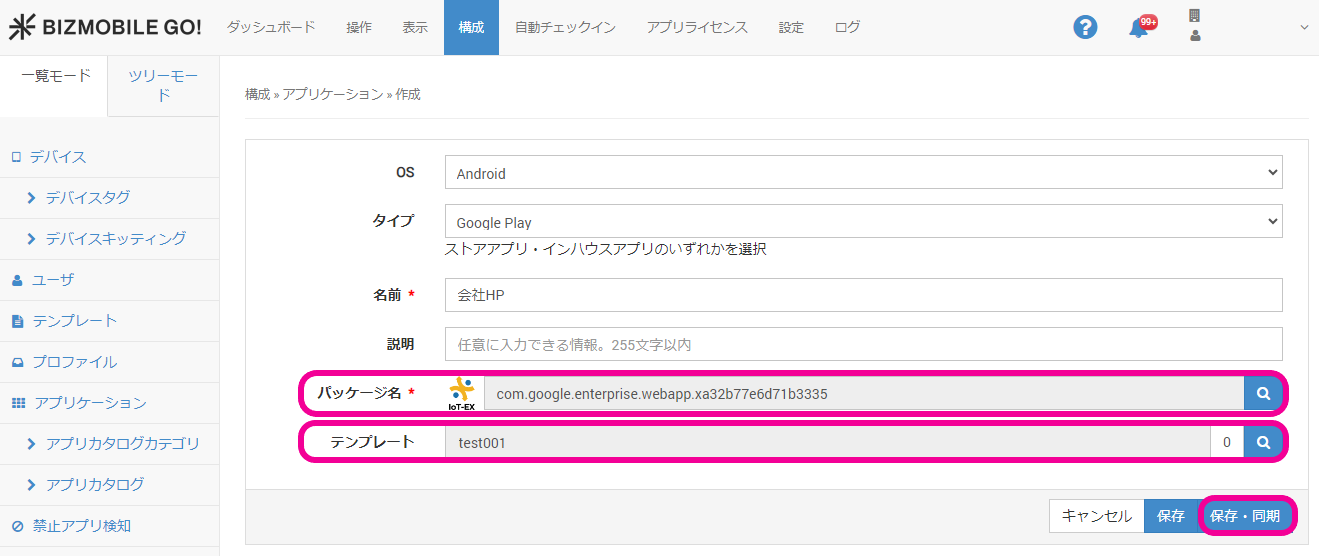
Package Name, assign it to the required template, and clickSave & Sync.