Restrict app usage (supervised devices only)
▶︎Related video (hide app icon setting)
You can set an allowlist or blocklist of apps that can be used on managed devices.
You cannot restrict the Settings and Phone apps.
To specify a web clip, register the identifier com.apple.webapp by following the in-house app procedure.
The following issues have been confirmed when using Allow only some apps.
- To use iCloud Drive, you must allow the
Filesapp (identifier: com.apple.DocumentsApp) in addition to iCloud Drive (identifier: com.apple.iCloudDriveApp). - On some OS versions, the AirDrop receiving feature may not work properly. You can resolve this by registering the identifier
com.apple.Sharing.AirDropUIby following the in-house app procedure.
Select a restriction method
- Do not allow some apps: The apps specified here no longer display an app icon on the managed device and cannot be used.
- Allow only some apps: Only the
SettingsandPhoneapps and the apps specified here display an app icon on the managed device.
How to specify apps
-
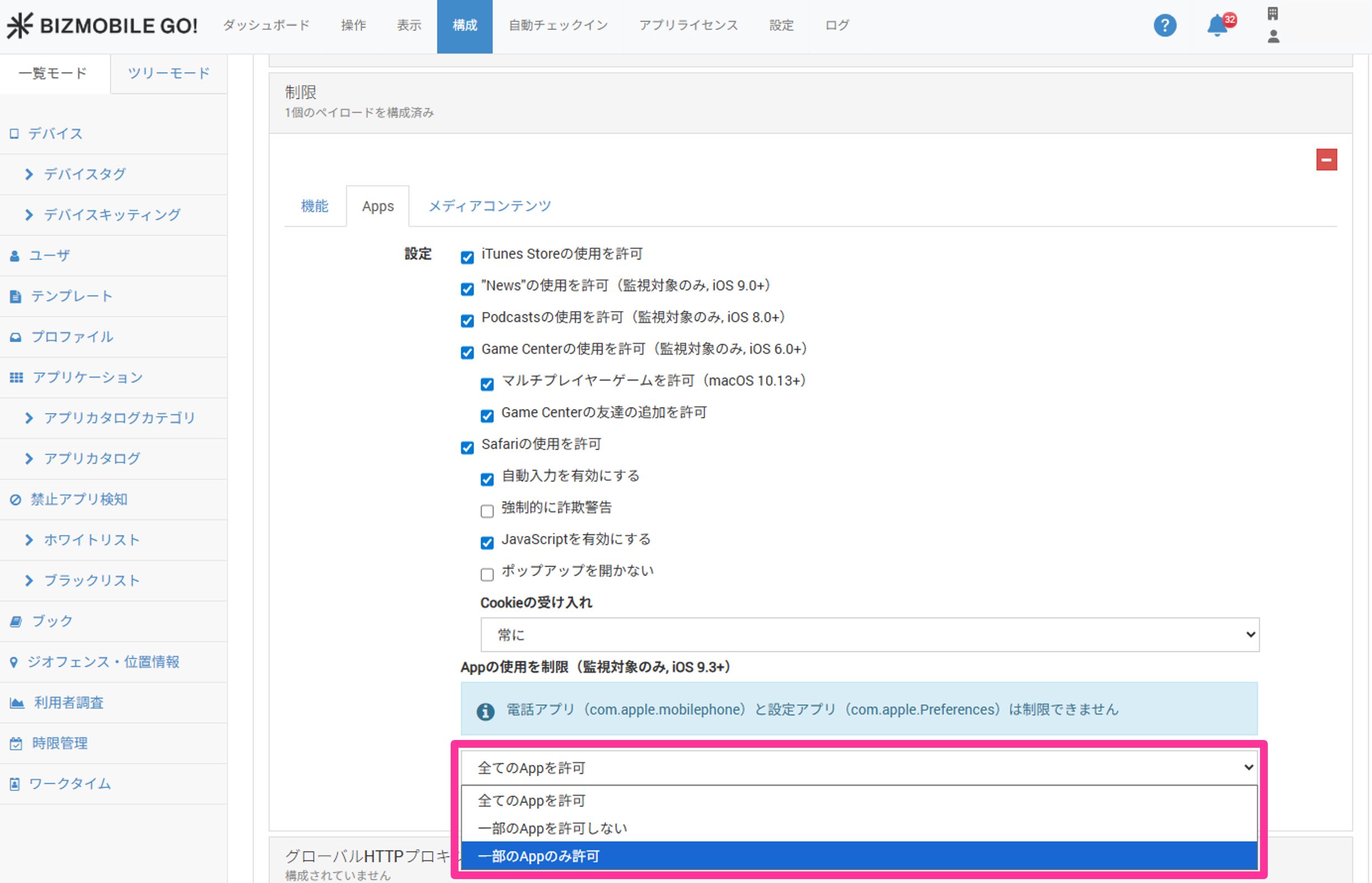
In the Restrictions payload of the profile, on the App tab, select a restriction method for
Restrict app usage (supervised only, iOS 9.3+).
-
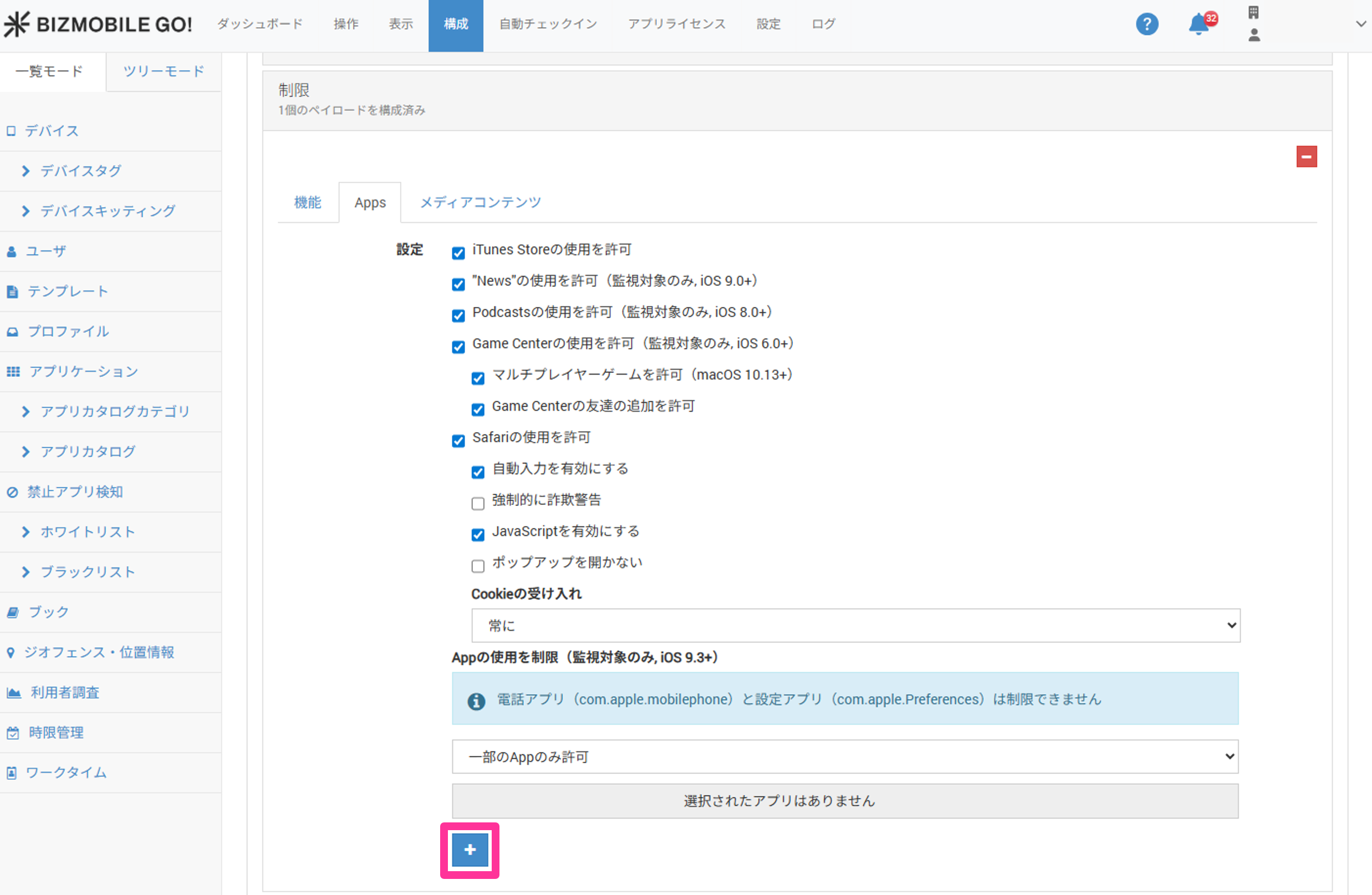
Click
 to specify an app.
-
Select an app.
- App Store
- In-house app
- Custom App (Custom B2B)
- System app
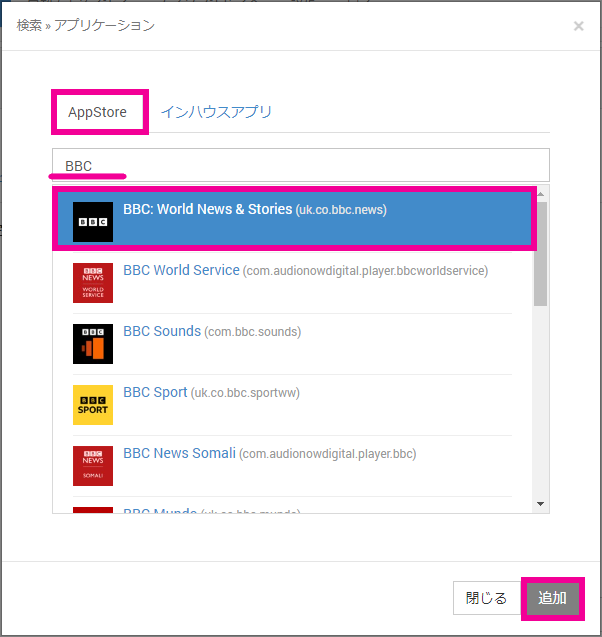
Select the
App Storetab, and then enter the application name or App Store ID to specify the application.
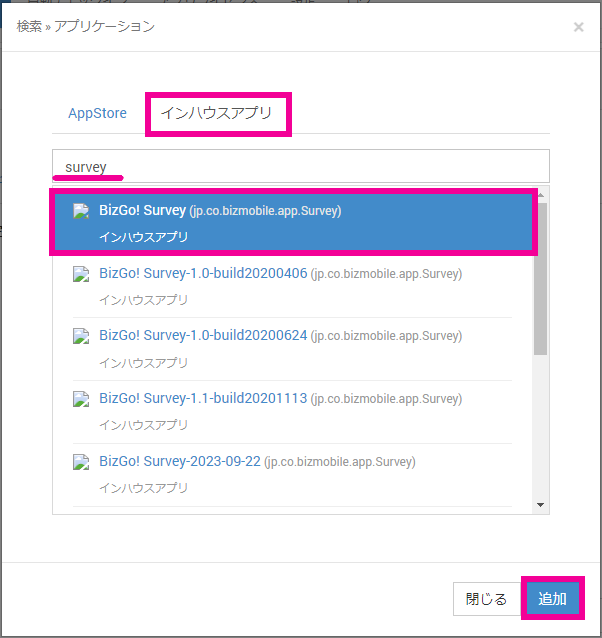
Select the
In-house Apptab, and then enter the application name to search.
Select the application from the search results, and then click [Add].
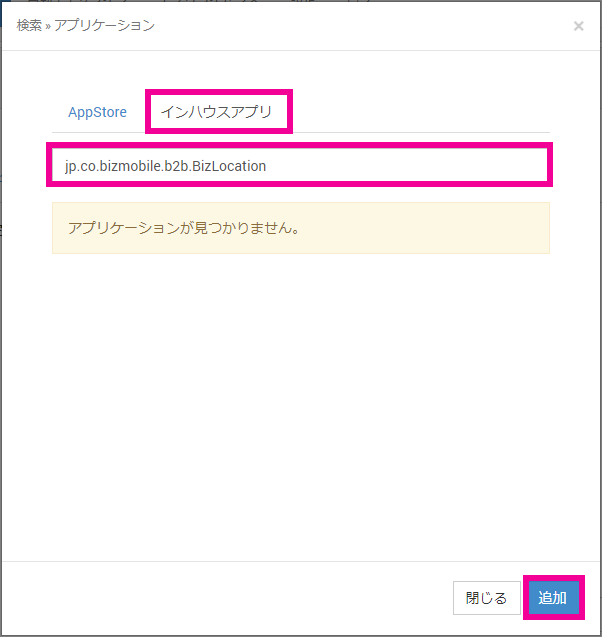
Select the
In-house Apptab, and then enter the application identifier.
Application not found.is displayed, but click [Add] as is.
Select the
In-house Apptab, and then enter the application identifier.
Application not found.is displayed, but click [Add] as is.
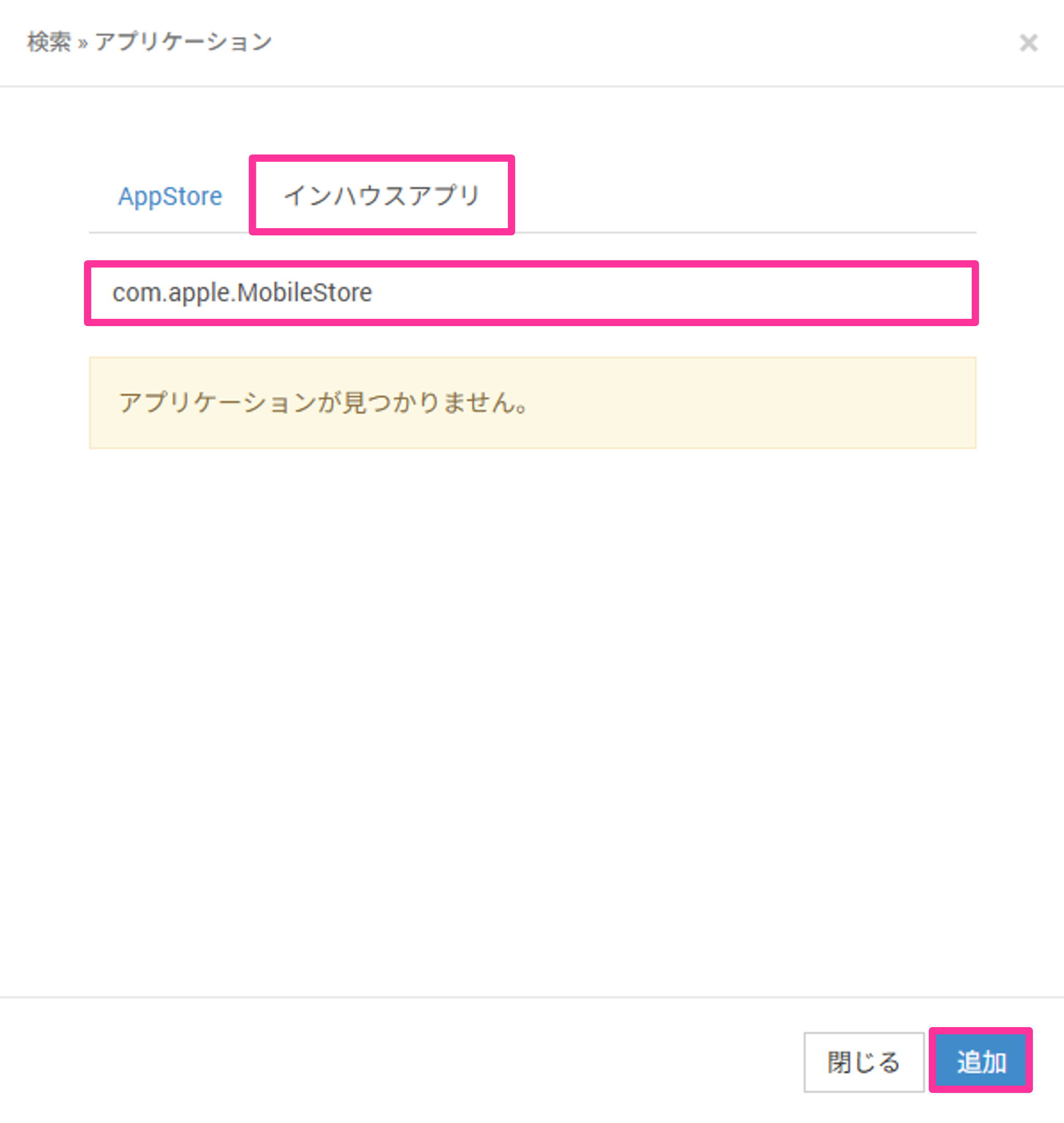
Search results also match application names and categories, so you can search for iOS built-in apps with the keyword apple.
You can check the list of preinstalled apps at the following URL.
https://support.apple.com/en-us/guide/deployment/depece748c41/web
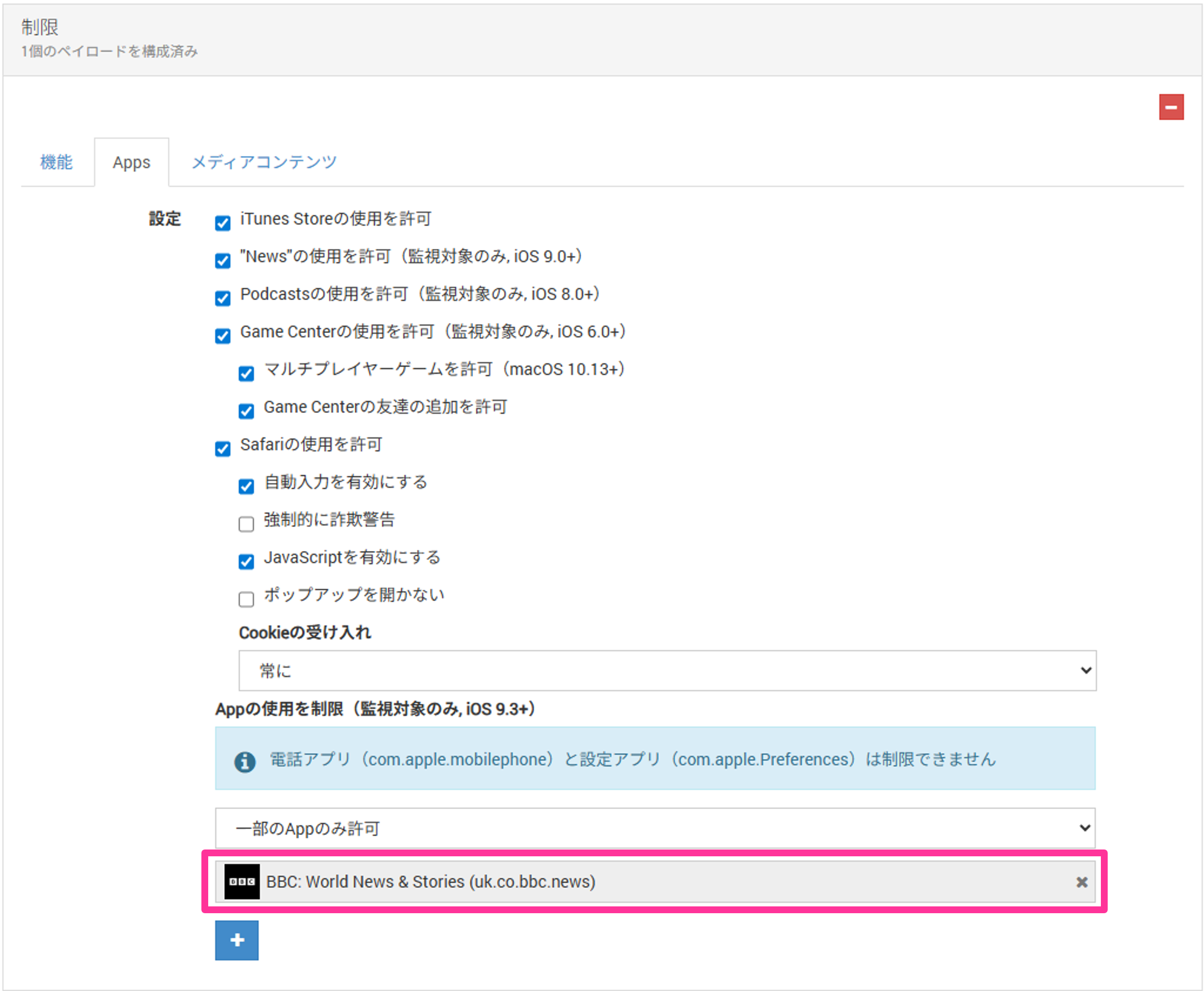
- Confirm that the selected app has been added.