Log In and Log Out
Log in
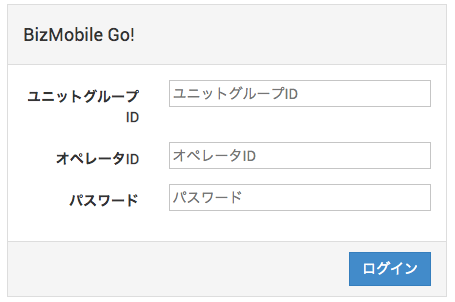
Access the following address in your browser to open the BizMobile Go! login screen. The region you selected when you applied is shown in parentheses.
https://mdm.bizmo.in (Tokyo)
https://as-mdm.bizmo.in (Singapore)
Enter the unit group ID, operator ID, and password you received when you signed the contract, along with the characters displayed on the screen, and then click the [Log In] button.
Select a unit
If your unit group contains multiple units, the unit selection screen appears. Select the unit you want to log in to and click [Continue] to log in to that unit.

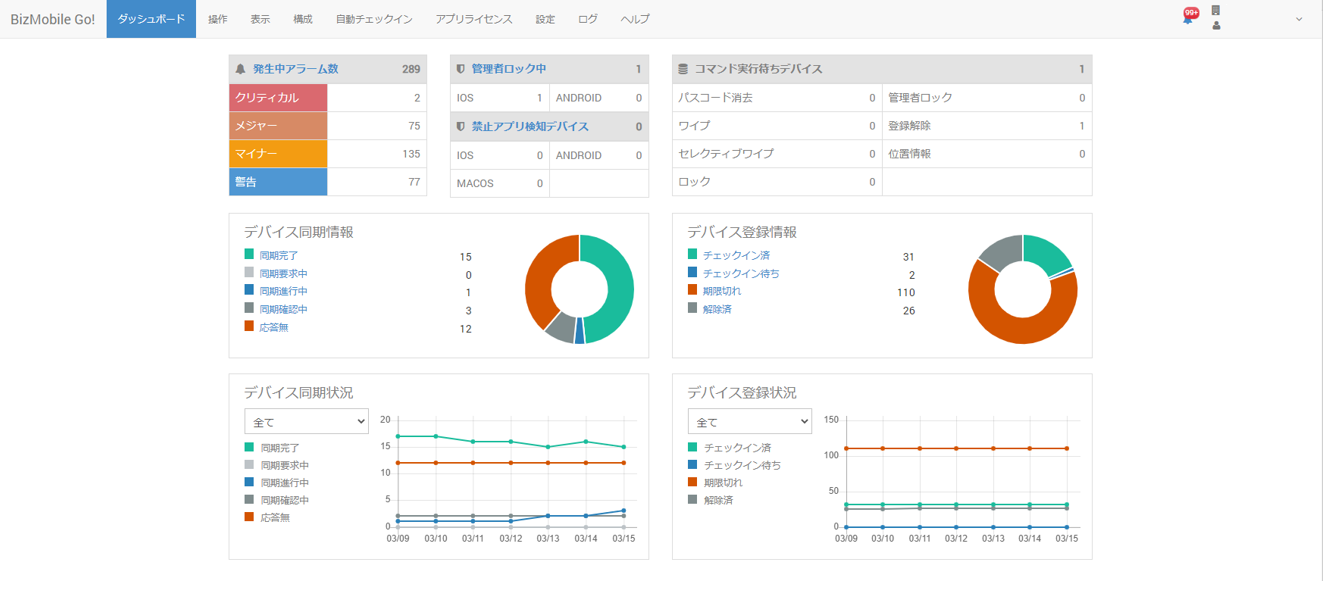
When you log in to BizMobile Go! successfully, the Dashboard of the managed unit opens. You can access all features from this screen.
For details on reading the dashboard, see Daily Operations.
If login fails
If a message such as The unit group ID, user name, or password is invalid. Please re-enter. appears, the information required for login was not entered correctly. Check it and enter it again.

Log out
To log out of BizMobile Go!, click the [Log Out] button  at the upper right of the screen.
When you log out successfully, you return to the login screen.