Unit Detail
You can check and change the unit settings.
General tab
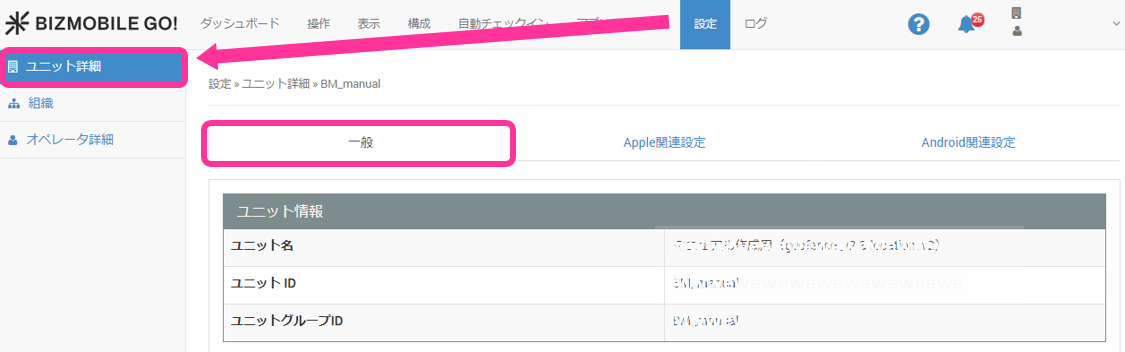
| Item | Description |
|---|---|
| Unit Information | Displays information about the unit in use. |
| Time zone used by the unit | Displays the time zone used by the unit. If you need to change the time zone, submit a request to BIZMOBILE. |
| Auto Sync Time | Displays the time at which automatic sync runs once a day. |
| Check in Email Information | You can edit the subject and body of the email used for enrollment emails. |
| Duration Change of "Not Responding" | You can set the number of days until a device is considered unresponsive in its sync status. The default is 3 days. |
| Alarm Email | When a specified alarm occurs, an email is sent to the specified email addresses (up to 10) every time. For how to set up alarm emails, see Set Up Alarm Emails. For the contents of the email, see Alarm Email. |
| Device Management Status Email | You can send a summary of the device management status (daily / weekly (Monday) / monthly (1st)) to the specified email addresses (up to 10). You can set the sending time. For the contents of the email, see Device Management Status Email. |
| Device Enrollment Expiration Setting | You can enable or disable the device enrollment expiration. For new units introduced in April 2024 or later, the default is disabled. For units introduced before that, the default is enabled. |
| Location Settings | You can display location information only during the registered working hours. |
Apple tab
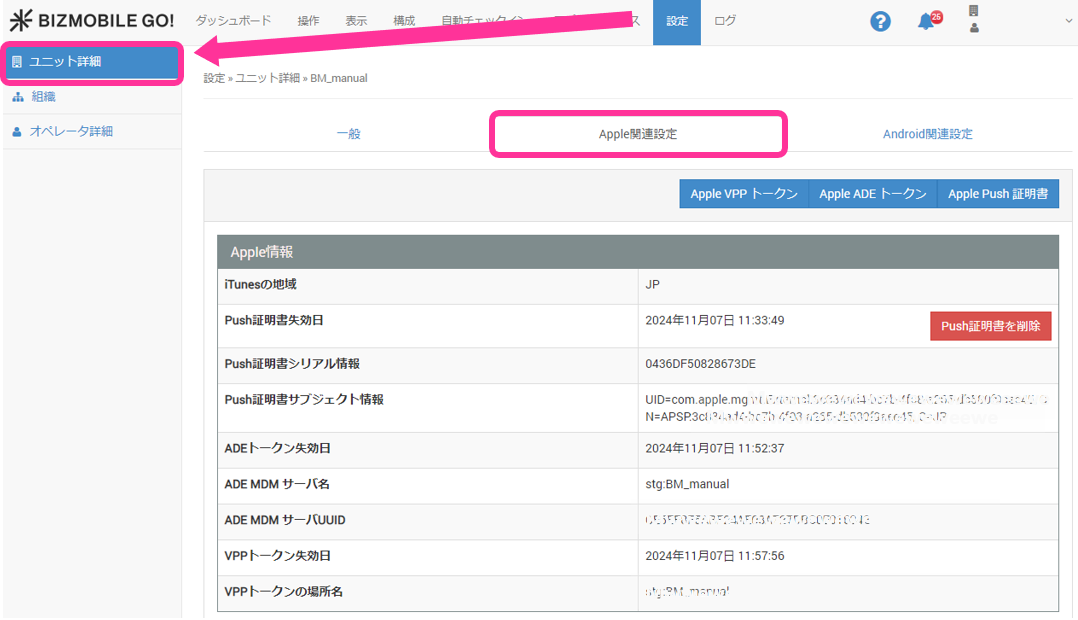
Apple settings
danger
- If you delete the Push certificate, you can no longer manage any of the Apple devices that are already under MDM management.
- Delete the Push certificate only if you have lost the login information of the Apple ID used to obtain the Push certificate and can no longer renew it.
- If you do not know which Apple ID was used to obtain the Push certificate, first check [SETTING > Unit Detail > Apple > Apple ID Note].
| Item | Description |
|---|---|
| Apple Information | Displays the iTunes region information and information about the Apple Push certificate. If you cannot renew the Push certificate because, for example, you have lost the Apple ID, you can delete the Push certificate by clicking "Delete Push Certificate". |
| Apple Configuration Information | Specifies the setting scope for Renter-privilege users (not used in normal environments). |
| Activation Lock Bypass | You can enable or disable activation lock bypass for devices set to Supervised. |
| Apple ID Note | A note for recording the Apple ID used for the Apple Push certificate, ADE (formerly DEP), and VPP. |
| VPP Invitation Email Information | You can edit the subject and body of the VPP invitation email used when distributing VPP apps on a per-user basis. |
Android tab
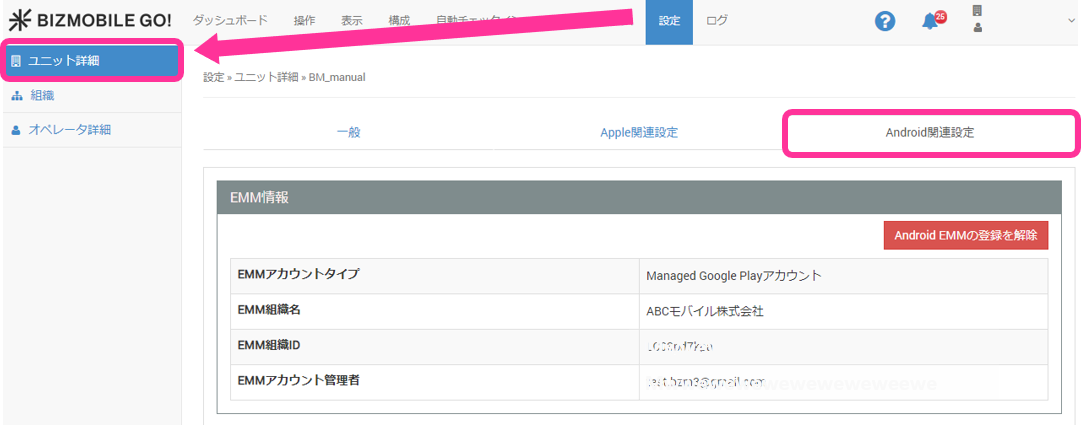
Android settings
| Item | Description |
|---|---|
| EMM Information | Displays information about the EMM settings. |
| Zero-touch Information | Displays information about the organization that uses zero-touch. |
| Device Integrity Policy | You can edit the device integrity policy. For details, see Device Integrity Verdict. |
Alarm Email
Subject
"BizMobile Go! Alarm Email: <Alarm>"
Body
Note: This email address is send-only. We cannot respond to replies.
The following alarm has occurred in BizMobile Go! unit bmqa.
Log in to BizMobile Go!, check the details, and take any necessary action.

BizMobile Go! login URL: https://mdm.bizmo.in

Alarm type: <Alarm>
Date and time: <Date and time the alarm occurred>
Template: <Template name>
Note: N/A is displayed if the device is not associated with a template
User: <User name>
Note: N/A is displayed if the device is not associated with a user
Identifier: <Identifier of the device>
Note: N/A is displayed for alarms not related to a device
Severity: <Displayed as "Warning", "Major", "Minor", or "Critical" according to the severity of the alarm>
Device Management Status Email
Subject
"BizMobile Go! Unit: <Unit ID> Device Management Report (Daily/Weekly/Monthly) YYYY/MM/DD"
Body
Note: This email address is send-only. We cannot respond to replies.
This is your report.
Log in to BizMobile Go! to check detailed information.

BizMobile Go! login URL: https://mdm.bizmo.in

1. Device sync information

Synchronized: XX devices
Sync requested: XX devices
Sync in progress: XX devices
Sync being confirmed: XX devices
No response: XX devices

2. Device enrollment information

Enrolled: XX devices
Waiting to enroll: XX devices
Expired: XX devices
Withdrawn: XX devices

3. Number of active alarms: XX

Critical: XX devices
Major: XX devices
Minor: XX devices
Warning: XX devices

4. Number of devices locked by an administrator: XX

iOS: XX devices
Android: XX devices

5. Number of devices with banned apps: XX

iOS: XX devices
Android: XX devices
macOS: XX devices

■ Registered device list
https://mdm.bizmo.in/controls/sync

■ Installed banned app list
https://mdm.bizmo.in/location/deviceBanned

■ Log list
https://mdm.bizmo.in/log/operation