Restrict Operator Access by Organization
You can restrict access by organization for operators who log in to the BizMobile Go! admin console.
First, prepare an operator ID that was created in Operator Detail and has been changed to an organization-level access permission.
Operators at the organization level (Organization~) require a change on our side. Create a new operator ID by following the Create an operator ID procedure, and then tell us the new ID and the organization-level access permission you want to grant.
This prevents operators from operating on or viewing user and device information linked to organizations they do not have access to.
For operator access permissions, see Operator Access Control on the reference page.
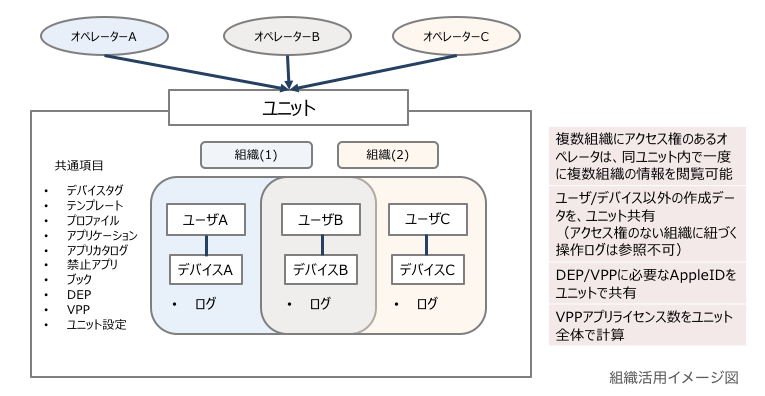
To create and edit organization information, see Create and Edit Organization Information.
Assign an organization to an operator
- From the menu bar, click SETTING → Organization.
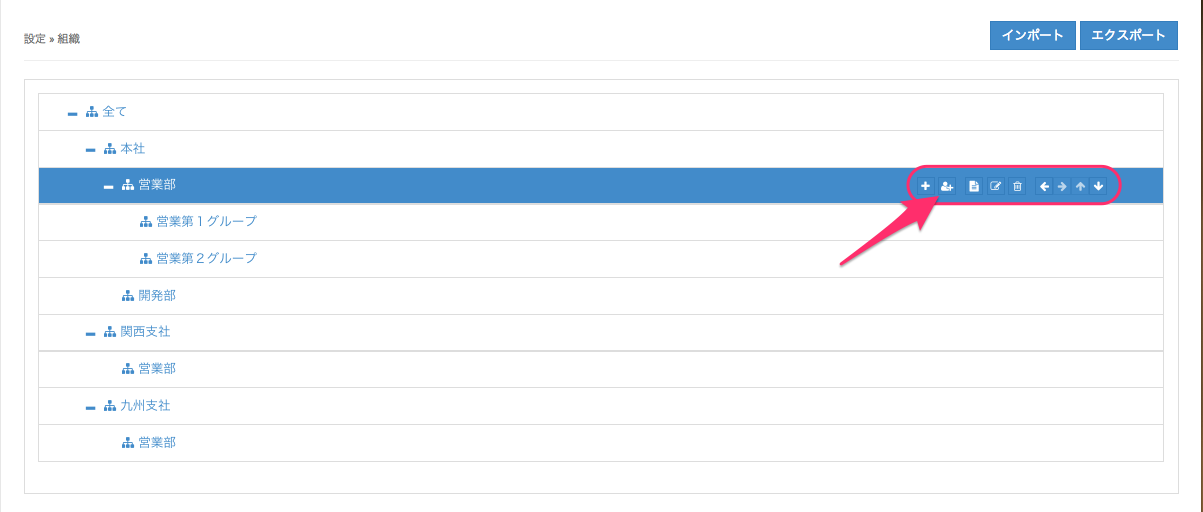
- Click the organization to which you want to assign operators, and then click the
 icon.
icon.
- Select the operators and click [Save].
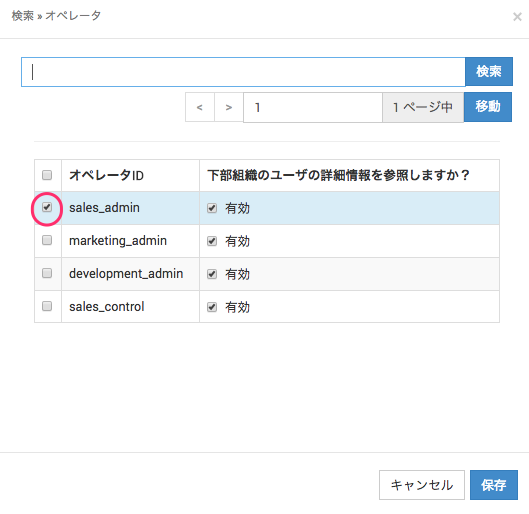
Do you want to view detailed user information of lower-level organizations?
Checked: You can view information for all lower-level organizations under the selected organization.
Not checked: You can view information only for the selected organization. - Operator access permission scope (when
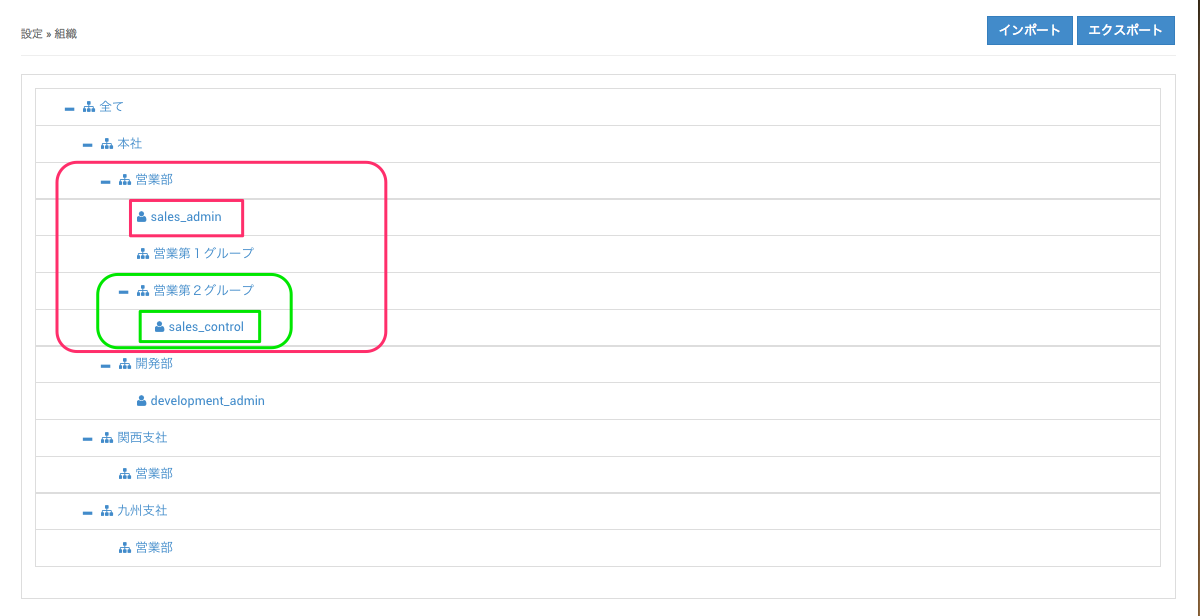
Do you want to view detailed user information of lower-level organizations?is checked)