Event
On the Event page, you can check a log of the operations that operators performed in the admin console and of the events that were executed.
The following table shows the trigger and details of each event.
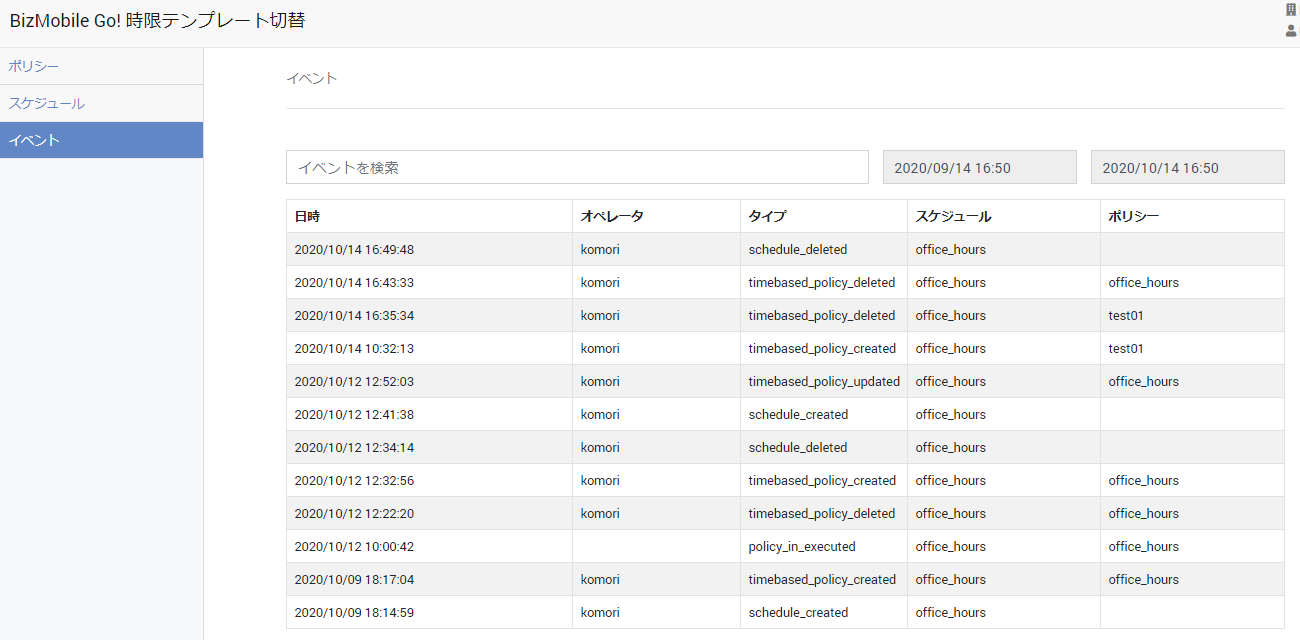
| Trigger | Date and Time | Operator | Type | Schedule | Policy |
|---|---|---|---|---|---|
| Policy created | The date and time the policy was created | The ID of the operator who created the policy | timebased_policy_created | The specified schedule | The created policy |
| Policy edited | The date and time the policy was edited | The ID of the operator who edited the policy | timebased_policy_updated | The specified schedule | The target policy |
| Policy deleted | The date and time the policy was deleted | The ID of the operator who deleted the policy | timebased_policy_deleted | The specified schedule | The target policy |
| Schedule created | The date and time the schedule was created | The ID of the operator who created the schedule | schedule_created | The created schedule | - |
| Schedule edited | The date and time the schedule was edited | The ID of the operator who edited the schedule | schedule_updated | The target schedule | - |
| Schedule deleted | The date and time the schedule was deleted | The ID of the operator who deleted the schedule | schedule_deleted | The target schedule | - |
| Switch to the "in-hours" template | The date and time the switch was executed | - | policy_in_executed | The target schedule | The target policy |
| Switch to the "out-of-hours" template | The date and time the switch was executed | - | policy_out_executed | The target schedule | The target policy |