Distribute the BizGo! Catalog app to devices
Purchase the BizGo! Catalog app with VPP and distribute it to devices.
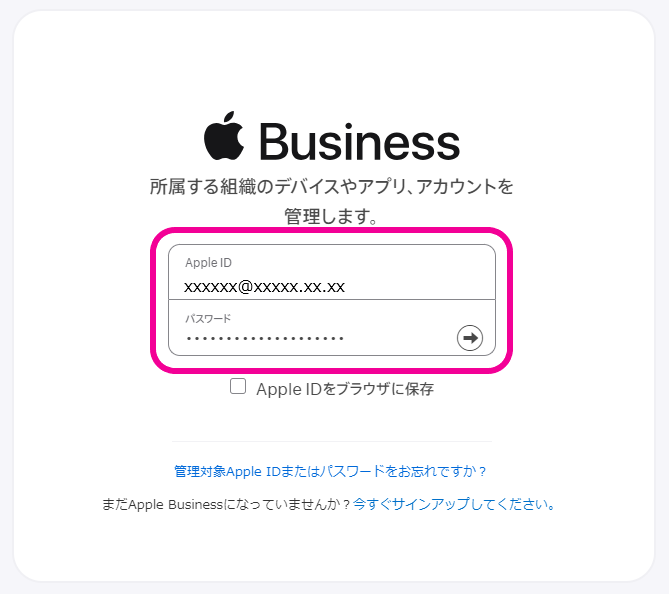
- Sign in to Apple Business (formerly Apple Business Manager).
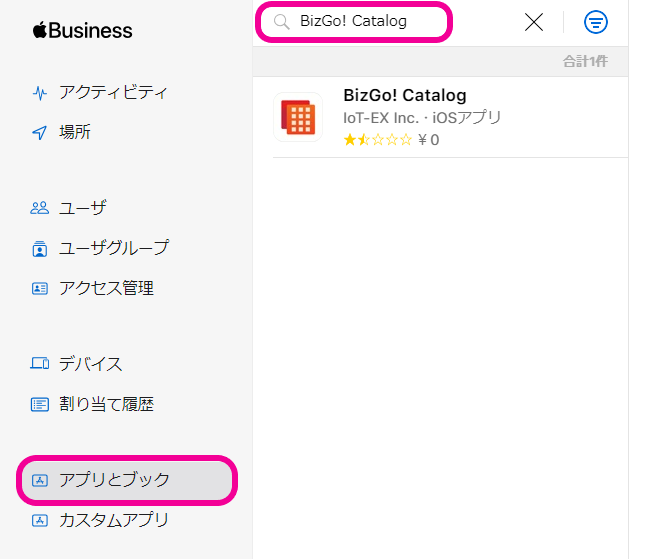
- Select
Apps and Booksfrom the menu on the left, and search for BizGo! Catalog in the search box at the top of the screen.
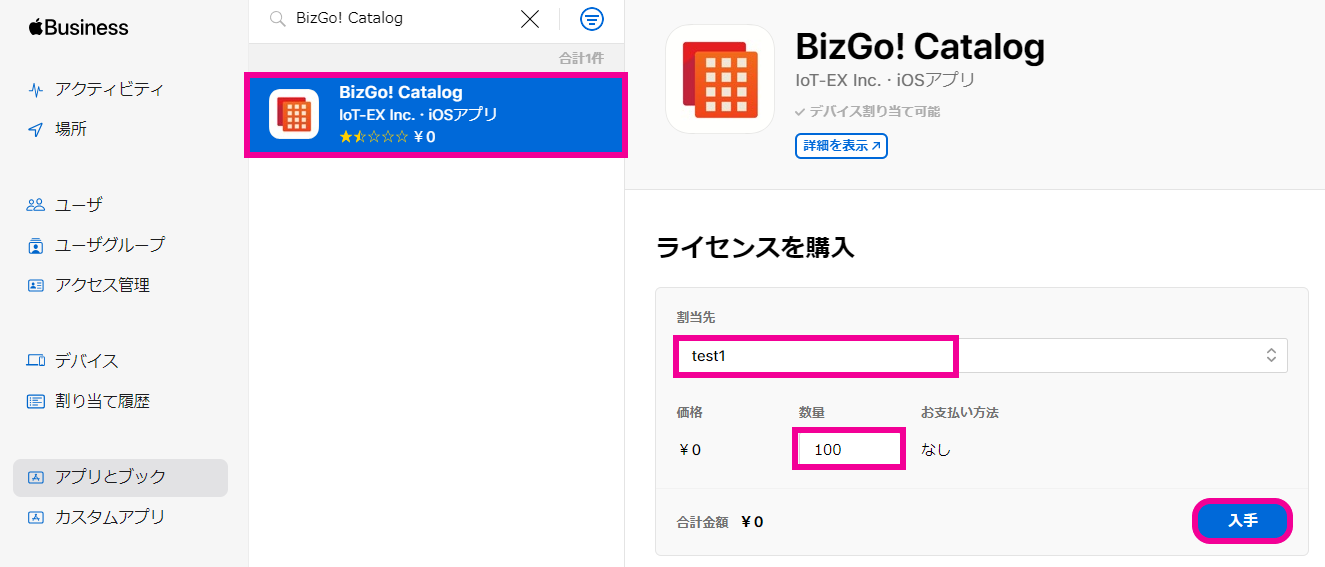
- Select the displayed app. On the license purchase screen that appears on the right, select the location to assign the app to, enter the required quantity, and then click
Get.
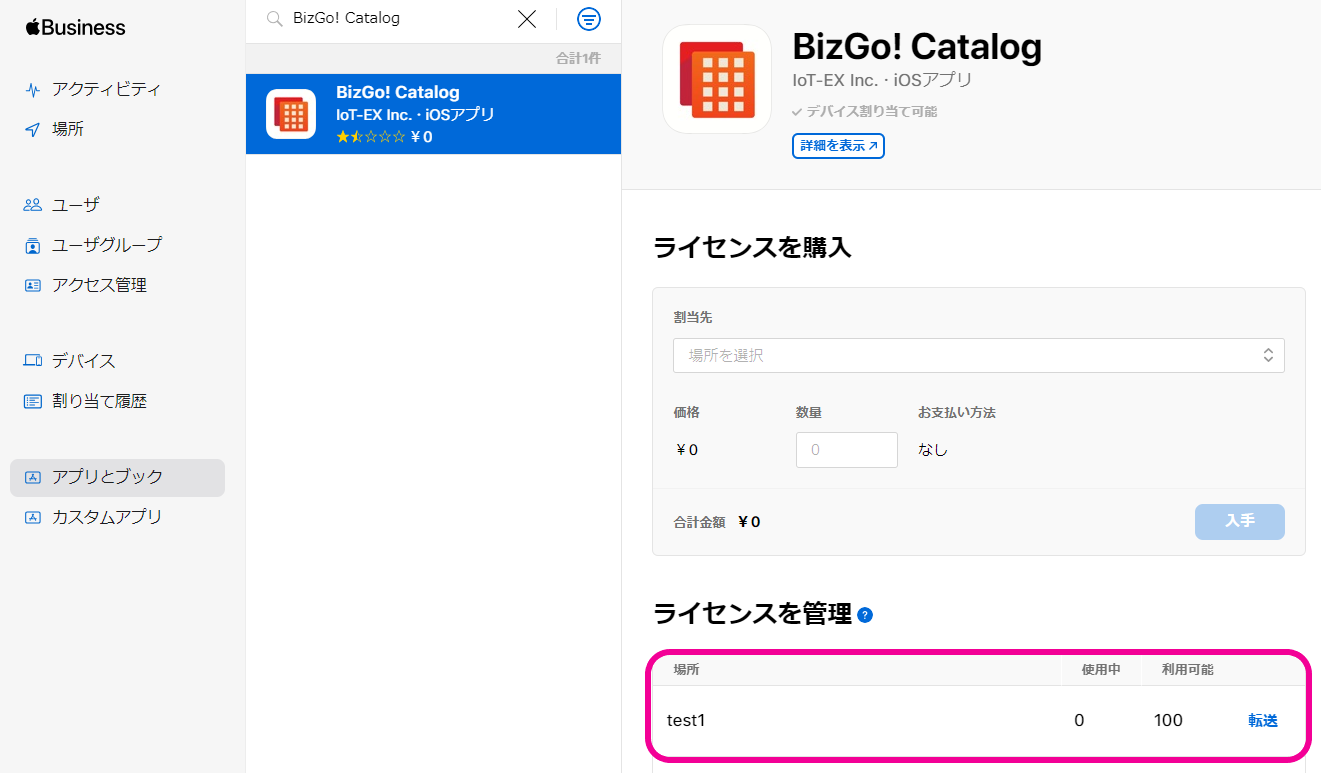
- When the purchase is complete,
Manage Licensesis displayed.
- You can check the purchased app in the admin console under App Licenses → VPP.
Note: VPP syncs every 5 minutes, so after you purchase the app in Apple Business, wait a while for it to appear in the admin console.
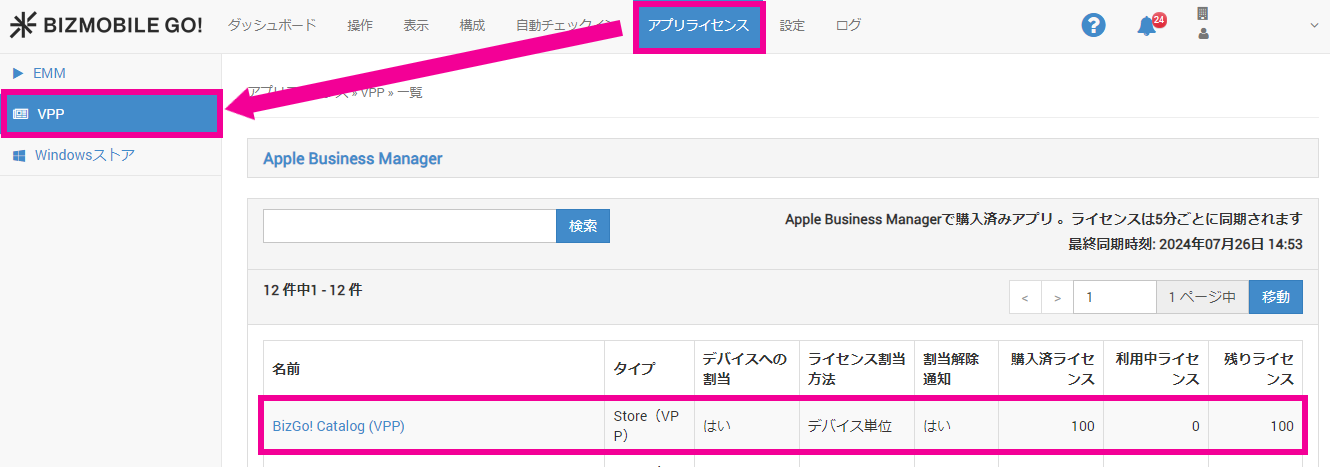
- Click the displayed app name.
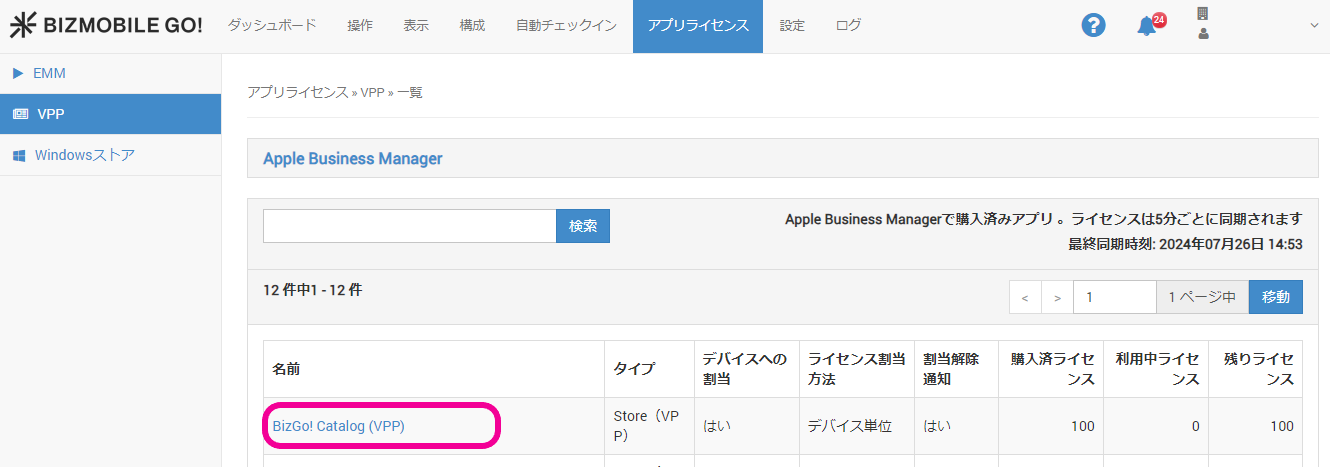
- Click
Edit.
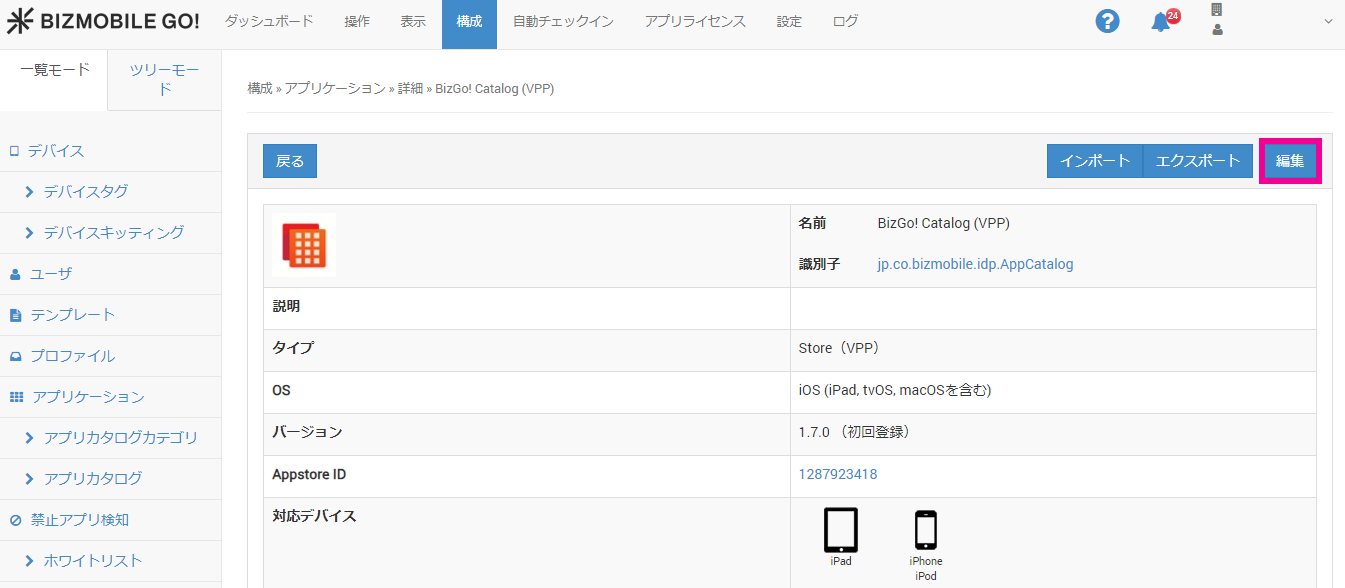
- Click
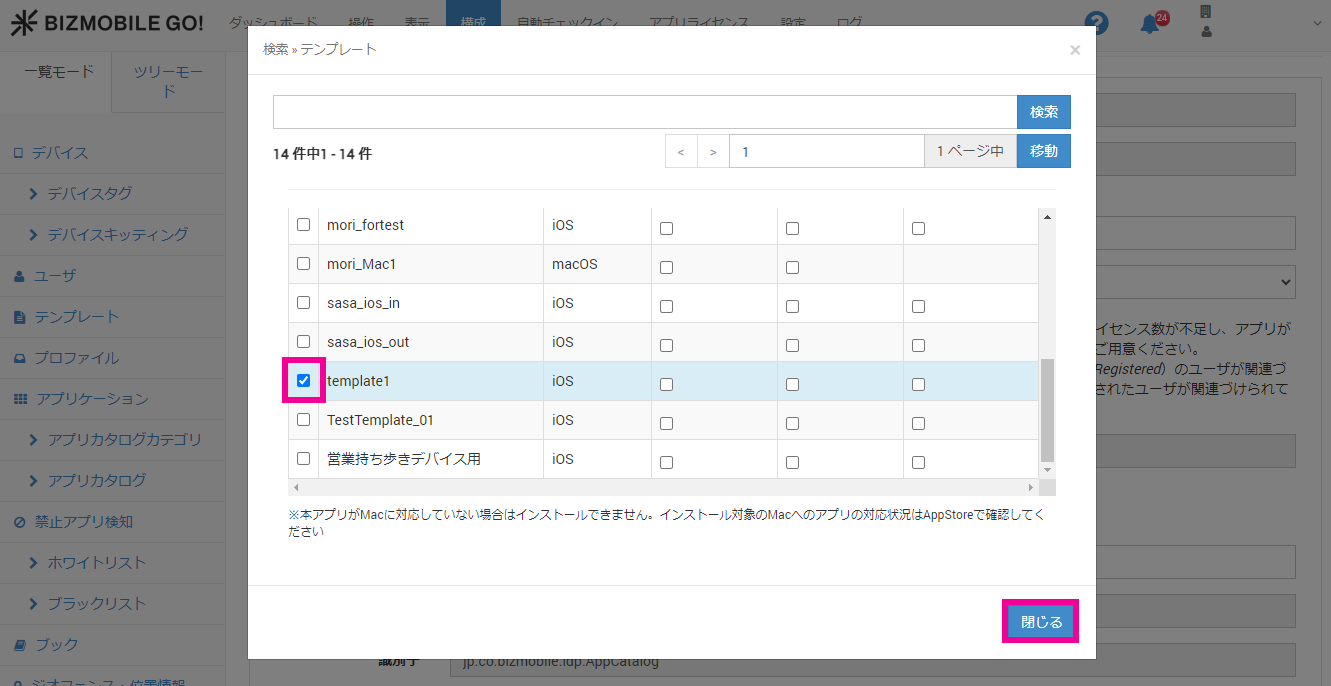
 for Template.
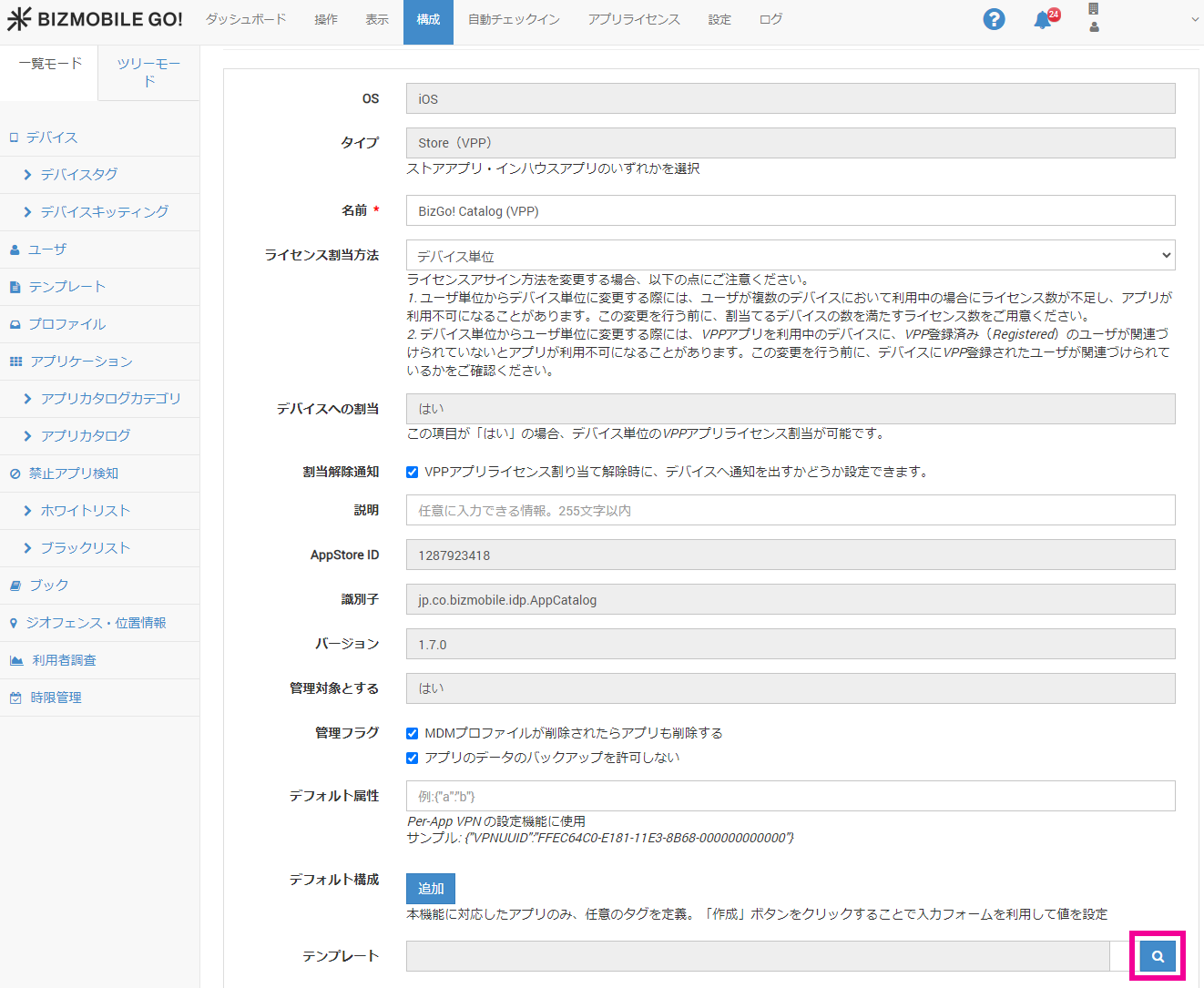
- Select a template, and then click
Close.
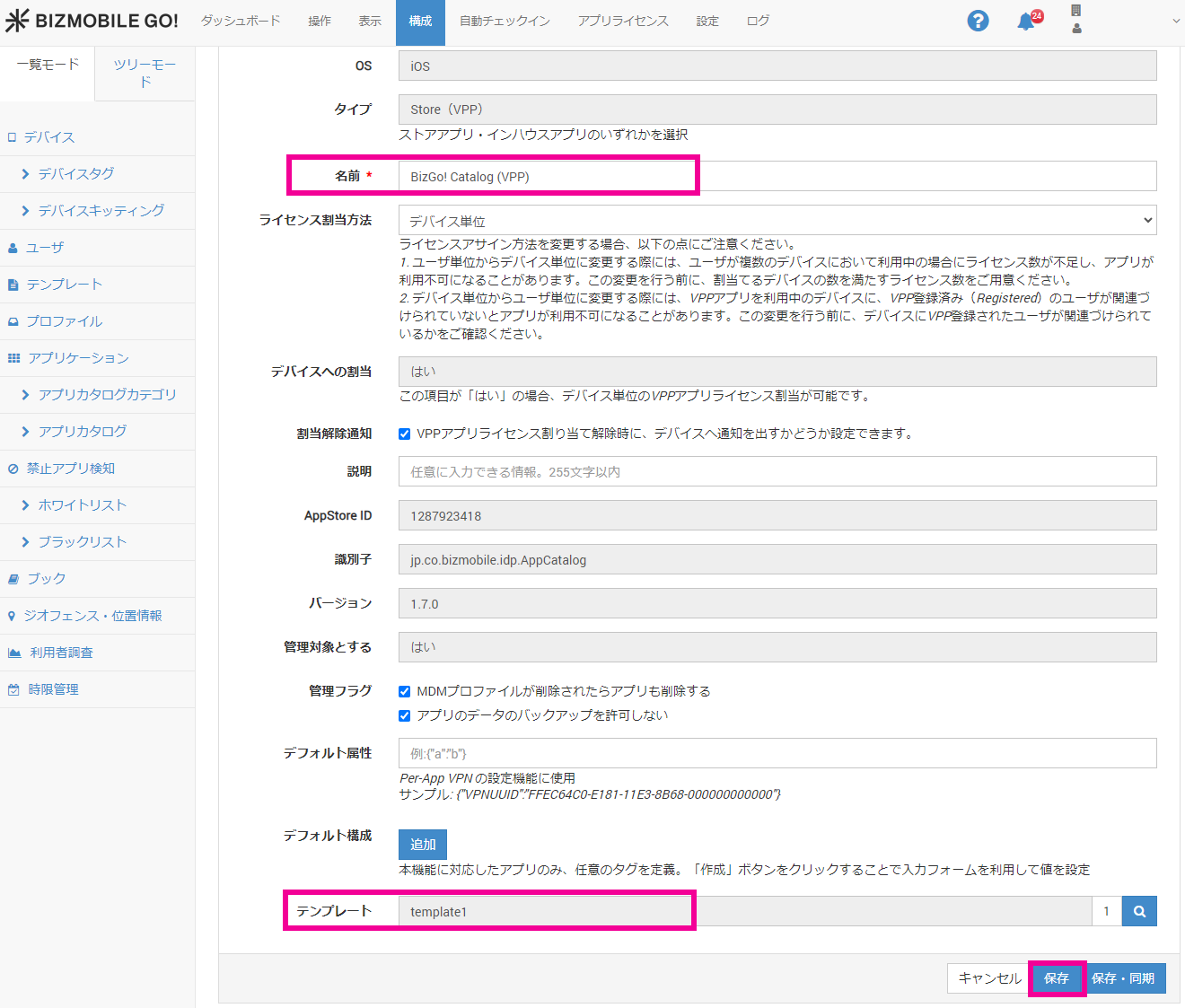
- Confirm the app name and template, and then click
Save.
The operations in the BizMobile Go! admin console are now complete. For how to operate the device, see How to use the BizGo! Catalog app.