[Geofence v1] Distribute the BizGo!Geofence app to devices
To use the Geofence service, you must distribute the "BizGo!Geofence" app from the MDM.
The "BizGo!Geofence" app is provided only as a Custom B2B (custom app).
Note: Custom B2B is a method in which an app is not listed on the regular App Store and is provided only to specific customers through Apple Business (formerly Apple Business Manager).
After applying for the optional service, notify the support desk of the following registration information from Apple Business.
- Organization name (example: BIZMOBILE Corporation)
- Organization ID (how to find your organization ID: https://developer.apple.com/jp/support/volume-purchase-and-custom-apps/#id)
After we finish registering your information, purchase and distribute the app by following the steps below.
Note: To distribute a Custom B2B app, you must enable VPP beforehand. For the procedure, see Enable VPP Features.
- Log in to Apple Business, click "Custom Apps," and select "BizGo!Geofence."
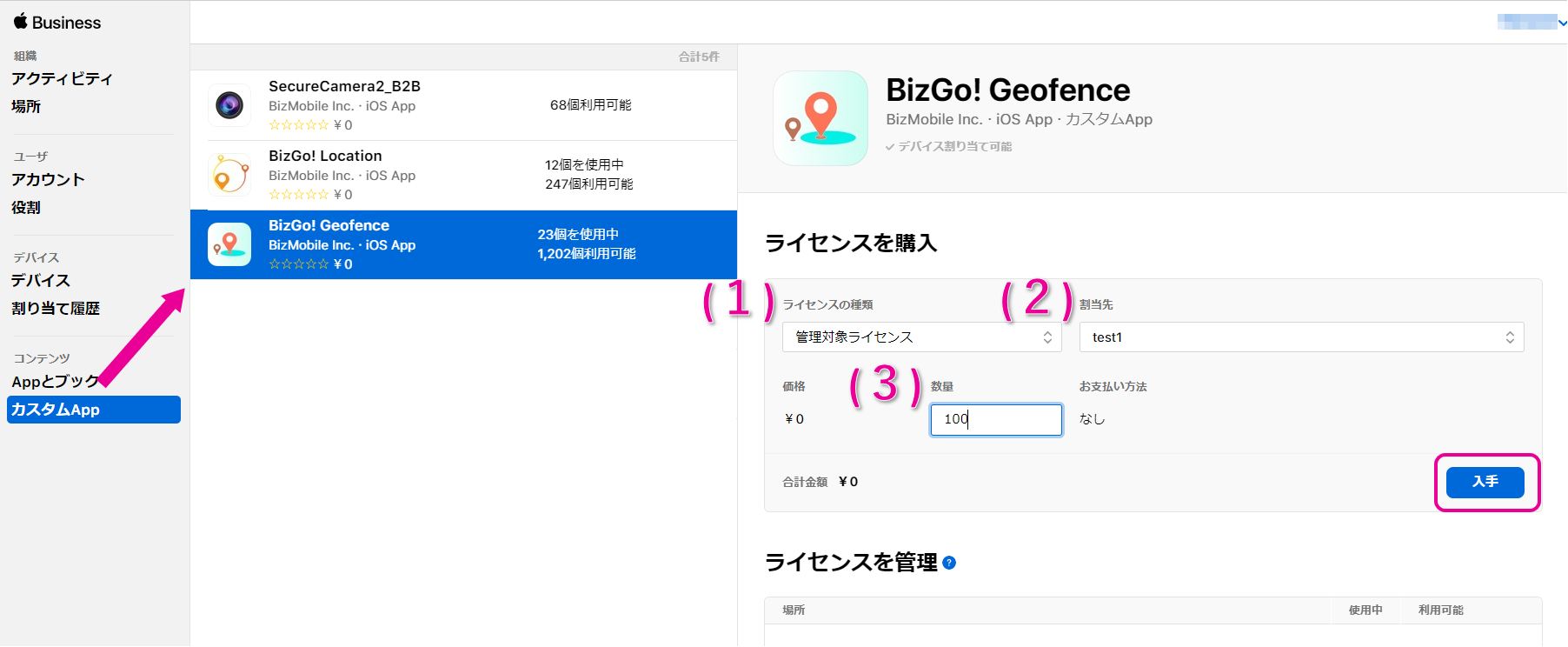
(1) License type
Select "Managed Licenses."
(2) "Assign to"
Select the MDM server to assign to.
(3) Quantity
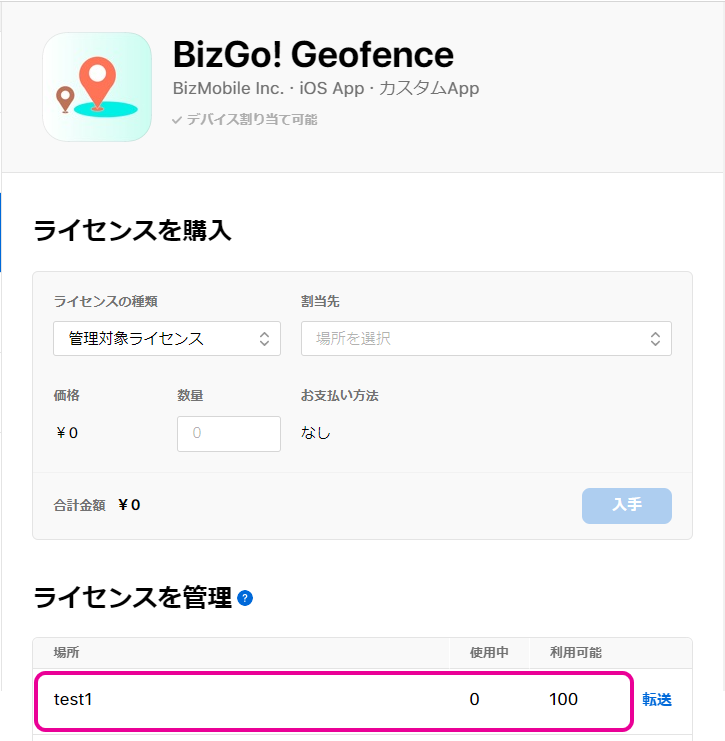
Enter the number you need and click [Get] (the price is 0 yen, so we recommend purchasing a generous quantity). - The purchase is complete when processing finishes and the app appears in "Manage Licenses."
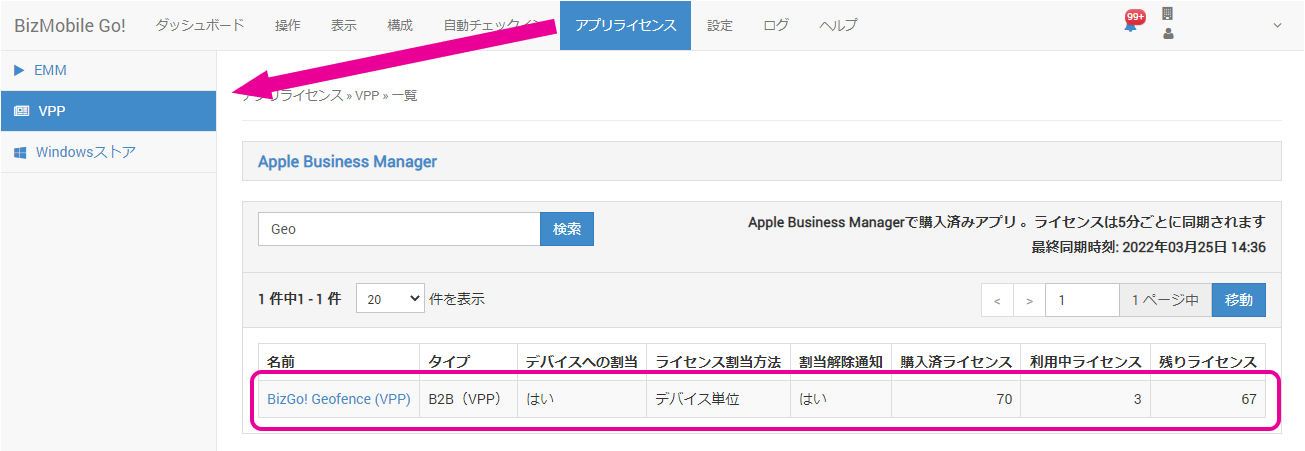
- Wait until the app appears in the purchased app list under [App Licenses] -> [VPP] (licenses are synchronized every 5 minutes).
(Click the app name to open the app edit screen.)
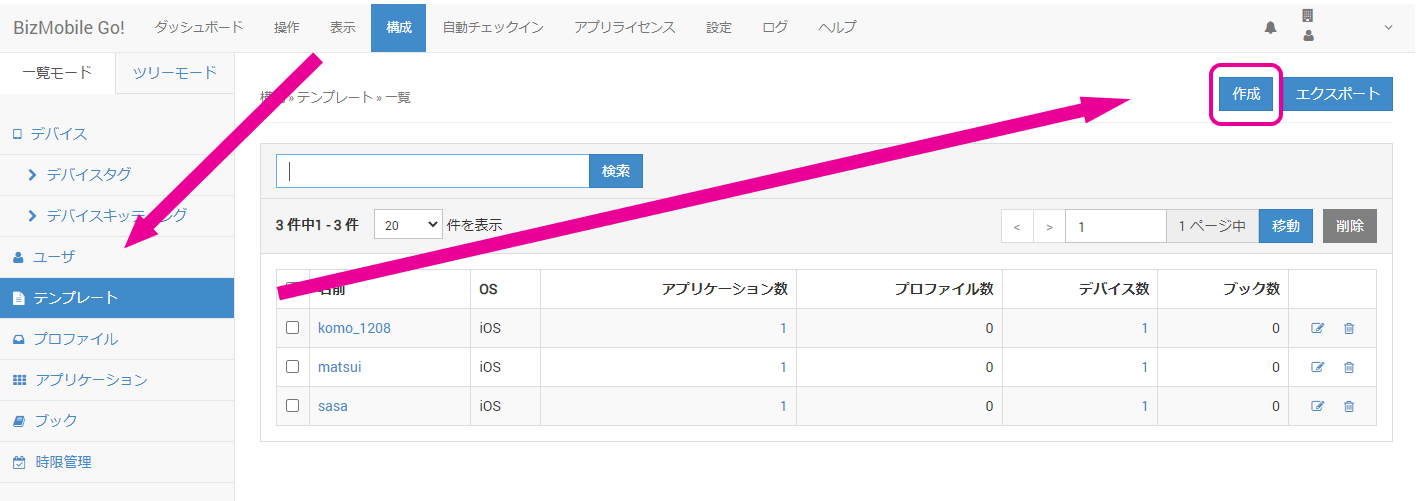
- In the admin console, to create a new template, select CONFIG > Template and click [Create].
To operate on an existing device, click the identifier link of the device.
- On the template creation (edit) screen that opens, select and register the "BizGo!Geofence" app under "Application."
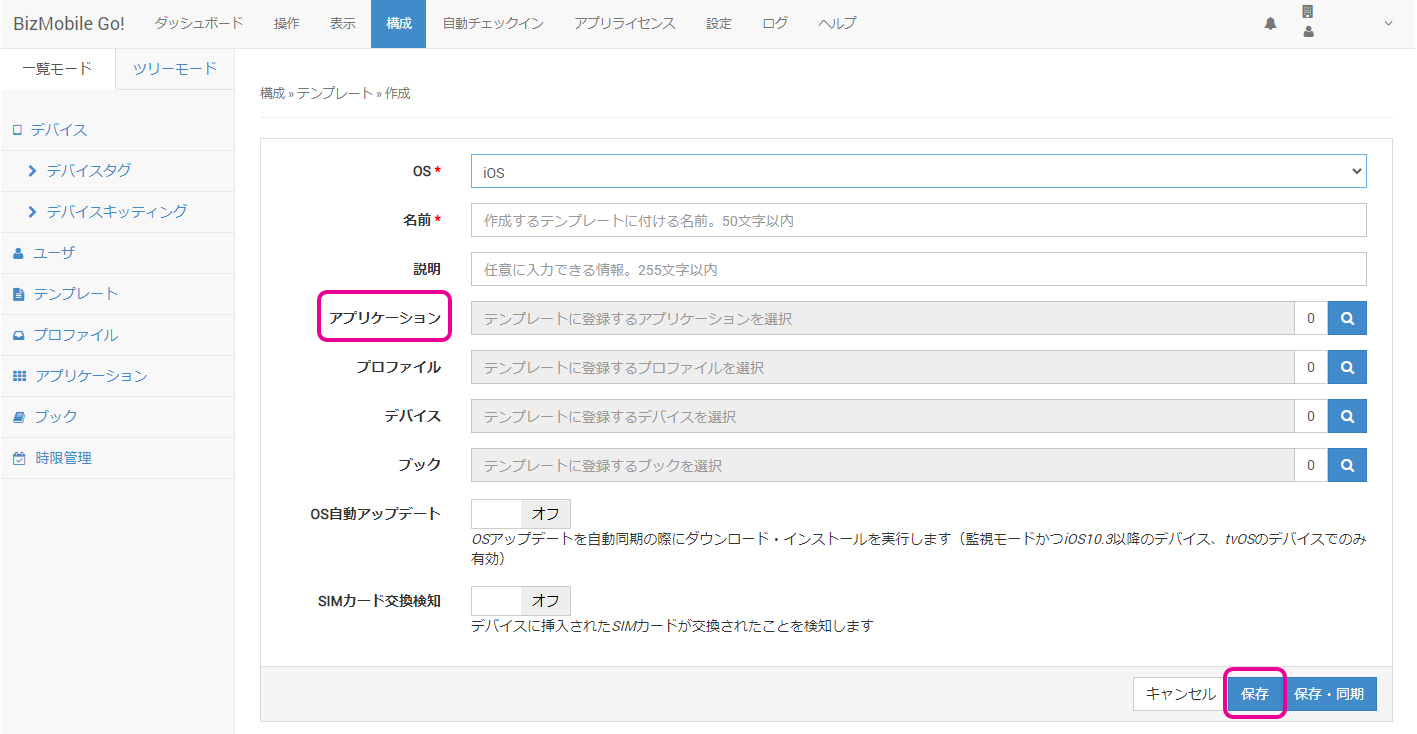
To save the information, click [Save] or [Save & Sync]. To cancel the registration, click [Cancel]. - When the app installation on the device is complete, the device is displayed in the admin console.
You can check this under [CONTROL] -> [Location].