Disable Activation Lock
iOS 7.0-
Managed
For devices on which Supervised mode is enabled for the entire unit, you can configure a setting to disable Activation Lock. (It is enabled by default.)
On Supervised iOS devices in a unit with this setting disabled, Activation Lock is disabled even if Find My iPhone is enabled.
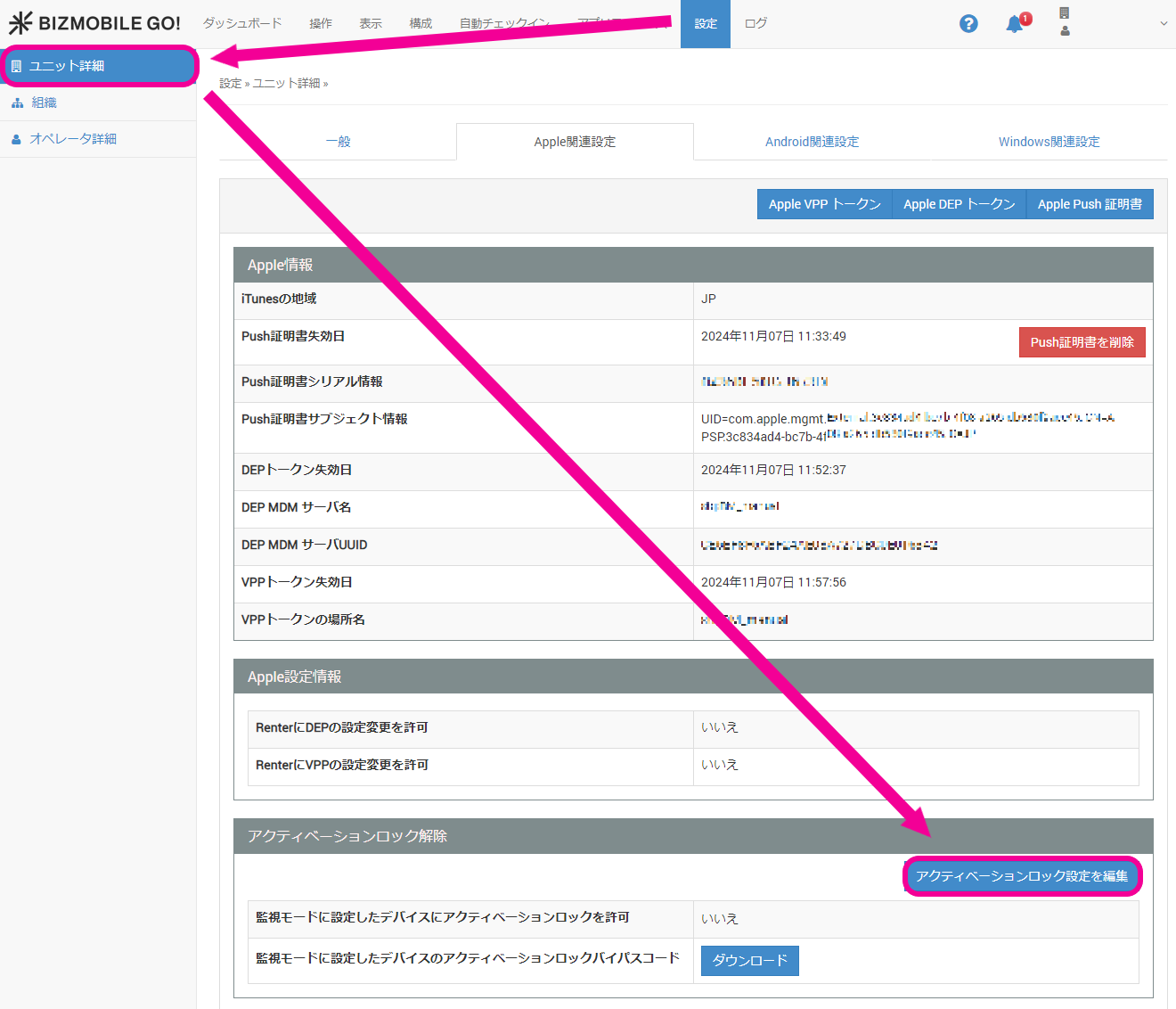
- On the SETTING → Unit Detail screen, under "Apple Information", click [Edit Activation Lock Settings] in the "Activation Lock Bypass" field.
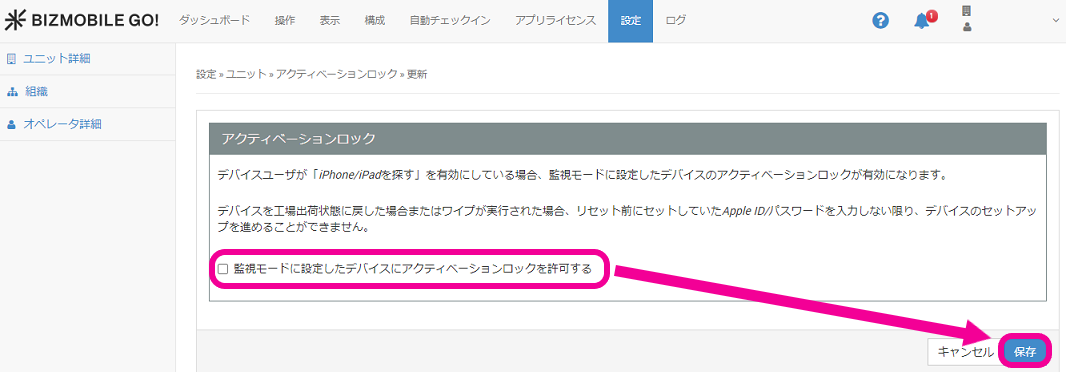
- Click "Allow Activation Lock on devices set as supervised" to clear the check box, and then click [Save].
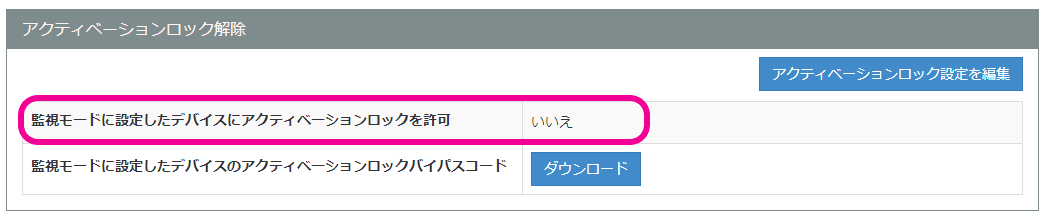
- Confirm that "Allow Activation Lock on devices set as supervised" is set to "No".
Note: On devices that are not set as supervised, Activation Lock is enabled when Find My iPhone is turned on, regardless of this setting.