Send an Activation Lock Bypass Command
iOS 7.0-
Managed
You can specify a device and send a command to release Activation Lock.
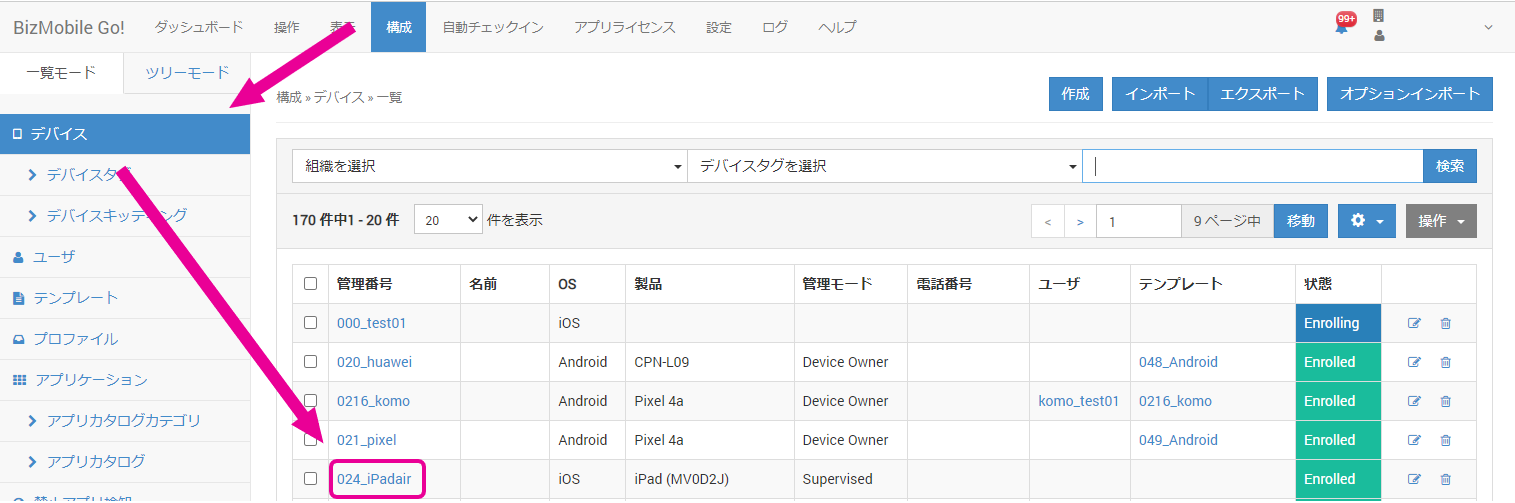
- Click CONFIG → Device, and then click the identifier of the device on which you want to release Activation Lock.
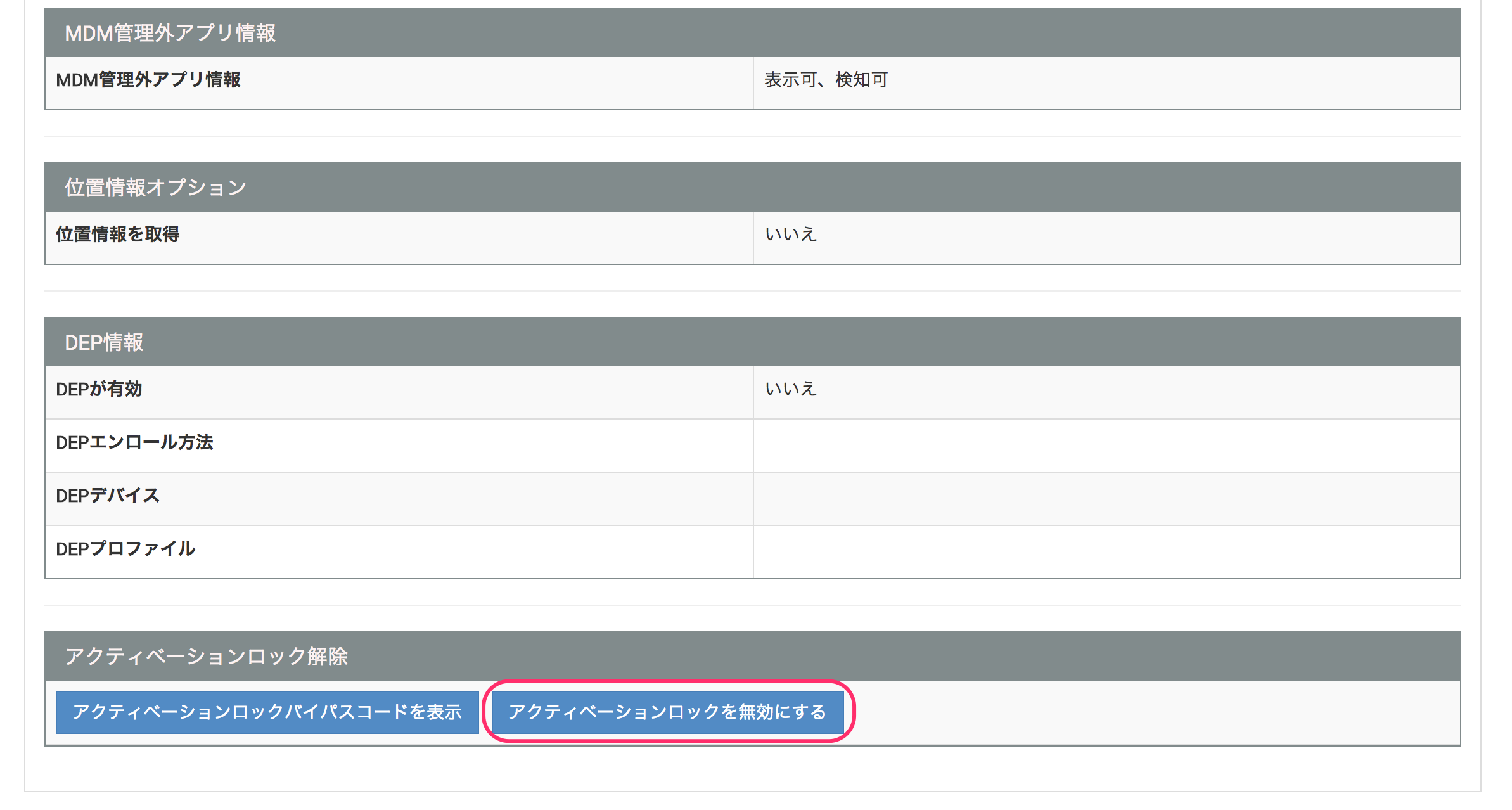
- Click [Disable Activation Lock] at the bottom of the Device Detail screen.
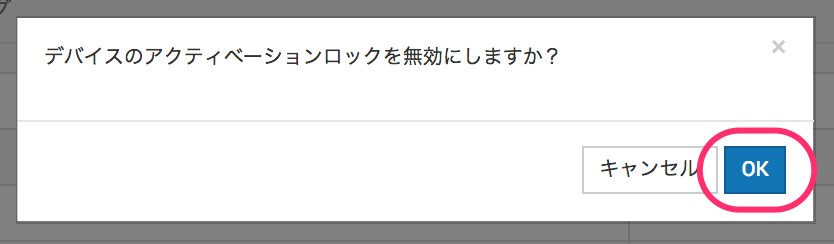
- When the message "Do you want to disable Activation Lock on the device?" appears, click "OK".
When a success message appears at the top of the screen, Activation Lock has been released.

On the device, tap [Back] at the upper left of the screen to return to the previous screen, and then tap [Next] again. You can then continue with the activation steps without the Activation Lock screen appearing.