[Geofence v1] Check the device list
On the Device page, you can view the latest information obtained from each device.
The list shows only the devices assigned to templates in which the BizGo!Geofence app is registered.
Note: After the assignment is complete, it can take up to 5 minutes for a device to appear in the list.
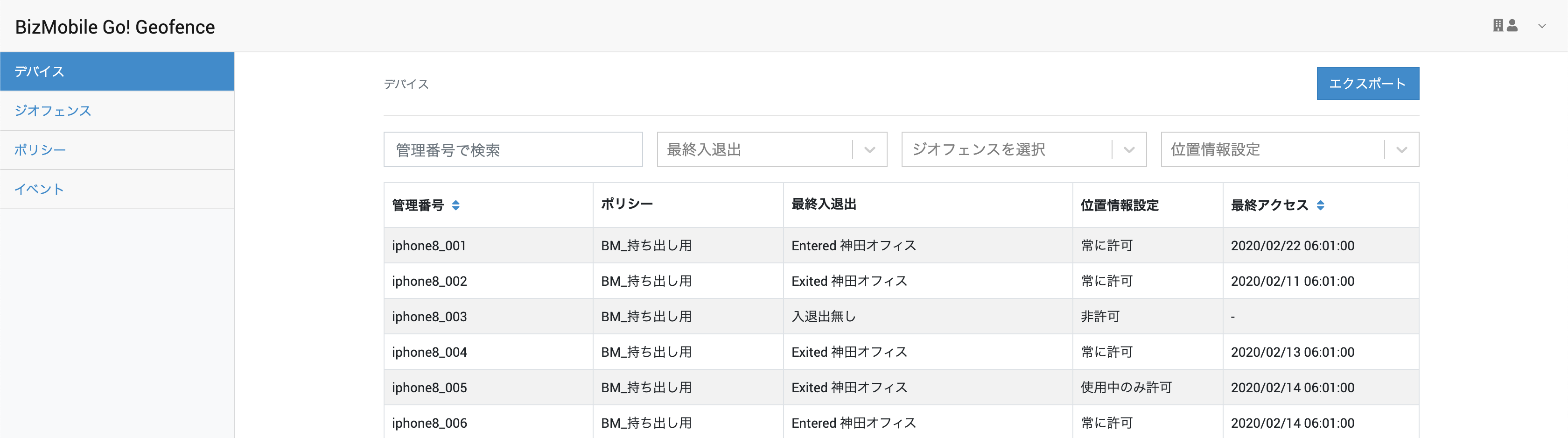
| Item | Value |
|---|---|
| Identifier | Identifier of this device |
| Policy | Name of the policy assigned to this device |
| Last Enter/Exit | The most recently detected entry to or exit from a geofence by this device - No enter/exit: Neither a geofence enter or exit nor a manual location check by an app operation has ever been detected. Possible causes include that the BizGo!Geofence app has never been launched, or that the location setting is disabled. |
| Location Setting | The most recently detected location setting of the BizGo!Geofence app on this device Note: The command to obtain the location setting is sent every hour, but due to OS specifications, the BizGo!Geofence app must be running in the foreground or background for the location setting to be detected. |
| Last Access | Time when Last Enter/Exit was last updated |
Filter the displayed devices
You can filter the displayed device information by multiple conditions.
| Search name | Search condition |
|---|---|
| Search by identifier | Partial match on the identifier |
| Last Enter/Exit | Select Exited / Entered (multiple selections allowed) |
| Select geofence | Select a geofence |
| Location Setting | Select Always / While Using / Never (multiple selections allowed) Note: The command to obtain the location setting is sent every hour, but due to OS specifications, the BizGo!Geofence app must be running in the foreground or background for the location setting to be detected. |