Set up location acquisition by schedule
Location information is acquired on the days of the week and at the times you set.
If a command is issued while the device is not connected to the internet, for example because it is powered off, the server holds the command and notifies the device the next time it connects to the internet.
-
From the menu bar, click CONFIG → Geofence/Location.
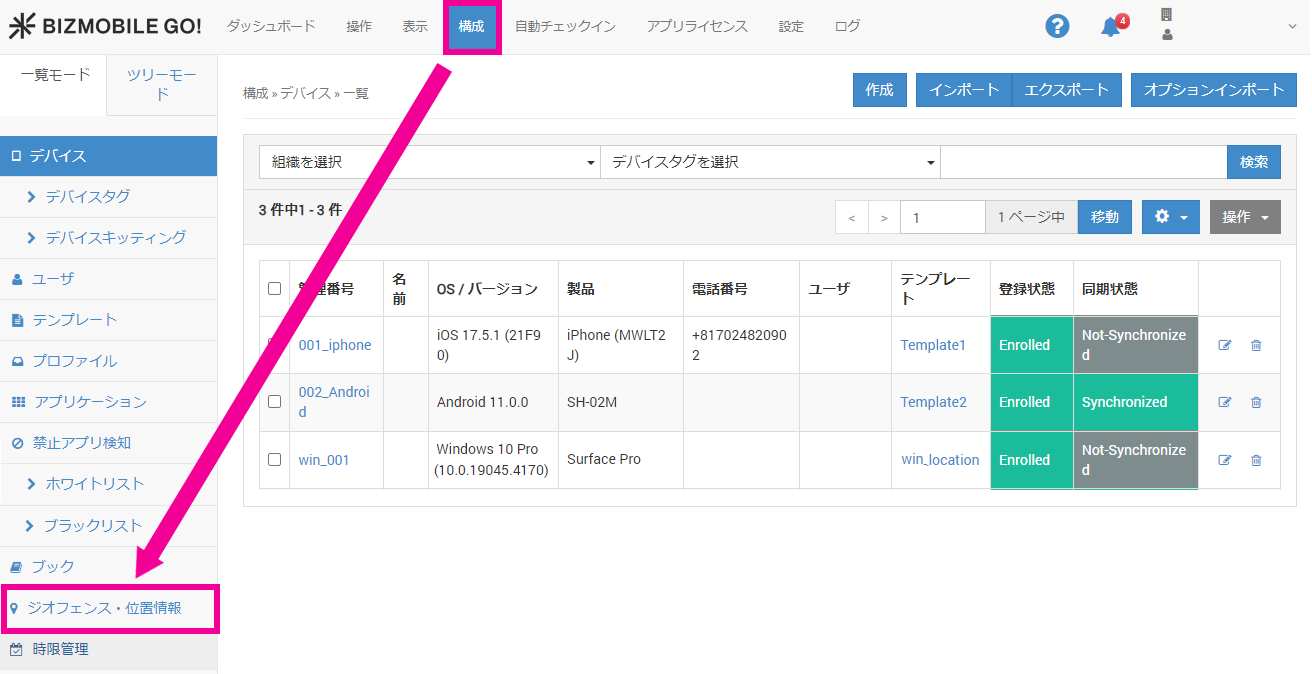
-
Select Schedule, and click
Create.
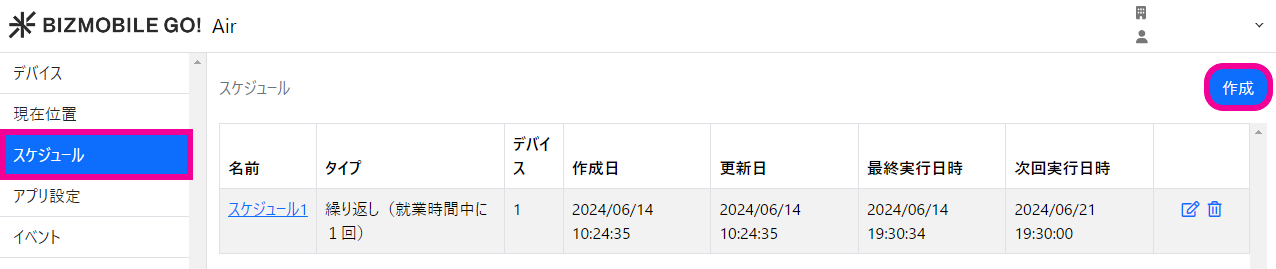
-
On the screen that opens, set the following items, and then click
Save.
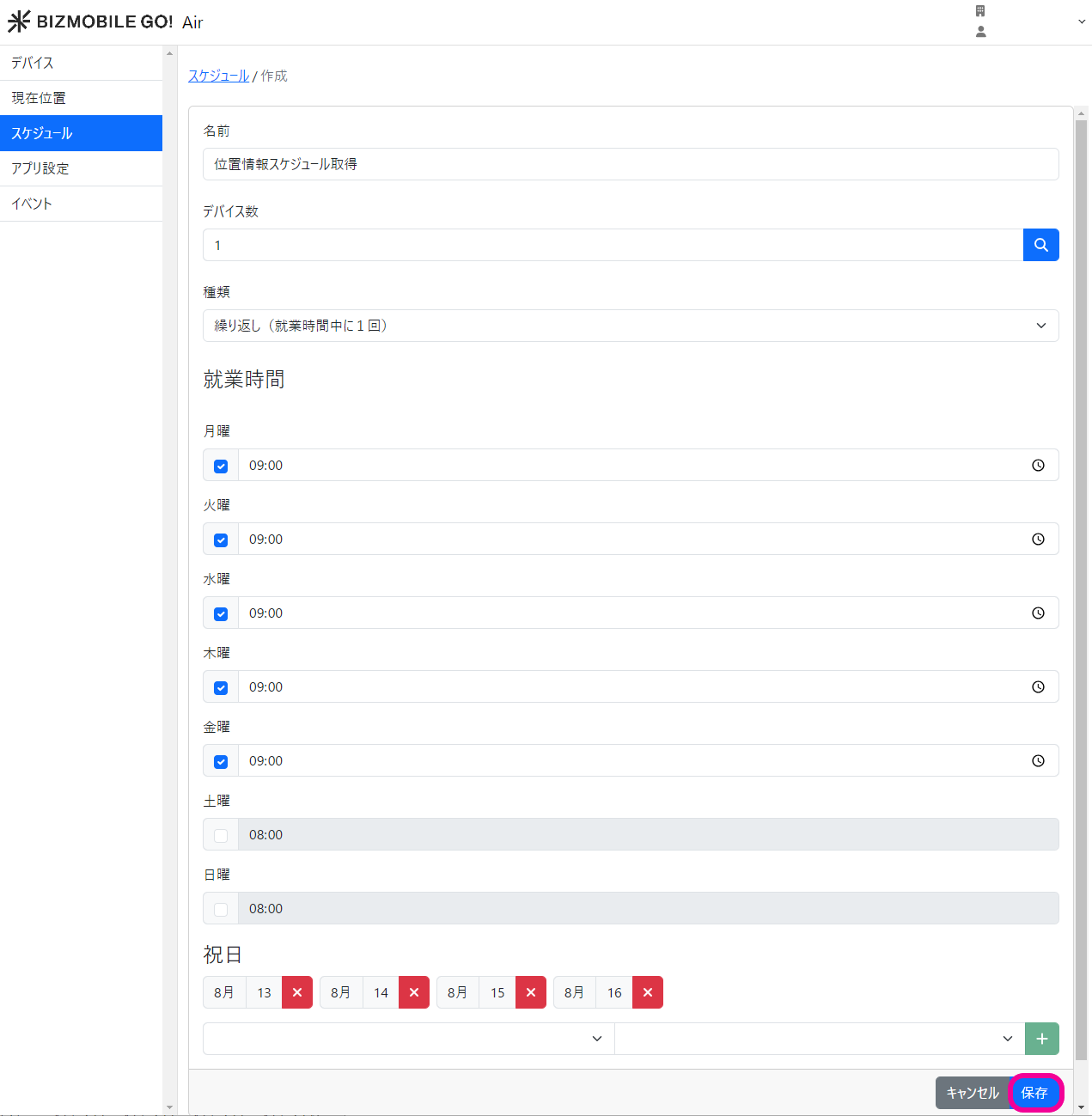
Name Enter a name for this schedule. Number of Devices Click the magnifying glass icon and select the target devices. Type Select from the following. Repeat (fixed interval)Repeat (once during working hours)
Frequency Displayed when you select Repeat (fixed interval).
Select from the following.- 15 minutes
- 20 minutes
- 30 minutes
- 1 hour
Note: If the device cannot process a location request from the server by schedule (for example, location permission is OFF, the device is powered off, or it is not connected to the internet), the request is overwritten. When the device recovers, only the most recent request is processed by the device and sent to the server.Work Hours Displayed when you select Repeat (once during working hours).
Set the days of the week and times at which to acquire location information.Holidays Set the holidays to exclude from location acquisition.