(iOS / iPadOS) Location
You can use BizGo! Air to retrieve the location of managed iOS and iPadOS devices.
To use this feature, you must install the BizGo! Air app. The app is distributed as a B2B (custom app).
Location data is collected in two ways: initiated by the device, or initiated by the server at an administrator's request.
Device-initiated location data includes data that is sent automatically when the device moves and data that the device user sends at any time (by using the send operation in the BizGo! Air app).
Server-initiated location data includes data that an administrator requests and retrieves at any time and data that is requested and retrieved automatically at preset times. You can also retrieve location on a schedule by specifying days of the week and times.
Location accuracy * Location data that is sent automatically when the device moves is sent every 500 m of straight-line distance traveled.
- If the device moves 500 m or more within 5 minutes, only one automatic location data point is sent.
- Positioning results from wireless networks may vary in accuracy.
- The location may not be determined in places with poor visibility, such as inside tunnels.
- Accuracy varies depending on the GPS function of the device.
- Results may differ depending on the device model.
- With server-initiated retrieval, errors may occur or location may not be retrievable, depending on the communication status of the device.
Location data sent automatically from the device, location data sent by the device user, and location data retrieved from the server are distinguished by icons.
If location settings are turned off on a device (location cannot be retrieved), the administrator can notify the device user to turn them on.
Using the location feature increases the power consumption of the device.
About enforcing location retrieval
You cannot enable location retrieval remotely, nor can you prevent users from disabling it on the device.
This is because Apple does not provide such a feature, from the perspective of privacy protection.
About the location settings pop-up displayed on the device
If the location setting of BizGo! Air is set to "Always", the following pop-up may be displayed on the device.
When this screen appears, instruct users to select "Always".
If "While Using the App" is selected, location retrieval is limited to when the app is open.
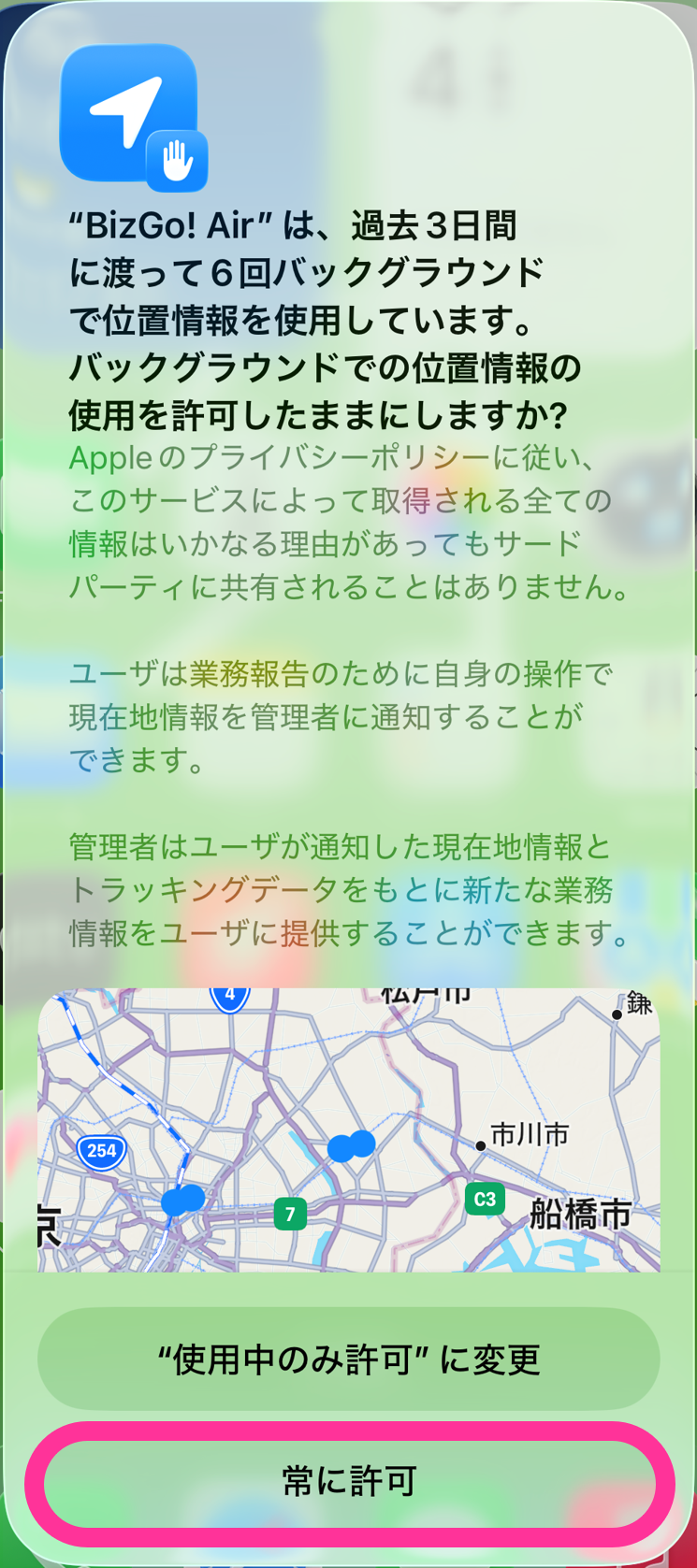
About notifications for location permission
When location is permitted, the device periodically notifies the user.
For the same reason, you cannot disable or restrict this notification feature.
Preparation
See this page for the settings to configure in the admin console so that location can be retrieved.
See this page for how to prepare the distribution of the app, which must be installed on each device.
Use a profile to configure the "notification settings" that are required to use BizGo! Air.
See this page for the first launch of the app after it is installed on the device, and for configuring location retrieval and notifications on the device.
<Whether location can be retrieved for each app setting>
There are two ways to retrieve location, (1) and (2). Whether location can be retrieved depends on the app's location setting on the device.
(1) Automatic retrieval when the device moves
(2) Manual retrieval by an operation in the admin console (retrieve button / scheduled retrieval) or an operation on the device
App location setting Location retrieval method (1) Automatic retrieval when the device moves (2) Manual retrieval from the admin console Always Can be retrieved without launching the app Can be retrieved without launching the app
Note: If you use BizGo! Air version 1.3 or earlier, or iOS earlier than 15, location can be retrieved while the app runs in the background (except while the device is asleep)While Using the App Can be retrieved while the app runs in the foreground (except while the device is asleep) Can be retrieved while the app runs in the foreground (except while the device is asleep) Ask Next Time Or When I Share Location cannot be retrieved Location cannot be retrieved Never Location cannot be retrieved Location cannot be retrieved dangerCaution
• Location cannot be retrieved if an app other than BizGo! Air is set to Single App Mode
• On Shared iPad, location cannot be retrieved while the user is signed out
Operation
See this page for how to check location in the admin console after the app and devices are ready.
See this page for how to retrieve the current location of a device from the BizMobile Go! admin console.
See this page for how to send a message from the admin console asking device users to enable location settings.
See this page for how to send the location of a device from the device to the BizMobile Go! admin console on demand.
Other settings
See this page for how to set up automatic location retrieval by specifying days of the week and times.
See this page for the setting that displays location history on the device.