Check Devices with Banned Apps
On the VIEW → Devices with Banned Apps screen, you can check a list of managed devices on which banned apps are installed.
For how to register the banned apps to detect, see Create a Whitelist or Blacklist.
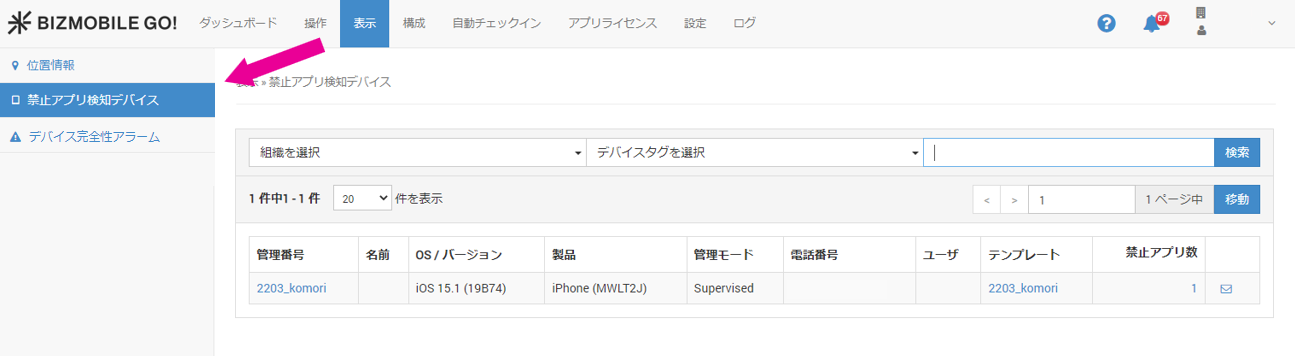
Items displayed
| Item | Description | Sort | Search |
|---|---|---|---|
| Identifier | Click to display the device detail screen | Sort | Search |
| Name | Displays the name from the basic device information | Sort | Search |
| OS/Version | Displays the OS version | Sort | Search |
| Product | Displays the product name | Sort | Search |
| Phone Number | Displays the phone number | Sort | Search |
| User | Click to display the detail screen | Sort | Search |
| Template | Click to display the detail screen | Sort | Search |
| Number of Banned Apps | Displays the number of banned apps installed on the device. Click the number to display a pop-up list of the banned apps | ||
| Message icon | If the optional messaging feature is enabled, an icon is displayed, and you can jump to the message screen |