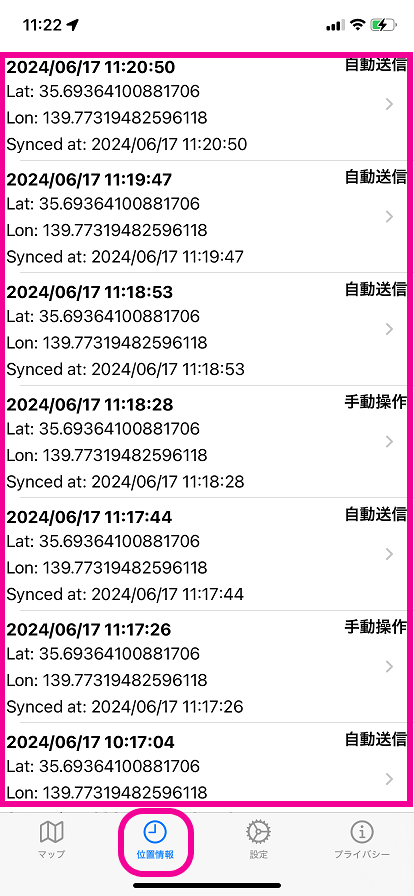
View location history on the device
View location history
By default, the location history list screen is hidden on the device.
To let users view the location history list on the device, configure the following setting in the admin console.
-
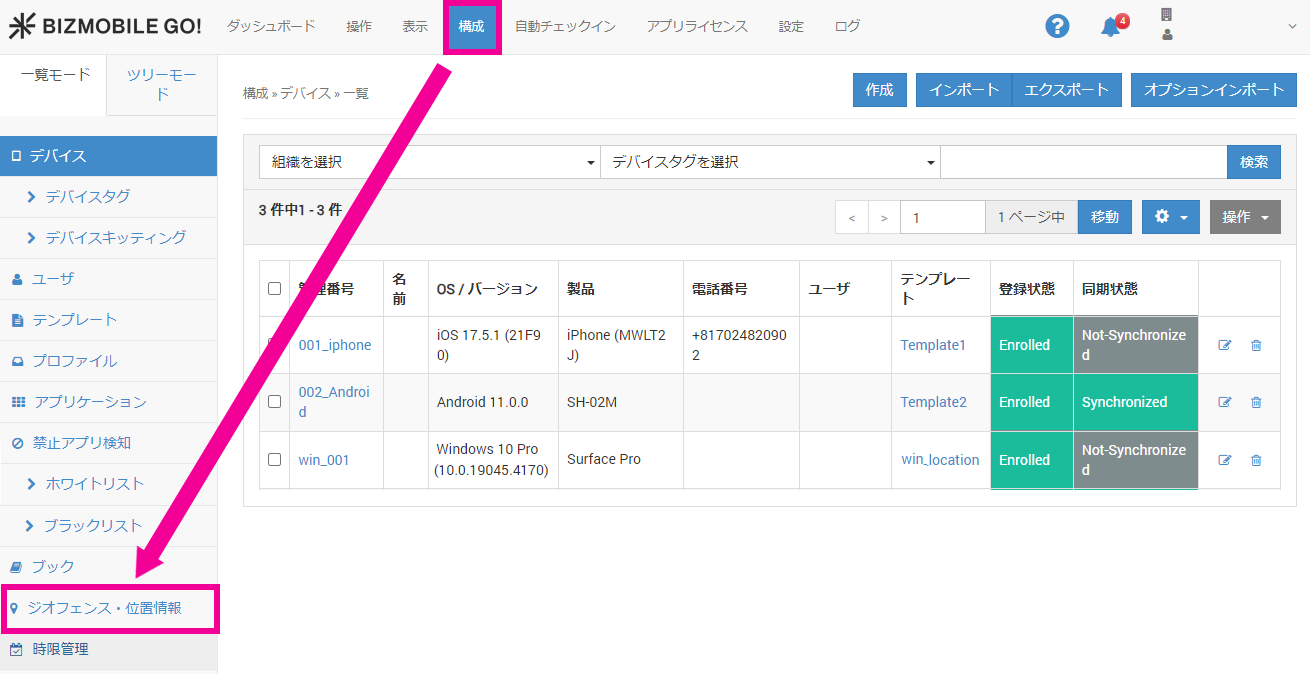
On the menu bar, click CONFIG → Geofence and Location.
-
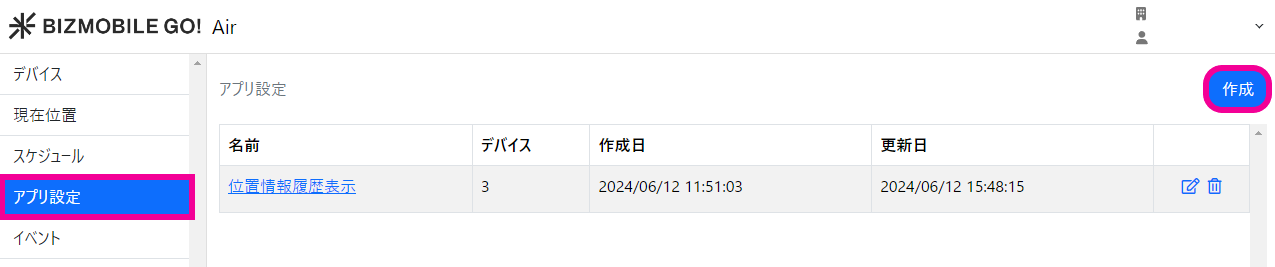
Select App Settings and click
Create.
-
Configure the following items and click
Save.Name Enter any name.
Number of Devices Click the magnifying glass icon and select the target devices. Show location history in the BizGo! Air app Turn this on. 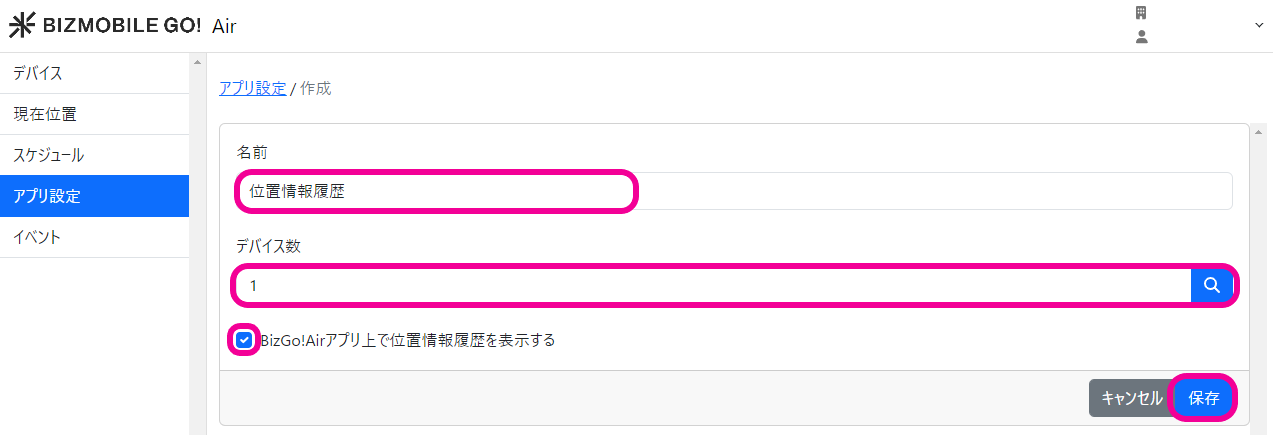
-
A
Locationicon appears on the device.
Tap it to view the location history.