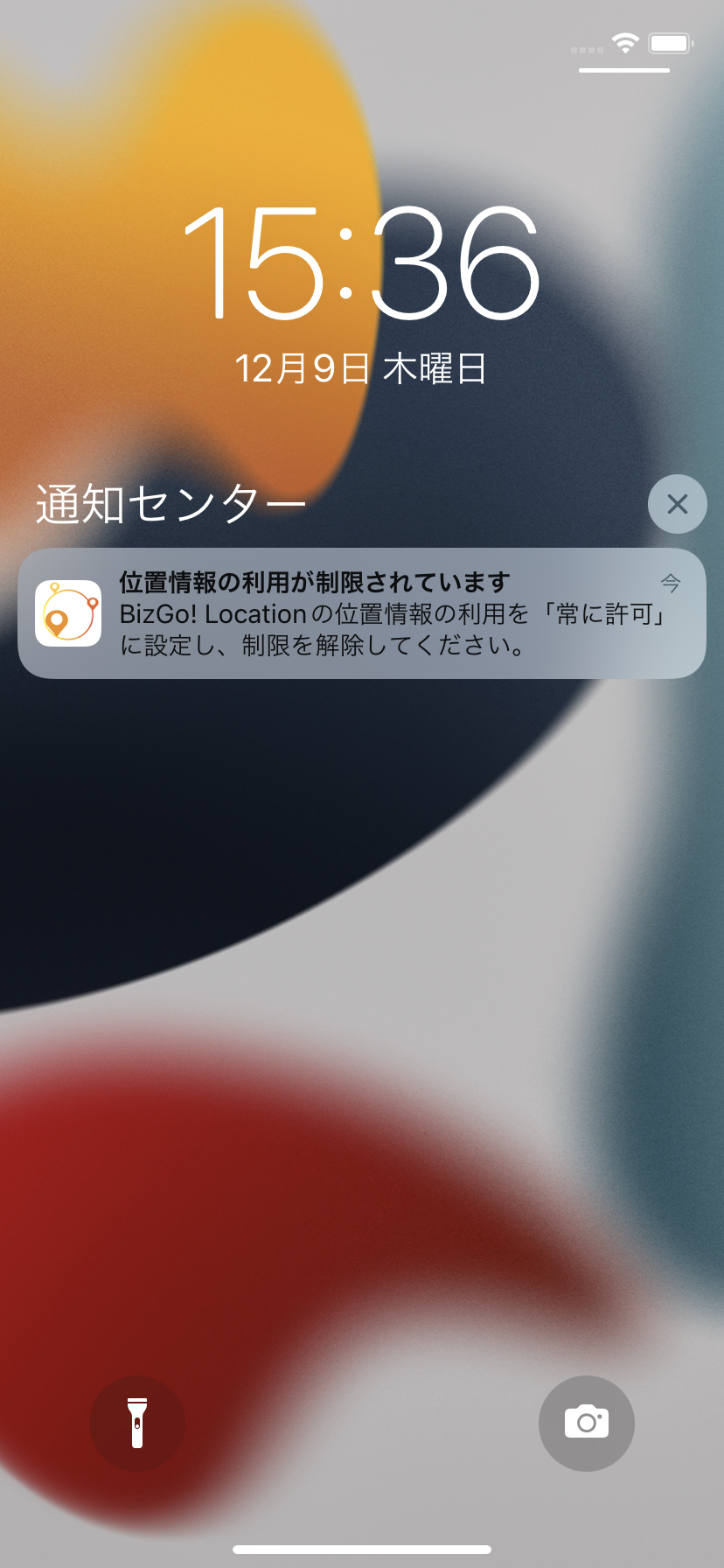
Send a message asking devices to enable the location setting
Search for target devices
On the CONFIG → Geofence/Location screen, search for the devices to which you want to send the message.
You can filter by multiple conditions.
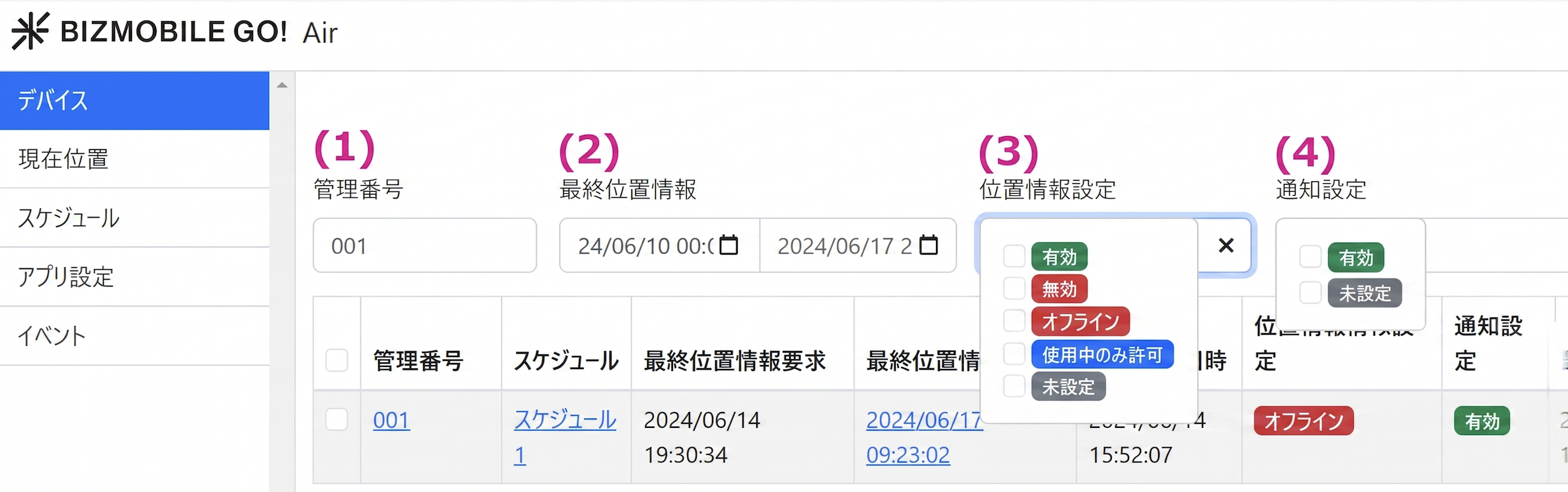
(1) Identifier
(2) Last Location
(3) Location Setting
- Always allowed
- Allowed only while in use
- Not allowed
- Not set
- Offline
(4) Notification Setting
- Enabled - Not set
Remind selected devices to allow location
-
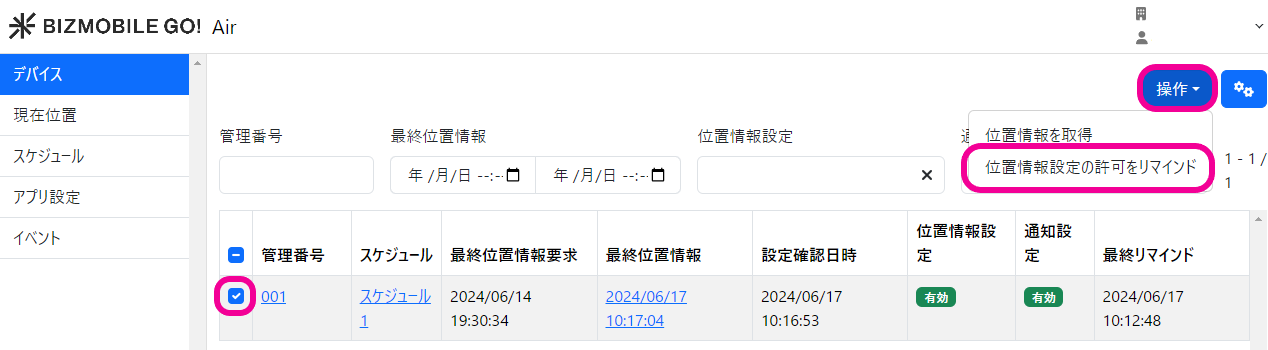
On the CONFIG → Geofence/Location screen, select the target devices.
Click the [CONTROL] button at the upper right, and select "Send location service reminder" from the drop-down.
-
A notification arrives on the device.