(iOS) Configure the notification settings of the BizGo! Air app with a profile
Use a profile to configure the Notifications settings required to use BizGo! Air.
info
This procedure forces the specified notification settings to Allow.
This setting is effective only on supervised devices.
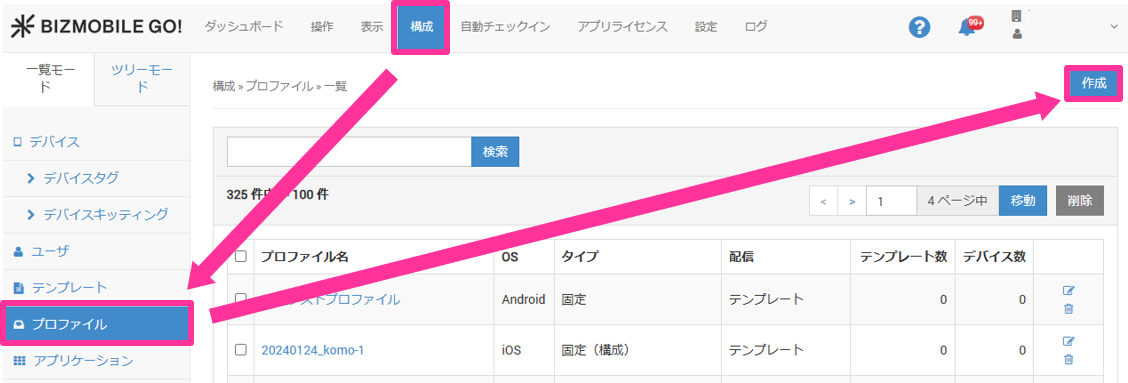
- Select CONFIG > Profile and click [Create].
- Select
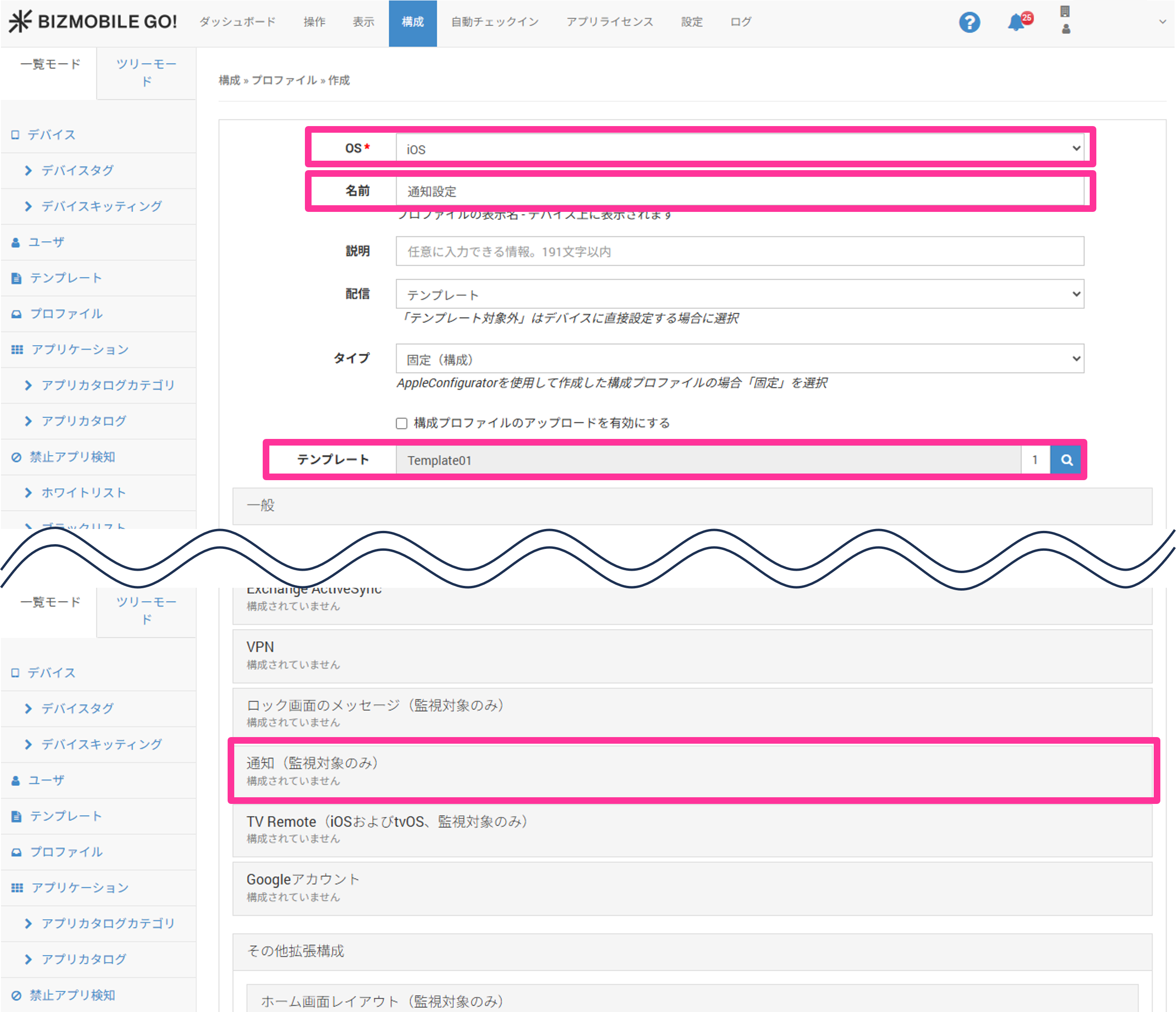
iOSforOS, specifyNameandTemplate, and then clickNotifications.
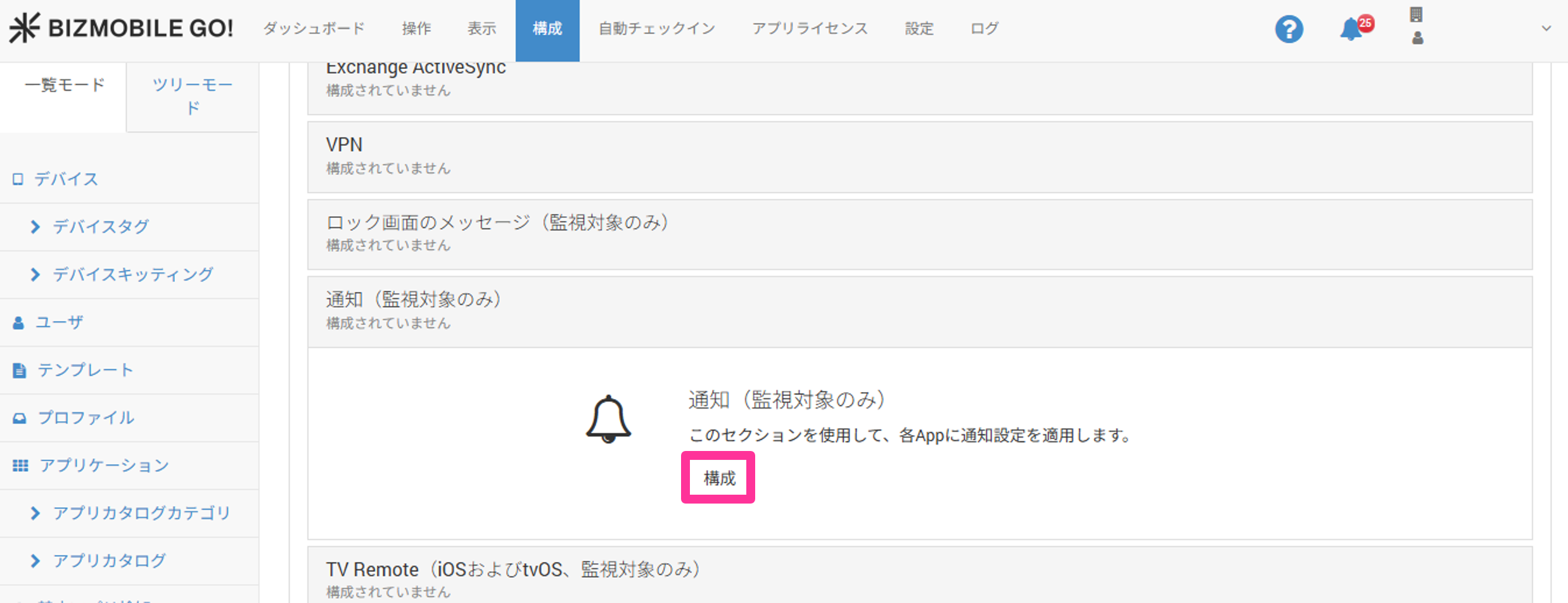
- Click
Configure.
- Click
Add Per App Settings.
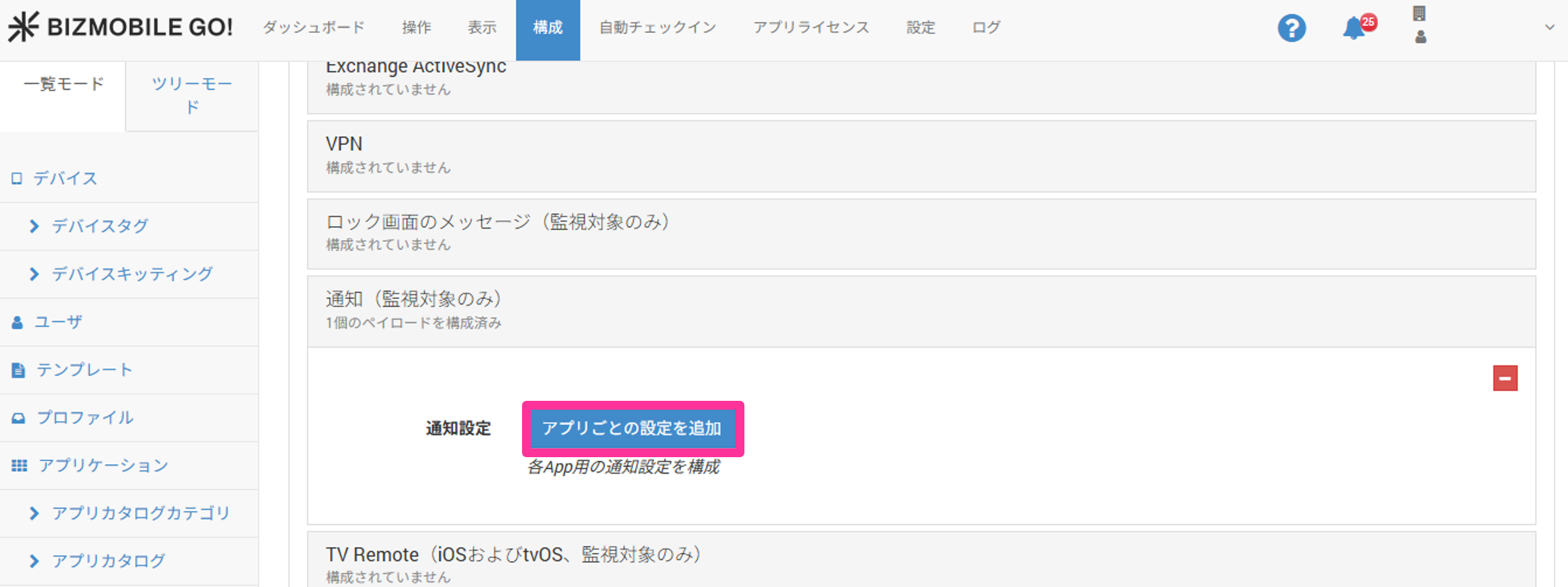
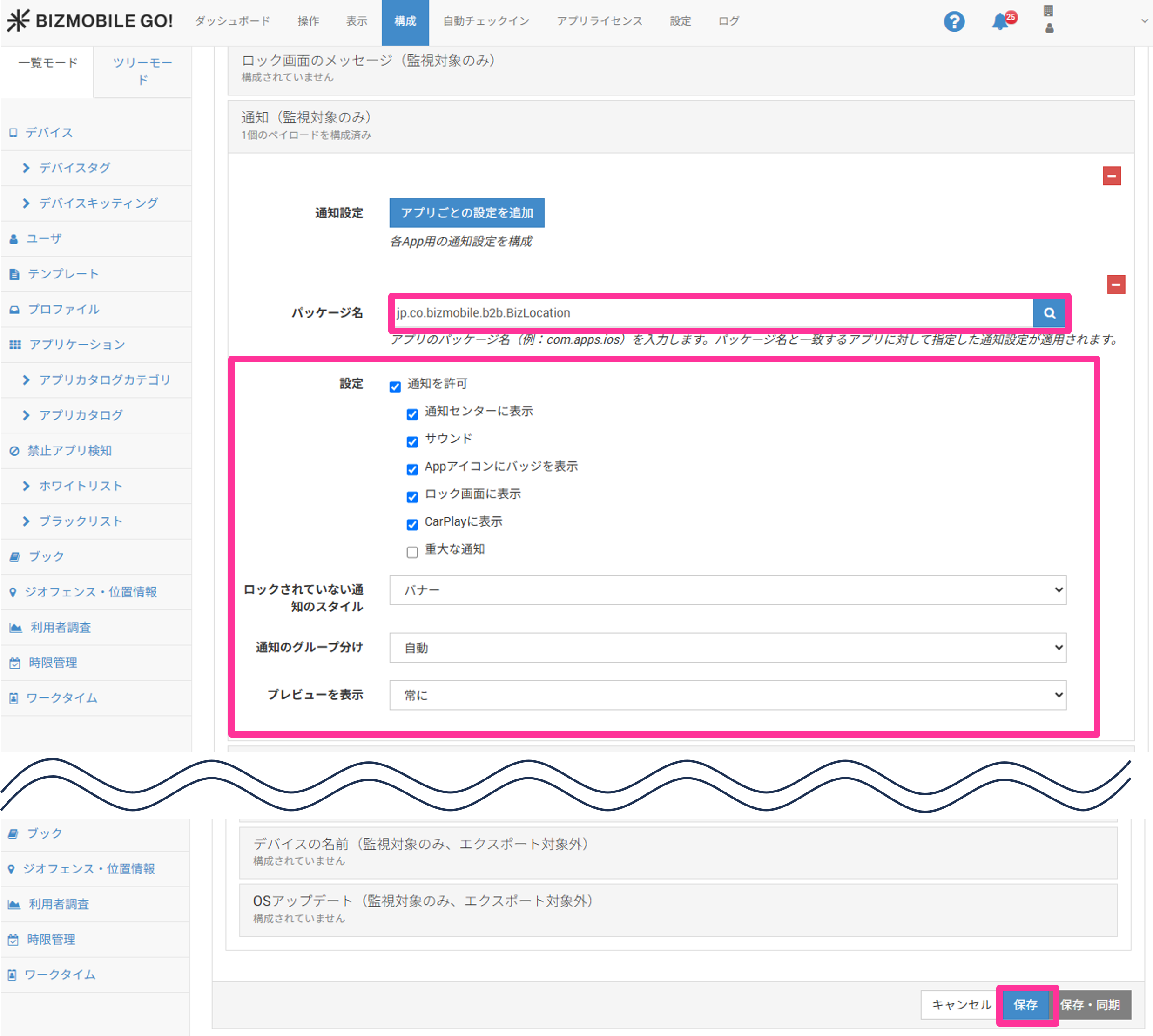
- Enter the BizGo! Air app identifier
jp.co.bizmobile.b2b.BizLocationinPackage Name, register the required settings, and then clickSave.