Non-Template Profiles
Non-template profiles are intended for configuring items that must remain on the device and keep functioning even after the template is removed.
(Currently, you can assign up to 1,000 devices to one profile.)
You can assign profiles whose Distribution is set to Non-Template on a per-device basis.
Follow the steps below to register them.
-
Create the device information. For details, see Create Device Information.
-
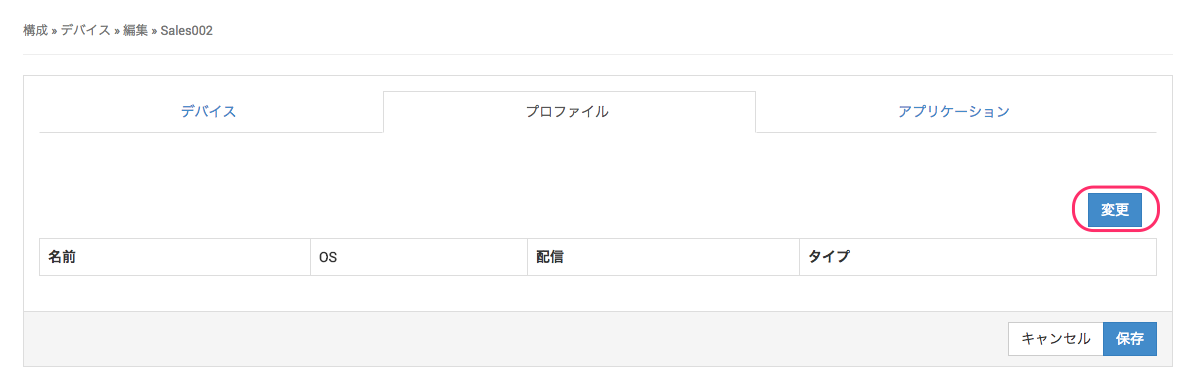
Select the device you created, and then click [Change] under Edit > Profile.
-
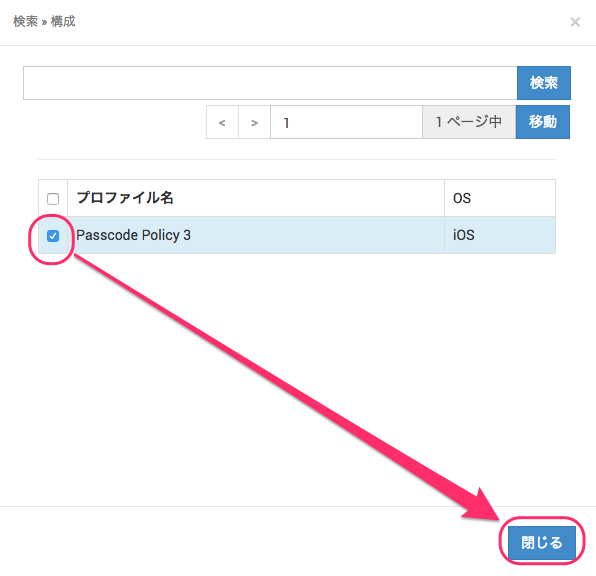
From the list of existing non-template profiles, select the profile you want to distribute, and then click Close.
-
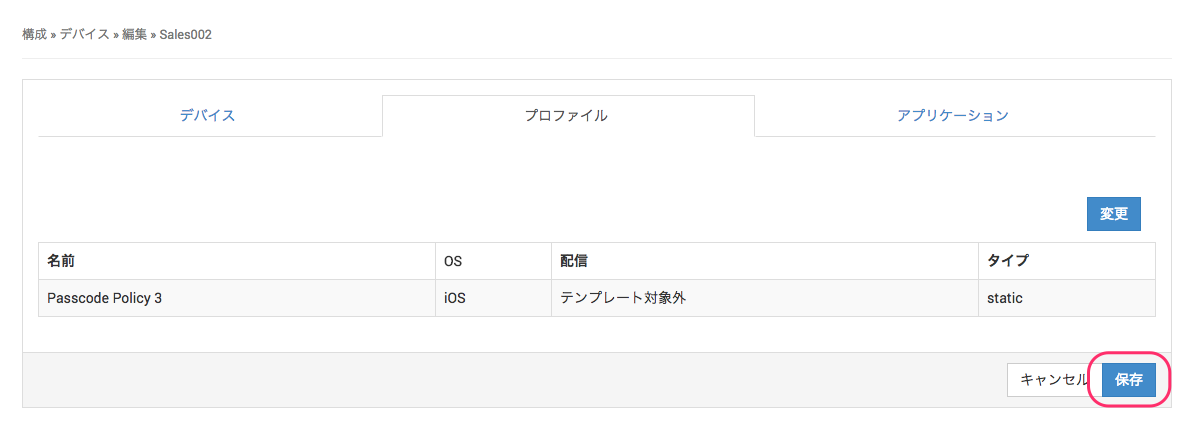
Confirm that the selected profile is displayed in the list, and then click Save.
-
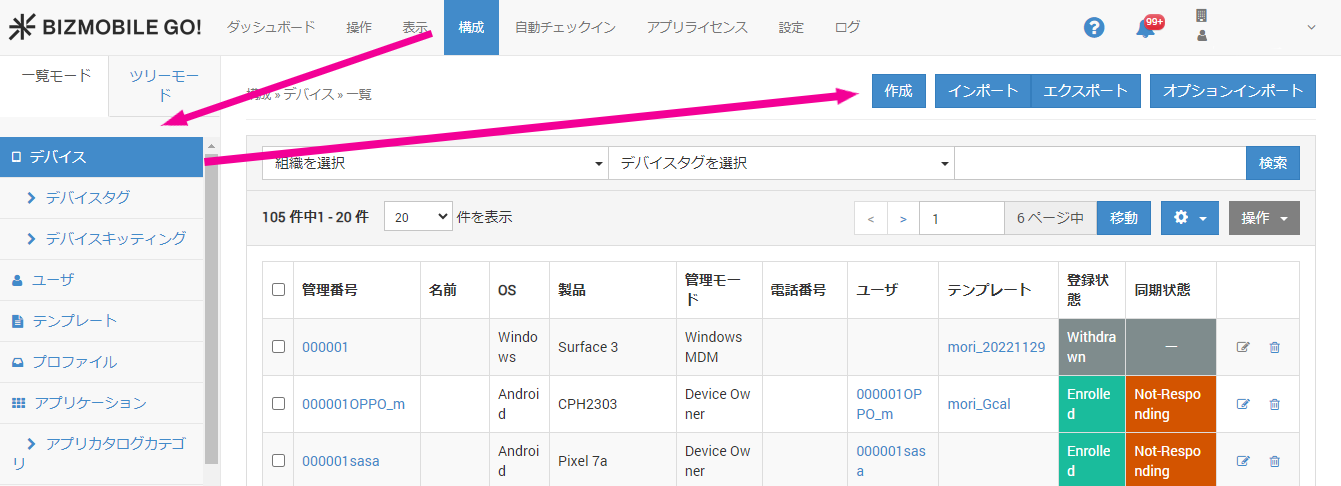
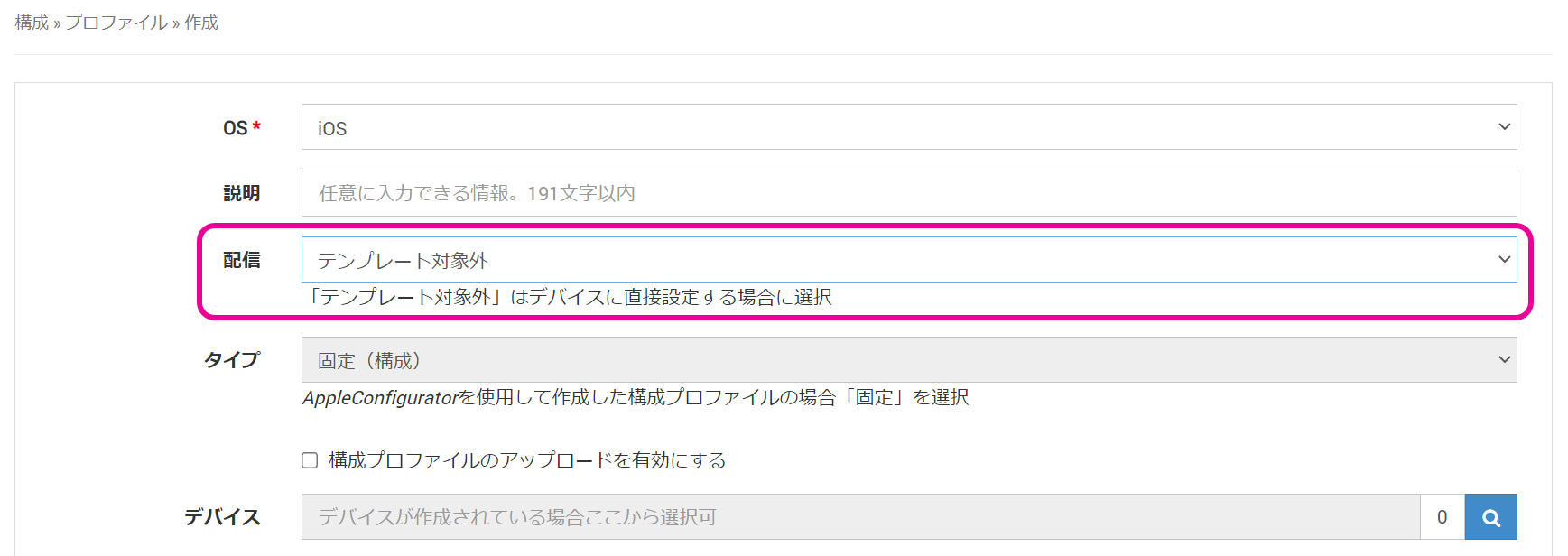
Click [Create] on the CONFIG > Profile screen.
SelectNon-TemplateforDistribution.
-
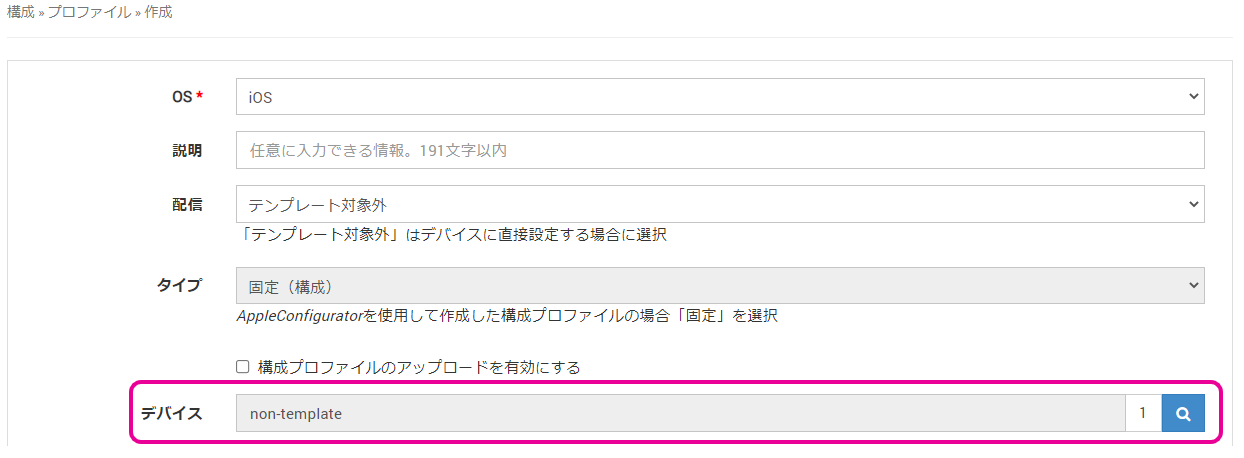
Search for and select the target device that you already created.
-
Configure the other profile settings.
For details, see Profiles for iOS.