BYOD Android Camera Restriction Add-on
info
This feature is an additional option for Geofence v2.
It cannot be used on its own and requires a Geofence v2 contract.
The only supported OS is Android Work Profile.
This service provides a feature that prohibits the use of the camera on personally owned devices within the work area specified by a geofence.
In addition to the BizGo! Air app, the CameraLock app is required.
Install the CameraLock app from the Google Play Store in the personal profile.
Distribute the BizGo! Air app from a template.
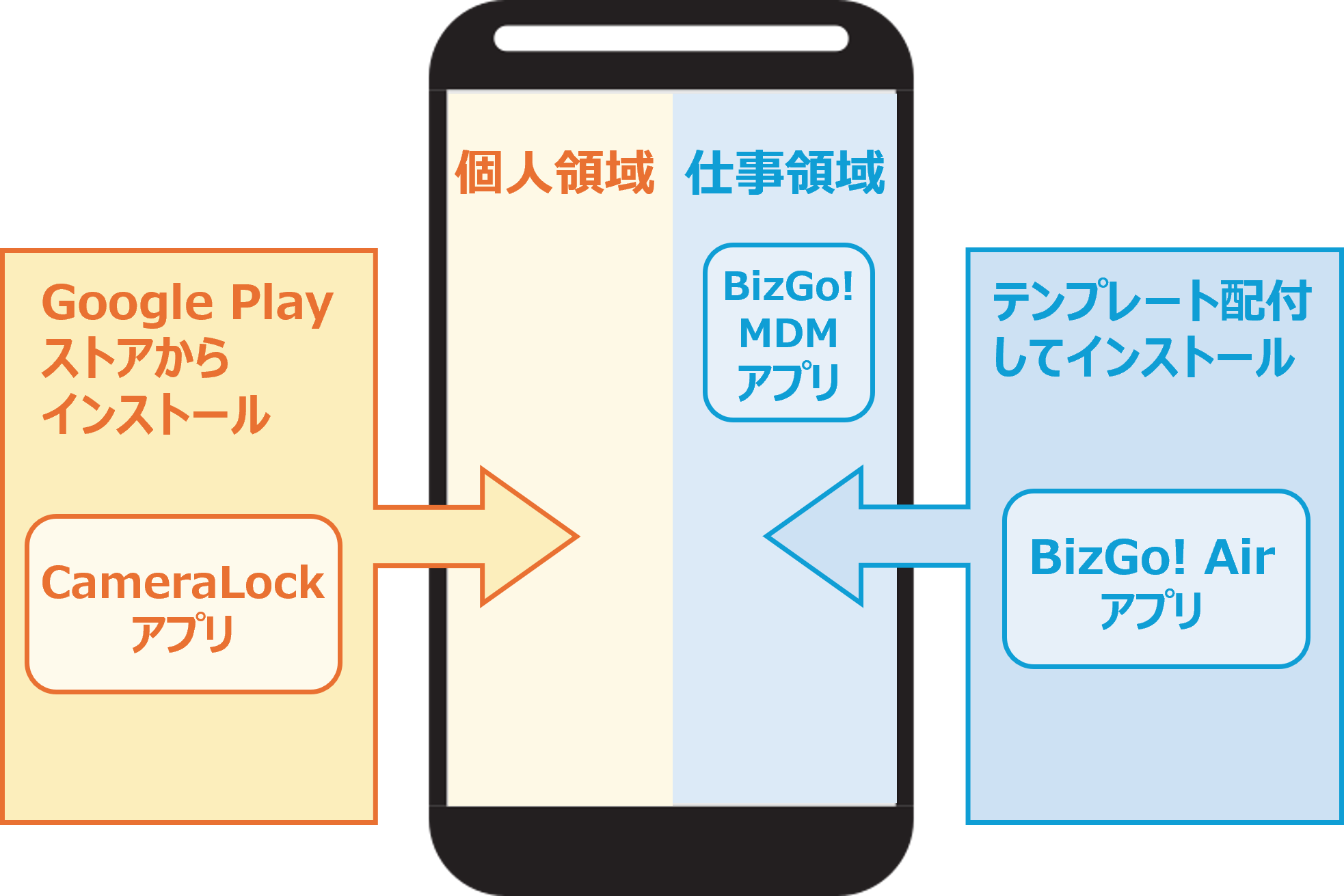
What the BYOD Android Camera Restriction Add-on can do
- When it detects "Enter" into a geofence area, it prohibits use of the camera in the personal profile.
- When it detects "Exit" from the geofence area, it lifts the camera restriction so the camera can be used as usual.
- The CameraLock app can restrict camera use in the personal profile, but camera restrictions in the work profile must be configured with a profile.
How to use the add-on
See this page for how to distribute the BizGo! CameraLock app required for camera lock and how to operate it on the device.