Check Change History
You can check the change history on the Log screen.
Change history is available for entries whose "Description" on the Log screen is a hyperlink.
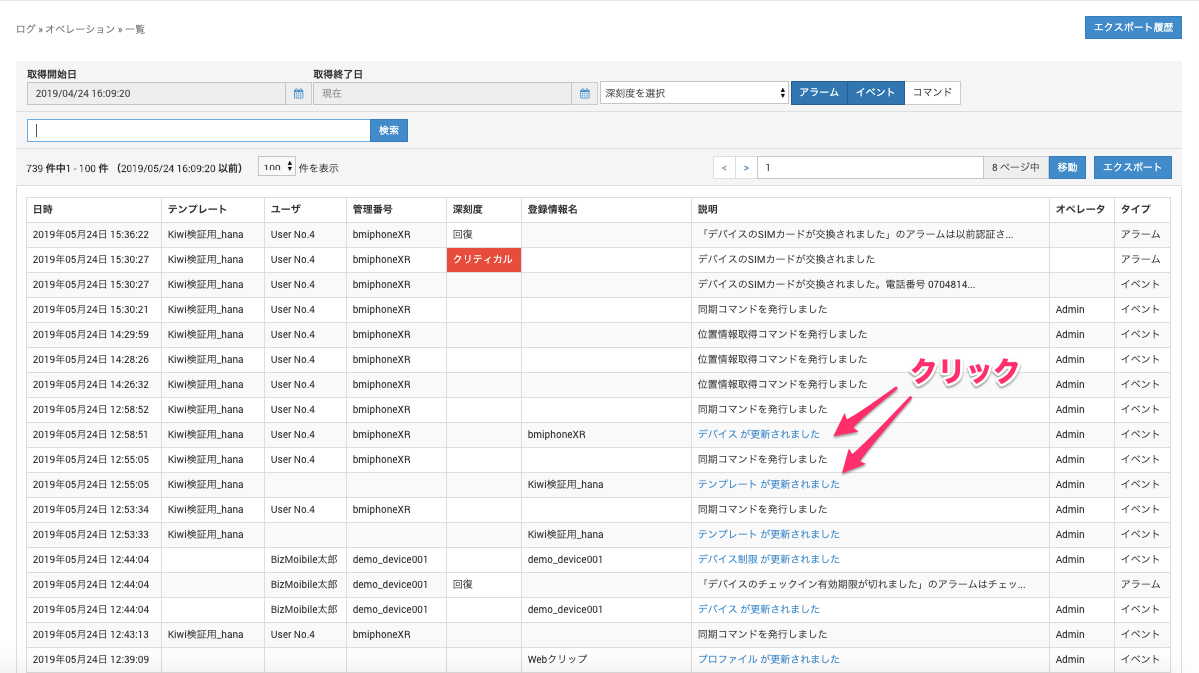
When you click a hyperlink on the Log screen, the change history details page opens.
For profiles, templates, and similar items, you can check the contents before and after the change.
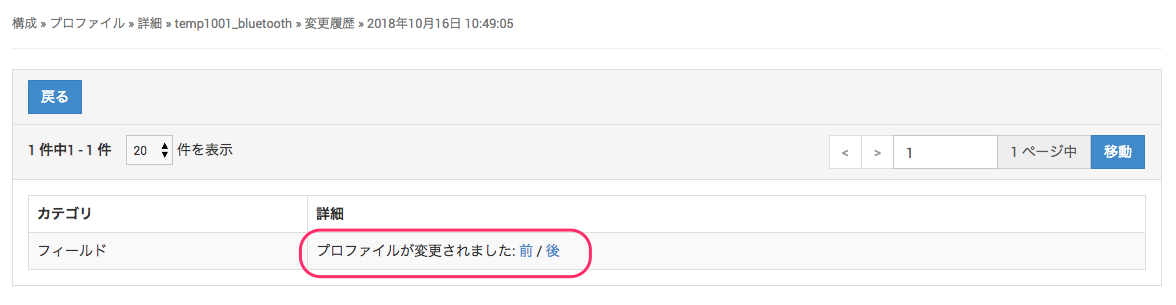
Example: Profile
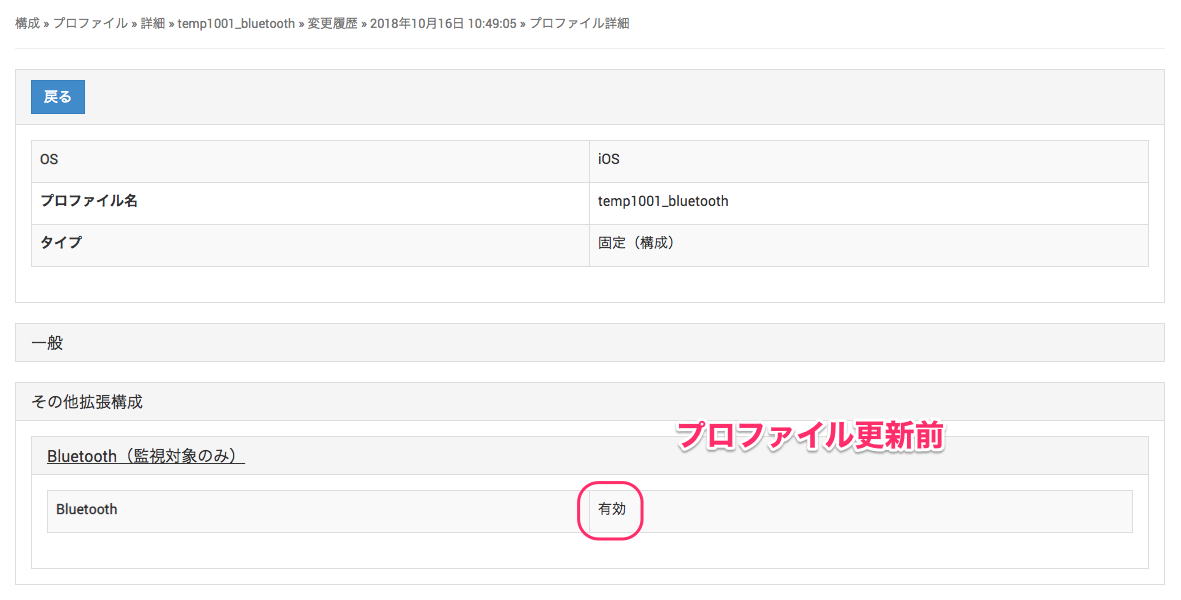
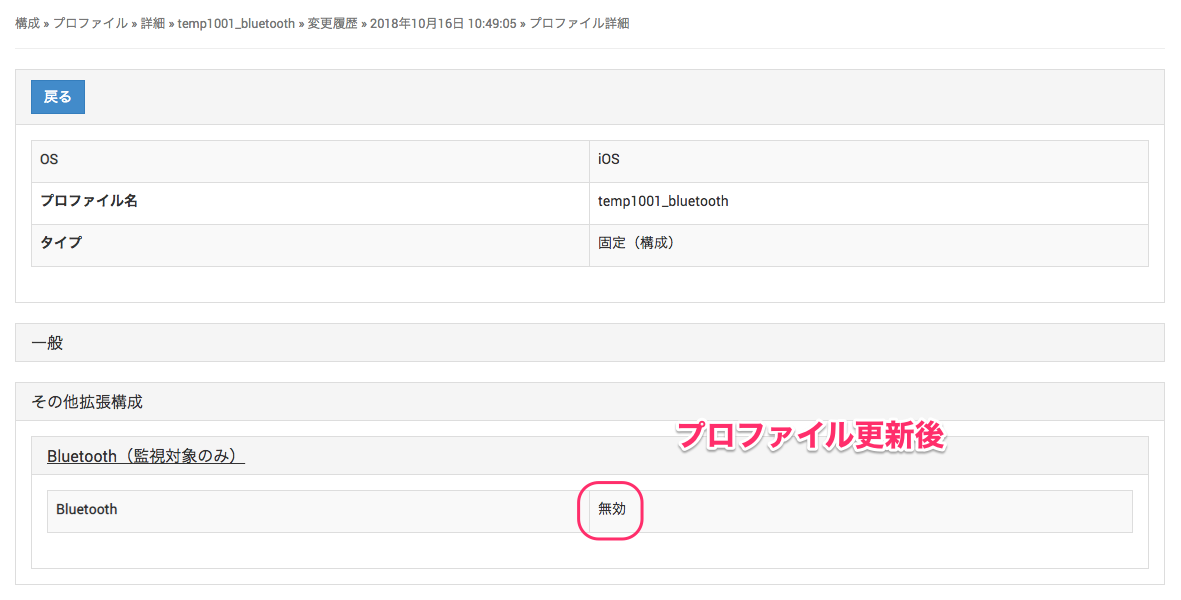
Click "Before" to see the contents of the profile before the change, and click "After" to see the contents after the change.