Edit Registered Information
You can edit registered information.
To delete registered information, see Delete Registered Information.
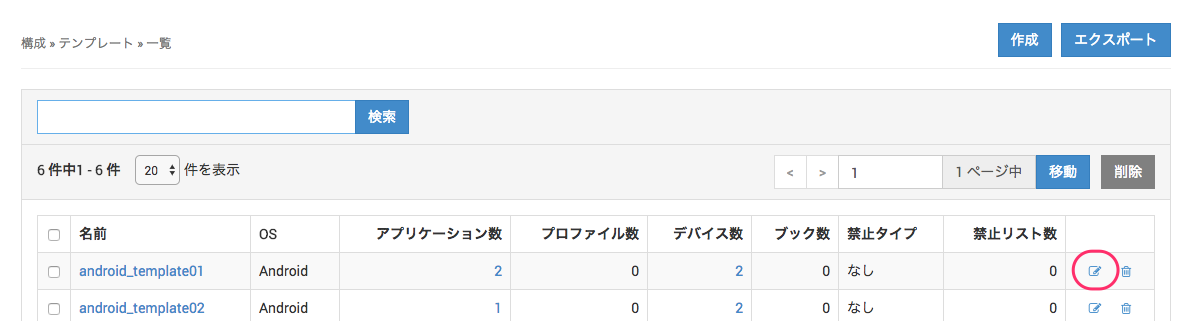
To edit information from a list screen, click the Edit icon  at the right end of the list.
To edit information from an individual screen, click the Edit button on that screen.

Editable device items
You can edit these items from the Device tab, the Profile tab (iOS only), and the Application tab (iOS only).
| Basic Device Information | iOS | Android | Windows | macOS | tvOS | Notes |
|---|---|---|---|---|---|---|
| Identifier | Yes | Yes | Yes | Yes | Yes | Before enrollment only |
| Name | Yes | Yes | Yes | Yes | Yes | |
| Description | Yes | Yes | Yes | Yes | Yes | |
| User | Yes | Yes | Yes | Yes | Yes | |
| Template | Yes | Yes | Yes | Yes | Yes | |
| Enrollment Restrictions | ||||||
| Code | Yes | Yes | Yes | Yes | Yes | Before enrollment only |
| Enrollment Email | Yes | Yes | Yes | Yes | Yes | Before enrollment only |
| UDID | Yes | Yes | Yes | Before enrollment only | ||
| IMEI | Yes | Yes | Before enrollment only | |||
| MEID | Yes | Yes | Before enrollment only | |||
| Wi-Fi MAC | Yes | Yes | Yes | Yes | Before enrollment only | |
| Serial Number | Yes | Yes | Before enrollment only | |||
| Enrollment Expiration Date | Yes | Yes | Yes | Yes | Yes | Before enrollment only |
| Non-MDM-Managed App Information | Yes | |||||
| Non-MDM-Managed App Information Settings | Yes | Yes | Yes | |||
| Location Options | ||||||
| Get location | Yes | Yes | ||||
| Share location with administrators | Yes | Yes | Only when Get location is enabled |
Profile tab (iOS only)
You can change, on a per-device basis, the profiles whose Distribution is set to Non-Template.
Steps to distribute a Non-Template profile
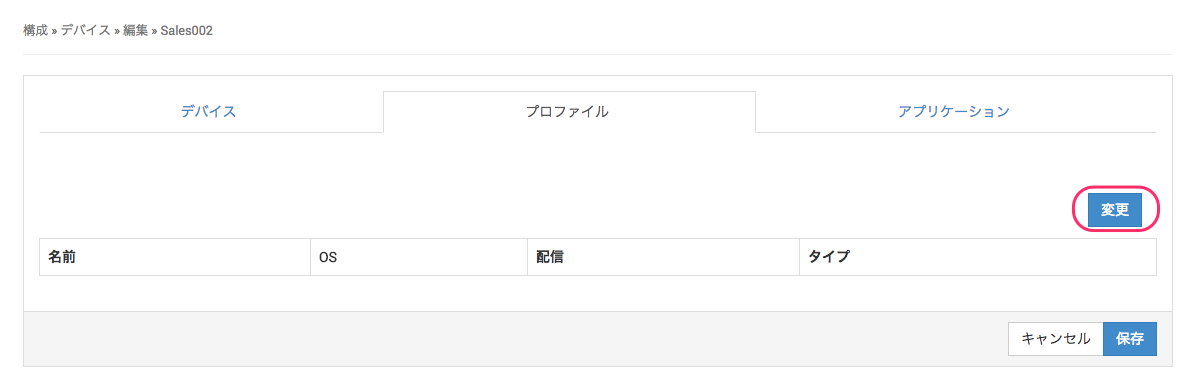
- Click the Change button.
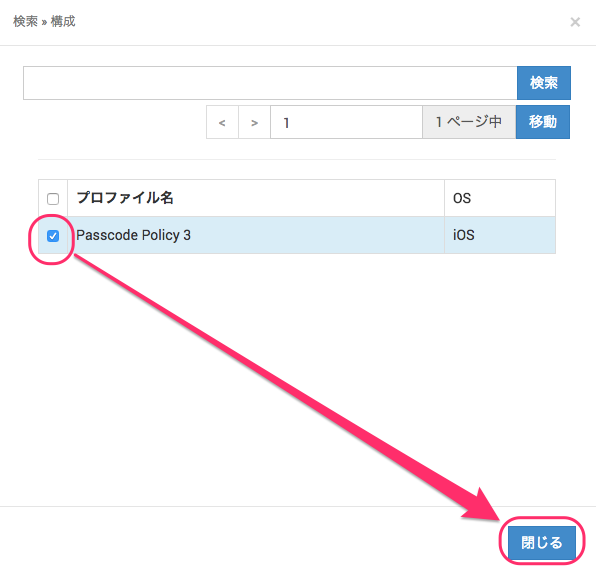
- A list of profiles whose Distribution is set to Non-Template is displayed. Select the profile you want to distribute, and then click Close.
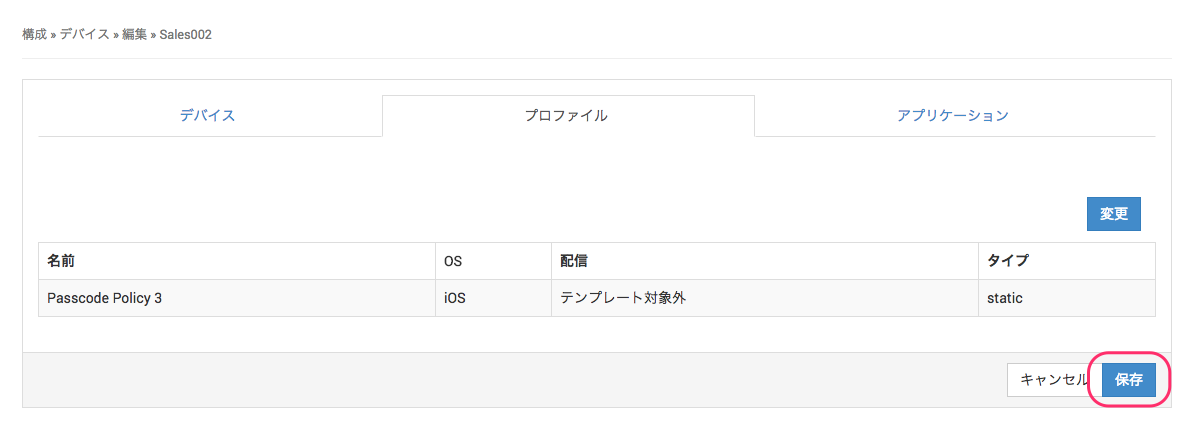
- Confirm that the selected profile appears in the list, and then click Save.
Application tab (iOS only)
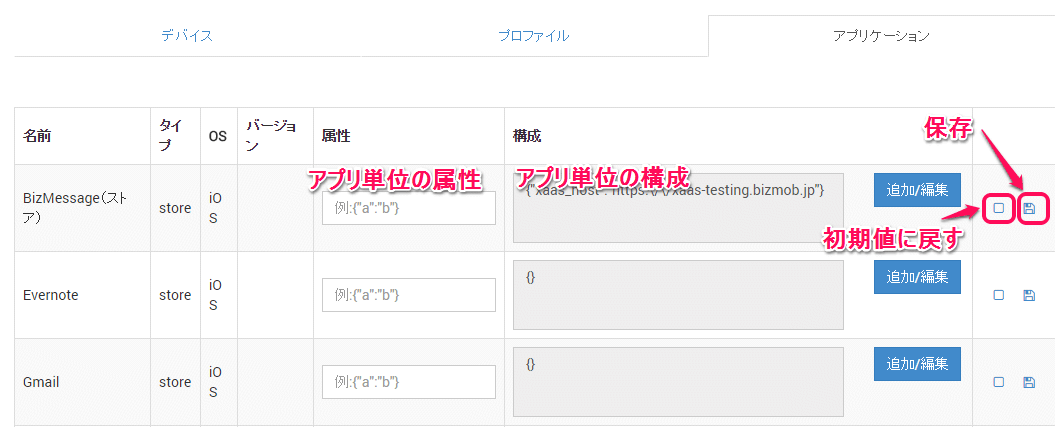
For distributed apps, you can set the app attributes and app configuration on a per-device basis.
For details about attributes and configuration, see "Application Information".
Editable device tag items
| Item |
|---|
| Device Tag Name |
| Device |
Editable user items
| Item | Notes |
|---|---|
| User ID | |
| User Name | |
| Description | |
| Email Address | |
| Personal Web Password | Displayed only when the Personal service is used |
| Show passwords and passcodes | Displayed only when the Personal service is used. Passwords and passcodes are displayed as entered. |
| Device | |
| Organization |
Editable template items
| Item | Notes |
|---|---|
| Name | |
| Description | |
| Application | iOS and Android only. You can also edit the Auto Management and Auto Update (iOS only) settings |
| Profile | |
| Device | |
| Book | iOS only |
| Banned Type | iOS and Android only |
| Banned Apps | When Banned Type is set to something other than None |
Editable profile items
For iOS
| Item | Notes |
|---|---|
| Description | |
| File | |
| Custom Data | Custom profiles only |
| Template | |
| Each profile setting |
For Android
| Item | Notes |
|---|---|
| Name | |
| Description | |
| Password Policy | |
| Work Profile | |
| Template | |
| Detailed items | For detailed items, see Profiles for Android |
For Windows
| Item | Notes |
|---|---|
| Name | |
| Description | |
| Password Policy | |
| Template | |
| Selective wipe target folders | For detailed items, see Profiles for Windows |
Editable application items
| Item | Notes |
|---|---|
| App (.ipa) | Only when OS is iOS and Type is In-house App |
| Name | |
| Description | |
| Default Attributes | iOS only |
| Default Configuration | iOS only |
| Template | You can also edit the Auto Management and Auto Update settings |
Update an in-house app To update an in-house app, specify the updated .ipa file.
Editable banned apps list items
| Item | Notes |
|---|---|
| Name | |
| Template | |
| Application list | You can add and remove apps and edit their names |
Editable book items
| Item |
|---|
| File |
| Description |
| Template |