Check the device list
On the Device page, you can view the latest information acquired from each device.
Device list
The list shows devices for which "Option Settings" is set to "Yes" under "Geofence and location option settings" in the device details.
Note: Devices that have been enrolled are shown in the list.
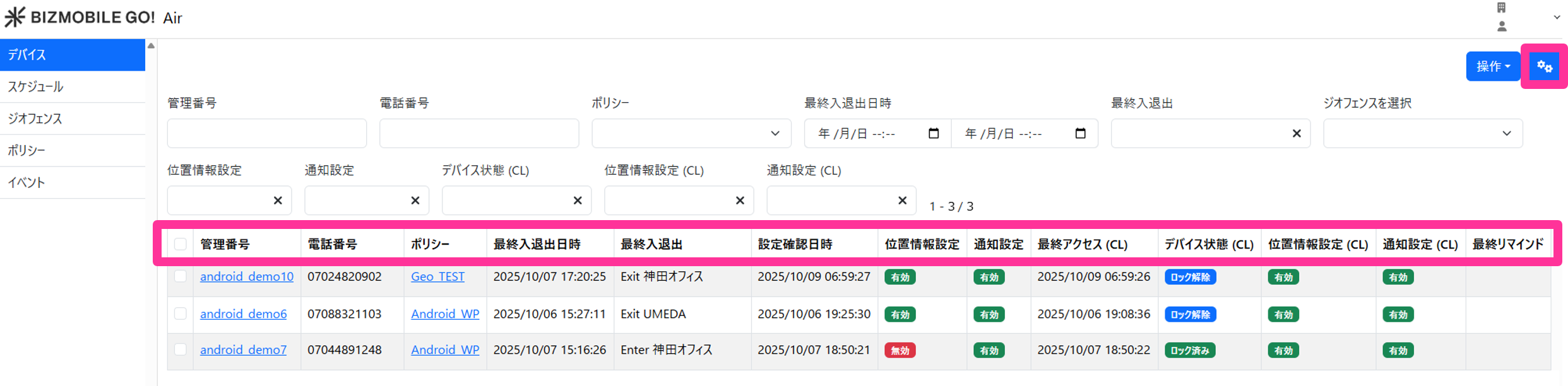
| Item | Value |
|---|---|
 | Select the items to display |
| Identifier | Identifier of this device |
| Phone Number | Phone number of this device |
| Policy | Name of the policy assigned to this device |
| Last Enter/Exit Date and Time | Date and time when the last geofence entry or exit was detected |
| Last Enter/Exit | The geofence for which entry or exit was last detected • Enter |
| Settings Check Date and Time | Date and time when the location setting was last acquired from the device |
| Location Setting | Location permission setting acquired from the device
• Disabled: Set to "Never" or "Ask Next Time Or When I Share". • Allowed only while in use: Set to "While Using the App". • Not set: The location permission setting has never been acquired. • Offline: Settings Check Date and Time has not been updated for a certain period (6 hours). It is checked and updated every hour. |
| Notification Setting | Notification permission setting acquired from the device |
| Last Access (CL) | Note: Displayed only for units with a BYOD Android Camera Restriction Add-on contract Date and time of the last access from the BizGo! CameraLock app |
| Device Status (CL) | Note: Displayed only for units with a BYOD Android Camera Restriction Add-on contract
• Unregistered: App activation is not complete. • Locked: The app has been activated and the camera is prohibited. • Unlocked: The app has been activated and the camera is available. |
| Location Setting (CL) | Note: Displayed only for units with a BYOD Android Camera Restriction Add-on contract Location permission setting acquired from the device |
| Notification Setting (CL) | Note: Displayed only for units with a BYOD Android Camera Restriction Add-on contract
• Disabled: App activation is not complete. |
| Last Reminder | Date and time when "Remind to allow location setting" was last performed from the admin console |
Filter the displayed devices
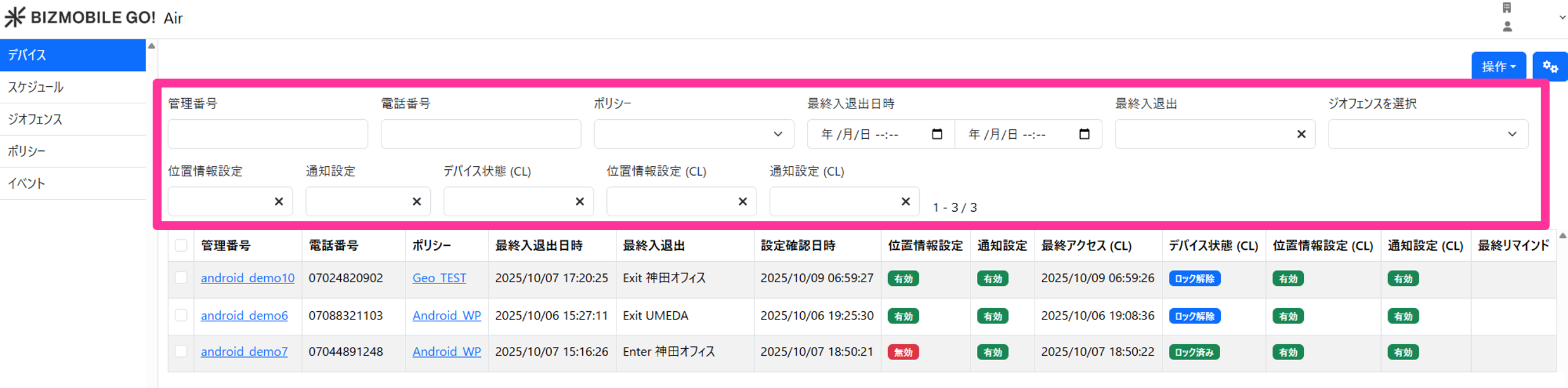
You can filter the device information to display by multiple conditions.
| Search item | Search condition |
|---|---|
| Identifier | Partial match on the identifier |
| Phone Number | Prefix match on the phone number |
| Policy | Select a policy |
| Last Enter/Exit Date and Time | Specify the date and time of entry or exit |
| Last Enter/Exit | Select Entered / Exited / No entry or exit |
| Select Geofence | Select a geofence |
| Location Setting | Select Enabled / Disabled / Allowed only while in use / Not set (multiple selections allowed) |
| Notification Setting | Select Enabled / Not set (multiple selections allowed) |
| Device Status (CL) | Note: Displayed only for units with a BYOD Android Camera Restriction Add-on contract Select Registered / Unregistered / Locked / Unlocked (multiple selections allowed) |
| Location Setting (CL) | Note: Displayed only for units with a BYOD Android Camera Restriction Add-on contract Select Enabled / Disabled / Allowed only while in use / Not set (multiple selections allowed) |
| Notification Setting (CL) | Note: Displayed only for units with a BYOD Android Camera Restriction Add-on contract Select Enabled / Disabled (multiple selections allowed) |