View location in the admin console
After the device-side setup is complete, you can view the device's location in the admin console.
View the device list
- On the menu bar, click CONFIG → Geofence and Location.
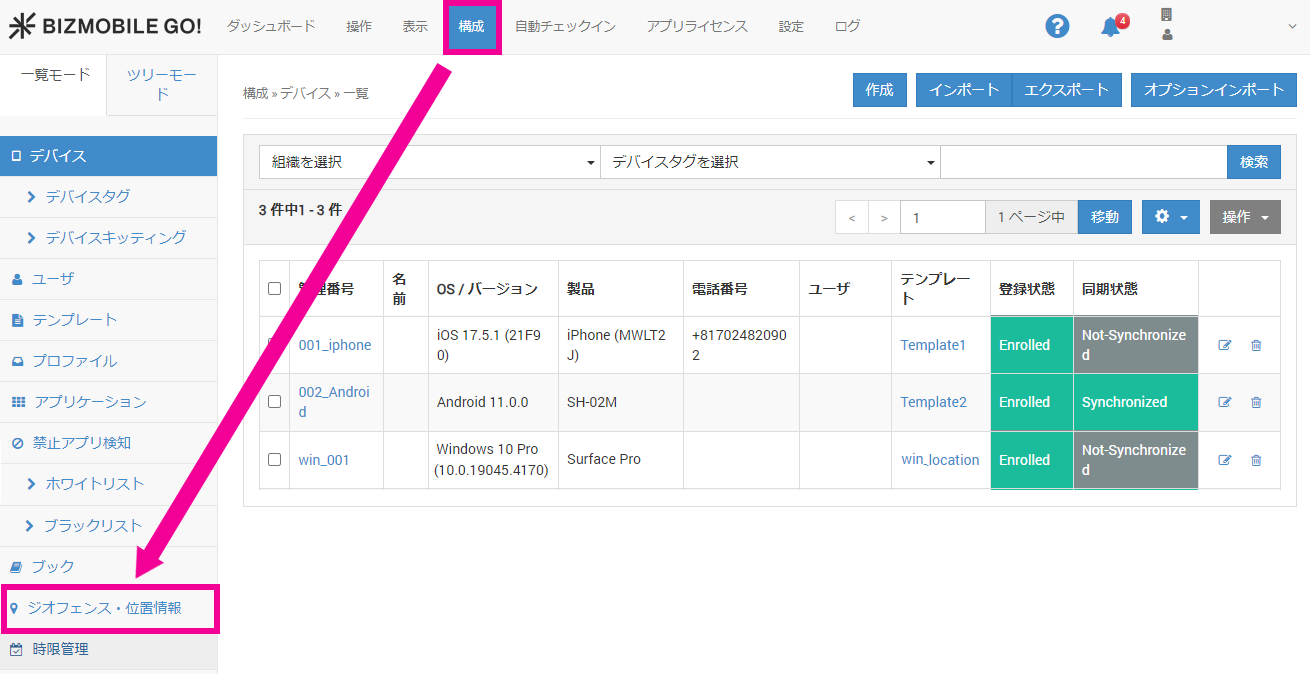
- The location page opens and the device list is displayed.
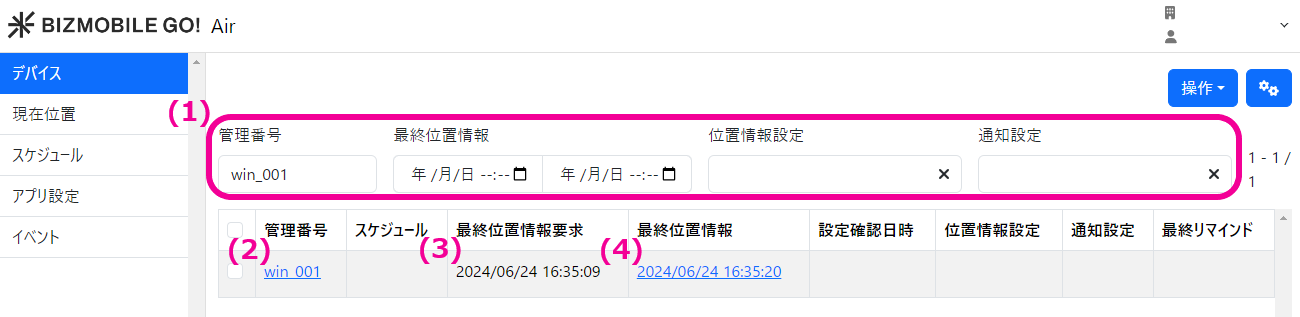 (1) Filter search
You can filter devices byIdentifier,Last Location Acquired,Location Setting,Notification Setting, andLast Reminder.
(2) Identifier
Jump to the detail page of the device.
(3) Last Location Request
Shows the date and time when Fetch Location was last run from the admin console.
(4) Last Location
Shows the date and time when location was last retrieved from the device.
Click the date and time to view the location details.
View the location history of a specific device
- On the menu bar, click CONFIG → Geofence and Location, and then click the date and time shown under
Last Location.
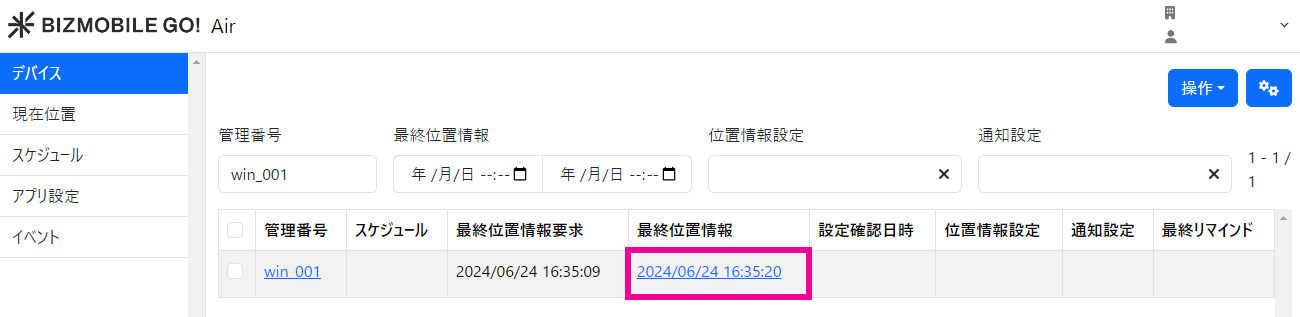
- The location details are displayed.
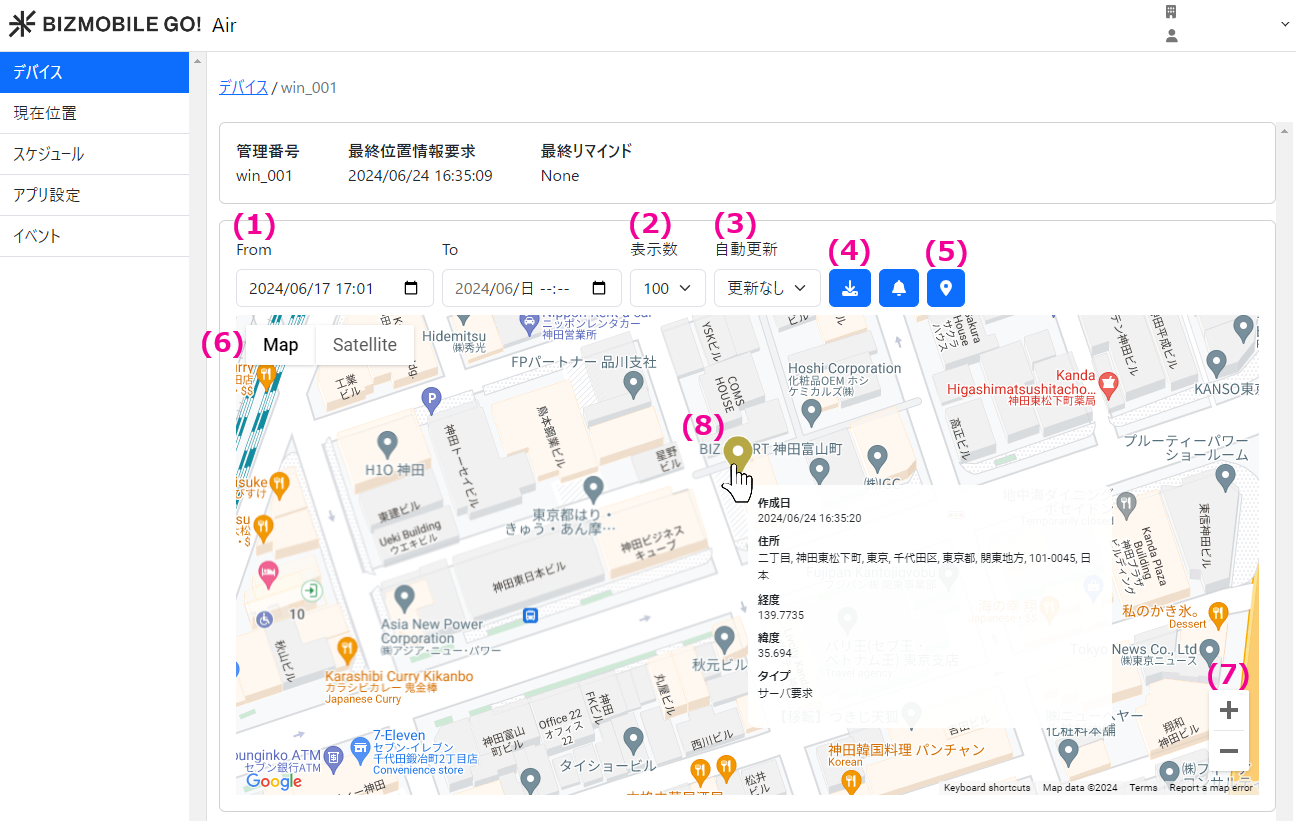 (1) Start date to end date
The default range is from one week ago to now.
Locations retrieved during this period are displayed.
You can change the start and end dates and search again.
(2) Display Count
Specify the number of locations to display on the map.
You can select from 1, 5, 10, 50, 100, 200, and 500.
(3) Auto Refresh
Specify how often the map is refreshed.
You can select from No refresh, 30 seconds, 1 minute, and 5 minutes.
(4) Download Location CSV
Download the location data between the specified start and end dates in CSV format.
(5) Fetch Location
Retrieve the latest location from the device.
(6) Map / Satellite
Switch between map view and satellite view.
(7) + / -
Zoom the map in and out.
(8) Location
Shows the location history. When you hover the mouse cursor over a pin, the location details (created date, address, longitude, latitude, and type) are displayed.
Pins have the following three colors depending on the location acquisition type.
 | Acquisition type: Automatic Location retrieved automatically, for example when the device moved a certain distance. |
 | Acquisition type: Server Request Location retrieved by an administrator operation (command sent) from the admin console or by a command run on a schedule. |
- Converting a location to an address can take up to about 15 minutes.
- If the address of a retrieved location is unknown, the latitude and longitude are displayed.
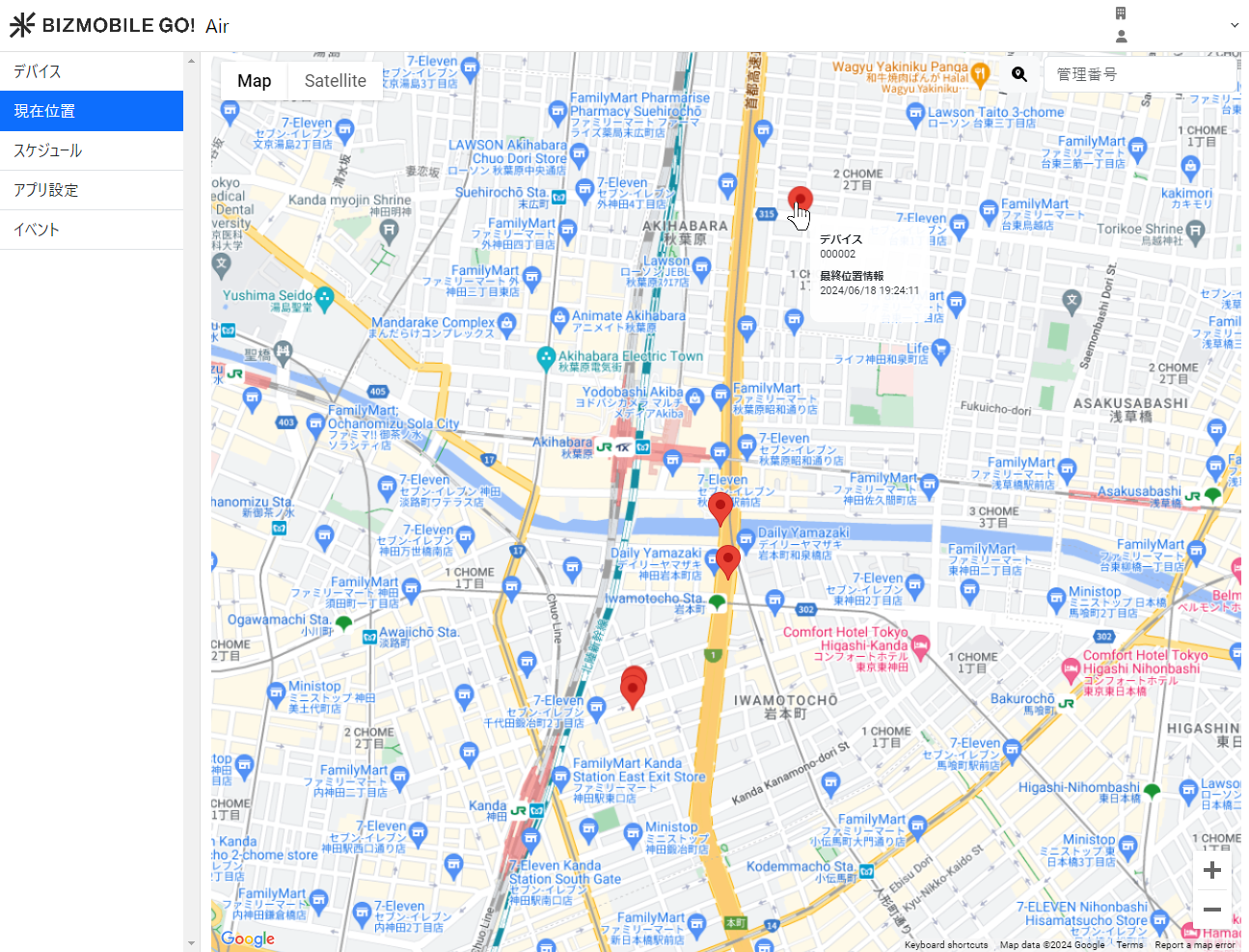
View the latest location of multiple devices
- On the menu bar, click CONFIG → Geofence and Location, and then click
Current Location.
Pins show where the location of each device was last retrieved.