Launch the app on the device
Confirm in the admin console that the apps are installed, and then launch the app on the device.
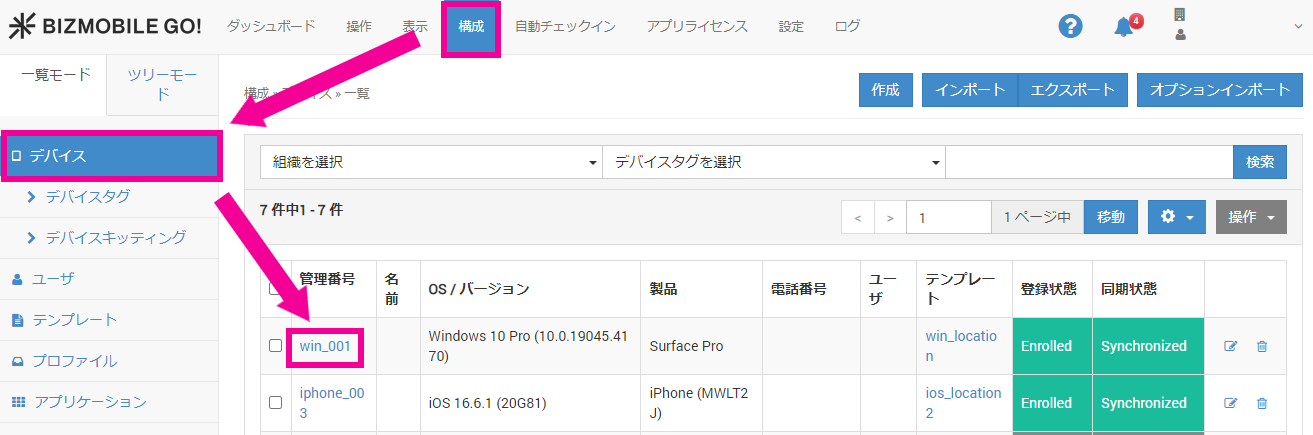
- In the admin console, click [Identifier] under CONFIG → Device to display the device detail page.
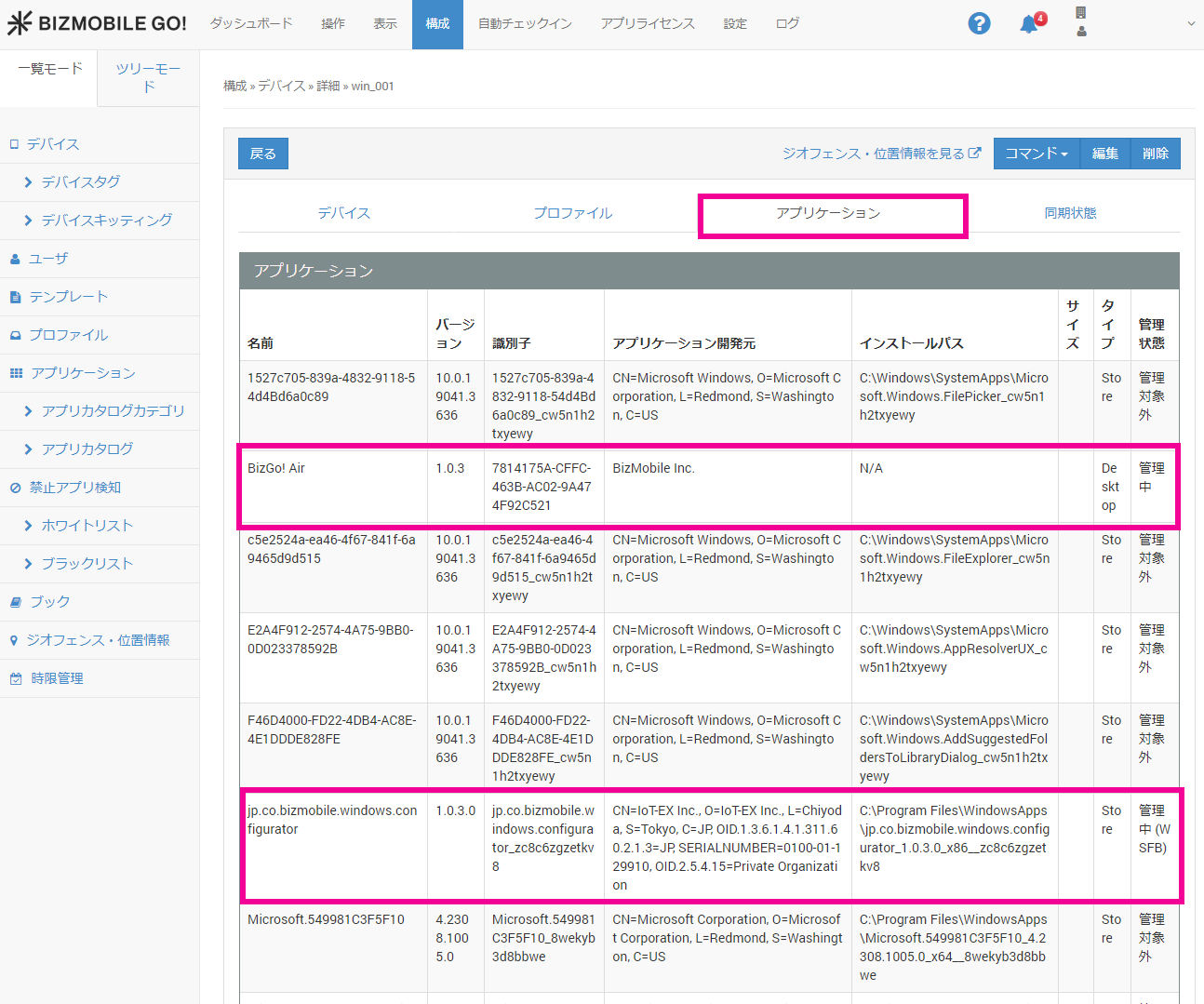
- Open the [Applications] tab and confirm that the management status of BizGo! Air and
BizGo! Configurator (jp.co.bizmobile.windows.configurator)isManaged.
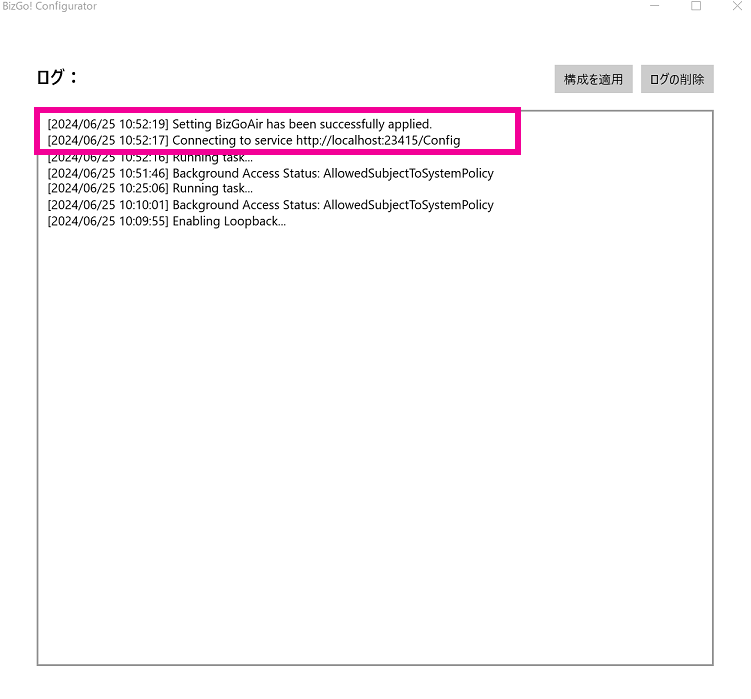
- On the device, launch the installed BizGo! Configurator.

- If the following log is displayed in the window that opens, the setup is complete.
| <Log> Setting BizGoAir has been successfully applied. Connecting to service http://localhost:23415/Config |