Enable the location retrieval setting in the admin console
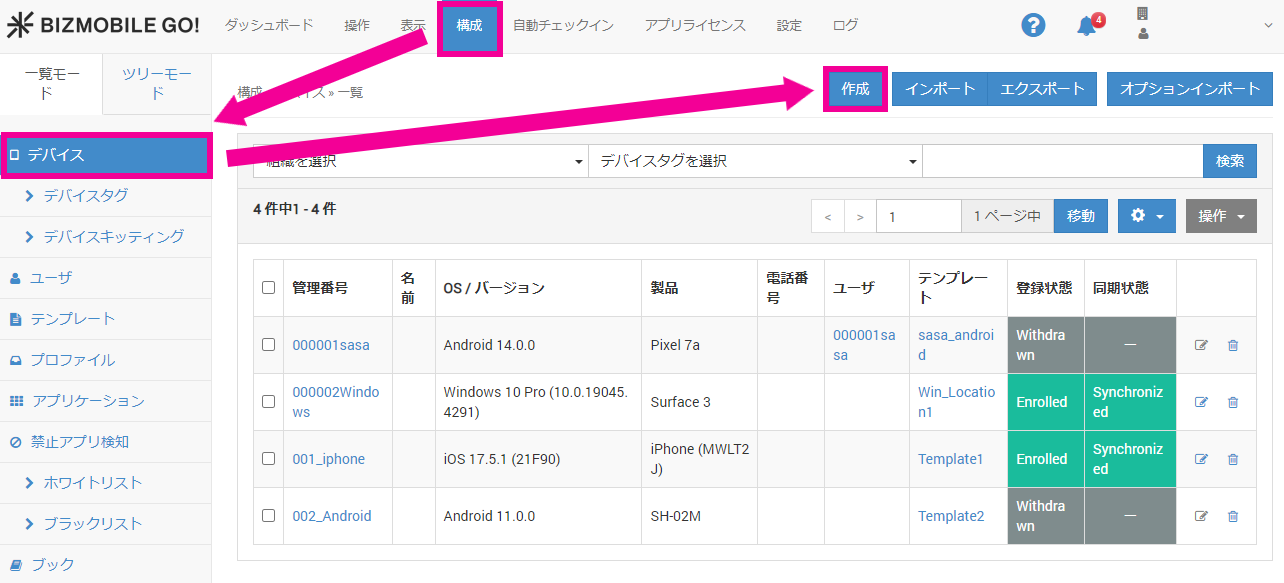
- In the admin console, to create a new device, select CONFIG → Device and click [Create].
To work with an existing device, click the Identifier link of that device.
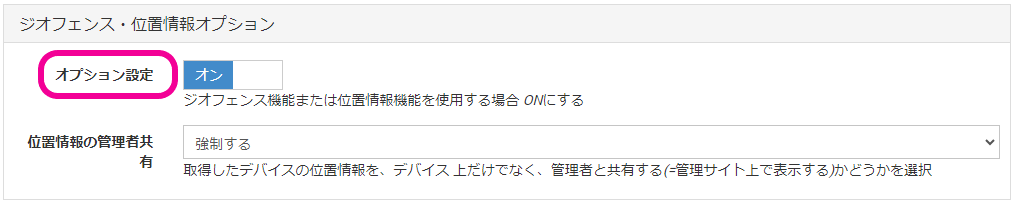
- On the device create (edit) screen that opens, turn on
Option SettingsunderGeofence and Location Optionnear the bottom.
Enable the location retrieval setting in bulk using a CSV file
To turn on Fetch Location for multiple devices at once, create a CSV file and import it.
For details and a sample CSV file, see Create Information with a CSV File (Settings) before you change the settings.