Distribute the BizGo! Air and BizGo! Configurator apps
To use the location service, you must distribute the BizGo! Air and BizGo! Configurator apps from the MDM.
To use the apps, apply for the optional service and then contact us.
-
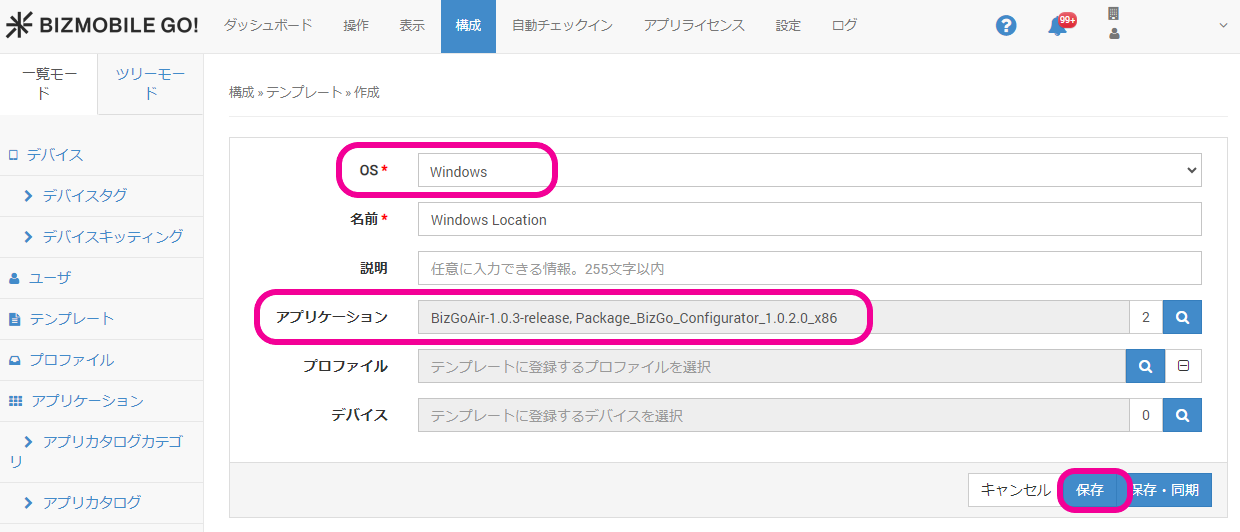
Click CONFIG → Template, and then click [Create].
-
Select Windows for
OS, register the following two in-house apps underApplications, and click [Save].- BizGo! Air
- BizGo! Configurator
infoOn Windows, it may take some time for the apps to be installed.
Send the sync command repeatedly until you can confirm that the apps are installed.