Enable the location setting on the device
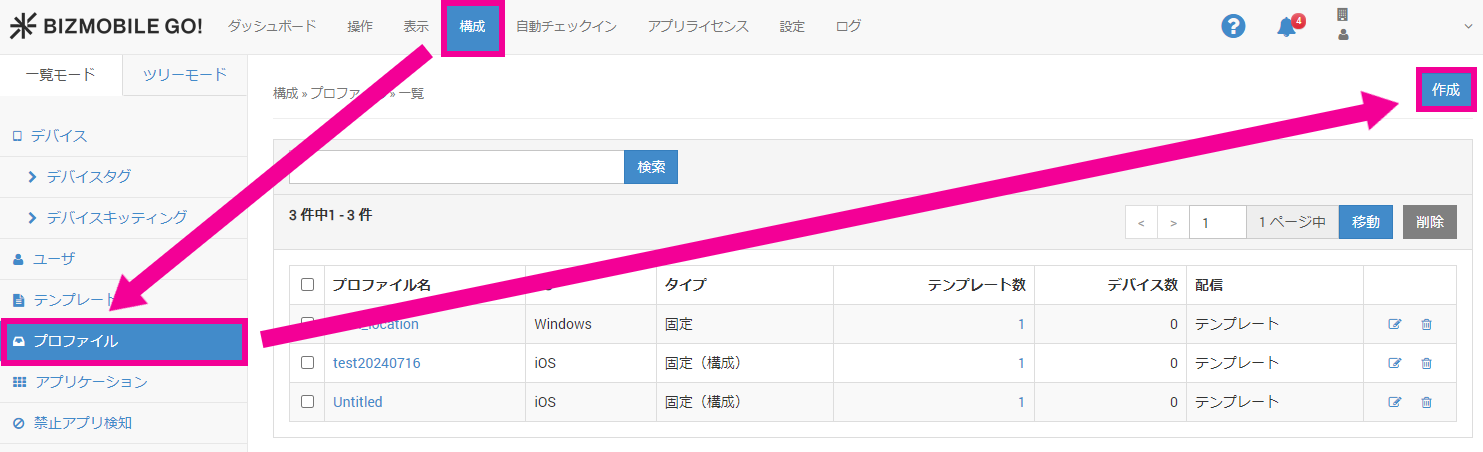
- In the admin console, select CONFIG → Profile and click [Create].
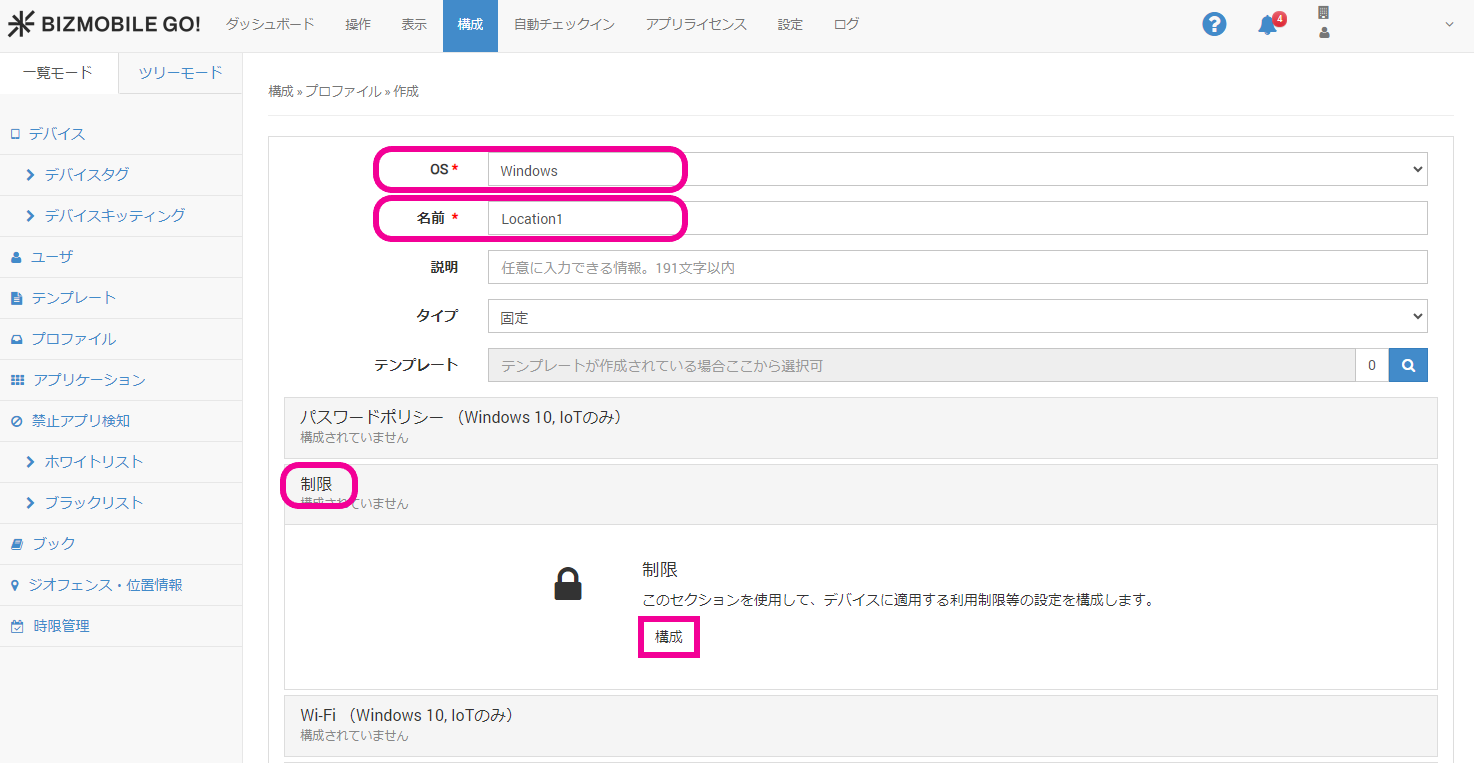
- On the profile create screen, select
WindowsforOSand enter a profile name inName.
Next, click theRestrictionspolicy and click [Configure].
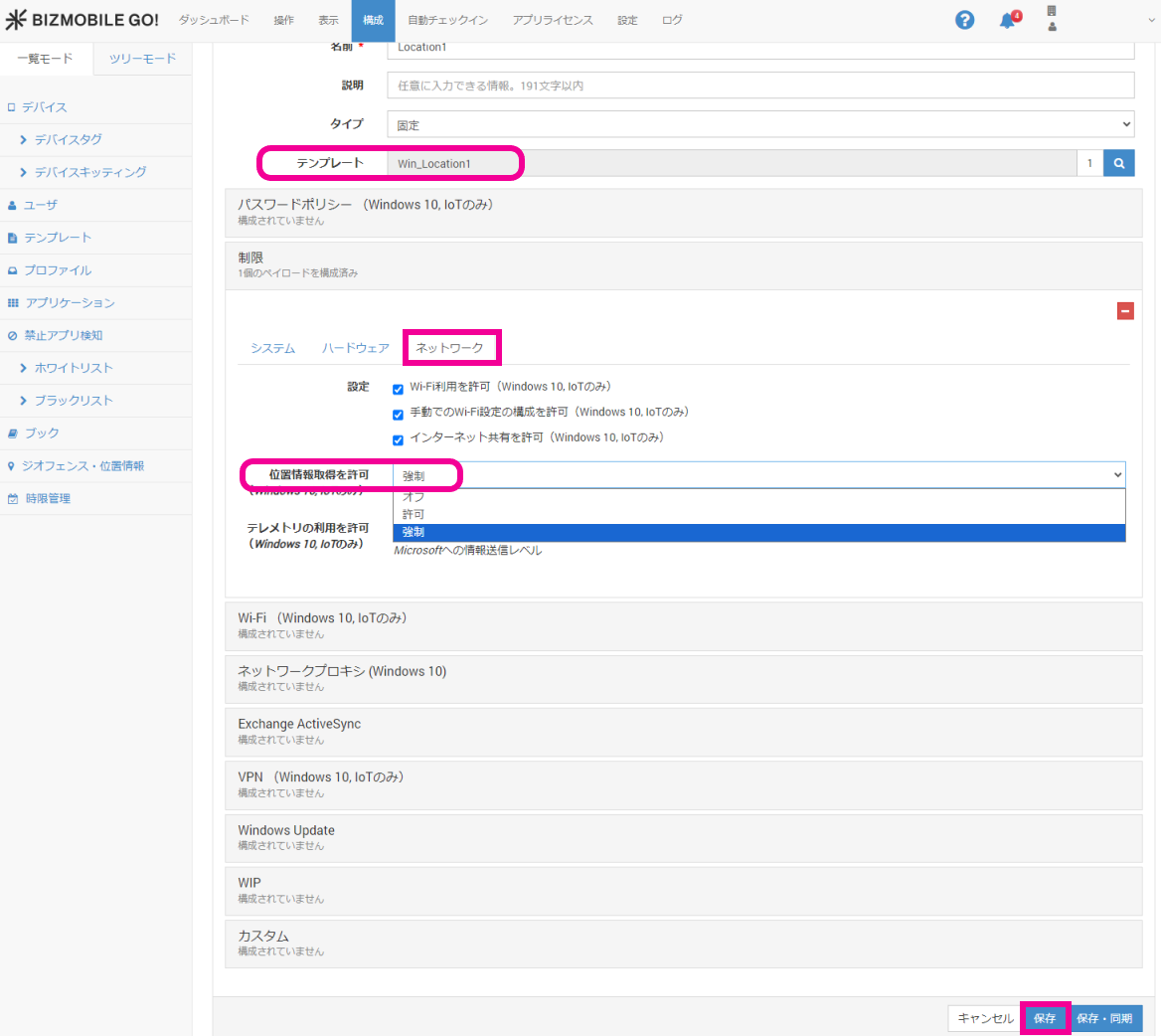
- After you specify the required
Template, open theNetworktab and selectForceforAllow location.
Finally, clickSave.
info
If you configure the device directly without distributing a profile, go to Settings > Privacy & security > Location and turn the following settings
On.
- Location services
- Let apps access your location