Android Deployment Flow with Per-Device Authentication (Device Owner)
This page explains how to deploy devices using per-device authentication. It is intended for people who are new to BizMobile Go!, are about to start preparing devices for deployment, or are taking over management of devices already in operation.
With this method, you register device and user information in BizMobile Go! in advance. Each device is then enrolled in MDM (checked in) using the method you prepared for it, such as a QR code, a key/code, or a check-in email.
This page describes the basic steps common to device management, followed by the deployment steps for per-device authentication, in order. You can also read only the steps you need.
Use this page to find the steps required for your use case.
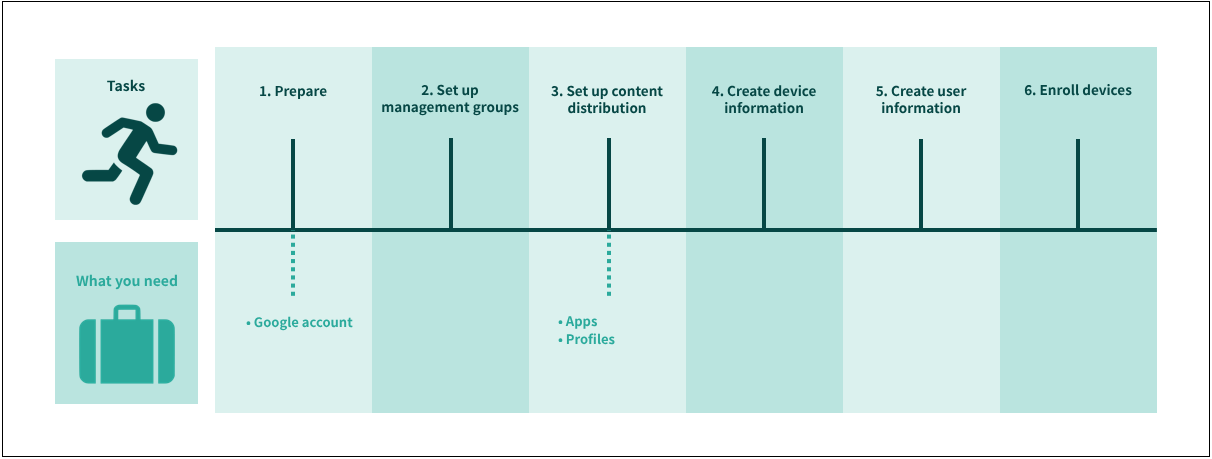
| Task and link to the manual | Where to work | Frequency | ||||
|---|---|---|---|---|---|---|
BizMobile Go! admin console | Google Play site | Managed device | First time | As needed | ||
| 1. Prepare | 1) Configure Android EMM |
| Yes |
| Yes |
|
| 2) Configure device integrity alarms | Yes |
|
| Yes |
| |
2. Set up management groups | 3) Create a template | Yes |
|
| Yes | Yes*1 |
| 3. Set up content distribution | 4) Register apps (Google Play Store) | Yes |
|
| Yes | Yes*1 |
| 5) Register apps (in-house) | Yes |
|
| Yes | Yes*1 | |
| 6) Register profiles | Yes |
|
| Yes | Yes*1 | |
| 4. Create device information | 7) Create management information for the devices to enroll | Yes |
| Yes | Yes*2 | |
| 5. Create user information | 8) Create user information linked to the devices to enroll | Yes |
|
| Yes | Yes |
| 6. Enroll devices | 9) Check in the devices to enroll them |
|
| Yes | Yes | Yes*2 |
\*1 When adding or changing a management group
*2 When adding devices