Create a Custom Profile
By using a profile together with a CSV file, you can apply different setting values to each device.
For example, in the Wi-Fi settings, you can set access point A on managed device A and access point B on managed device B.
The following example shows how to configure wireless LAN settings for each device.
- Set the access point SSID
ABCDEFand the passwordpasswordAon managed device A - Set the access point SSID
GHIJKLand the passwordpasswordBon managed device B
- On the CONFIG → Profile screen, click [Create].
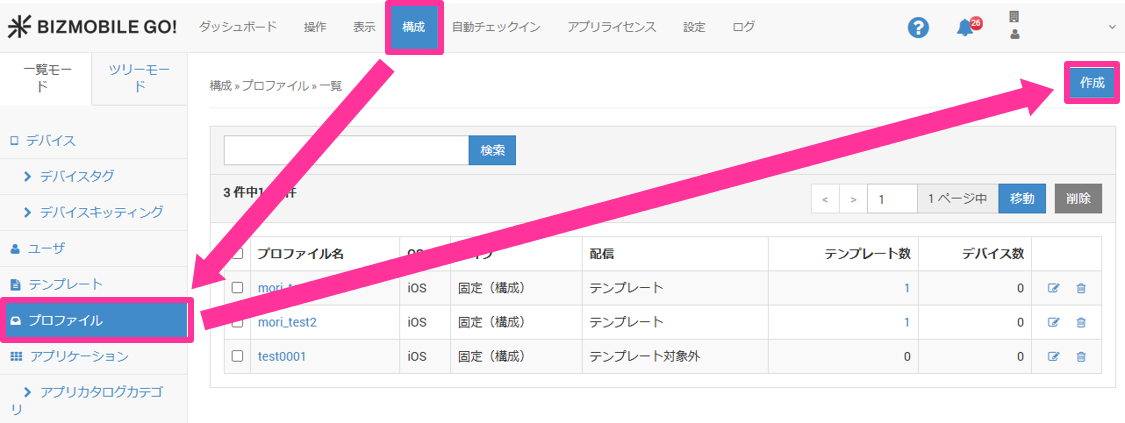
- Enter the required information on the profile information screen that expands.
Input fields (★ indicates a required field)
OS★ | Select from |
Distribution | Select |
Type | Select |
Template | Select the template to which this profile is applied. After you create a template, you can select it here. If you have not created a template yet, leave this field blank (you can also select the profile from the template screen when you create the template). |
- Configure the profile menu items whose values you want to set individually for each managed device.
Click each profile menu to open it, and then click [Configure].

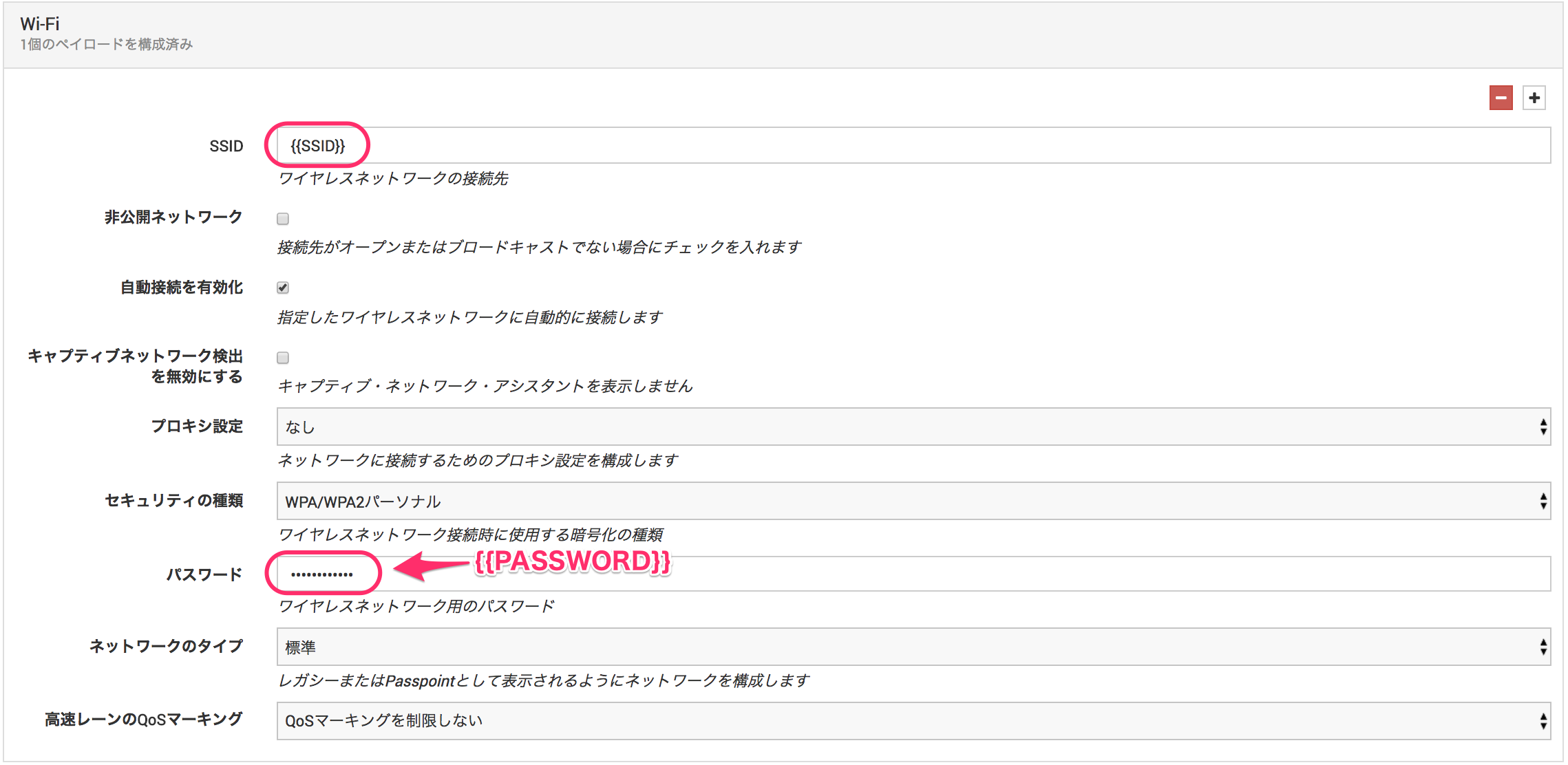
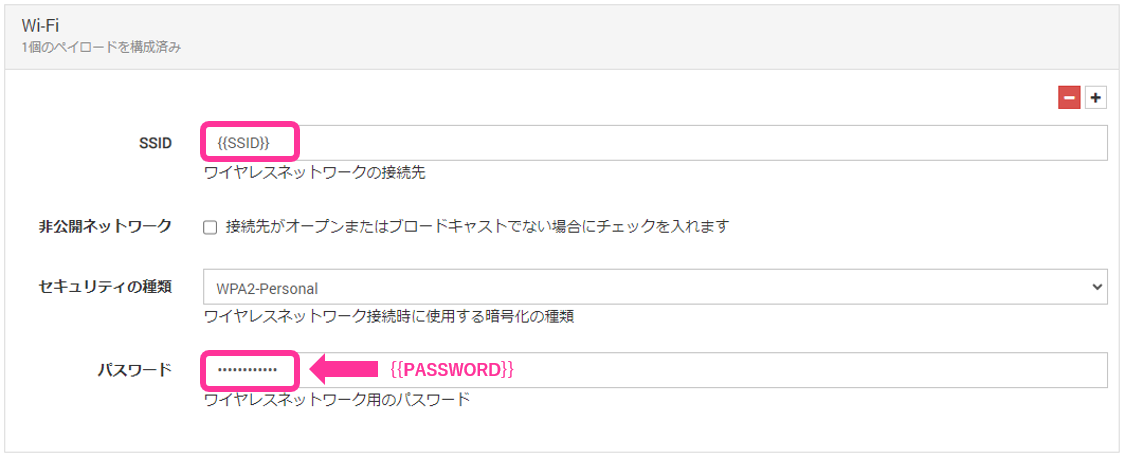
The settings are displayed. Enclose each item you want to set individually in{{and}}, and give it an easy-to-understand name.
In this example, the SSID item is named{{SSID}}and the password is named{{PASSWORD}}.
- For iOS
- For Android
-
Create a CSV file that contains the individual setting values.
In the first row of the CSV file, write the strings enclosed in
{{and}}as headers, and enter the values you want to set individually from the second row onward.
Writedevice_identifier, which identifies the device, as the first header.
device_identifier,SSID,PASSWORD
DeviceA,ABCDEF,passwordA
DeviceB,GHIJKL,passwordB
- Specify the CSV file you created in step 4 in
Individual Settings Dataon the profile creation screen.

- To discard your entries, click [Cancel]. To save them, click [Save].
A profile of the Shared iPad/Custom type can be exported from its details screen, but the exported file cannot be imported and used as the same profile.