(Android) Distribute the BizGo! Air App
To use the geofence service, you must distribute the BizGo! Air app from the MDM.
The BizGo! Air app is not published on the regular Google Play Store.
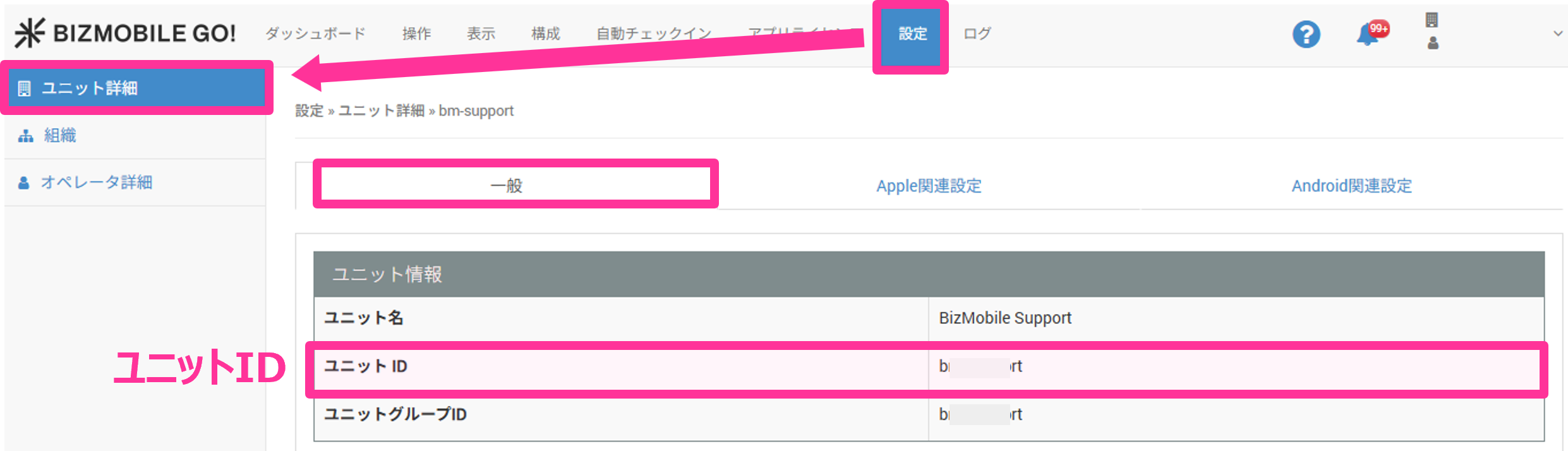
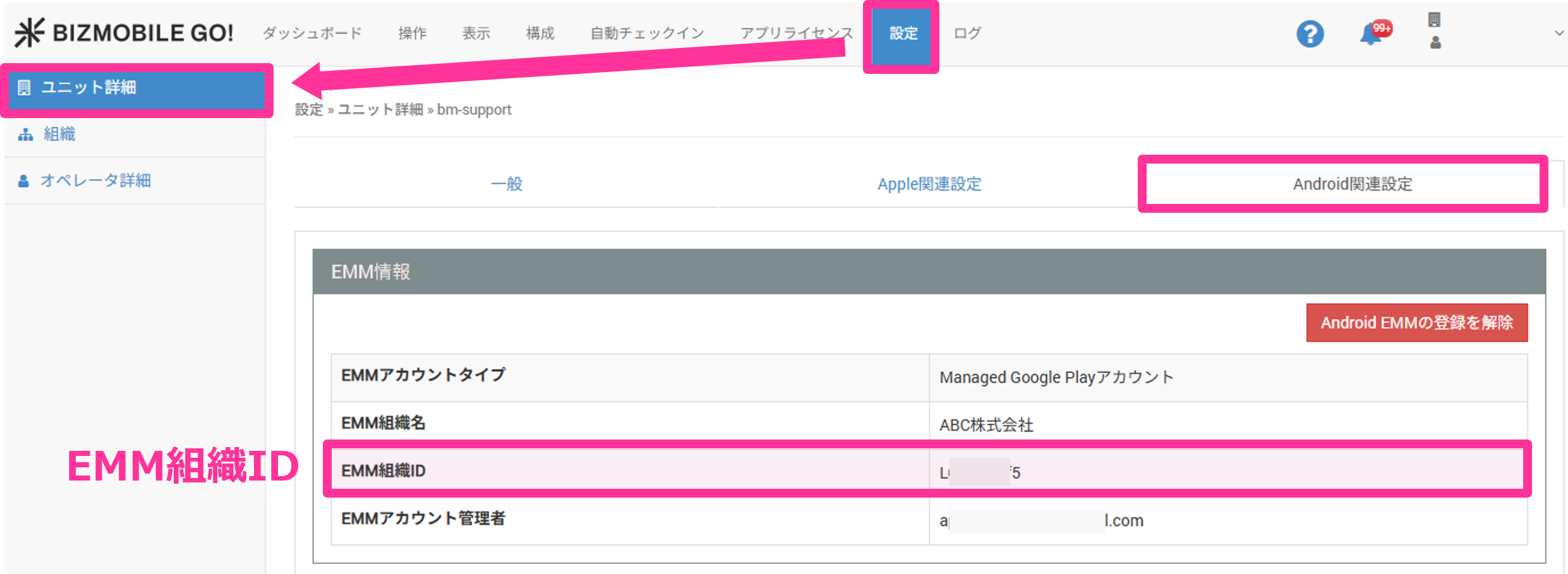
After you apply for the optional service, check SETTING > Unit Detail > Android > EMM Information in the admin console, and notify Support of the following information.
- Unit ID
- EMM organization ID
After we have finished registering your customer information, purchase and distribute the app using the following steps.
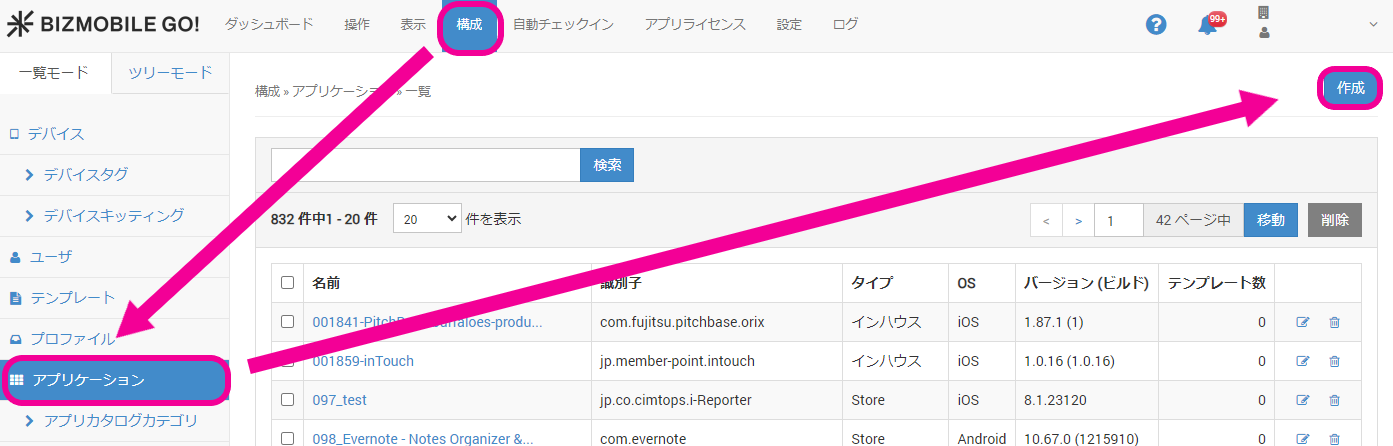
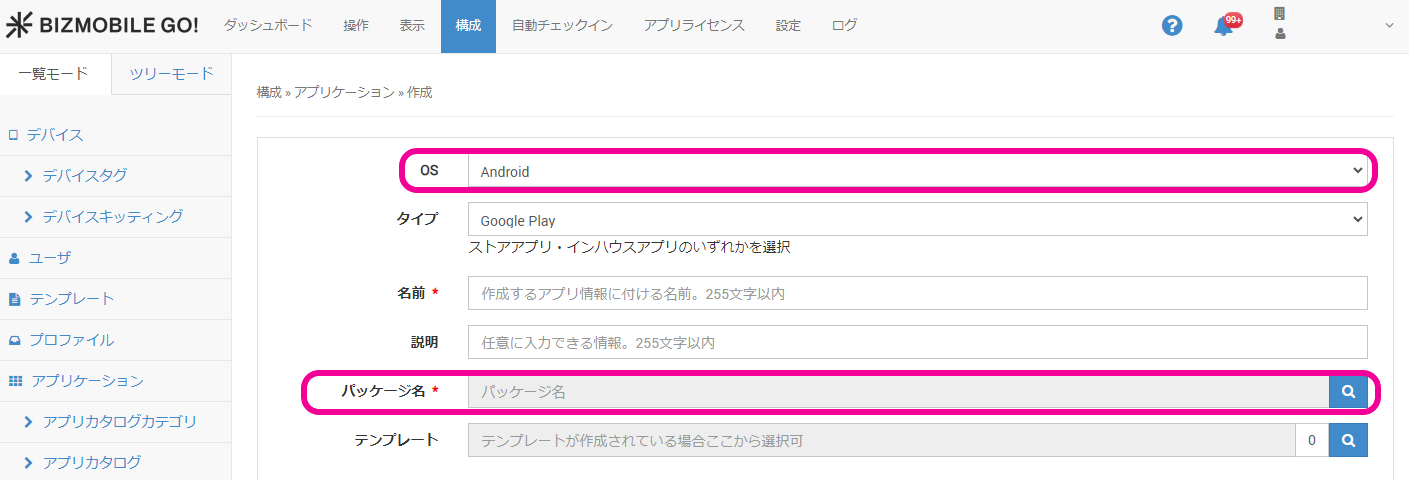
- Select CONFIG > Application, and click [Create].
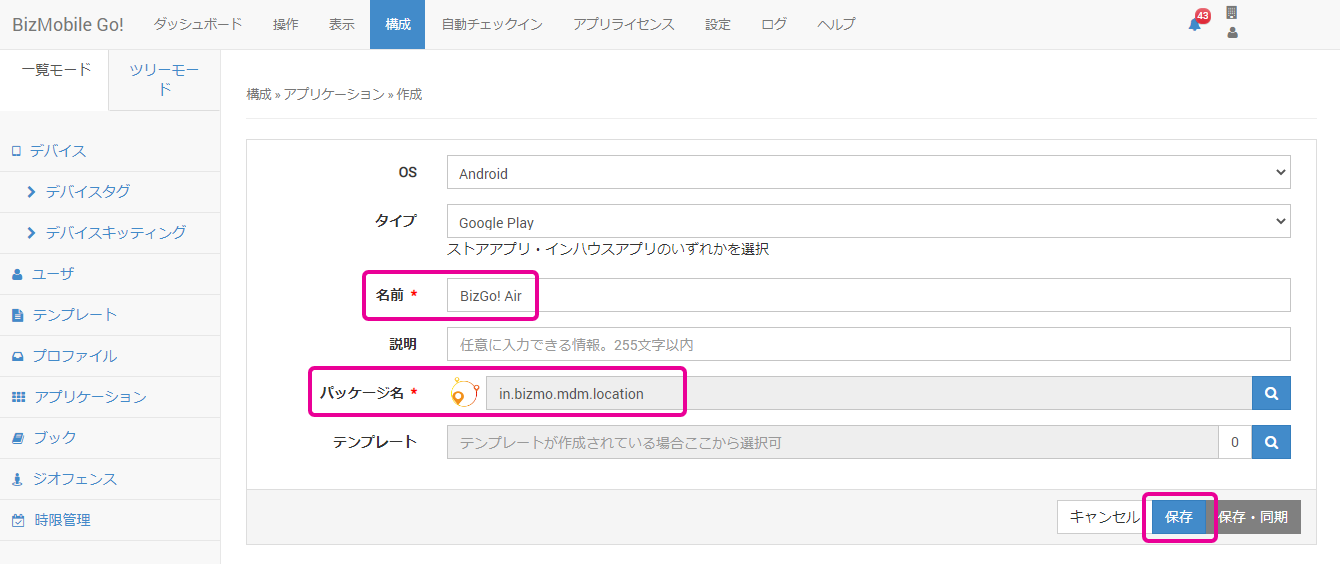
- Select "Android" for "OS", and click the magnifying glass icon for "Package Name".
- Search for "BizGo! Air" in the Google Play search box, and then select and register the app.
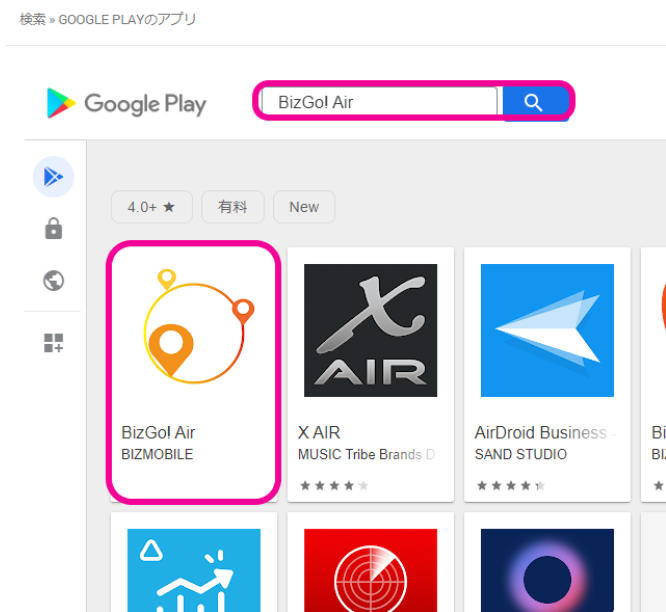
- Confirm that the app is registered in "Package Name", and then click [Save].