Configure Location and Notification Settings for the BizGo! Air App with a Profile
Use a profile to configure the "location settings" and "notification settings" required to use BizGo! Air.
warning
This configuration produces the following state.
- The location setting "Allow all the time" is forced to "ON" and cannot be changed.
- The notification setting is set to "ON", but the device user can change it.
(Even if the device user changes it, it is automatically set back to "ON" by synchronization.)
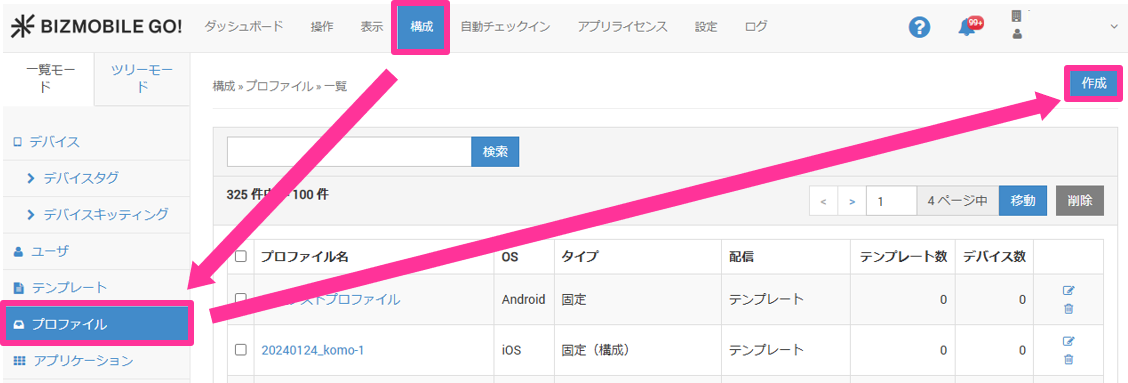
- Select CONFIG > Profile, and click [Create].
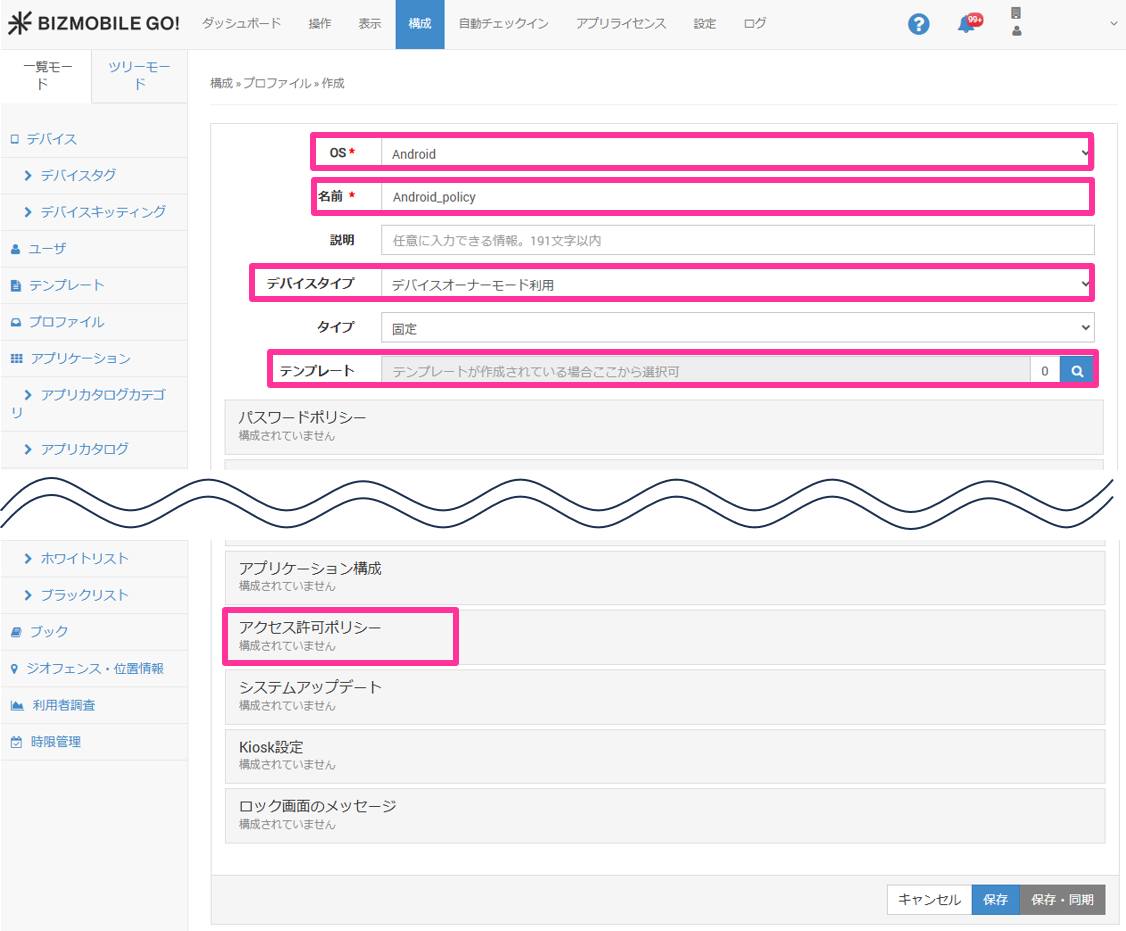
- Select "Android" for "OS", specify "Name", "Device Type", and "Template", and then click "Permission Request Policy".
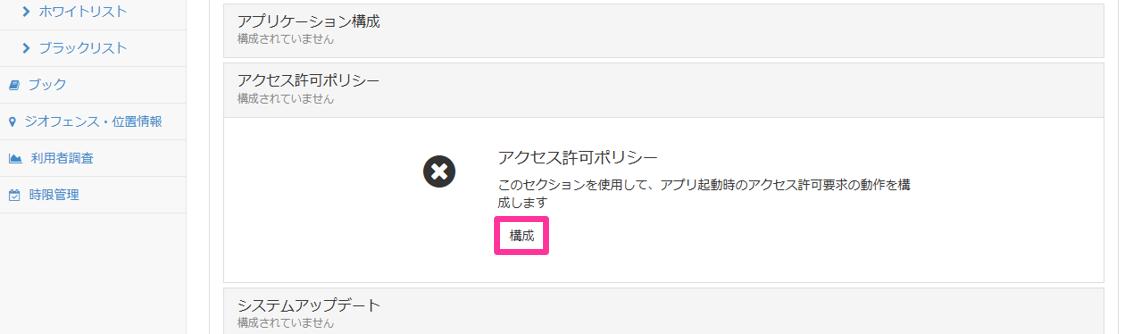
- Click "Configure".
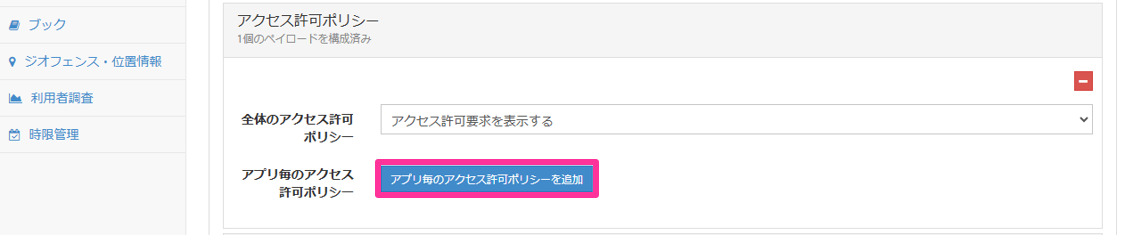
- Click "Add Per App Runtime Permission Policy".
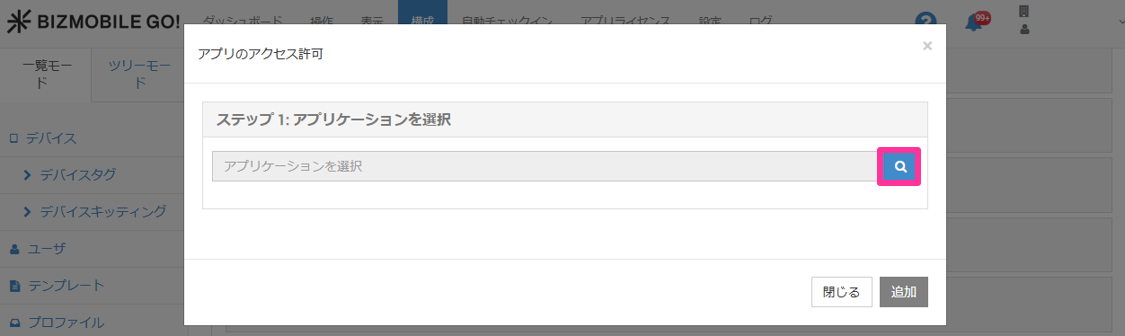
- Click the magnifying glass icon for "Select Application".
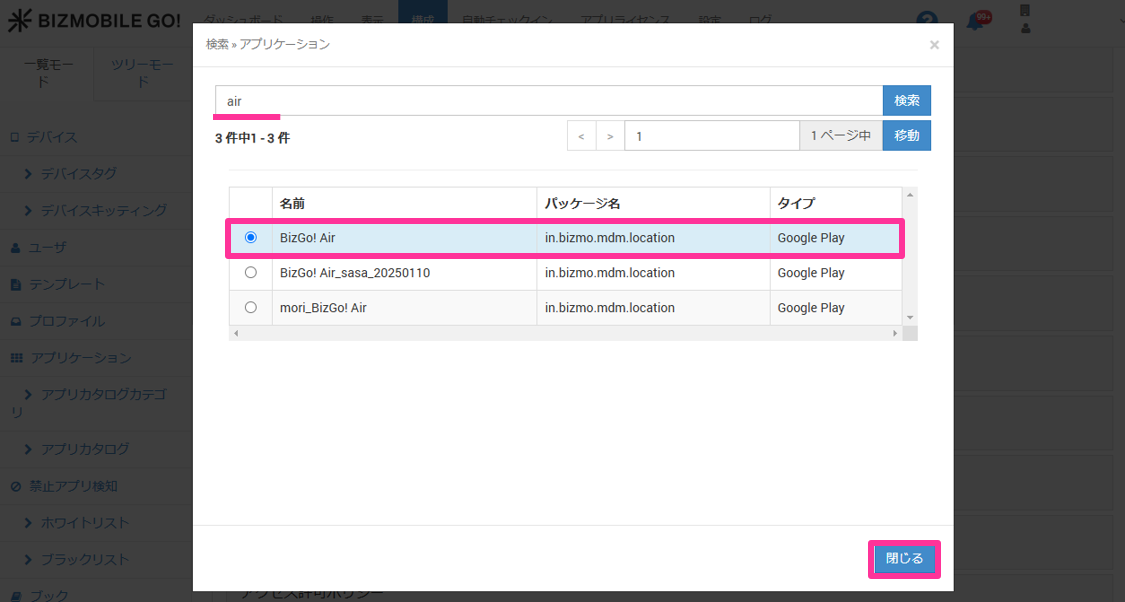
- Search for the app, select "BizGo! Air", and click "Close".
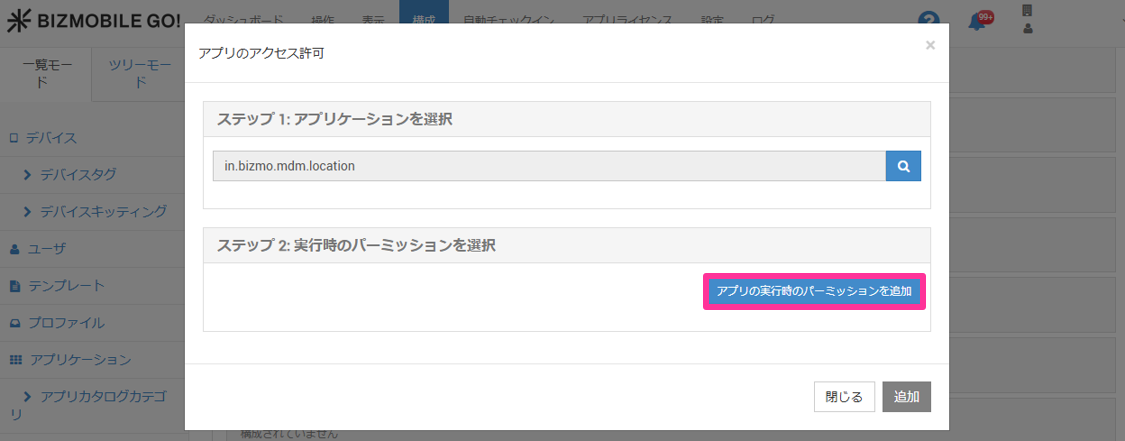
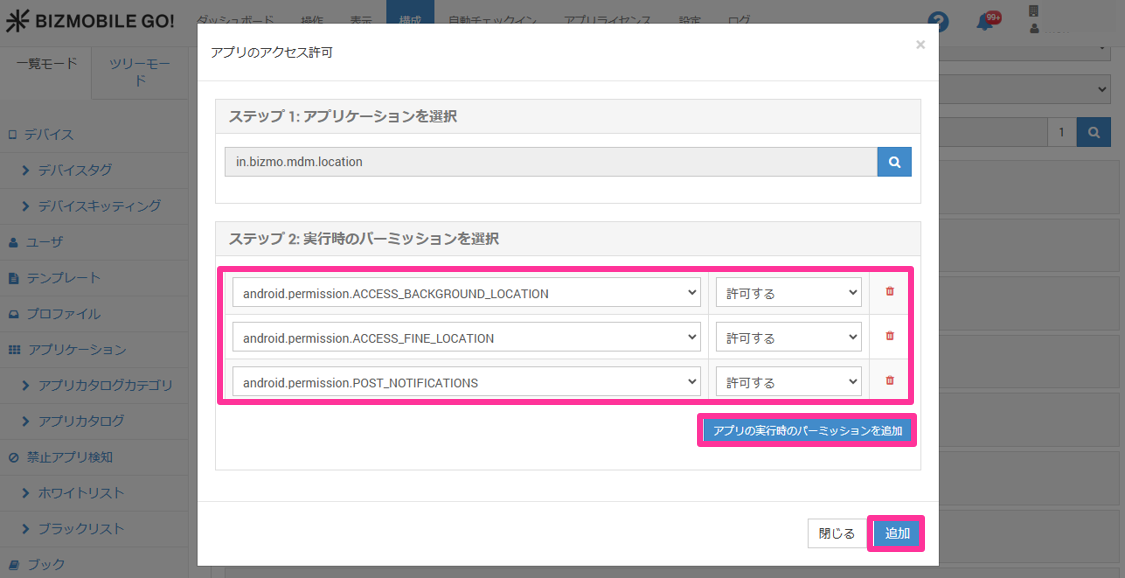
- Click "Add Runtime Permission".
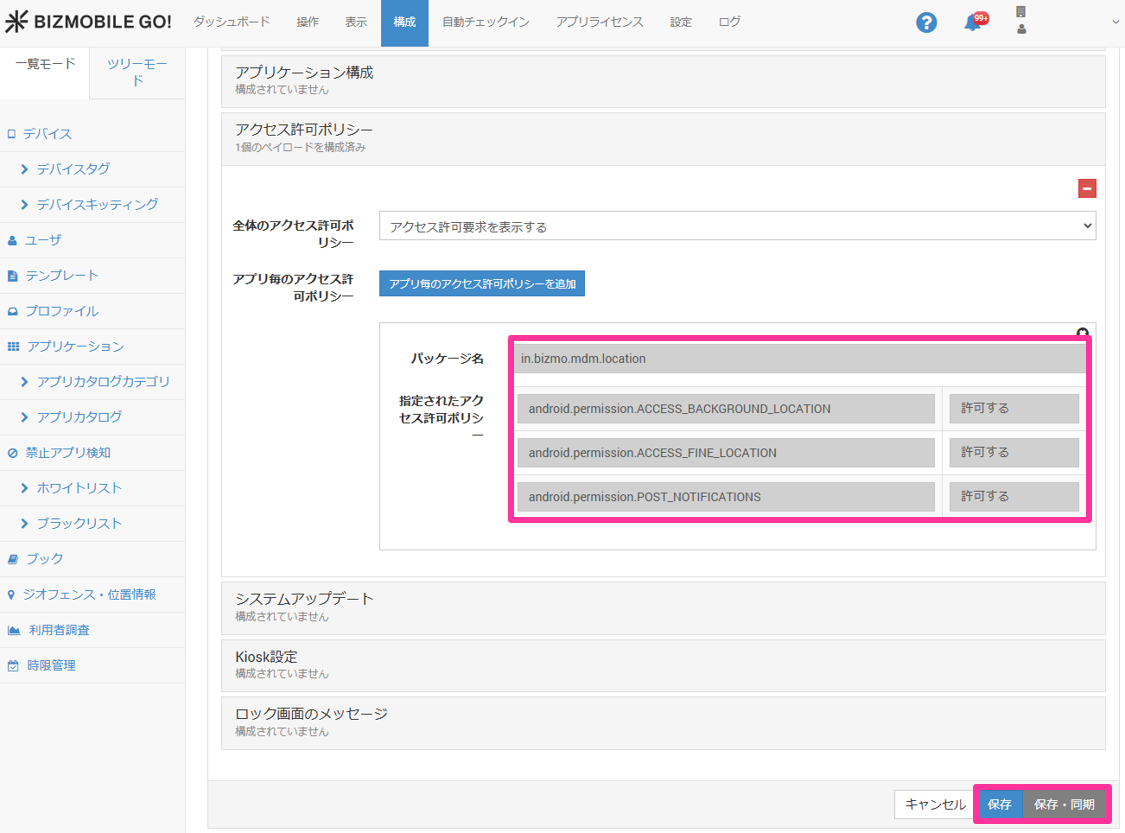
- Click "Add Runtime Permission", set the following three items to "Granted", and click "Add".
android.permission.ACCESS_BACKGROUND_LOCATION(background location)android.permission.ACCESS_FINE_LOCATION(precise location)android.permission.POST_NOTIFICATIONS(notifications)
- Confirm that all the required permissions are set to "Granted", and click "Save" or "Save & Sync".