Distribute the BizGo! WorkTime App
To use the Work Time service, you must distribute the BizGo! WorkTime app from the MDM.
The app is provided only as a Custom B2B app (Custom App).
Note: Custom B2B is a method of providing an app only to specific customers through Apple Business (formerly Apple Business Manager) without listing it on the regular App Store. You must register with Apple Business in advance. (Registration page: https://business.apple.com/#/enrollment/form)
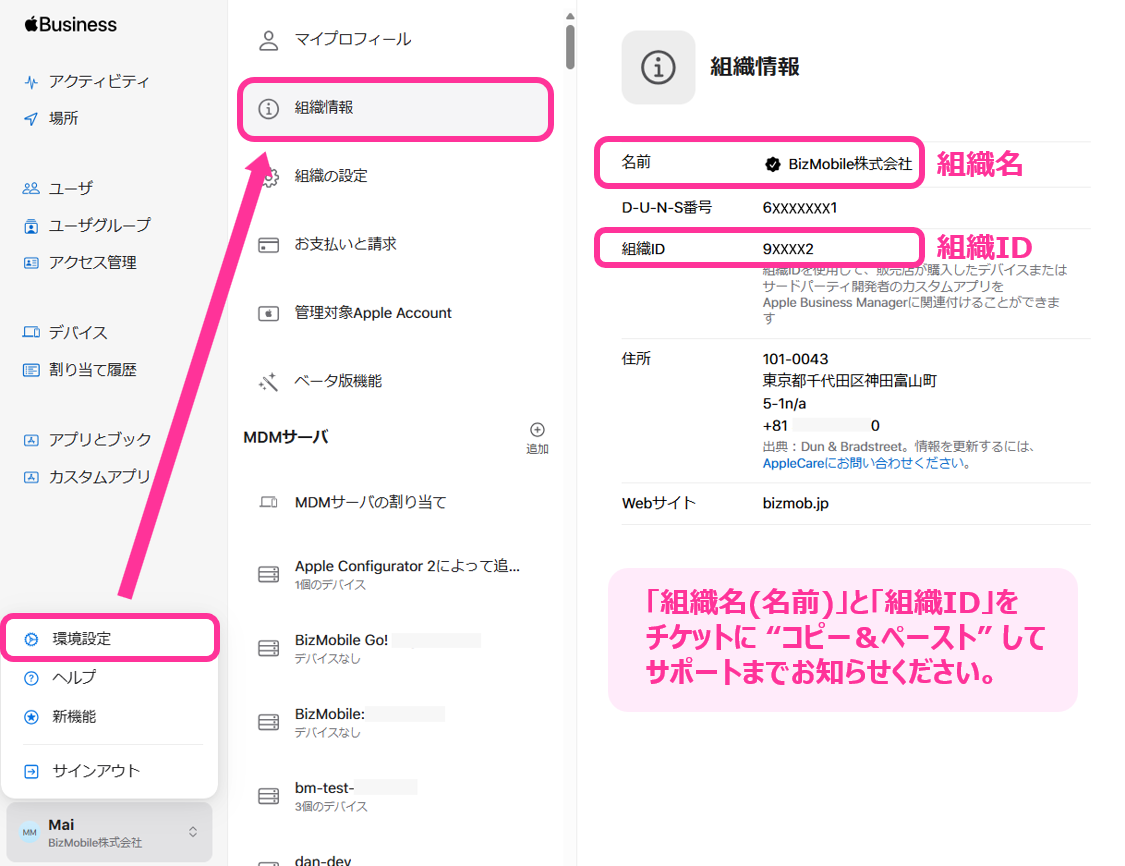
After you apply for the option service, copy and paste the following information from Apple Business and send it to the support desk.
- Organization name (Name)
- Organization ID
After we have finished registering your customer information, purchase and distribute the app by following the steps below.
Note: To distribute a Custom B2B app, you must enable VPP beforehand. For the steps, see Enable VPP Features.
- Log in to Apple Business.
When you use a Custom App for the first time, set the following setting to "Enabled."
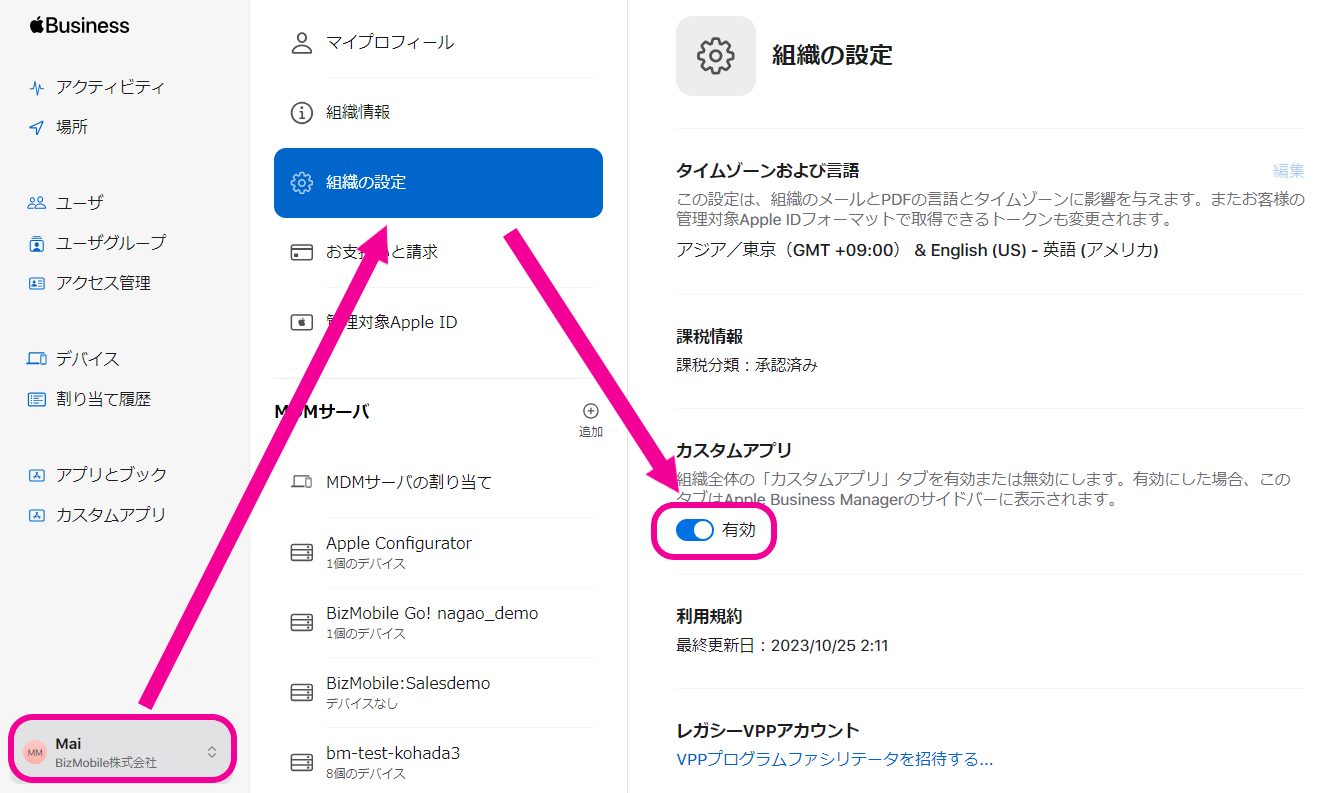
- Confirm that "Custom Apps" appears in the menu on the left of the screen.
If it does not appear, try logging in to Apple Business again.
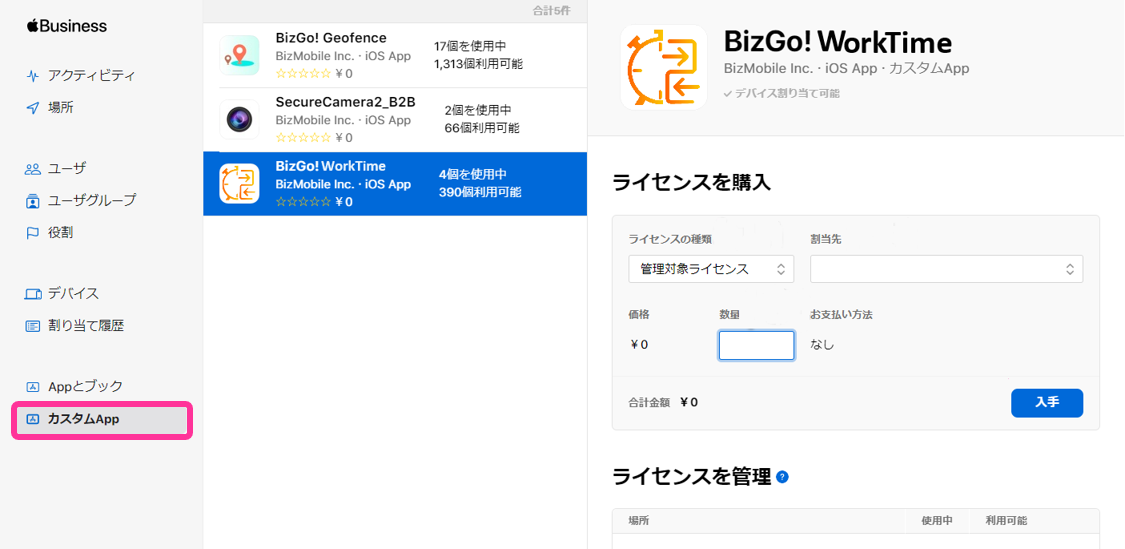
- Click "Custom Apps" and select the BizGo! WorkTime app.
On the "Purchase Licenses" screen on the right, set "License Type," "Assign To," and "Quantity," and then click "Get."
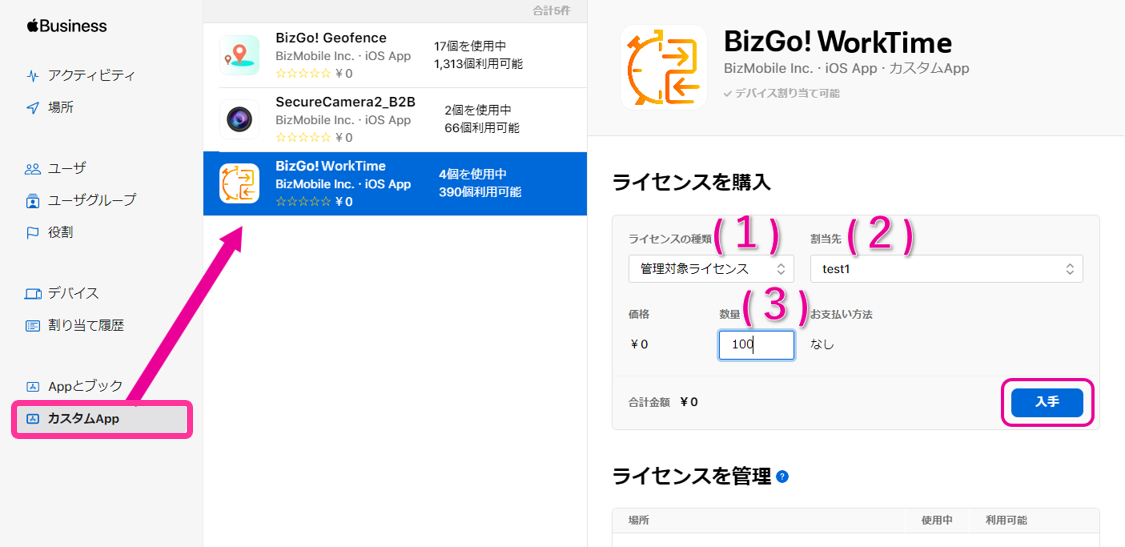
| (1) License Type | Select "Managed Licenses." |
| (2) Assign To | Select the destination MDM server. |
| (3) Quantity | Enter the number you need and click [Get] (the price is 0 yen, so we recommend purchasing a generous quantity). |
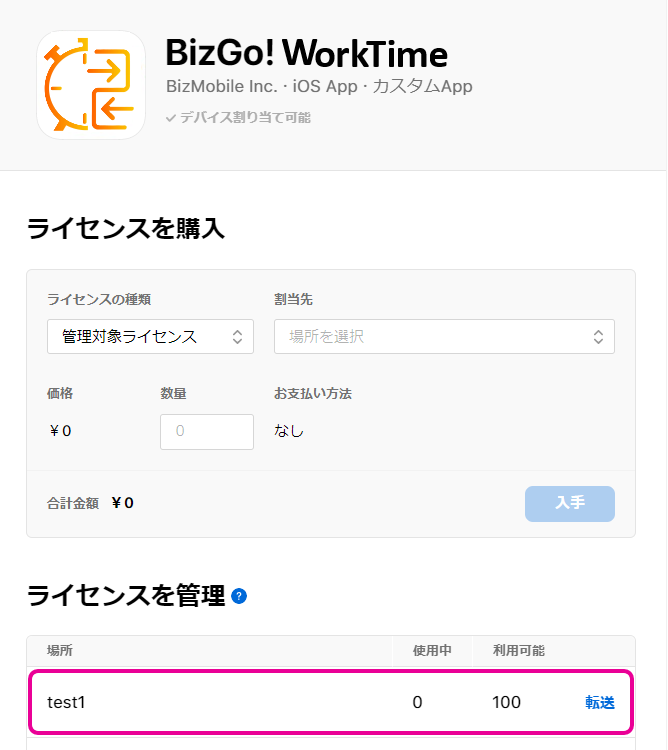
- When the process is complete and the app appears in "Manage Licenses," the purchase is complete.
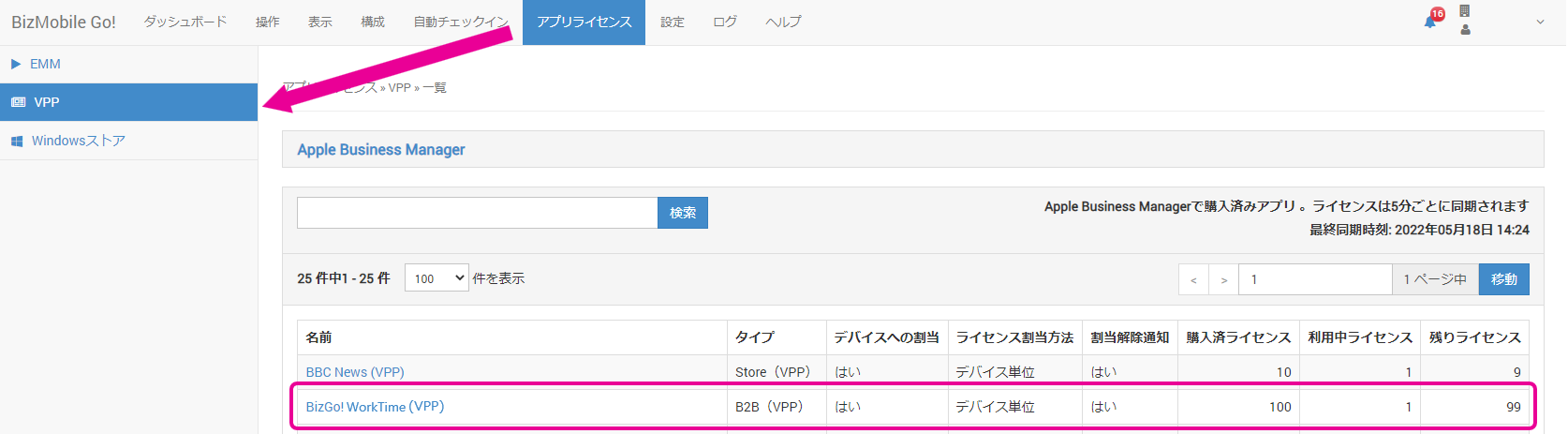
- Under App Licenses > VPP, wait until the app appears in the list of purchased apps (licenses are synchronized every 5 minutes).
Click the app name link shown in the list to go to the app edit screen.
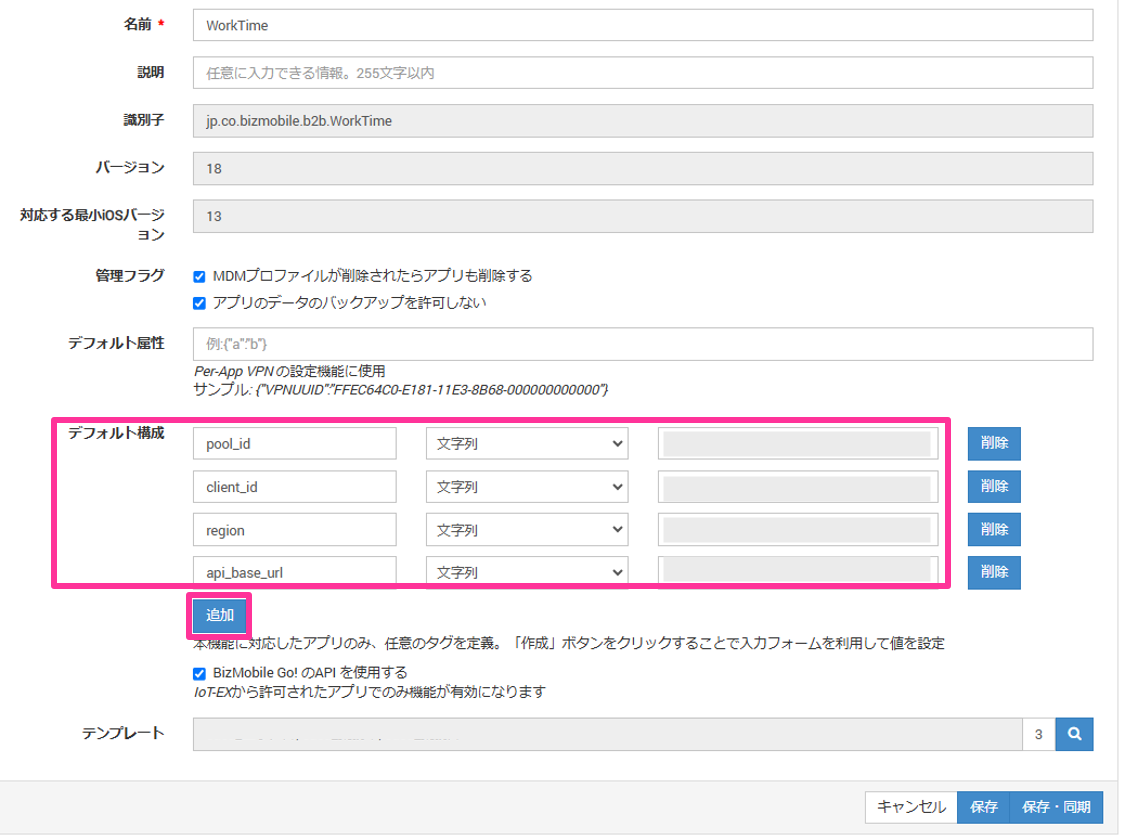
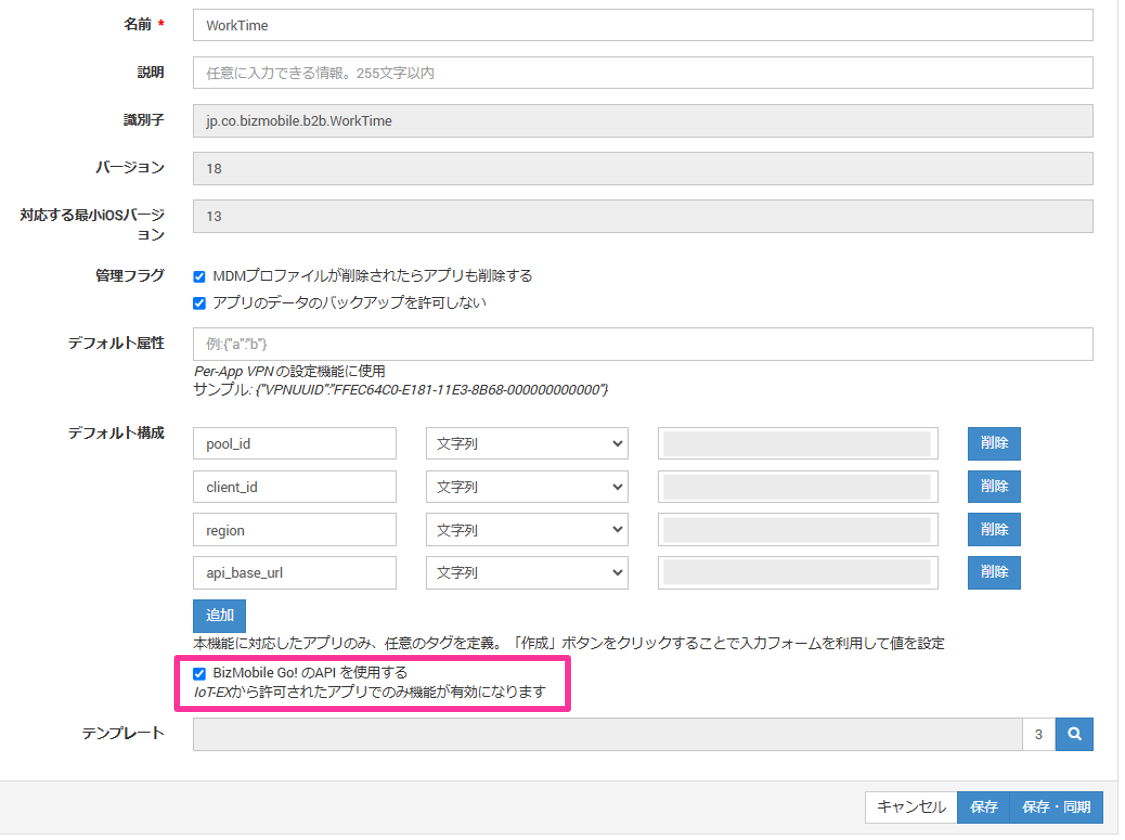
- On the screen that opens, click "Add" for "Default Configuration" and register the following.
Input fields
| Key | Type | Value |
| pool_id | String | Contact BIZMOBILE support. |
| client_id | String | Contact BIZMOBILE support. |
| region | String | Contact BIZMOBILE support. |
| api_base_url | String | https://dct.bizmo.in |
-
Select the "Use BizMobile Go! API" check box.
-
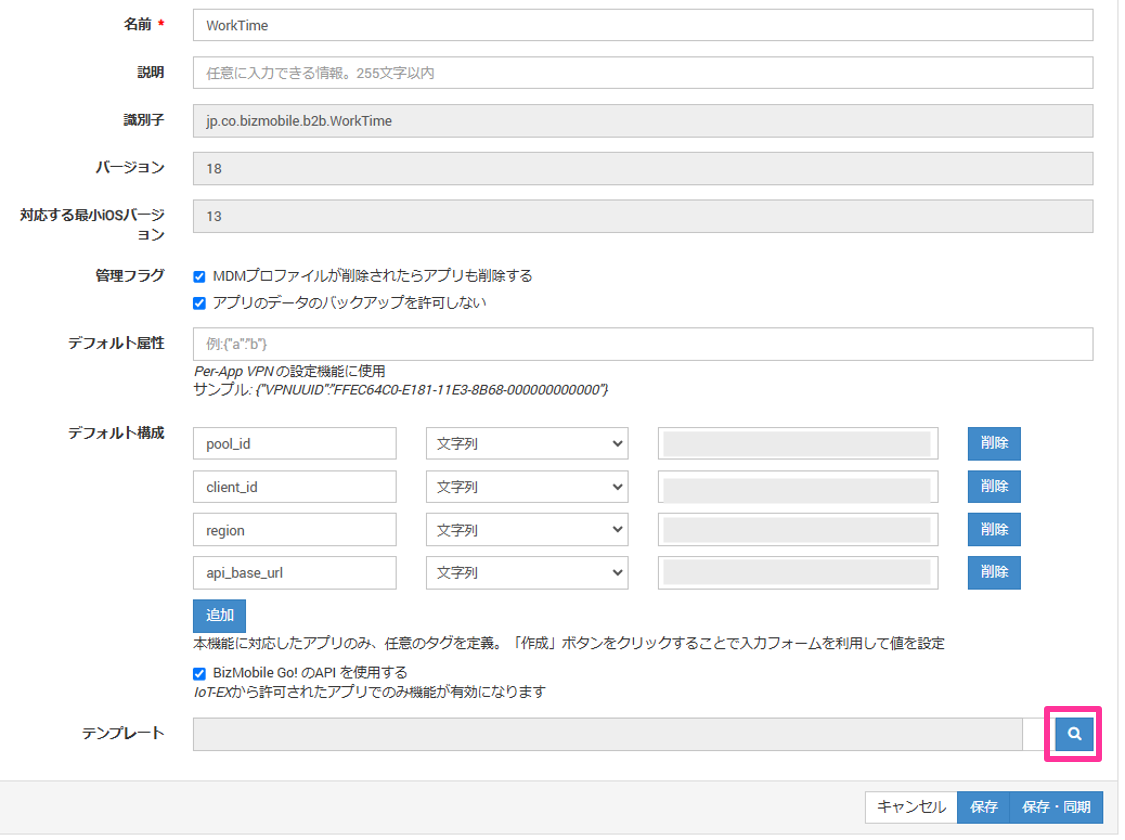
Click
 for Template.
-
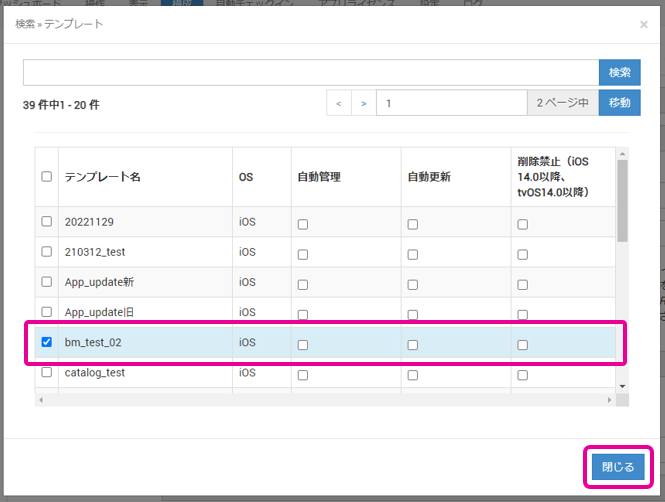
Select the check box for the template.
If you want to set Auto Management, Auto Update, or Prevent Deletion, select them now.
Click "Close" to close the selection screen.
-
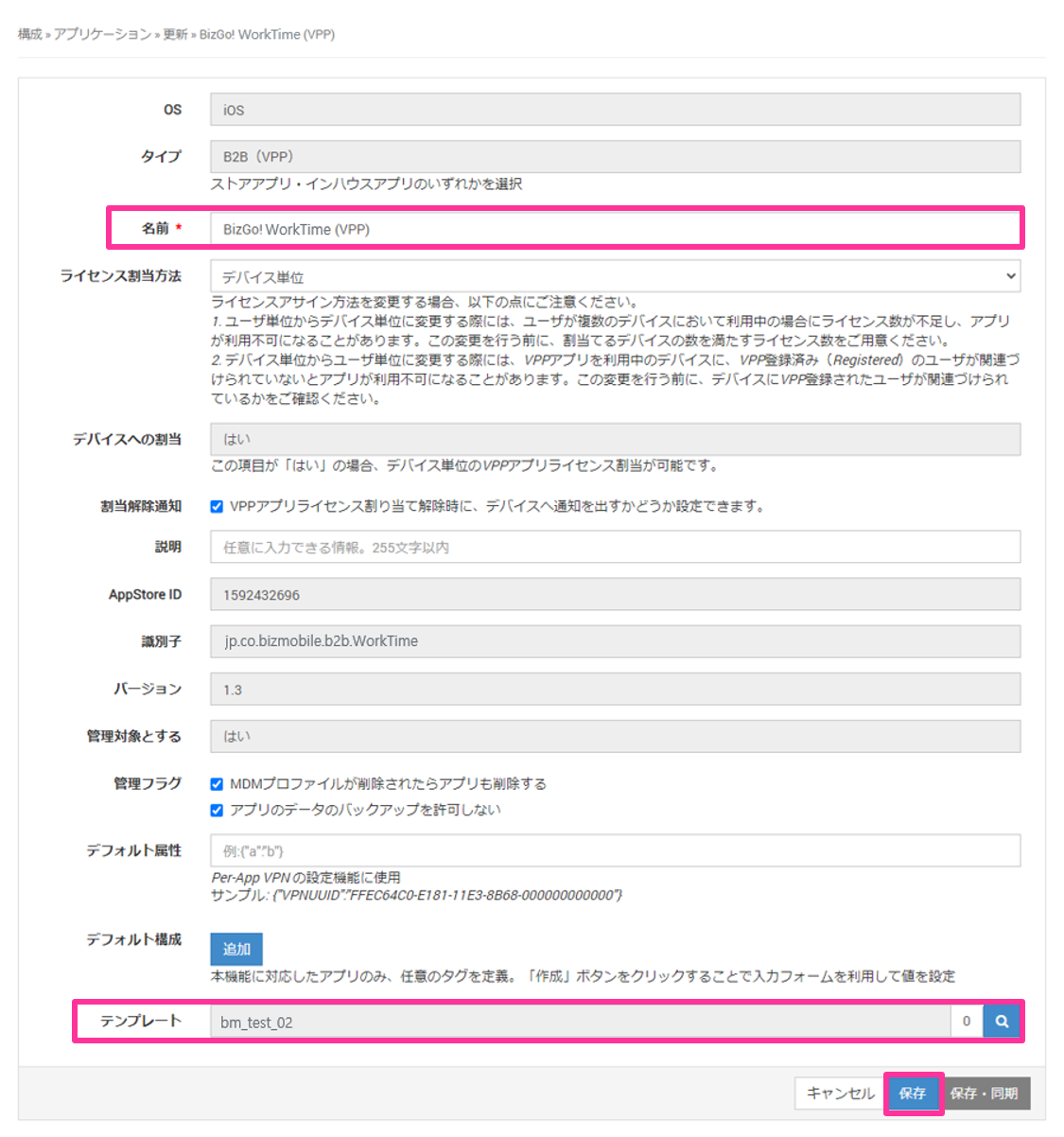
Confirm the app name and template, and click
Save.